Reader setup
Before you start
Run each step in order and move only when the outcome is confirmed.
- An API-enabled VICIdial user account (user and pass) with vdc_agent_api_access, separate from any agent's own phone login
- One already logged-in agent session, real or synthetic, whose agent_user login name you know
- A terminal with curl, or a JavaScript runtime such as Node.js 18 or later, and HTTPS network access to the VICIdial web server
- What you will prove
- You will be able to authenticate to /agc/api.php, read its plain-text response correctly, and safely pause, resume, dial, hang up, disposition, and transfer an already logged-in agent's call from your own script.
- Safety boundary
- Test every new function against a synthetic agent, phone extension, and campaign with no customer data before pointing automation at a production agent; a mistaken function or field can hang up, misroute, or misdisposition a live customer call.
Reader path
How to use this article
- Use it when: You need a fixed sequence to make a deployment or configuration change now.
- Expected result: Follow each step and verify the outcome before changing the next layer.
- Start here: Start at the first section and complete every checkpoint before moving to the next.
01 / 11
The VICIdial Agent API in one paragraph
Fast answer: the VICIdial Agent API is a single HTTPS (Hypertext Transfer Protocol Secure) endpoint, /agc/api.php, that reads and changes the state of one already logged-in agent session. You call it with a form-encoded POST containing function, user, pass, agent_user, and source. You get back plain text that starts with SUCCESS, ERROR, or version data, never JSON (JavaScript Object Notation). An HTTP status of 200 only means the web server accepted your request; a rejected call still returns HTTP 200 with a body that starts with the word ERROR, so you must read the body every time.
In plain language: an agent is the person logged into a phone and a campaign in the VICIdial browser client. A campaign is a configured outbound or blended calling project with its own dial method, statuses, and scripts. A list holds the individual leads, the contact records with a phone number, that a campaign dials. A disposition is the status code assigned to a finished call, such as sale or not interested. A channel is the live audio path that Asterisk, the open-source telephony engine VICIdial is built on, keeps open for one call leg; hanging up or transferring a call changes what is connected to that channel.
This guide covers only the Agent API. It does not cover administration, reporting, lead import, or campaign configuration; those live behind a separate endpoint with separate rules, described next.
Visual walkthrough
Follow three real demo screens
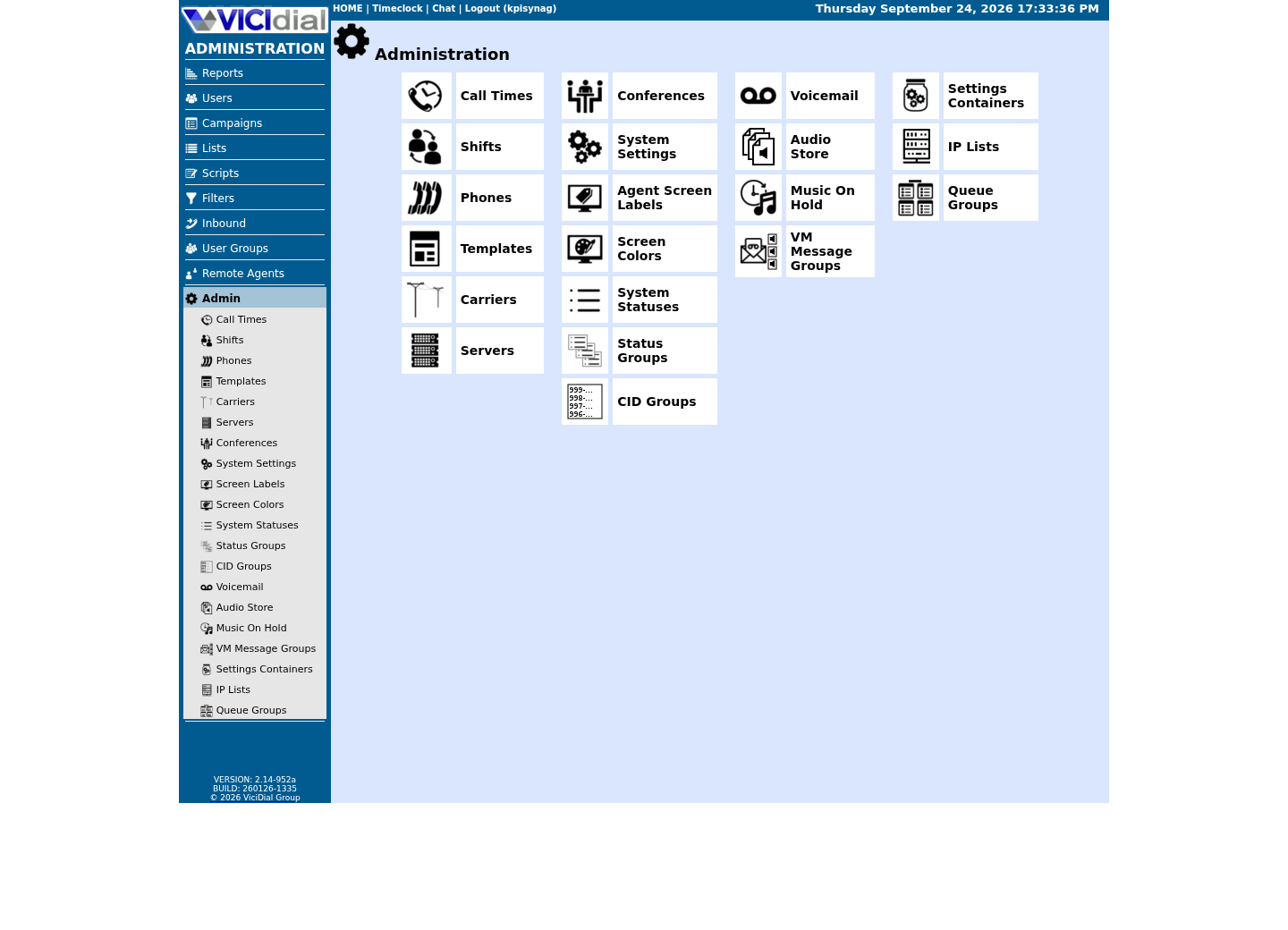
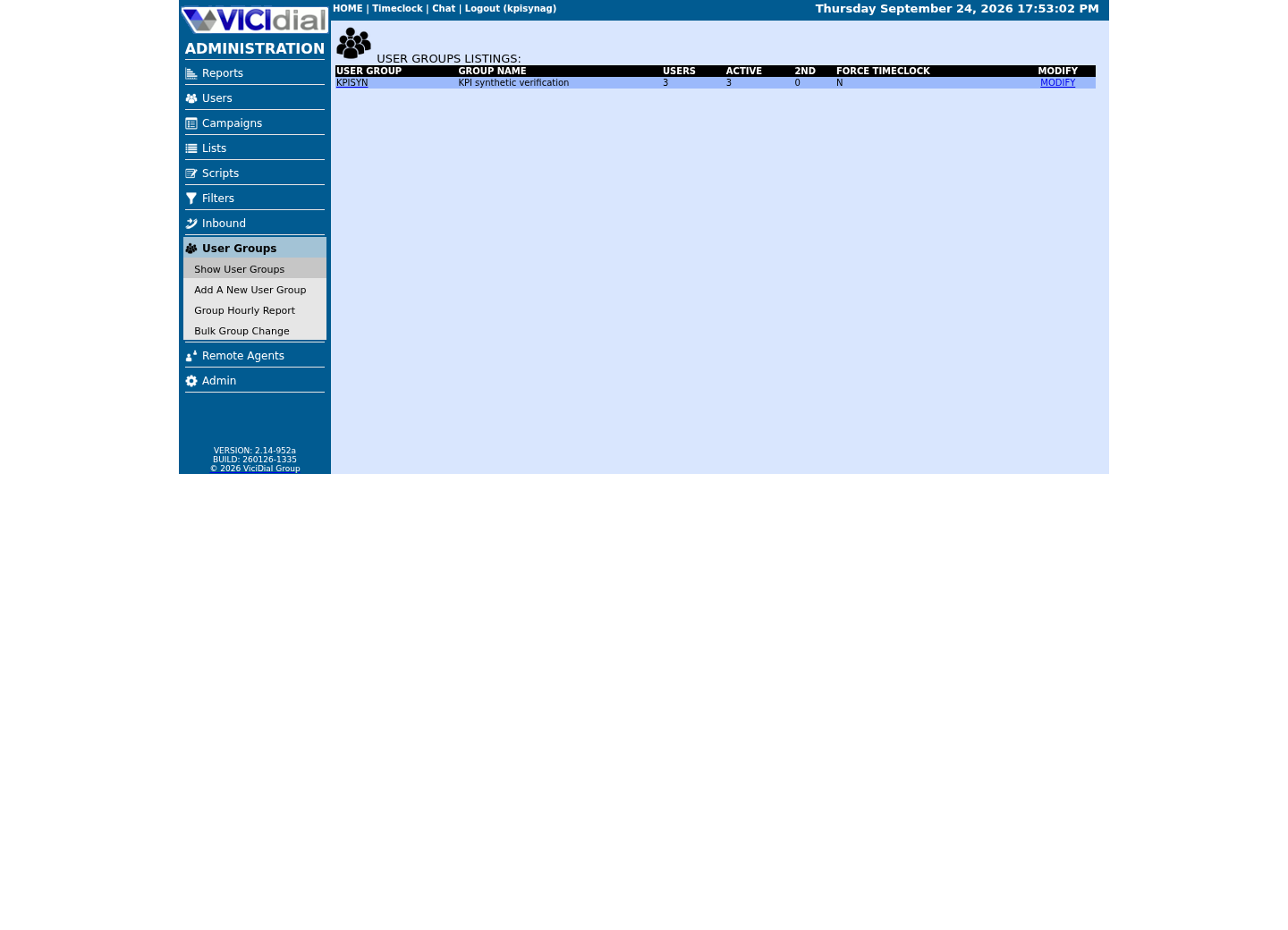
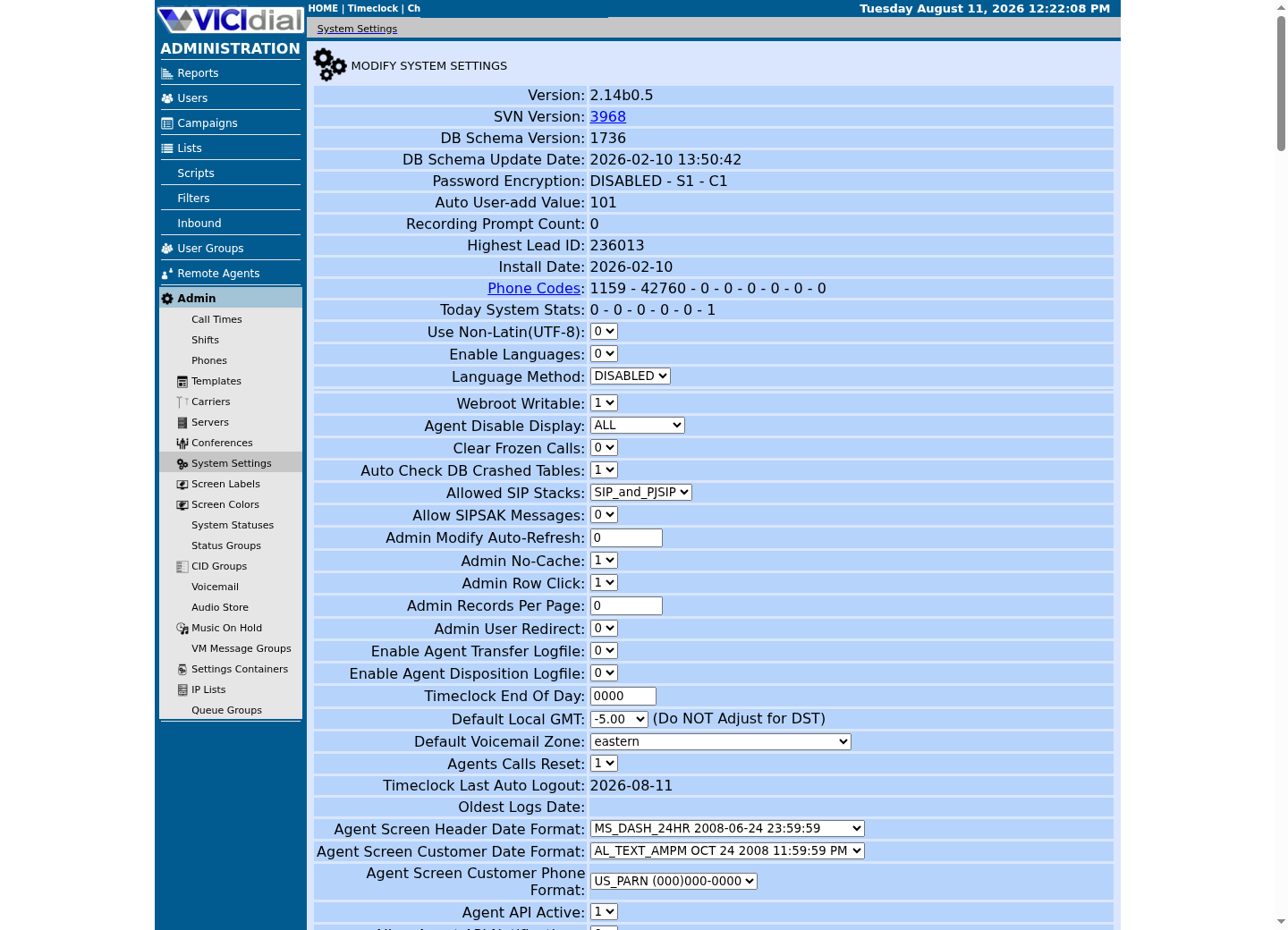
Captured on an isolated VICIdial demo: Administration screens on September 24, 2026, and the idle Agent screen on August 11, 2026. Each caption states its own capture time, and every sanitized image helps you recognize a related screen; none proves that this article's call, command, or result occurred.Use the Administration map
Review user-group boundaries
Inspect system-wide security and API context
02 / 11
Where the Agent API stops and the Non-Agent API begins
VICIdial exposes two separate HTTP application programming interfaces (APIs), and mixing them up is the most common integration mistake. The Agent API at /agc/api.php acts on a live, already logged-in agent session: it can pause that agent, dial on that agent's behalf, hang up that agent's current call, set a disposition, transfer, or read that agent's live status.
The Non-Agent API at /vicidial/non_agent_api.php is a separate administrative surface. It adds and updates leads, lists, users, phones, campaigns, and DIDs (Direct Inward Dialing numbers) — including functions this guide's readers reach for by habit, such as add_lead, add_dnc_phone, and update_alt_url, plus reporting helpers such as phone_number_log — and it runs reports and real-time lookups such as logged_in_agents and agent_status. Several of its list and export functions let you choose an output stage such as csv, tab, or pipe; the Agent API offers no such choice, its response is always plain text.
If your task is provisioning or reporting, use the Non-Agent API — see vicidial-agent-api-vs-non-agent-api for the full function-by-function comparison. If your task is controlling a call or an agent who is on the phone right now, use the Agent API. A request sent to the wrong endpoint simply will not find the function you are looking for.
03 / 11
Step 1 — Build the request: endpoint, fields, and encoding
Step 1 is building one correct request. Every Agent API call is an HTTPS POST to /agc/api.php with a form-encoded body, Content-Type application/x-www-form-urlencoded. The installed source reads its fields from both GET and POST, but POST keeps a password out of server access logs and browser history, so use POST.
Five fields form the core contract documented for the Agent API: source identifies the calling system and must be no more than 20 characters; user and pass are an API-enabled VICIdial user account, not the agent's own phone credentials; agent_user is the login of the already logged-in agent session you want to affect; function is the exact operation name, such as version, external_pause, external_dial, external_hangup, external_status, or transfer_conference.
Never put pass on a command line where a shell history file can capture it, and never put it in a URL (Uniform Resource Locator) query string where a proxy log can capture it. Store the whole request shape — the URL plus user, pass, and source — in a root-only curl configuration file, /etc/vicidial-api/agent.cfg, and pass --config to curl instead of typing any of those values. Root:root ownership and mode 600 keep it unreadable to anyone but the account actually running the curl command. It holds a url line for https://<VICIDIAL_HOST>/agc/api.php, plus one data-urlencode line each for user, pass, and a source label under 20 characters such as agentapiguide — the same shape every Non-Agent API config file in this library uses. A JavaScript client should read the same values from an environment variable, never a literal string in source control.
curl --fail-with-body --silent --show-error --config /etc/vicidial-api/agent.cfg --data-urlencode "function=version"Captured demo response · 2026-09-23 21:35 UTC. The displayed command is the command that ran; a safe subset label means it was filtered, redacted, or fixture-scoped. Replays only after you select Replay transcript.
- Before you run it
- You have an API-enabled VICIdial user (user and pass) with vdc_agent_api_access, a source label under 20 characters, and HTTPS network access to the VICIdial web server.
- Success looks like
- The response body does not start with ERROR; a version-reporting build returns a short line describing the installed VICIdial version, which confirms your credentials, network path, and TLS (Transport Layer Security) trust chain all work before you try a state-changing function.
- Stop if
- Treat any body starting with the literal word ERROR as a failure even though curl reports HTTP 200; stop before running a state-changing function until you understand why version failed, because a broken contract call means every later call will fail the same way. --fail-with-body also makes curl itself exit non-zero on an HTTP-level failure, separate from an ERROR-prefixed body on a 200.
04 / 11
Step 2 — Read the plain-text response before you trust HTTP 200
Step 2 is treating the HTTP status code as separate from the answer. The transport layer, TLS, the web server, and HTTP itself, can succeed completely while the VICIdial application layer rejects the request. A malformed function name, an agent_user who is not currently logged in, or an API user without permission all still come back as HTTP 200 with a plain-text body that starts with the word ERROR.
A successful call returns a plain-text body that starts with SUCCESS, or, for the version function, a line of build information. There is no JSON envelope and no status field to parse; the first word of the body is the entire contract. Compare that first token, not the HTTP status, to decide whether your automation should continue.
This distinction matters most in JavaScript, where fetch resolves its promise for any HTTP response, including HTTP 200 wrapping an ERROR body, and only rejects on a network-level failure such as a DNS (Domain Name System) lookup failure or a connection reset — see the reusable JavaScript client later in this guide for a worked example that checks for this correctly.
curl --fail-with-body --silent --show-error --config /etc/vicidial-api/agent.cfg --data-urlencode "function=calls_in_queue_count" --data-urlencode "agent_user=<AGENT_USER>" --data-urlencode "value=DISPLAY"Captured demo response · 2026-09-23 21:35 UTC. The displayed command is the command that ran; a safe subset label means it was filtered, redacted, or fixture-scoped. Replays only after you select Replay transcript.
- Before you run it
- calls_in_queue_count only ever reports a number back — it is genuinely read-only — but it still needs an agent_user, so an <AGENT_USER> with no open session demonstrates this step's whole lesson safely.
- Success looks like
- For an agent_user with an open session, the response is SUCCESS: calls_in_queue_count - 0 (or another count) — a plain number and nothing else.
- Stop if
- For an agent_user with no open session, expect ERROR: agent_user is not logged in on an ordinary HTTP 200 — exactly the trap this step teaches you to check for, not a broken request.
05 / 11
Step 3 — Pause and resume the agent with external_pause
Step 3 is the function most integrations reach for first: external_pause, confirmed present in the installed agc/api.php and grouped under session and call state in the Agent API reference. It takes the core contract fields plus one more: value — and value takes exactly two choices, PAUSE or RESUME. There is no third value here.
A pause reason code, such as a lunch or break code defined under Pause Codes in administration, is a separate function entirely: pause_code, which only works on an agent who is already paused. Do not send a reason code as external_pause's value; it is not documented and will not behave like a reason.
Pause and resume are two separate commands, not a toggle you send once. Serialize them: send the pause, confirm SUCCESS (or read the ERROR text if the agent is not logged in), then send the resume and confirm it the same way before doing anything else.
curl --fail-with-body --silent --show-error --config /etc/vicidial-api/agent.cfg --data-urlencode "function=external_pause" --data-urlencode "agent_user=<AGENT_USER>" --data-urlencode "value=PAUSE" curl --fail-with-body --silent --show-error --config /etc/vicidial-api/agent.cfg --data-urlencode "function=external_pause" --data-urlencode "agent_user=<AGENT_USER>" --data-urlencode "value=RESUME"This sample changes a system, contacts an outside service, needs a live call, or would print real data from a shared server, so it was not run on the demo. Run it only where you are authorized, and compare the result with the success and stop guidance.
- Before you run it
- <AGENT_USER> is a real vicidial_users login, and external_pause actually pauses or resumes whatever session is logged in under it — never run this against a shared server where a real agent might be working. Rehearse it only against a synthetic agent and campaign you control.
- Success looks like
- Both responses start with SUCCESS, and the agent's live status in the VICIdial real-time display changes to paused, then back to ready, matching the sequence you just sent.
- Stop if
- Either response starts with ERROR, or the live display never matches the response. Stop the automation, leave the agent in whatever state the last confirmed SUCCESS produced, and investigate before sending the next command.
06 / 11
Dial a number and hang it up: external_dial and external_hangup
external_dial and external_hangup are both confirmed function names grouped under dial and preview, and pause and hang up, in the Agent API reference. external_dial's target number goes in value — there is no phone_number field on this function. The commonly used optional fields alongside it are phone_code, search, preview, and focus.
search=YES looks the number up in the campaign-defined vicidial_list first and brings up that lead if found; search=NO creates a new lead record instead. preview=YES brings the lead up on screen without dialing; preview=NO dials immediately. focus=YES brings the agent's browser tab to the front so the call is visible right away.
external_hangup takes the core contract fields plus one more: value, and 1 is the only documented valid value for it — send it explicitly on every call. It ends whatever call is currently on the named agent_user's channel; it does not take a target number, because it acts on the agent's current call, not on an arbitrary channel.
curl --fail-with-body --silent --show-error --config /etc/vicidial-api/agent.cfg --data-urlencode "function=external_dial" --data-urlencode "agent_user=<AGENT_USER>" --data-urlencode "value=<PHONE_EXTEN>" --data-urlencode "phone_code=1" --data-urlencode "search=YES" --data-urlencode "preview=NO" --data-urlencode "focus=YES" curl --fail-with-body --silent --show-error --config /etc/vicidial-api/agent.cfg --data-urlencode "function=external_hangup" --data-urlencode "agent_user=<AGENT_USER>" --data-urlencode "value=1"This sample changes a system, contacts an outside service, needs a live call, or would print real data from a shared server, so it was not run on the demo. Run it only where you are authorized, and compare the result with the success and stop guidance.
- Before you run it
- <PHONE_EXTEN> is a synthetic extension or lab number you own end to end; never point external_dial at a real customer number while you are still testing. Confirm the agent is logged in and off a call before you send this.
- Success looks like
- The dial response starts with SUCCESS, the agent's live status moves to a call state in the real-time display, and, after the hangup call, the response starts with SUCCESS again and the agent's channel is free.
- Stop if
- Either response starts with ERROR, or the agent's live state does not match what the response claimed. Stop dialing further test numbers and confirm the agent's actual state with calls_in_queue_count or the live display before you retry.
07 / 11
Close the call: set a disposition with external_status
external_status is confirmed present in the installed agc/api.php, grouped with external_pause and external_hangup under session and call state. It uses the core contract plus value, the disposition status code to apply.
The disposition ends the active workflow for the call: it can trigger a callback, a recycle, a do-not-call entry, or an email, depending on how the status is configured for the campaign. Setting the wrong code does not just mislabel a report row, it can change what happens to the lead next.
Confirm which status codes exist for the target campaign before you automate this. NA, DC, and CALLBK are common built-in classifications, and NI (Not Interested) is a real disposition status code confirmed in VICIdial's own statuses reference. Custom campaign statuses are common and are not covered by the built-in list.
curl --fail-with-body --silent --show-error --config /etc/vicidial-api/agent.cfg --data-urlencode "function=external_status" --data-urlencode "agent_user=<AGENT_USER>" --data-urlencode "value=NI"This sample changes a system, contacts an outside service, needs a live call, or would print real data from a shared server, so it was not run on the demo. Run it only where you are authorized, and compare the result with the success and stop guidance.
- Before you run it
- NI is configured as a valid status for the target campaign; confirm this against administration or a Non-Agent API status lookup rather than assuming every installation shares the same status list. external_status actually closes out whatever call is live for <AGENT_USER> — never run this against a shared server where a real agent might be on a real call; rehearse it only against a synthetic agent and campaign you control.
- Success looks like
- The response starts with SUCCESS, and the lead's status in the list changes to NI, closing the current call cleanly.
- Stop if
- The response starts with ERROR, most often because the agent has no active call to disposition, or the status code is not valid for this campaign. Stop and re-check the agent's live state before sending a different code.
08 / 11
Transfer or redirect a live call
transfer_conference is fully documented in the Agent API reference for an ordinary logged-in agent's own active call: eight value choices — HANGUP_XFER, HANGUP_BOTH, BLIND_TRANSFER, LEAVE_VM, LOCAL_CLOSER, DIAL_WITH_CUSTOMER, PARK_CUSTOMER_DIAL, and LEAVE_3WAY_CALL — plus phone_number, ingroup_choices, consultative, dial_override, group_alias, cid_choice, multi_dial_phones, md_check, and tw_check depending on which value you send. LOCAL_CLOSER with ingroup_choices sends the call to another VICIdial agent through an in-group; BLIND_TRANSFER with phone_number sends it to a defined number instead.
ra_call_control is a different function for a different situation: remote-agent call control, not an ordinary logged-in agent's own live call. Its value is the call's own unique ID (the CallerIDname field, or a matching SIP header), stage is one of HANGUP, EXTENSIONTRANSFER, or INGROUPTRANSFER, and the destination goes in phone_number for EXTENSIONTRANSFER or ingroup_choices for INGROUPTRANSFER. Reach for transfer_conference for a normal agent; use ra_call_control only when the call belongs to a remote agent.
Pause, hangup, disposition, and transfer are separate commands, not one atomic transaction. Never issue a transfer for a call whose current state you have not just confirmed, and never chain a transfer after a disposition without checking that the disposition actually returned SUCCESS first.
# A normal, logged-in agent: send the call to an in-group via LOCAL_CLOSER.curl --fail-with-body --silent --show-error --config /etc/vicidial-api/agent.cfg --data-urlencode "function=transfer_conference" --data-urlencode "agent_user=<AGENT_USER>" --data-urlencode "value=LOCAL_CLOSER" --data-urlencode "ingroup_choices=<INGROUP_ID>" # A remote agent only: redirect their active call to an extension.curl --fail-with-body --silent --show-error --config /etc/vicidial-api/agent.cfg --data-urlencode "function=ra_call_control" --data-urlencode "agent_user=<AGENT_USER>" --data-urlencode "stage=EXTENSIONTRANSFER" --data-urlencode "value=<CALL_UNIQUE_ID>" --data-urlencode "phone_number=<PHONE_EXTEN>"This sample changes a system, contacts an outside service, needs a live call, or would print real data from a shared server, so it was not run on the demo. Run it only where you are authorized, and compare the result with the success and stop guidance.
- Before you run it
- Confirm the agent's current call state before sending either command. <INGROUP_ID> must be a real, active in-group; <CALL_UNIQUE_ID> is the specific call's own ID, not the agent_user.
- Success looks like
- The response starts with SUCCESS, and the live VICIdial display shows the call connected to the new destination, matching what the response claimed.
- Stop if
- The response starts with ERROR, or the response looks like success but the live call did not actually move. Treat the mismatch itself as a failure, roll back by hanging up the call manually, and do not leave it in an unknown state.
09 / 11
The complete function reference, grouped by purpose
This is every function in the function summary in AGENT_API.txt (Updated: 2025-08-30) — 31 in total — grouped by task rather than the doc's own listing order. The core contract (user, pass, source) applies to all 31; agent_user is also required on every one of them except five: version, webserver, st_login_log, st_get_agent_active_lead, and send_notification.
Every rejection is a plain-text response starting with the word ERROR on an ordinary HTTP 200, exactly as Step 2 describes; a few functions also define NOTICE-prefixed responses for a condition that is neither success nor failure, such as external_dial's NOTICE: defined dial_ingroup not found when an optional in-group field does not match anything.
- Runtime discovery — version: build, date and time, no fields at all beyond function itself. webserver: server diagnostics (OS, PHP, Apache, memory), no agent_user field, and the API user needs explicit permission for this one function. webphone_url: value=DISPLAY or LAUNCH for the logged-in agent's webphone URL.
- Session and call state — call_agent: places a call connecting the agent to their own phone, not for on-hook agents. logout: value=LOGOUT, deferred until a live call ends. external_pause: value=PAUSE or RESUME only (Step 3). pause_code: sets a reason code, 6 characters or less, only while the agent is already paused. external_hangup: value=1 is the only valid value (dial-and-hangup below). external_status: sets the disposition on the agent's current call, with optional callback_datetime/callback_type/callback_comments/qm_dispo_code fields for a scheduled callback (set-a-disposition below). refresh_panel: reloads one or more agent-screen panels (form, script, script2, callbacks, email, chat) without touching a live call. set_timer_action: arms a timed action — a webform, a preset dial, or a message — a set number of seconds into the call.
- Dialing, leads, and in-groups — external_dial: the number goes in value, with phone_code/search/preview/focus as the common optional fields (dial-and-hangup below). preview_dial_action: sends SKIP, DIALONLY, ALTDIAL, ADR3DIAL, or FINISH for a lead in preview or manual alt-dial. external_add_lead: adds a lead to the agent's own manual-dial list, a simpler cousin of the Non-Agent API's add_lead. switch_lead: on a live inbound call, switches which lead_id or vendor_lead_code is attached to it. update_fields: updates lead data fields on the agent's screen, or triggers a form/script/email/chat reload. change_ingroups: changes an agent's selected in-groups and blended flag; the API user needs vicidial_users.change_agent_campaign=1.
- Media, transfer, and remote-agent control — audio_playback: PLAY/STOP/PAUSE/RESUME/RESTART audio in the agent's session (PAUSE/RESUME/RESTART need Asterisk 1.8+). recording: START/STOP/STATUS agent recording. stereo_recording: BEGIN/END/STATUS agent-controlled stereo recording, a separate mechanism from plain recording. park_call: nine PARK/GRAB/SWAP values for the customer, a third-party leg, or a park IVR. send_dtmf: sends a DTMF string into the agent's live call (P for #, S for *, Q for one second of silence). transfer_conference: the main transfer/conference function for a logged-in agent (transfer-or-redirect below). force_fronter_audio_stop and force_fronter_leave_3way: reach the other agent sharing the same lead on a 3-way call, to stop their audio playback or have them leave. ra_call_control: remote-agent-only call control (transfer-or-redirect below).
- Queue and interface events — calls_in_queue_count: value=DISPLAY only, a count of calls that could reach this agent (Step 2). st_get_agent_active_lead and st_login_log: resolve a CRM AgentID in vicidial_users.custom_three to a VICIdial user — neither takes an agent_user field, and st_login_log needs no login at all. send_notification: a text alert or confetti effect to a user, user_group, or campaign; disabled system-wide by default, and it takes recipient/recipient_type instead of agent_user. vm_message: sets the VM-button audio file(s) for the agent's current call; needs the campaign's Answering Machine Message set to LTTagent.
010 / 11
A safe integration workflow you can repeat
Follow one workflow every time you add a new Agent API function to your automation, not only the first time you touch this endpoint.
Call version first and record the exact build, then verify in the installed agc/api.php, or with your VICIdial administrator, that the function you want still exists and that your API user has only the permissions it needs, nothing more.
Serialize dependent actions. If your script crashes between two calls in a sequence, the agent can be left in an unexpected state, so write a rollback step, such as forcing a resume or a safe disposition, for every multi-call sequence before you run it against a live campaign.
Test everything against a synthetic agent, phone extension, and campaign with no customer data before you point automation at production, and verify the resulting state in both the plain-text response and the live VICIdial real-time display; the two can disagree.
- Call version and record the exact build before depending on any other function
- Confirm the function still exists in the target's installed agc/api.php
- Grant the API user only the permissions the automation actually needs
- Serialize pause, hangup, disposition, and transfer as separate calls, never as one transaction
- Write a rollback action, such as a forced resume, for every multi-step sequence
- Test against a synthetic agent and campaign with no customer data first
- Use HTTPS with normal certificate verification, an explicit timeout, and URL encoding
- Redact pass and any lead, phone, or call identifier from logs before you store them
async function readCallsInQueueCount(agentUser) { const params = new URLSearchParams() params.set('source', 'agentapiguide') params.set('user', process.env.VICIDIAL_API_USER) params.set('pass', process.env.VICIDIAL_API_PASS) params.set('agent_user', agentUser) params.set('function', 'calls_in_queue_count') params.set('value', 'DISPLAY') const response = await fetch('https://<VICIDIAL_HOST>/agc/api.php', { method: 'POST', headers: { 'Content-Type': 'application/x-www-form-urlencoded' }, body: params }) if (response.status !== 200) { throw new Error(`Agent API transport failed with HTTP ${response.status}`) } const text = (await response.text()).trim() if (text.startsWith('ERROR')) { throw new Error(`Agent API rejected calls_in_queue_count: ${text}`) } return text} readCallsInQueueCount('agent007').then(text => { console.log('calls in queue for this agent:', text)}).catch(error => { console.error(error.message) process.exitCode = 1})This sample changes a system, contacts an outside service, needs a live call, or would print real data from a shared server, so it was not run on the demo. Run it only where you are authorized, and compare the result with the success and stop guidance.
- Before you run it
- You have process.env.VICIDIAL_API_USER and process.env.VICIDIAL_API_PASS set in the environment that runs this script, never hard-coded in the file, and <VICIDIAL_HOST> replaced with your real server.
- Success looks like
- text does not start with ERROR; log and act on the exact string returned, since the Agent API defines no other structure to parse.
- Stop if
- response.status is not 200, or text starts with ERROR; either is a failure. Stop the calling workflow rather than guessing at the agent's real state from a rejected response.
011 / 11
Troubleshoot common failures, and know when to stop
Troubleshoot an Agent API integration by reading the response body first and the HTTP status second. Most integration failures are not network failures at all; they are plain-text ERROR bodies riding on a perfectly successful HTTP 200.
A response starting with ERROR after you supply a user, pass, or source commonly means the API user account is not enabled for API access, or that source is longer than the documented 20-character limit.
A response starting with ERROR that references the agent_user usually means that login is not currently logged into a live session on this server; the Agent API cannot start a session, it can only act on one the browser client already created.
Stop, and do not send the next command in a sequence, such as a transfer after a disposition, if the previous response was not a clean SUCCESS. A partial sequence run against a live campaign can leave a real customer's call in an inconsistent state that is harder to fix by hand than by rerunning the whole sequence against a synthetic agent first.
Every ERROR body starts with the literal word ERROR, per the documented contract; AGENT_API.txt gives the exact human-readable text for most functions' documented failure cases, but trailing values such as which user or which permission are specific to your account and build. Code your parser against the leading word, not the trailing message.
SUCCESSSUCCESS: optional human-readable messageERROR: human-readable reason, for example an invalid login or an agent who is not logged in(a version-reporting call returns build information instead of the SUCCESS or ERROR word)This sample is a template or reading aid, not a terminal command. There is no output to show.
- Before you run it
- Your parser checks only the first token of the response body, and treats every other word as a message to log, not a value to branch on.
- Success looks like
- The first token is SUCCESS, or, for version, the body is build information rather than an error line.
- Stop if
- The first token is ERROR. Stop the sequence, log the full body for a human to read, and do not guess at what state the agent or call is actually in.
Evidence ledger
Verification basis
- AGENT_API.txt documents the universal request contract (user, pass, agent_user, source, function) and the SUCCESS, ERROR, and version-data response contract used throughout this guide, with a worked example response for each function.
- AGENT_API.txt's own function summary lists 31 functions; this guide's full reference groups every one of them by task, citing that summary directly rather than a derived count.
- AGENT_API.txt documents audio_playback's stage values (PLAY, STOP, PAUSE, RESUME, RESTART) and ra_call_control's stage values (HANGUP, EXTENSIONTRANSFER, INGROUPTRANSFER) in each function's own DETAIL section.
- AGENT_API.txt documents transfer_conference's full field-by-field contract — 8 value choices plus phone_number, ingroup_choices, consultative, dial_override, group_alias, cid_choice, multi_dial_phones, md_check, and tw_check — in its own DETAIL section.
- VICIDIAL_statuses.txt confirms NA, CALLBK, DC, and NI as real disposition status codes, at its own lines 6, 7, 17, and 28.
Primary references
Sources
- VICIdial Agent API reference (AGENT_API.txt)VICIdial Group · accessed August 5, 2026
- VICIdial Non-Agent API reference (NON-AGENT_API.txt)VICIdial Group · accessed August 5, 2026
- VICIdial status and disposition reference (VICIDIAL_statuses.txt)VICIdial Group · accessed August 5, 2026