Reader setup
Before you start
Run each step in order and move only when the outcome is confirmed.
- An isolated test campaign with one synthetic lead
- One test agent account approved for callbacks
- Permission to use the VICIdial Admin and Agent screens, plus a read-only database account (see vicidial-read-only-database-account) for the checks below
- What you will prove
- You can explain USERONLY versus ANYONE using VICIdial's own shipped status definitions, verify one agent-owned callback without calling a real customer, and confirm the result a second way with a read-only API call.
- Safety boundary
- Use only a test lead and test number. Do not edit vicidial_callbacks directly or change shared callback conversion settings during this exercise.
Reader path
How to use this article
- Use it when: You need a fixed sequence to make a deployment or configuration change now.
- Expected result: Follow each step and verify the outcome before changing the next layer.
- Start here: Start at the first section and complete every checkpoint before moving to the next.
01 / 08
A callback is a promised follow-up
A scheduled callback is a future task connected to a lead. VICIdial supports two different recipients: USERONLY means the agent who created it owns the task; ANYONE means a suitably available agent in the campaign can handle it. Choose the recipient before worrying about timing.
This is a workflow choice, not a minor label. VICIdial's own feature list describes both agent-only and anyone callbacks, and the agent screen is where people carry out the work.
Visual walkthrough
Follow three real demo screens
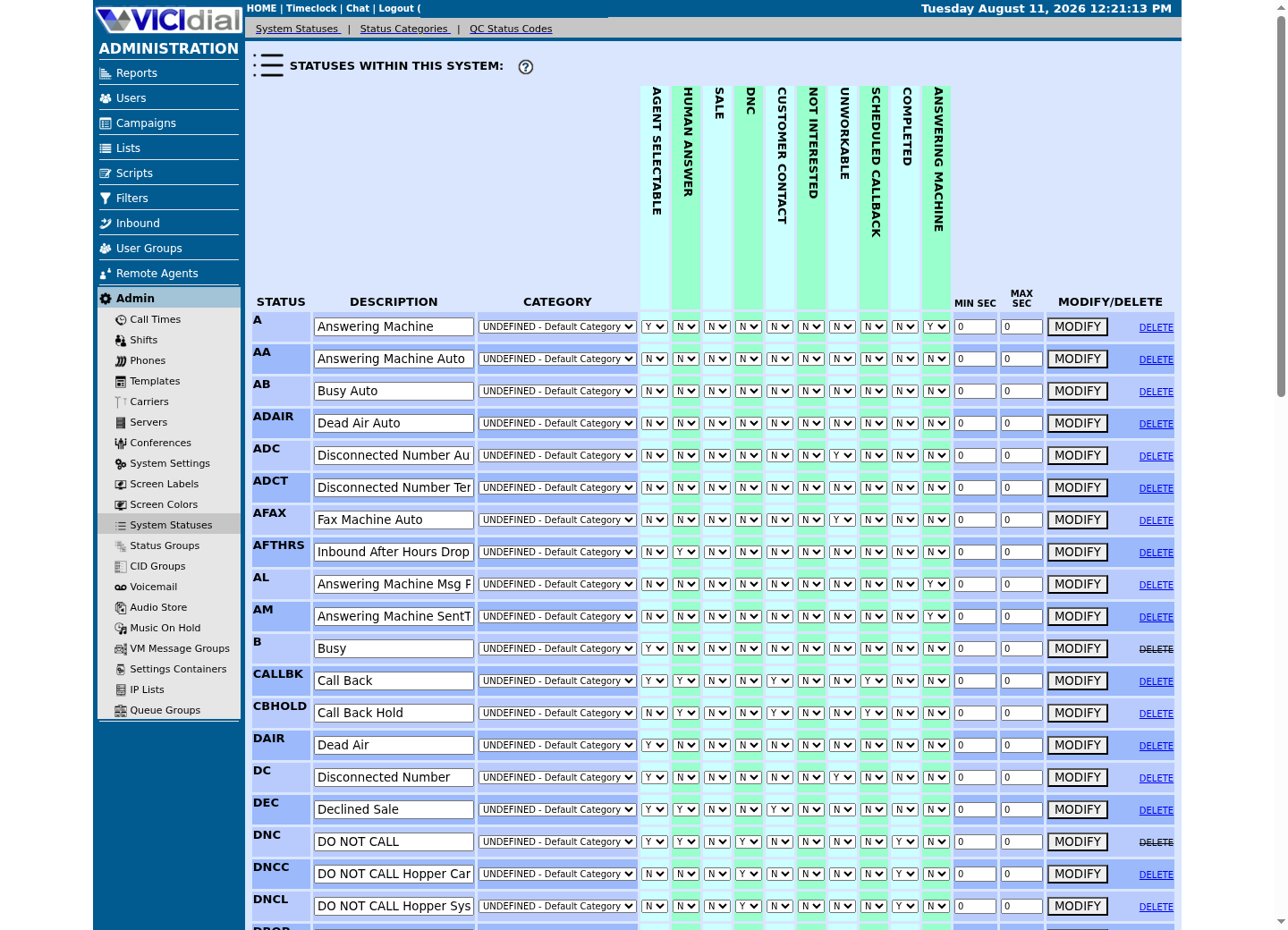
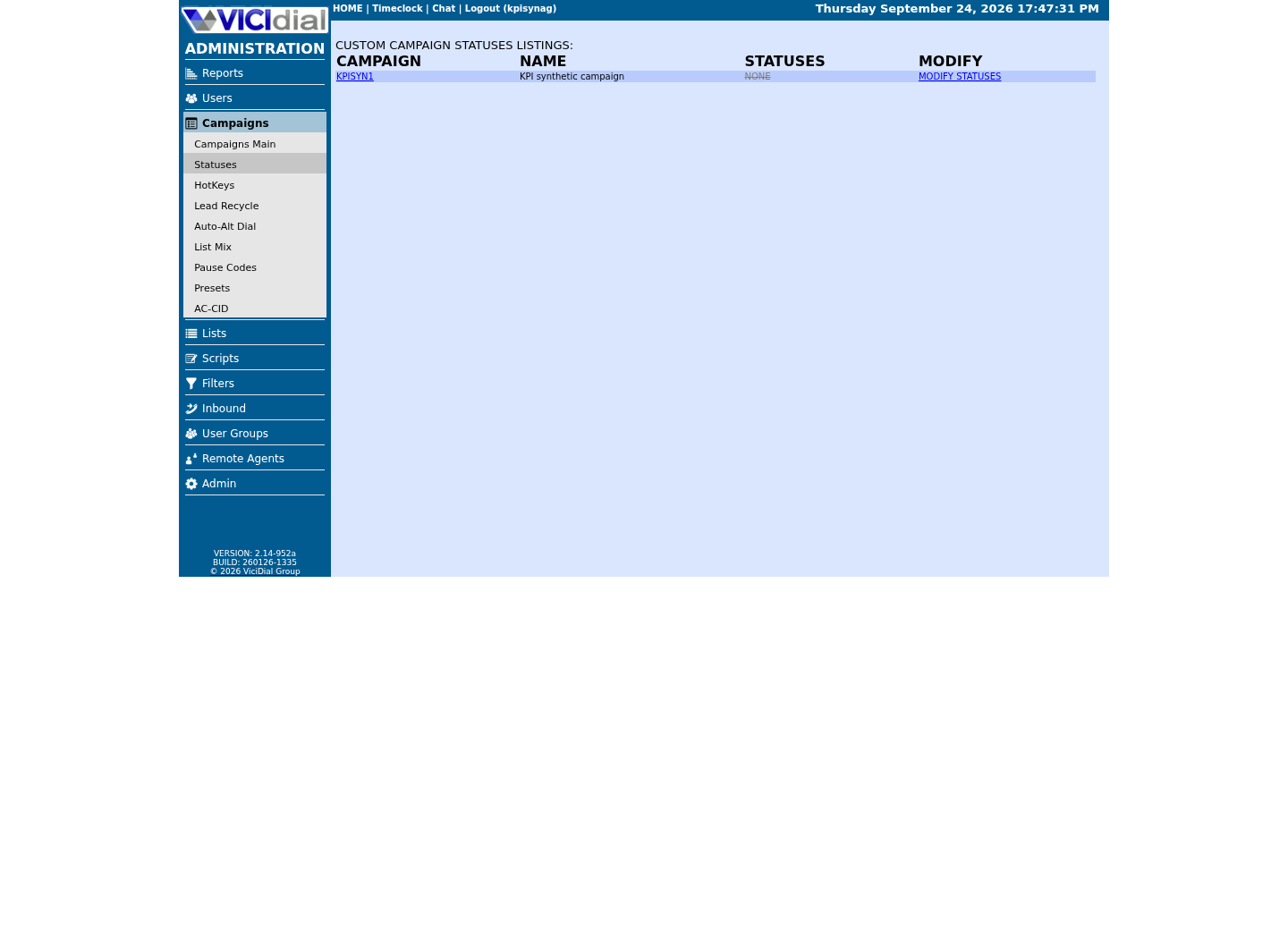
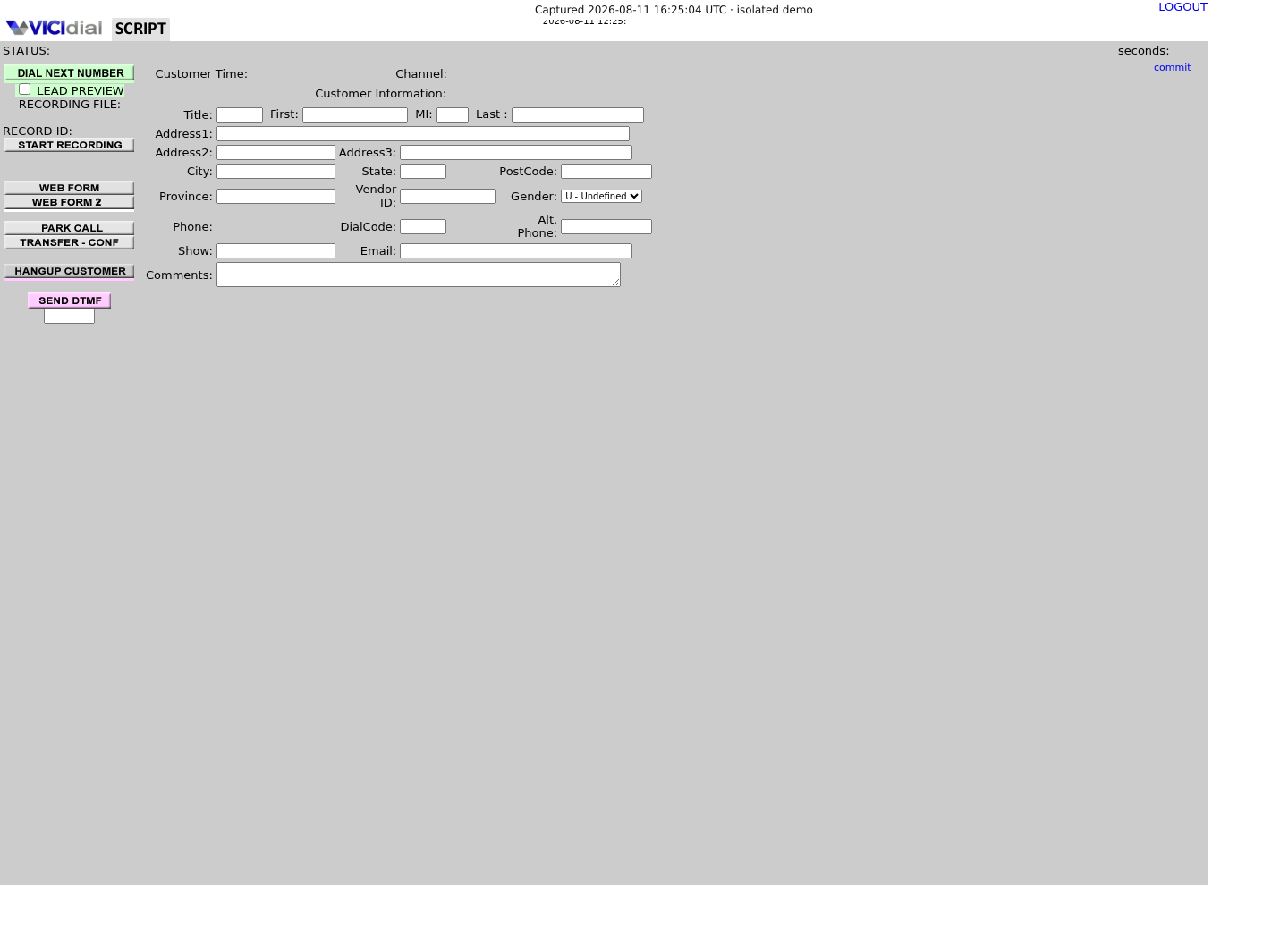
Captured on an isolated VICIdial demo: Administration screens on September 24, 2026, and the idle Agent screen on August 11, 2026. Each caption states its own capture time, and every sanitized image helps you recognize a related screen; none proves that this article's call, command, or result occurred.Read system status definitions
Compare campaign dial statuses
See where an agent works with status
02 / 08
USERONLY is not a hopper entry
VICIdial ships its own definition of the holding status a callback sits in before it is due. VICIDIAL_statuses.txt defines CBHOLD as "Call Back Hold - Scheduled ANYONE callback that has not hit it's trigger, or an AGENTONLY callback." In plain language, both kinds of callback wait in that same status; when an ANYONE callback's time arrives, it moves into the hopper (the short list of leads a campaign is about to dial next) for whichever agent is available. A USERONLY callback never makes that move — it stays assigned to the agent who owns it, and only that agent can select it. A VICIdial forum thread reports the same split in day-to-day practice.
That means a team wanting an automatic agent-specific dial needs a reviewed custom workflow, not a database trick. For a noob-friendly default, let the owner select the callback in the Agent screen and make the call deliberately.
03 / 08
What the record looks like end to end
VICIdial's own docs are not perfectly consistent about the agent-only recipient's name: VICIDIAL_statuses.txt's prose calls it an "AGENTONLY callback," while the Non-Agent API's lead_callback_info function reports the same thing in a real field that literally reads USERONLY. Both are shipped and citable; treat them as two names for one recipient, not a contradiction that needs resolving.
lead_callback_info's own example row shows two state values directly: callback_type ARCHIVE and callback_status INACTIVE, for a callback that has already been resolved. The same function's search_location field names CURRENT as the other callback_type value, for callbacks still in the active schedule; the doc never spells out callback_status's full value list, so treat ACTIVE as the expected-but-unconfirmed counterpart to INACTIVE and confirm it against a real pending callback on your own build. One more wrinkle: this output's callback_type field name is reused elsewhere in the API as an add_lead/update_lead input meaning USERONLY or ANYONE instead — same name, unrelated value set. Confirm the underlying table's real columns yourself before writing a query against it, rather than trusting an old forum post's column names.
SHOW COLUMNS FROM vicidial_callbacks;Captured demo response · 2026-09-24 22:25 UTC. The displayed command is the command that ran; a safe subset label means it was filtered, redacted, or fixture-scoped. Replays only after you select Replay transcript.
- Before you run it
- Run this with the read-only database account before writing any callback query of your own.
- Success looks like
- You get the live column list for this build, including the status, recipient, user and callback_time columns used later in this guide.
- Stop if
- Stop and ask the database owner if the account can do more than SELECT, or if a column name differs on your build.
04 / 08
Give the test agent only the needed access
In Users, review the test user rather than copying a production user. The relevant permission is Agent-Only Callbacks; some workflows also require Agent Call Manual so the agent can actually place the follow-up. User groups and campaign access still matter.
Do not grant broad administrator rights just to test callbacks. If the expected control is absent, record the VICIdial version, user group and campaign and ask the system owner to review the build-specific settings.
- Confirm the account is a synthetic test agent.
- Confirm the test campaign is the only campaign in scope.
- Confirm the agent knows the callback is a manual follow-up.
05 / 08
Guided example: schedule one agent-only test callback
Log in as the test agent, open the synthetic lead, choose the campaign's approved callback disposition, and select the agent-only recipient option. Set a time a few minutes ahead in the server/campaign timezone and write a harmless note such as 'LAB CALLBACK — do not call customer'.
Do not use a real contact merely to make a callback appear. A safe test uses a number owned by the lab or no dialing at all until an authorized test endpoint is ready.
Lead: <LEAD_ID>Recipient: USERONLYOwner: <AGENT_USER>Time: <SERVER_TIME + 5 MINUTES>Comment: LAB CALLBACK — test onlyThis sample is a template or reading aid, not a terminal command. There is no output to show.
- Before you run it
- Create this only through the approved Agent screen for the isolated test campaign.
- Success looks like
- The agent sees the callback as their own upcoming task at the planned time.
- Stop if
- Stop if the lead is not synthetic, time zone is uncertain, or the interface defaults the recipient to ANYONE.
06 / 08
Guided example: take it and verify the outcome
At the scheduled time, keep the same test agent logged in and select the callback from that agent's callback area. Verify the lead and comment before manually dialing an authorized lab endpoint. End and disposition the lab call normally.
If the callback does not appear, first compare server time, campaign access and the agent-only permission. Do not reset the hopper: it is the wrong mechanism for USERONLY work.
SELECT status, recipient, user, callback_timeFROM vicidial_callbacksWHERE lead_id = '<LEAD_ID>'ORDER BY callback_time DESCLIMIT 3;Captured demo response · 2026-09-24 22:25 UTC. The displayed command is the command that ran; a safe subset label means it was filtered, redacted, or fixture-scoped. Replays only after you select Replay transcript.
- Before you run it
- Run only through the read-only database account after the UI test. Substitute the synthetic lead's numeric lead_id.
- Success looks like
- The newest record identifies the expected recipient/owner and planned time without exposing unrelated lead data.
- Stop if
- Stop if the account can write, the lead is not synthetic, or a column name differs in the reviewed build — check with SHOW COLUMNS above. On our ViciBox 12 lab this query returns no rows for the fixture lead, because no callback has ever been scheduled for it here — that is the idle baseline, not a fault. On your own build, a genuine zero-row result after the UI test instead means re-check the lead_id you substituted and confirm the disposition actually created a callback record.
07 / 08
Confirm it a second way with the Non-Agent API
The Agent screen and the database agree once you have checked both; a third, independent confirmation is the Non-Agent API's lead_callback_info function, covered in full in vicidial-non-agent-api-guide. It needs only the lead's numeric lead_id, the same one used in the database check above.
Call it exactly like every other read-only Non-Agent API sample in this library: through the /etc/vicidial-api/readonly.cfg config file, over strict HTTPS, never with a password on the command line. Check that the API itself answers before trusting a callback-specific result — a version call first confirms the credential file, host and the account's api_allowed_functions list are all correct.
curl --fail-with-body --silent --show-error --config /etc/vicidial-api/readonly.cfg --data-urlencode "function=version" curl --fail-with-body --silent --show-error --config /etc/vicidial-api/readonly.cfg --data-urlencode "function=lead_callback_info" --data-urlencode "lead_id=<LEAD_ID>" --data-urlencode "search_location=ALL" --data-urlencode "header=YES"Captured demo response · 2026-09-24 22:25 UTC. The displayed command is the command that ran; a safe subset label means it was filtered, redacted, or fixture-scoped. Replays only after you select Replay transcript.
- Before you run it
- Create /etc/vicidial-api/readonly.cfg first if it does not exist yet — see vicidial-non-agent-api-guide — then substitute the same lead_id used above.
- Success looks like
- version returns a VERSION/BUILD/DATE line, and lead_callback_info returns a pipe-delimited row with your test recipient and callback_status, matching the database row you just read.
- Stop if
- An ERROR body on HTTP 200 is still a failure: 'USER DOES NOT HAVE PERMISSION' means the account needs user_level 7+ with 'view reports' enabled, and 'CALLBACK NOT FOUND' means the search_location filter excluded it — try ALL before assuming the callback disappeared.
08 / 08
Choose the right callback type next time
Use USERONLY when continuity with the same agent matters and that agent will select the follow-up. Use ANYONE when the service promise is that the next qualified agent may handle it. Document the rule in the campaign script so agents do not guess.
If an owner leaves or coverage changes, have an authorized administrator follow the organisation's change process. Avoid bulk direct database edits: they bypass the UI's normal workflow and make audits harder.
- I can say why USERONLY does not enter the shared hopper.
- I tested only a synthetic callback.
- I know who owns changes to callback permissions and coverage.
Evidence ledger
Verification basis
- VICIDIAL_statuses.txt defines CBHOLD as a scheduled ANYONE callback before its trigger, or an AGENTONLY callback — the shipped basis for why only a triggered ANYONE callback ever reaches the hopper.
- NON-AGENT_API.txt's own lead_callback_info example rows show recipient USERONLY, callback_type ARCHIVE and callback_status INACTIVE in practice; CURRENT is the function's other documented lifecycle value, and ACTIVE is the expected but unconfirmed counterpart to INACTIVE.
- The test path uses the web interface, a read-only database account and a read-only API call only; it does not alter callback records by SQL.
Primary references
Sources
- VICIdial feature listVICIdial · accessed September 23, 2026
- Schedule Callback to USERONLY recipientVICIdial forum · accessed September 23, 2026
- VICIdial Quality Control ManualVICIdial · accessed September 23, 2026
- VICIdial status definitions (VICIDIAL_statuses.txt)VICIdial · accessed September 23, 2026
- VICIdial Non-Agent API reference (NON-AGENT_API.txt)VICIdial · accessed September 23, 2026