Reader setup
Before you start
Run each step in order and move only when the outcome is confirmed.
- An active campaign and list already created in the earlier articles in this path (a SIP carrier is optional and not required here), plus the read-only database account from Create a read-only database account for safe VICIdial queries for the verification queries below
- An Admin-level VICIdial login with permission to load leads, and, if you plan to automate loads, an API (Application Programming Interface)-enabled account with modify_leads set to 1 and a user level of 8 or higher
- A text editor or spreadsheet program to build a CSV (comma-separated values) file, plus an internal test extension you control so your first load can point away from any real phone number
- What you will prove
- After this guide you can build a CSV of test leads using the fields VICIdial actually stores, load it through the Admin lead-loading screen with a deliberately chosen duplicate-check scope, confirm the exact row count and lead detail that landed in vicidial_list, add a single synthetic lead through the add_lead Non-Agent API function, and find then clean up an entire bad batch by its own namespaced vendor_lead_code, all before a single test call could reach a real phone number.
- Safety boundary
- Every phone_number in this guide's examples is an internal extension, never a real phone number in any format. Before your first real load, point every test lead's phone_number at an extension you control and verify the load with the SELECT statements in this guide before that list goes anywhere near an active campaign, because a misconfigured dial level with real numbers sitting in a live list will place real calls to real people.
Reader path
How to use this article
- Use it when: You need a fixed sequence to make a deployment or configuration change now.
- Expected result: Follow each step and verify the outcome before changing the next layer.
- Start here: Start at the first section and complete every checkpoint before moving to the next.
01 / 08
What a Lead Record Actually Is
Fast answer: a lead is one contact record stored as a row in VICIdial's vicidial_list table; loading leads safely means building a CSV (comma-separated values) file with the right field names, loading it through the Admin lead-loading screen with a deliberately chosen duplicate-check scope, verifying the exact row count and a sample of the loaded rows, and, for your first load, pointing every test lead's phone_number at an internal extension instead of a real number so a misconfigured campaign cannot dial an actual person.
Lead and list are defined in the beginner terminology guide.
VICIdial's central lead table, vicidial_list, stores far more than a phone number. The fields worth knowing before your first load are phone_number (all numbers, 6 to 16 digits), phone_code (the country code, all numbers, 1 to 4 digits, defaulting to 1 for the USA and Canada if you leave it blank), first_name and last_name (up to 30 characters each), list_id (all numbers, 3 to 12 digits, defaulting to 999 if left blank), status (a short code, such as NEW for a lead that has not been called or is not currently callable), and vendor_lead_code, an optional 1-to-20-character field you control entirely.
vendor_lead_code deserves special attention: because you decide its value, giving every batch you load a distinct, greppable prefix turns it into a tracking tag, so a later cleanup step can find and remove only that batch's own rows and nothing else.
If a list needs fields beyond this standard set, VICIdial supports list-scoped custom fields, defined per list and stored in a separate dynamically created table, with up to 255 fields allowed and only one field set per list ID. Custom fields have to be defined on the target list before a loader or the add_lead API can put anything into them.
- `phone_number`: all numbers, 6 to 16 digits
- `phone_code`: all numbers, 1 to 4 digits, defaults to 1 (USA/Canada) if left blank
- `first_name` and `last_name`: up to 30 characters each
- `list_id`: all numbers, 3 to 12 digits, defaults to 999 if left blank
- `status`: a short code such as NEW for a fresh, never-called lead
- `vendor_lead_code`: 1 to 20 characters, entirely yours to define and reuse as a batch tag
Visual walkthrough
Follow three real demo screens
Captured on an isolated VICIdial demo: Administration screens on September 24, 2026, and the idle Agent screen on August 11, 2026. Each caption states its own capture time, and every sanitized image helps you recognize a related screen; none proves that this article's call, command, or result occurred.Identify the owning campaign
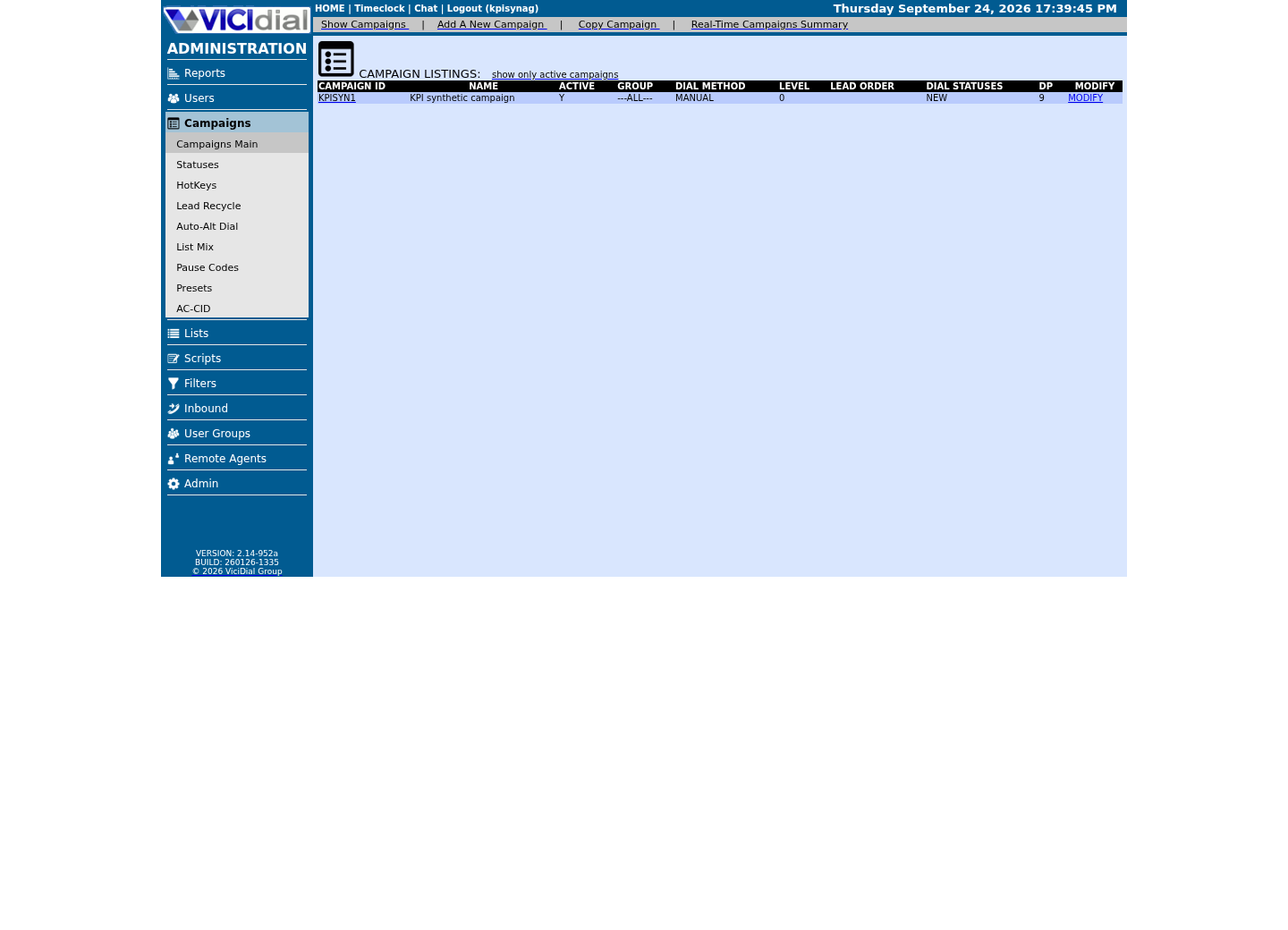
Find the Lists workspace
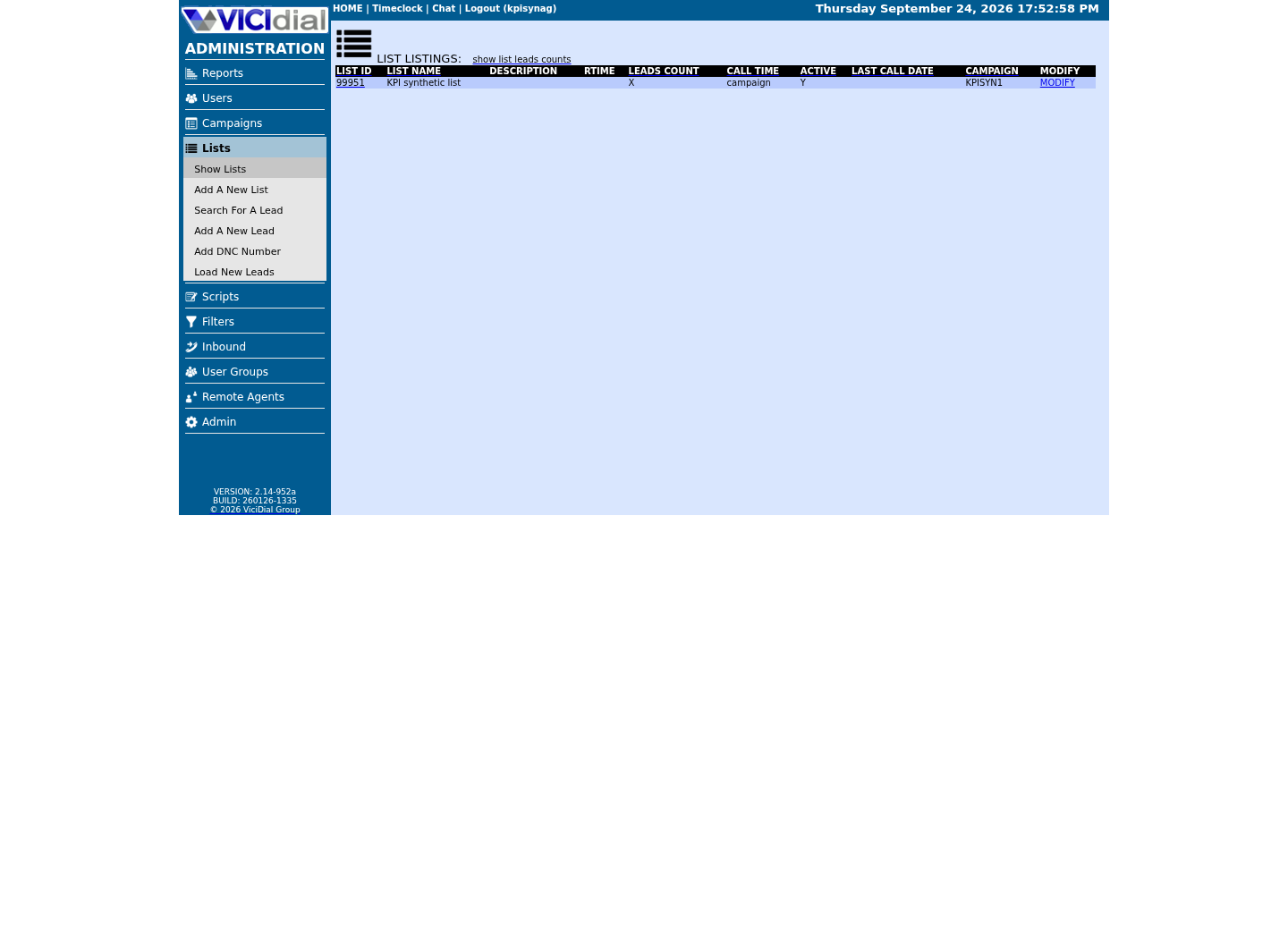
Inspect one list without opening a lead
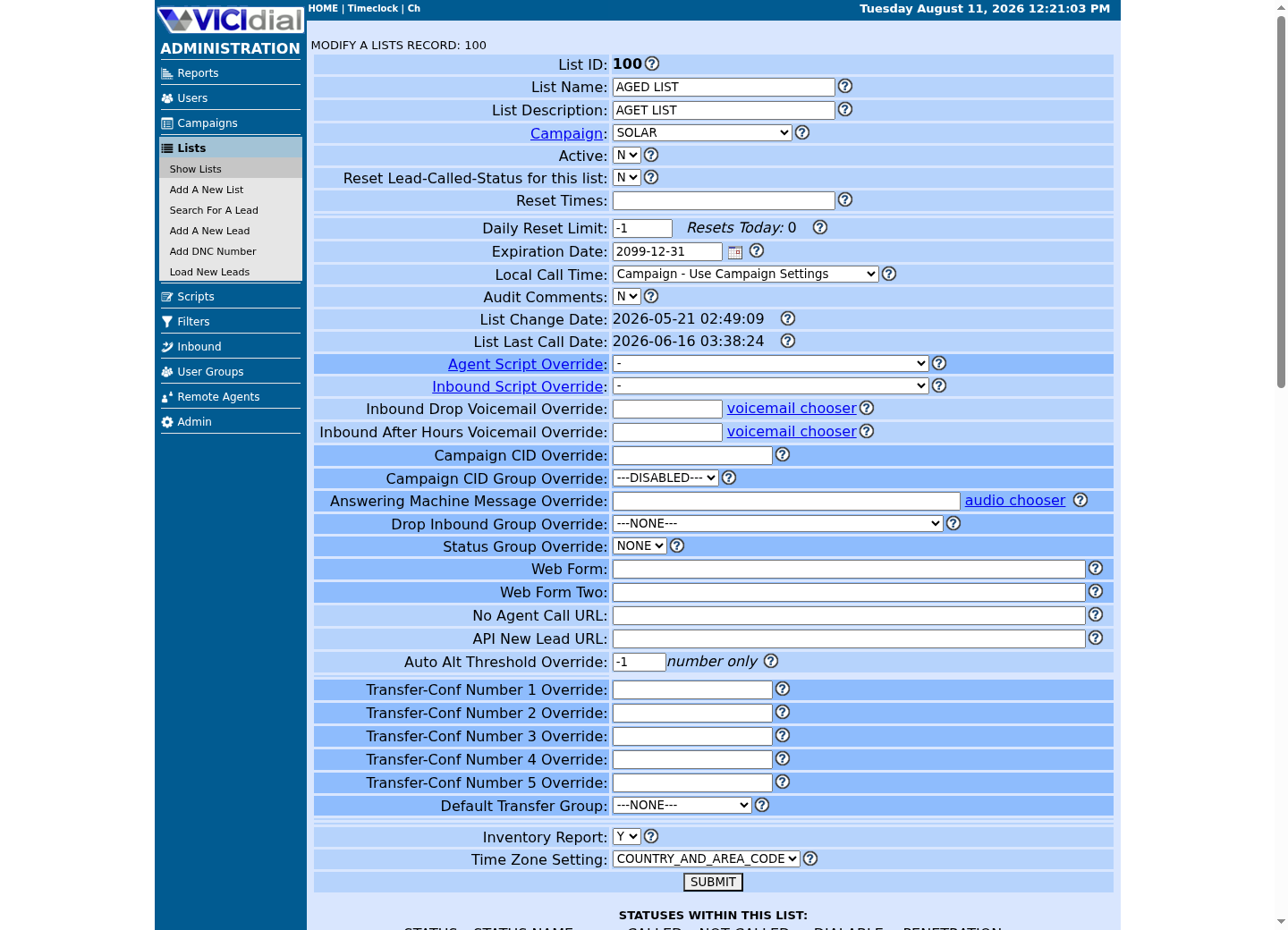
02 / 08
Step 1 — Prepare a CSV That Will Not Get Rejected
Start from the fields the loader and the add_lead API both recognize, and respect their documented shapes exactly: phone_number as digits only with no dashes, spaces, or parentheses, and phone_code as a plain 1-to-4-digit country code rather than a formatted prefix.
Put a header row on the first line naming each column, keep the same number of columns in every data row, and save the file as plain CSV rather than a spreadsheet program's native format; a saved .xlsx or .numbers file will not parse as delimited text no matter what extension you give it.
Save the file as UTF-8 or plain ASCII text, and open it once in a plain text editor after saving from a spreadsheet program, since spreadsheet software commonly adds smart quotes, a trailing comma, or an extra blank line at the end that a delimited-file loader can misread as an extra column or an extra row.
This is the safe first load: every phone_number value in this file should be an internal extension reserved for testing, never a real customer number. The first-agent-call article wires lead 900101 specifically into a real Custom Dialplan Entry, dialed as the digit string 1900101 once this path's no-carrier Dial Prefix `x` setup is in place — reserve that number and do not expect it to answer yet. Give every lead in the batch a vendor_lead_code that shares one recognizable prefix, so the whole batch can be found and removed together later if anything about the load goes wrong.
phone_number,phone_code,first_name,last_name,vendor_lead_code900101,1,Internal,TestOne,CSVTEST-0001900102,1,Internal,TestTwo,CSVTEST-0002900103,1,Internal,TestThree,CSVTEST-0003This sample is a template or reading aid, not a terminal command. There is no output to show.
- Before you run it
- Confirm 900101 through 900103, or whichever range you choose, are internal extensions your own dialplan safely absorbs, not real phone numbers, before this file goes anywhere near the loader.
- Success looks like
- Every row has the same five columns in the same order, phone_number contains only digits, phone_code is a plain 1-to-4-digit country code, and vendor_lead_code is unique per lead while sharing one recognizable batch prefix.
- Stop if
- If a spreadsheet program has added quote marks, a trailing comma, or a stray blank line, the loader will either reject those rows outright or silently shift columns; reopen the saved file in a plain text editor and check it before uploading.
03 / 08
Step 2 — Load the CSV Through the Admin Screen and Map Columns
Lists → Load New Leads is the screen built for exactly this file: you choose the destination list, either using the list_id already in your file or an override value the screen applies to every row, then step through a column-mapping page that lines up each CSV header with a matching vicidial_list field.
Because that mapping step exists, your CSV header names and column order never have to match VICIdial's internal field names exactly; what has to match is that every column you want kept has somewhere to land, a standard field or, if the target list already has custom fields defined for it, one of those.
The loader also asks how hard to check for duplicates before it inserts anything, using the same scopes documented for the add_lead API function later in this guide: within the one list you are loading into, within every list that shares this list's campaign, or across the entire system. Choose a scope deliberately instead of accepting whatever the screen defaults to; a first load into a brand-new list_id has nothing to duplicate against, but a second load into a list you have used before does.
Leave every phone_number value pointed at an internal extension for this first load, exactly as Step 1 set up the file, and only widen the loader's target list or activate a campaign against it once the verification in Step 3 has passed.
- The destination list_id is the test list you created, not a live production list
- Every mapped column has a matching standard or custom vicidial_list field to land in
- A deliberately chosen duplicate-check scope, not whatever the screen defaults to
- Every phone_number in the mapped file still points at an internal extension
04 / 08
Step 3 — Verify the Load Landed Correctly
A successful screen message is not the same as confirming the exact rows you expect now exist in vicidial_list. Query the table directly, using the same list_id and vendor_lead_code prefix you just loaded, before you trust the load.
Start with a count: it should match the number of data rows in your CSV exactly, not an estimate. Then pull a handful of full rows and read every mapped field back, including status, which a fresh, never-dialed lead should show as NEW, VICIdial's own documented meaning for a lead that has not been called or is not currently callable.
If the count is short, the loader's own rejected-row report or log is the next place to look, not a re-upload; loading the same file twice before you understand a shortfall usually just triggers a duplicate-check error or, worse, creates a second copy of the batch.
-- Read-only checks against the target database. Start broad, then narrow.SELECT status, COUNT(*) FROM vicidial_listWHERE list_id = '<LIST_ID>'GROUP BY status; -- Once you know CSVTEST rows are actually in that breakdown:SELECT COUNT(*) FROM vicidial_list WHERE list_id = '<LIST_ID>' AND vendor_lead_code LIKE 'CSVTEST-%'; SELECT lead_id, phone_number, phone_code, first_name, last_name, status, vendor_lead_codeFROM vicidial_listWHERE list_id = '<LIST_ID>' AND vendor_lead_code LIKE 'CSVTEST-%'ORDER BY lead_idLIMIT 20;Captured demo response · 2026-09-23 21:35 UTC. The displayed command is the command that ran; a safe subset label means it was filtered, redacted, or fixture-scoped. Replays only after you select Replay transcript.
- Before you run it
- Connect with the read-only database account and confirm <LIST_ID> matches the list_id you actually loaded into. The status breakdown returns no rows at all on a list with nothing loaded yet, which is itself useful information, before you narrow to your own batch's vendor_lead_code prefix.
- Success looks like
- The breakdown shows a NEW row with a count matching your CSV; the narrowed COUNT(*) equals the exact number of rows in your CSV, and the preview shows every phone_number still reading back as the internal extension you loaded, not something a real dial attempt could reach. On our lab, where no CSVTEST batch was ever loaded, the breakdown shows only the synthetic list's own statuses and the narrowed count reads 0, which is exactly what an absent batch looks like.
- Stop if
- A count that is too low, too high, or a status other than NEW on a never-called lead means the load did not go the way the screen's summary message implied; resolve that before moving any lead in this list toward an active campaign.
05 / 08
Load Leads Programmatically with the add_lead Non-Agent API Function
Anyone automating lead intake, rather than uploading a file by hand, can call add_lead on VICIdial's Non-Agent API, a separate HTTP (HyperText Transfer Protocol) interface at /vicidial/non_agent_api.php built for administrative, lead, list, and reporting operations outside of a live agent screen. The account you call it with needs modify_leads set to 1 and a user level of 8 or higher; VICIdial's own reference documents this exact requirement for add_lead.
The function's required fields are phone_number (6 to 16 digits), phone_code (1 to 4 digits, defaulting to 1 if omitted), list_id (defaulting to 999 if omitted), and source, a short label of up to 20 characters describing what originated the call; use a consistent value here the same way you would a vendor_lead_code prefix, so your own logs stay easy to search later.
Everything else shown here is optional and documented as such: vendor_lead_code (1 to 20 characters, entirely yours to define), first_name and last_name (up to 30 characters each), and settings fields such as dnc_check and duplicate_check that behave the same way they do on the web loader. Set duplicate_check explicitly on every call; its default is off, and an unset option is not a safe assumption for an automated integration that might retry.
add_lead documents many more optional fields than the ones used here, including address, city, state, email, alternate phone numbers, and callback scheduling; read your own installation's complete NON-AGENT_API.txt reference before relying on any field this guide does not name, since exact behavior can vary by revision.
A successful call returns a line beginning SUCCESS: add_lead LEAD HAS BEEN ADDED, followed by the phone_number, list_id, lead_id, and gmt_offset_now values VICIdial assigned. A rejected call returns a plain-text line beginning ERROR, such as ERROR: add_lead DUPLICATE PHONE NUMBER IN LIST when duplicate_check catches a repeat; check for that ERROR prefix in code, because an HTTP 200 status alone does not mean the lead was added.
#!/usr/bin/env bashset -euo pipefail # /etc/vicidial-api/writer.cfg is root:root, mode 600, and illustrative only —# this article never creates it. It supplies the URL and the writer account's# own credentials, so none of that appears below:# url = "https://<VICIDIAL_HOST>/vicidial/non_agent_api.php"# data-urlencode = "user=<API_USER>"# data-urlencode = "pass=<API_PASS>" response=$(curl --fail-with-body --silent --show-error --config /etc/vicidial-api/writer.cfg \ --data-urlencode "source=vicigeek-leads" \ --data-urlencode "function=add_lead" \ --data-urlencode "phone_number=900104" \ --data-urlencode "phone_code=1" \ --data-urlencode "list_id=<LIST_ID>" \ --data-urlencode "vendor_lead_code=CSVTEST-0004" \ --data-urlencode "first_name=Internal" \ --data-urlencode "last_name=TestFour" \ --data-urlencode "duplicate_check=DUPLIST") echo "${response}" if [[ "${response}" == ERROR* ]]; then echo "add_lead returned ERROR; stop before adding any further test leads" >&2 exit 1fiThis sample changes a system, contacts an outside service, needs a live call, or would print real data from a shared server, so it was not run on the demo. Run it only where you are authorized, and compare the result with the success and stop guidance.
- Before you run it
- This writes a real row, so it is illustrative only here: confirm <LIST_ID> is your test list before ever running a version of this script. 900104 is this recipe's fourth test lead, matching vendor_lead_code CSVTEST-0004, not already covered by the CSV in Step 1.
- Success looks like
- response begins with SUCCESS: add_lead LEAD HAS BEEN ADDED and includes a new lead_id; confirm that same lead_id with the Step 3 query before considering the call verified.
- Stop if
- The script exits 1 the moment it sees a leading ERROR, or nonzero from curl itself on an HTTP-level failure; read the exact ERROR text, such as a duplicate-phone or invalid-list message, before changing anything and retrying.
06 / 08
Find and Delete a Bad Batch by Its Namespaced vendor_lead_code
Because vendor_lead_code is entirely yours, giving every batch a distinct, greppable prefix means you can always find and clean up an entire load in one WHERE clause, even long after the fact, without guessing at date ranges. Identify rows to remove by list_id and vendor_lead_code together, never by a broad status or date guess.
To remove a bad batch, first run a SELECT that returns exactly the lead_id values a deletion would touch, confirm the row count and a few sample rows look right, and only then perform the actual delete through Lists → Load New Leads' own lead_tools.php / lead_tools_advanced.php tools. Those tools work by list and status, not by vendor_lead_code directly, so use your confirmed lead_id list to pick the right list/status scope rather than expecting a vendor_lead_code filter there, or hand the confirmed lead_id list to whoever holds delete access to vicidial_list instead.
Never delete a batch keyed only on a vendor_lead_code prefix without first confirming the exact row count and list_id scope with a read-only query, and never treat a copy-pasted DELETE statement from any guide, including this one, as safe to run unexamined; that is why this section only gives you the SELECT.
-- Run this first. It only reads rows and changes nothing.SELECT lead_id, list_id, phone_number, vendor_lead_code, statusFROM vicidial_listWHERE list_id = '<LIST_ID>' AND vendor_lead_code LIKE 'CSVTEST-%'ORDER BY lead_id; SELECT COUNT(*) FROM vicidial_listWHERE list_id = '<LIST_ID>' AND vendor_lead_code LIKE 'CSVTEST-%';This sample changes a system, contacts an outside service, needs a live call, or would print real data from a shared server, so it was not run on the demo. Run it only where you are authorized, and compare the result with the success and stop guidance.
- Before you run it
- This depends entirely on your own batch existing, so treat it as a template rather than something to run unmodified. Confirm <LIST_ID> is the exact list_id your bad batch loaded into, and that CSVTEST- matches the vendor_lead_code prefix you actually used; a wrong prefix or list_id will silently return zero rows instead of erroring.
- Success looks like
- The row count matches exactly the number of leads you intended to remove, and every listed phone_number is an extension you recognize as your own test data, not a real customer number.
- Stop if
- If the count is higher than expected, or any row shows a phone_number you do not recognize as your own test data, stop: do not delete anything until the WHERE clause is narrowed further, because a namespaced vendor_lead_code only protects you if the namespace is actually unique to this batch.
07 / 08
Troubleshooting, Rollback, and Stop Conditions
Most rejected loads trace back to one of four causes documented directly on add_lead, and the same causes show up in the web loader's own per-row rejection log: a phone_number that is not 6 to 16 digits, a list_id that is not defined or not allowed for the loading account, a duplicate match under whatever duplicate_check scope was active, or a required field left blank.
ERROR: add_lead INVALID PHONE NUMBER LENGTH means exactly what it says; recheck the CSV or the API call for a phone_number with too few or too many digits before touching anything else. ERROR: add_lead NOT A DEFINED LIST ID, LIST EXISTS CHECK ENABLED appears specifically when list_exists_check is set to Y and the target list_id does not exist; create or correct the list before retrying rather than turning that check off.
Stop before you activate a campaign, change a list's dial prefix, or widen a loaded batch's phone_number values from internal extensions to real numbers, until Step 3's query has confirmed the exact row count and every status reads NEW. That single pause is what keeps a bad mapping or a copy-paste mistake from becoming a real call to a real person instead of a line in a rejection log.
Rollback here has one safe shape: identify the exact lead_id values with a SELECT keyed on your batch's own vendor_lead_code, confirm them, and only then remove them through the Admin interface or hand the confirmed list to whoever holds delete access to vicidial_list. Never widen a cleanup to a bare status or date-range guess.
- Phone number length (6 to 16 digits) before any other troubleshooting step
- The target list_id actually exists and is allowed for the loading account
- Which duplicate_check scope was active for this specific load
- Every status reads NEW before the batch goes anywhere near an active campaign
08 / 08
Next: Place Your First Call as a VICIdial Agent
A verified batch of internal-extension test leads sitting in a list with status NEW is exactly what the next guide needs: leads a campaign can put in its hopper (the short queue of leads it is actively about to dial) and an agent can actually dial, without any risk of reaching a real person while you are still learning the agent screen.
The next article in this beginner path, Place your first call as a VICIdial agent, picks up from here: logging in as an agent, taking one of these safe test leads out of the hopper, and completing your first call and disposition end to end.
Evidence ledger
Verification basis
- vicidial_list's real columns include entry_date, status, user, list_id, gmt_offset_now, called_since_last_reset, phone_code, phone_number, first_name, last_name, vendor_lead_code, source_id, comments, called_count, and entry_list_id — the columns this guide's CSV and add_lead examples populate.
- The official add_lead function requires phone_number (6 to 16 digits), phone_code (1 to 4 digits, defaults to 1), list_id (defaults to 999), and source (up to 20 characters); vendor_lead_code (1 to 20 characters) and most other fields are optional.
- add_lead's duplicate_check option can be scoped to one list (DUPLIST), one campaign's lists (DUPCAMP), or the entire system (DUPSYS), and several scopes can be combined in a single call.
- NEW is the official documented status for a lead that has not been called or is not currently callable, which is the status a fresh load should show before anything can dial it.
- Custom fields are scoped to one list, stored in a dynamically created custom_<list_id> table, with up to 255 fields and only one field set per list ID; a mapped CSV column with no matching standard or custom field has nowhere to land.
Primary references
Sources
- Non-Agent API (NON-AGENT_API.txt)VICIdial Group · accessed August 5, 2026
- VICIdial Statuses ReferenceVICIdial Group · accessed August 5, 2026
- Custom Fields (CUSTOM_FIELDS.txt)VICIdial Group · accessed August 5, 2026