Reader setup
Before you start
Run each step in order and move only when the outcome is confirmed.
- A working VICIdial inbound setup already routing calls into in-groups and agents, so a caller can currently reach a live person at all.
- One dedicated DID per traffic source you intend to bill on, each already trunked into your Asterisk server by your carrier.
- Admin access with modify_ingroups and modify_inbound_dids permissions, plus read-only database access for the reporting queries in this guide — see Create a read-only database account for safe VICIdial queries if you do not have one yet.
- What you will prove
- One DID per source, one in-group per DID, and a query you can run at any time that tells you, per source, how many calls arrived, how long each one lasted, how it was dispositioned, and whether it looks like a duplicate — the exact data a buyer will want to see before an invoice gets paid.
- Safety boundary
- Test the DID-to-in-group-to-disposition chain end to end on one new source before you ever bill against it — a DID that silently shares an in-group with another source, or a call that never gets a disposition, is invisible in your own reporting until a buyer's count disagrees with yours.
Reader path
How to use this article
- Use it when: You need a fixed sequence to make a deployment or configuration change now.
- Expected result: Follow each step and verify the outcome before changing the next layer.
- Start here: Start at the first section and complete every checkpoint before moving to the next.
01 / 10
What running pay-per-call on VICIdial actually requires
Fast answer: give every traffic source its own DID, route that DID IN_GROUP into an in-group that exists for that source alone, and let two tables VICIdial already writes on every call — vicidial_did_log and vicidial_closer_log — do the attribution for you. Join them on uniqueid and a finished call carries the DID it arrived on, the in-group it queued in, how long it lasted, what disposition the agent saved, and how it was terminated. That join, filtered by your own contract's billable rules, is the report you hand a buyer.
A DID (Direct Inward Dial number) is the phone number your carrier hands a caller — in a pay-per-call setup, the DID itself is the tracking number for one specific traffic source. An in-group is VICIdial's inbound queue; one in-group per source turns the queue a call lands in into a label for where it came from. For definitions of agent, campaign, lead, disposition and carrier, see VICIdial terminology for complete beginners: users, phones, campaigns and leads.
Pay-per-call turns a normal inbound setup into a measurement problem: you are not just answering calls, you are proving, per source, that a call happened, how long it lasted, and what it was worth. This guide assumes the basic chain — a DID answers into an in-group, an agent takes the call — already works; that ground is covered in Make a phone number ring an agent: inbound DIDs and in-groups. What is different here is running one DID per source instead of one per department, and building the reporting layer on top of it that a buyer can check your numbers against.
Visual walkthrough
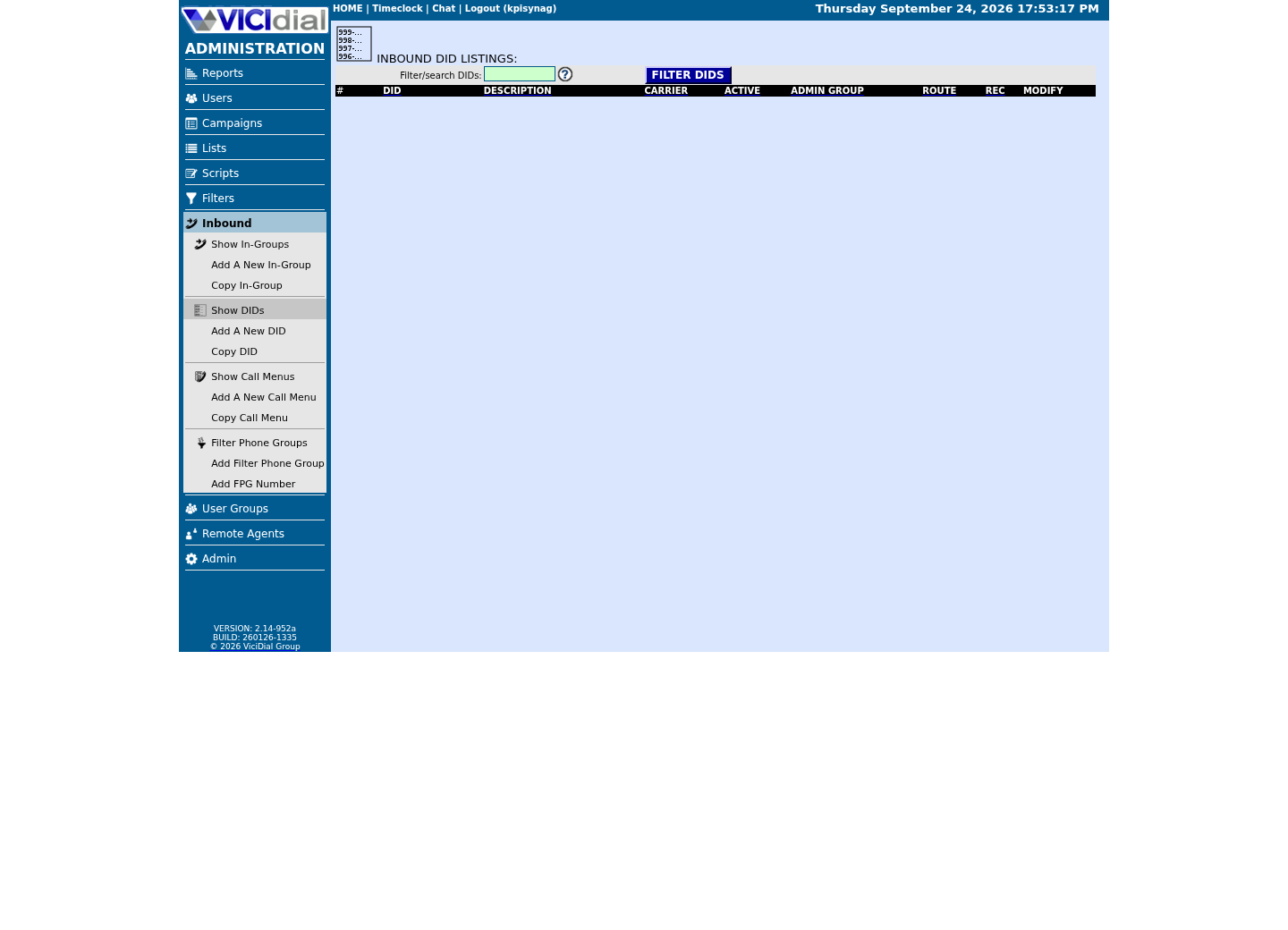
Follow three real demo screens
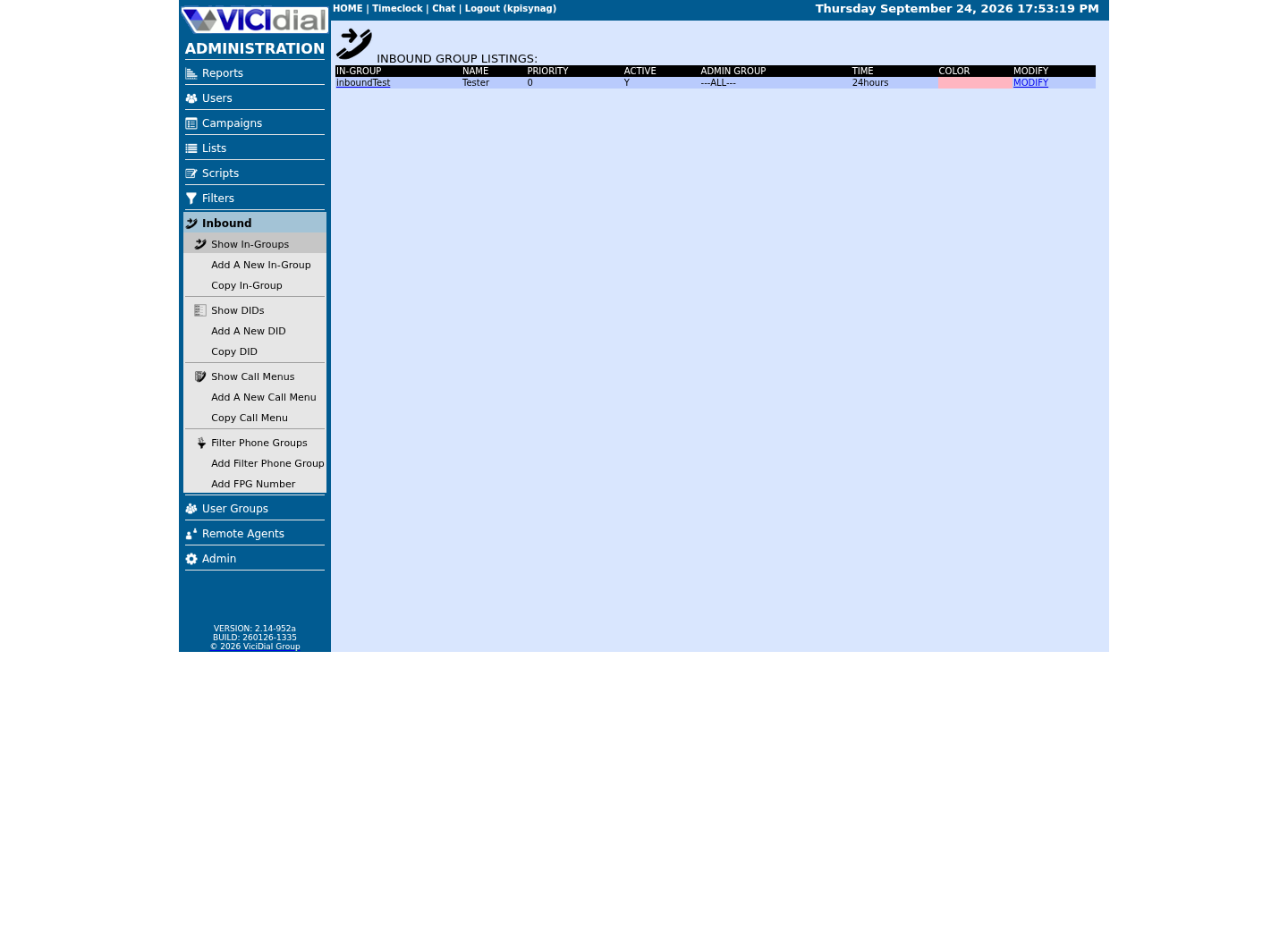
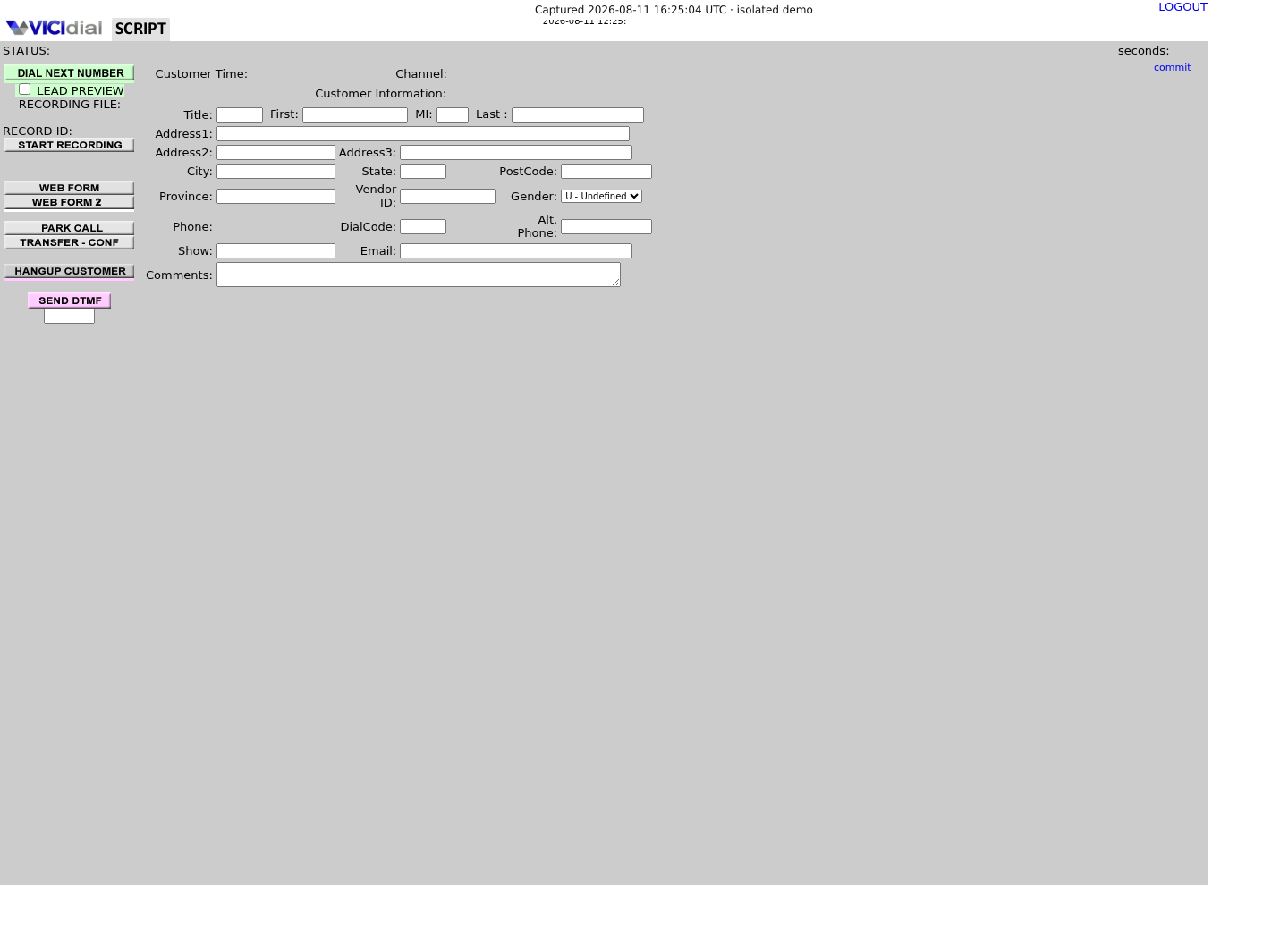
Captured on an isolated VICIdial demo: Administration screens on September 24, 2026, and the idle Agent screen on August 11, 2026. Each caption states its own capture time, and every sanitized image helps you recognize a related screen; none proves that this article's call, command, or result occurred.Start from DID routing
Review the receiving In-Group
See the idle Agent destination
02 / 10
How one call turns into an attributable, billable record
A call reaches your Asterisk server on a specific DID. agi-DID_route.agi looks that number up in vicidial_inbound_dids, and if did_route is IN_GROUP it hands the call to the in-group named in that row's group_id. Nothing about this step writes a permanent per-source log row on its own — that happens the moment the call actually lands somewhere.
Two tables carry the DID forward from there. vicidial_did_log writes one row per inbound call the instant it arrives, with the caller's number, the DID's did_id, and the route it took. vicidial_did_agent_log writes a second row once an agent actually answers, adding group_id and the answering agent's user. Both carry uniqueid, the same call identifier VICIdial's inbound and outbound logging always uses, and vicidial_closer_log — where length_in_sec, term_reason, status and queue_seconds actually live — carries that same uniqueid. Join on it and a call is no longer just answered, it is attributed to the DID that produced it and measured at the same time.
There is a second, independent attribution key worth knowing about: vicidial_list.source_id, a free-text column on every lead row. If your carrier or an inbound web form can pass through a click ID or sub-source tag, writing it into source_id gives you attribution below the DID level — useful when one source funnels several sub-campaigns through a single tracking number, but it depends on your carrier or intake actually supplying that value. The DID itself is the attribution key that always exists whether or not anything else does.
03 / 10
Step 1 — Give every traffic source its own DID
Get one DID per source from your carrier and register each in Inbound → DIDs → Add A New DID, the same screen used for any inbound number. The field that matters more here than in a normal inbound setup is did_carrier_description, a separate 255-character field VICIdial keeps specifically for recording which carrier or contract a number belongs to, alongside the shorter did_description. Use both. A did_pattern like 18005550101 tells you nothing about where the traffic came from six months from now — it only functions as a real call tracking DID once the description fields say which source and which contract it belongs to.
Do not point two sources at the same DID and try to split them apart later with a call parameter or an IVR digit press — vicidial_did_log and vicidial_did_agent_log attribute by did_id, not by anything a caller does after connecting. One source, one DID, one did_id is the only structure that keeps every downstream join simple.
Set record_call deliberately on every source DID rather than leaving it at its default of N. Y records the whole call from answer; Y_QUEUESTOP records but stops if the call is transferred out of the queue context. A recording tied to a lead_id is often the single piece of evidence a buyer trusts over any report you generate.
did_pattern: 18005550101did_description: Paid search sourcedid_carrier_description: Contract A, tracking block 1did_route: IN_GROUPgroup_id: SRC_PAIDSEARCHrecord_call: Y did_pattern: 18005550102did_description: Affiliate sourcedid_carrier_description: Contract B, tracking block 2did_route: IN_GROUPgroup_id: SRC_AFFILIATErecord_call: Y did_pattern: 18005550103did_description: Radio sourcedid_carrier_description: Contract C, tracking block 3did_route: IN_GROUPgroup_id: SRC_RADIOrecord_call: YThis sample is a template or reading aid, not a terminal command. There is no output to show.
- Before you run it
- Fill this in, one block per source, before you open Inbound → DIDs → Add A New DID for the first one. Settle on the group_id naming convention now; you will type it again on the in-group screen in Step 2.
- Success looks like
- Every source has a did_pattern no other row shares, a did_description and did_carrier_description that name the source and the contract behind it, and a group_id that exists nowhere else in this list.
- Stop if
- If two sources end up needing the same group_id because you copied a row without changing it, stop and rename one — a shared in-group is the single most common way per-source counts silently merge later.
04 / 10
Step 2 — Route each source DID into its own in-group
Create one in-group per source, following the same Inbound → In-Groups → Add New In-Group screen used for any inbound queue, and set that DID's did_route to IN_GROUP pointed at it. The queue behavior itself — hold music, drop timing, after-hours handling — is not a pay-per-call concern specifically; if you have not tuned those settings yet, that whole subject is covered in Tune a VICIdial inbound queue: hold music, wait time, overflow and after hours.
What is specific to pay-per-call is what you check afterward: that no in-group serves two sources. Query vicidial_inbound_dids grouped by group_id, and any group_id with more than one did_pattern behind it is a source you cannot separate later without falling back to did_id — which still works, but defeats the point of naming the in-group after the source in the first place.
Grant agent access to each in-group the same way any inbound queue needs it: Allow Inbound and Blended set to Y on the campaign, and the in-group's Agent Ranks list checked for each eligible agent. A source with no agent granted access behaves exactly like any other silent queue — the call routes in correctly and nobody's phone ever rings.
SELECT group_id, COUNT(*) AS dids_pointed_here, GROUP_CONCAT(did_pattern) AS did_patternsFROM vicidial_inbound_didsWHERE did_route = 'IN_GROUP'GROUP BY group_idHAVING COUNT(*) > 1;This sample changes a system, contacts an outside service, needs a live call, or would print real data from a shared server, so it was not run on the demo. Run it only where you are authorized, and compare the result with the success and stop guidance.
- Before you run it
- Run this any time you add a new source DID, before you tell a buyer their traffic is live. This scans every in-group in the system, so run it against your own installation, not a shared or multi-tenant one.
- Success looks like
- No rows come back. Every in-group in use has exactly one DID routed into it.
- Stop if
- A returned row names a group_id with more than one did_pattern behind it — two sources are sharing one queue, and any report grouped by group_id instead of did_id will blend their call counts together.
05 / 10
Step 3 — Capture the source at answer time and force a disposition
The moment an agent answers, vicidial_did_agent_log writes did_id, group_id and the answering user against the same uniqueid the call already carries in vicidial_did_log. Nothing you do in the campaign changes that write; it happens whether or not the agent later saves a clean disposition. What can go missing is the disposition itself — an agent who logs out mid-call, or a call an agent never actively closes, can leave status in vicidial_closer_log blank or stuck on a default rather than a real outcome.
Set the campaign's dispositions so every inbound call this agent can take ends on one of a short, named list, and make sure whatever code means qualified is one your buyer contract actually names, not one you invented after the fact. VICIdial's own dispositions reference is the place to check which built-in codes exist versus which ones your install defined as custom — do not assume a status code means the same thing on every install.
term_reason on the same row tells you how the call ended without depending on the agent at all: CALLER or AGENT means someone on the call actually hung up, which only happens after a person answered. ABANDON, NOAGENT, QUEUETIMEOUT and AFTERHOURS all mean the call never reached a person — none of those term_reason values should ever appear on a call you bill for, regardless of what status got saved.
SELECT a.did_id, a.group_id, a.user AS agent_user, c.call_date, c.length_in_sec, c.status, c.term_reasonFROM vicidial_did_agent_log aJOIN vicidial_closer_log c ON c.uniqueid = a.uniqueidWHERE a.did_id = (SELECT did_id FROM vicidial_inbound_dids WHERE did_pattern = '<DID_PATTERN>')ORDER BY c.call_date DESCLIMIT 20;This sample changes a system, contacts an outside service, needs a live call, or would print real data from a shared server, so it was not run on the demo. Run it only where you are authorized, and compare the result with the success and stop guidance.
- Before you run it
- Run this against a source you just brought live, right after the first handful of real calls come in.
- Success looks like
- Every row has a real agent_user, a length_in_sec greater than zero, and a status that is one of your campaign's named dispositions rather than blank.
- Stop if
- A row with a blank or default status is a call nobody properly closed out — chase that down with the agent before you count it either way in a buyer report.
06 / 10
What makes a call billable: duration, disposition, duplicates
VICIdial does not know what your contract with a buyer says counts as billable — that lives in the deal you signed, not in a column. What it gives you is three columns on vicidial_closer_log that any billable-call rule ends up built from: length_in_sec, status, and term_reason, plus phone_number for catching duplicates.
length_in_sec is talk time, the seconds between answer and hangup — not queue_seconds, which is how long the caller waited before an agent picked up. A buyer paying for a live conversation should only ever be measured against length_in_sec; reporting queue_seconds instead, even by accident, inflates how long a call looks like it lasted.
status is your disposition, the code your agent saved, and it should match whatever your contract with the buyer names as qualifying rather than a status you assume means the same thing. term_reason filters out calls that never had a chance to qualify at all: exclude ABANDON, NOAGENT, QUEUETIMEOUT and AFTERHOURS before you even look at duration or disposition, because none of those calls reached a person.
A duplicate caller is a phone_number that appears more than once inside whatever window your contract defines. VICIdial does not deduplicate this for you; the query below groups by phone_number over a real window you set to match your contract, and it is on you to decide whether a second call from the same number counts again or not.
- Duration — length_in_sec against the seconds threshold your contract defines, never queue_seconds.
- Disposition — status matching a code your contract names as qualifying, not one you assume.
- Termination — term_reason of CALLER or AGENT only; exclude ABANDON, NOAGENT, QUEUETIMEOUT and AFTERHOURS.
- Duplicates — phone_number repeated inside the window your contract defines.
SELECT i.did_pattern, i.did_description, i.group_id, COUNT(*) AS calls_logged, SUM(CASE WHEN c.term_reason IN ('CALLER','AGENT') THEN 1 ELSE 0 END) AS calls_reached_a_person, SUM(CASE WHEN c.length_in_sec >= 60 AND c.status = 'SALE' AND c.term_reason IN ('CALLER','AGENT') THEN 1 ELSE 0 END) AS calls_billableFROM vicidial_inbound_dids iJOIN vicidial_did_log d ON d.did_id = i.did_idJOIN vicidial_closer_log c ON c.uniqueid = d.uniqueidWHERE c.call_date >= CURDATE() - INTERVAL 1 DAY AND c.call_date < CURDATE()GROUP BY i.did_pattern, i.did_description, i.group_idORDER BY i.did_pattern;This sample changes a system, contacts an outside service, needs a live call, or would print real data from a shared server, so it was not run on the demo. Run it only where you are authorized, and compare the result with the success and stop guidance.
- Before you run it
- Replace 60 and SALE with your own contract's qualifying duration and disposition code before you run this against real data — neither value is a default VICIdial ships or a number this guide is asserting. This groups every source DID in the system side by side, so run it against your own installation, not a shared or multi-tenant one.
- Success looks like
- One row per source DID, with calls_logged always greater than or equal to calls_reached_a_person, which is always greater than or equal to calls_billable — if that ordering ever breaks, the filters are wrong, not the data.
- Stop if
- A source showing calls_billable higher than calls_reached_a_person means a term_reason or status filter was typed wrong; fix the WHERE clause before you send anything to a buyer.
07 / 10
Reconcile your numbers with a buyer's
A buyer's count is usually lower than yours, and the gap is either a real difference in what counts as billable or a real difference in what call actually happened. Work the second kind first — it is fixable in a way a payment-terms argument is not.
Start with vicidial_did_log and vicidial_did_agent_log for the exact window the buyer is disputing. If a call the buyer claims does not appear in your log at all, check call_date against the timezone your database server actually stores — a report run in one timezone against data stored in another can shift calls across a midnight boundary and make a real call look like it happened on the wrong day, or not at all, for that window.
If the call is in your log but the buyer says it never reached them, check filter_action and the rest of the filter_* columns on that DID — an area-code or URL-based filter override can silently reroute a call to a different in-group or extension than the one you think it is going to, which changes the group_id you would attribute it to without changing did_id.
Once timing and routing agree, the remaining gap is almost always the definition gap from the previous section: your contract's duration threshold, your contract's qualifying disposition list, and whether duplicates count once or every time. Get all three written into the contract in the terms VICIdial actually measures — length_in_sec, status, phone_number — so a dispute is a query, not an argument.
#!/bin/bashset -euo pipefail DID_PATTERN='<DID_PATTERN>'INGROUP_ID='<INGROUP_ID>' mysql --defaults-extra-file=/etc/vicidial-readonly.cnf -N -e "SELECT c.call_date, c.phone_number, c.length_in_sec, c.status, c.term_reasonFROM vicidial_inbound_dids iJOIN vicidial_did_log d ON d.did_id = i.did_idJOIN vicidial_closer_log c ON c.uniqueid = d.uniqueidWHERE i.did_pattern = '$DID_PATTERN' AND c.campaign_id = '$INGROUP_ID' AND c.call_date >= CURDATE() - INTERVAL 1 DAY AND c.call_date < CURDATE()ORDER BY c.call_date;" This sample changes a system, contacts an outside service, needs a live call, or would print real data from a shared server, so it was not run on the demo. Run it only where you are authorized, and compare the result with the success and stop guidance.
- Before you run it
- Run this on the database host for the exact source and window a buyer is disputing, using a read-only account, with DID_PATTERN and INGROUP_ID set to the specific source DID and in-group under dispute. c.campaign_id holds the in-group ID for an inbound call, not an outbound campaign.
- Success looks like
- One line prints per call for that source, and the number of printed lines is the same number you would report as calls_logged for that window.
- Stop if
- No lines printed means the window, did_pattern or in-group do not match what you think they do — recheck all three before assuming the buyer's dispute has no basis.
08 / 10
Troubleshoot: when your count and the buyer's don't match
Most disagreements trace back to one of four causes, and every one of them is a mechanical failure you can find in the tables above, not a reason to distrust the data itself.
Work through the list in order: a shared in-group blending two sources, a timezone mismatch on call_date, a filter_* override rerouting the call silently, or a duplicate caller counted differently by each side.
- Two sources sharing one in-group — a report grouped by group_id instead of did_id blends their counts; go back to Step 2's shared-in-group check.
- A timezone mismatch between call_date and the window you queried — recheck the server's timezone against the buyer's before assuming a call is missing.
- A filter_* override on the DID silently rerouting the call to a different in-group or extension than did_route shows.
- A duplicate caller inside the buyer's dispute window that your query counted once and theirs counted twice, or the reverse.
SELECT phone_number, COUNT(*) AS calls_from_this_number, MIN(call_date) AS first_call, MAX(call_date) AS last_callFROM vicidial_closer_logWHERE campaign_id = '<CAMPAIGN_ID>' AND call_date >= CURDATE() - INTERVAL 7 DAY AND call_date < CURDATE()GROUP BY phone_numberHAVING COUNT(*) > 1ORDER BY calls_from_this_number DESC;Captured demo response · 2026-09-24 22:25 UTC. The displayed command is the command that ran; a safe subset label means it was filtered, redacted, or fixture-scoped. Replays only after you select Replay transcript.
- Before you run it
- Run this for the exact campaign and window a buyer is disputing, before you argue about any individual call. Substitute the real window if the dispute covers more or less than the last 7 days.
- Success looks like
- Every returned phone_number and its call count matches what you and the buyer both expect for repeat callers inside that window. Zero rows is a clean result too, not a sign the check failed to run — it means no repeat caller was found in that window, so a duplicate-caller mismatch is ruled out as the cause of the disagreement. On our ViciBox 12 lab the idle fixture campaign has no logged calls in that window at all, so this query returns no rows here — that empty result is the expected baseline, not a fault.
- Stop if
- A phone_number the buyer counted once but this query shows twice, inside their own stated window, is worth raising with them directly — bring the call_date values, not just the count.
09 / 10
Stop a bad source without breaking the others
A source that is fraudulent, over quota, or simply not converting needs to stop routing calls without touching any other source's DID or in-group. Set that one DID's did_active to N on its edit screen under Inbound → DIDs, and calls to it stop reaching the in-group entirely. Every other source's did_id, group_id and agents are untouched.
If you changed a report query or a duration threshold and the new numbers no longer agree with a month you already reconciled, treat that as a rollback, not a redesign: restore the previous query, rerun both against the exact same window side by side, and only trust the new version once the difference between them is fully explained.
Stop before you send a report to a buyer, not after, if the shared-in-group check from Step 2 or the term_reason filter from the billable-call section turns up anything wrong. A report sent once is hard to walk back; a query rerun before sending costs nothing.
SELECT did_pattern, did_description, did_active, did_route, group_idFROM vicidial_inbound_didsWHERE did_pattern = '<DID_PATTERN>';This sample changes a system, contacts an outside service, needs a live call, or would print real data from a shared server, so it was not run on the demo. Run it only where you are authorized, and compare the result with the success and stop guidance.
- Before you run it
- Run this right after switching a source's did_active to N through the admin screen.
- Success looks like
- did_active reads N, and the group_id column still shows the in-group it used to route into — calls to this DID no longer reach that in-group at all.
- Stop if
- If did_active still reads Y, the admin form change did not save — reopen the DID and submit again before assuming the source is stopped.
010 / 10
What's next: qualifying callers before they reach an agent
Everything here assumes a caller reaches an agent or a terminal disposition on their own. If you want callers to self-qualify by pressing a digit before they ever reach a queue — press 1 for one offer, press 2 for another — that is a call menu sitting in front of the in-group, and it is covered in Build a VICIdial IVR call menu: press 1 for sales, press 2 for support. The DID still routes into your per-source in-group either way; a call menu just adds a step before it gets there.
Evidence ledger
Verification basis
- vicidial_inbound_dids CREATE TABLE definition — did_pattern, did_route, group_id, record_call, did_carrier_description and did_active columns and their defaults.
- vicidial_did_log and vicidial_did_agent_log CREATE TABLE definitions — the uniqueid, did_id, group_id and call_date columns every inbound call and every answered call writes.
- vicidial_closer_log CREATE TABLE definition — length_in_sec, queue_seconds, status, phone_number and the term_reason enum (CALLER, AGENT, QUEUETIMEOUT, ABANDON, AFTERHOURS, HOLDRECALLXFER, HOLDTIME, NOAGENT, NONE, MAXCALLS, ACFILTER, CLOSETIME).
- These are the Add A New DID fields and options shown in Inbound → DIDs on this build — DID Extension, DID Description, DID Carrier Description, DID Route and Record Call (N, Y, Y_QUEUESTOP); confirm labels and options on yours, since UI text can change between versions.
Primary references
Sources
- Official VICIdial statuses and dispositions referenceVICIdial Group · accessed August 5, 2026
- VICIdial official wikiVICIdial Group · accessed August 5, 2026