Reader setup
Before you start
Run each step in order and move only when the outcome is confirmed.
- You have logged in as an agent and completed at least one manual call, as covered in the previous article, and you have the read-only database account from Create a read-only database account for safe VICIdial queries for the SQL checks below.
- You can open Campaigns → Campaign Detail for the campaign you built earlier in this path.
- Your campaign already has leads loaded into its hopper, as set up in the lead-loading article.
- What you will prove
- You can explain what a VICIdial dial level does, name the difference between MANUAL, RATIO, and adaptive dialing, find every pacing control in Admin, and raise pacing in small measured steps while watching drop rate and agent wait instead of guessing.
- Safety boundary
- Stay at a dial level of 1.0 until you have measured a drop-rate baseline on your own campaign; raising pacing without that evidence is the fastest way to generate dropped calls and, in many jurisdictions, regulatory exposure.
Reader path
How to use this article
- Use it when: You need a fixed sequence to make a deployment or configuration change now.
- Expected result: Follow each step and verify the outcome before changing the next layer.
- Start here: Start at the first section and complete every checkpoint before moving to the next.
01 / 08
Fast answer
Fast answer: VICIdial paces outbound calling through a campaign's Dial Method (stored as dial_method) plus a pacing number called the dial level (stored as auto_dial_level). The named methods are MANUAL, RATIO, ADAPT_HARD_LIMIT, ADAPT_TAPERED, ADAPT_AVERAGE, and INBOUND_MAN. MANUAL locks auto_dial_level at 0 — there is no pacing number to raise, since an agent places every call by hand. RATIO is the method you set a dial level for yourself, starting from a baseline of 1.0, meaning roughly one call placed per available agent; anything higher deliberately dials ahead of your agents, and the calls that connect with nobody free to answer become dropped calls. The three ADAPT_* methods instead compute their own level automatically — you cannot change Auto Dial Level while any of them is selected — and use a separate Drop Percentage Limit control instead. Stay on RATIO at 1.0 until you have measured evidence that you can raise it safely.
Campaign and agent are defined in the beginner terminology guide; dial level is explained above.
You already made one manual call in the previous article, on a MANUAL campaign. This article stays on the same campaign and moves one step further: understanding RATIO and the ADAPT_* methods, where their controls live in Admin, and how to raise RATIO's dial level without creating a wave of dropped calls.
Visual walkthrough
Follow three real demo screens
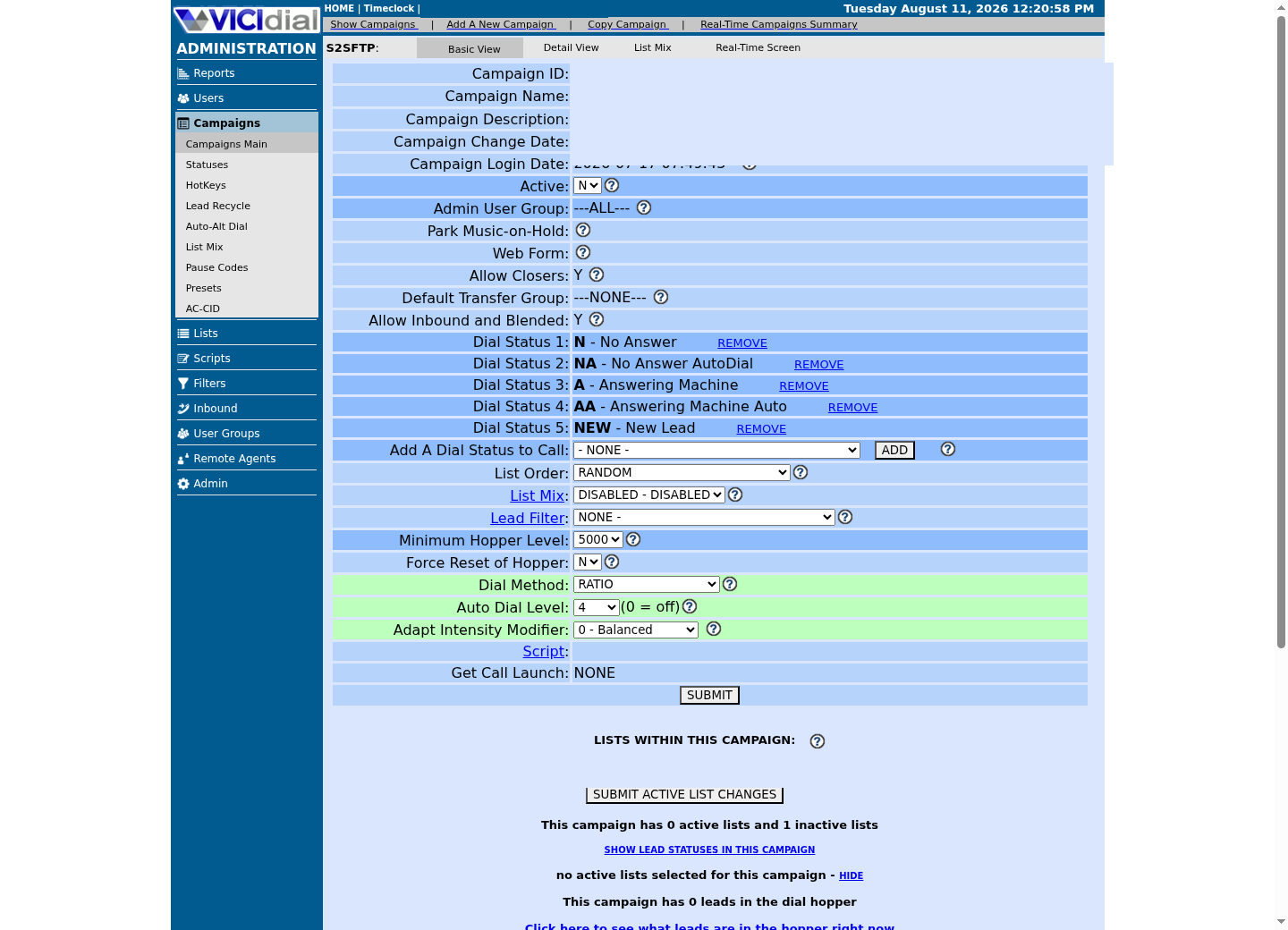
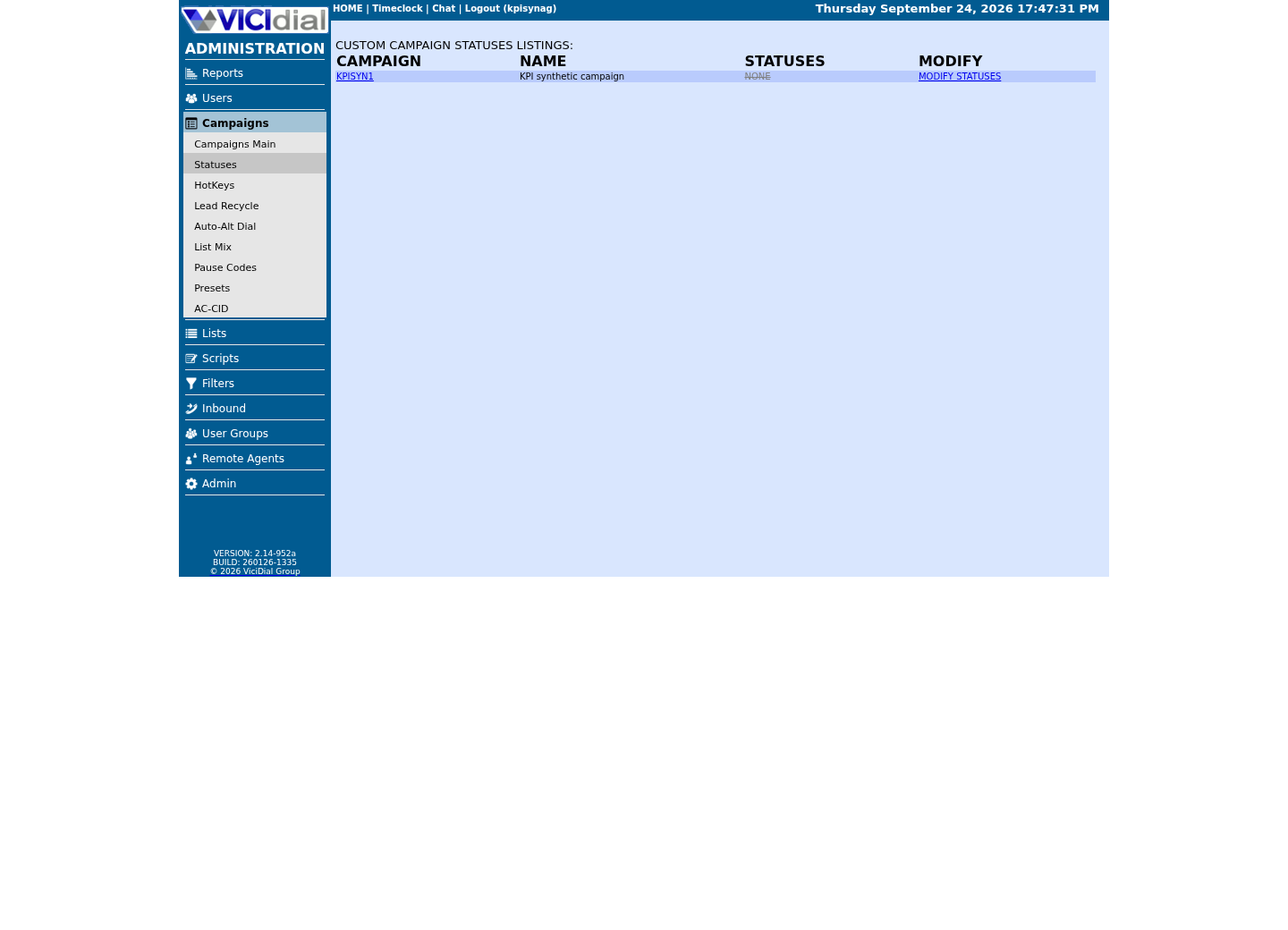
Captured on an isolated VICIdial demo: Administration screens on September 24, 2026, and the idle Agent screen on August 11, 2026. Each caption states its own capture time, and every sanitized image helps you recognize a related screen; none proves that this article's call, command, or result occurred.Start from Campaign Listings
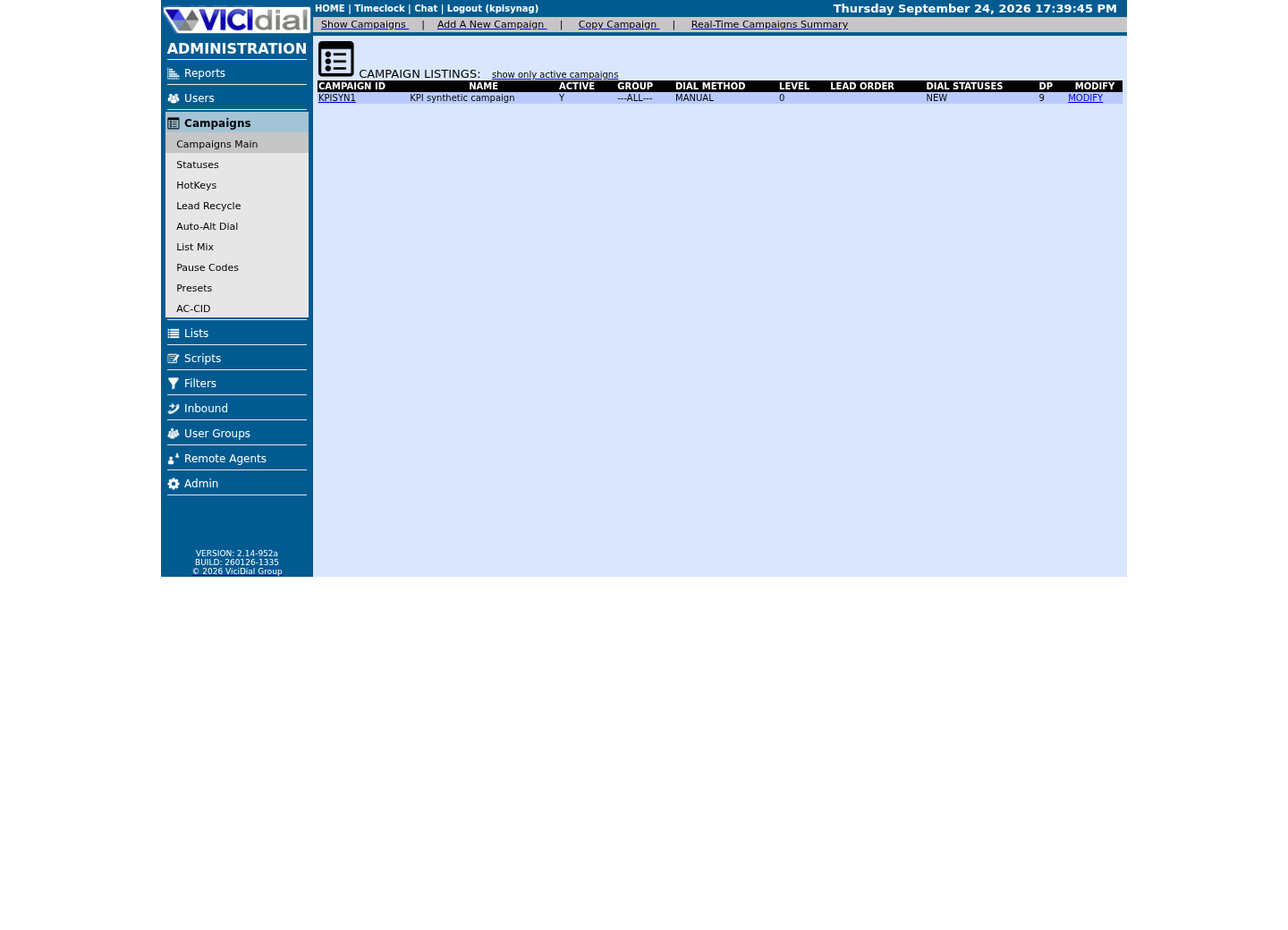
Open the campaign detail page
Review statuses allowed for dialing
02 / 08
MANUAL, RATIO, and ADAPT_*: the named methods in the Dial Method list
MANUAL dialing is what you already used: an agent clicks DIAL NEXT NUMBER, and the dialer places exactly one call for that one request. VICIdial locks auto_dial_level at 0 for a MANUAL campaign — pacing simply does not apply — so there is no abandonment risk from pacing itself, though agent time is spent waiting between calls.
RATIO dialing places calls at a configured number per available agent, tallied through the campaign's dial level. The underlying database contract is straightforward: dial_method is set to RATIO, auto_dial_level holds the target, and Available Only Tally (available_only_ratio_tally), if set to Y, leaves INCALL and QUEUE status agents out of that calculation entirely outside MANUAL mode — its own default is N — worth understanding before you touch the dial level at all.
The three ADAPT_* methods, ADAPT_HARD_LIMIT, ADAPT_TAPERED, and ADAPT_AVERAGE, let a background worker continually recompute pacing from recent answered-call, drop, and agent-availability observations instead of a fixed ratio you set by hand. You cannot change Auto Dial Level yourself while any of them is selected; each instead exposes Drop Percentage Limit (adaptive_dropped_percentage) as its own tunable ceiling. Do not assume you know exactly how the three variants differ from each other: open the Dial Method dropdown in Admin and read VICIdial's own description for the one you are considering, since behavior can vary by version.
03 / 08
Step 1 — Find the pacing controls in Admin
Open Campaigns, choose the campaign you built earlier in this path, and open its Campaign Detail screen. The pacing controls live on this one screen: a Dial Method selector (the underlying column is dial_method) and a dial level field usually labeled Auto Dial Level or Dial Level (the underlying column is auto_dial_level) — active only for RATIO, since MANUAL locks it at 0 and the ADAPT_* methods compute it themselves. The exact on-screen wording can differ slightly between VICIdial versions; the database field names are the stable ground truth.
On the same screen you will also find Available Only Tally (available_only_ratio_tally), which leaves INCALL and QUEUE status agents out of the ratio calculation outside MANUAL mode, and the drop-call controls Drop Call Seconds and Drop Action (drop_call_seconds and drop_action), which decide how long a connected call can wait for an agent before VICIdial gives up on it and what happens next.
Before you change anything, read the current values back out of the database with a read-only query. This confirms what Admin is showing you actually matches what the dialer is using, and it gives you a timestamped baseline to compare against later.
- Confirm which campaign you are editing before opening Campaign Detail
- Record the current Dial Method and dial level as your starting point
- Record the current Available Only Ratio Tally setting
SELECT campaign_id, dial_method, auto_dial_level, available_only_ratio_tally, drop_call_seconds, drop_action FROM vicidial_campaigns WHERE campaign_id = '<CAMPAIGN_ID>';Captured demo response · 2026-09-23 21:35 UTC. The displayed command is the command that ran; a safe subset label means it was filtered, redacted, or fixture-scoped. Replays only after you select Replay transcript.
- Before you run it
- Run this against the read-only database account before you change anything in Admin, so you have an exact starting point.
- Success looks like
- The row returned matches what Campaign Detail shows on screen: dial_method, the dial level, and available_only_ratio_tally all line up.
- Stop if
- The query returns zero rows because the campaign_id is wrong, or the values do not match the Admin screen; recheck the campaign ID and refresh Admin before trusting either source.
04 / 08
What the dial level number actually does
This section is about RATIO specifically — MANUAL locks the dial level at 0, and the ADAPT_* methods compute their own level automatically. On RATIO, the dial level is a calls-per-available-agent target, not a hard cap and not a percentage. At 1.0, VICIdial's ratio logic aims to keep about one outbound call working for every agent who is currently available to take one. At 1.5, it aims to keep about one and a half calls working per available agent, which means some of those calls will connect while every agent is still busy with the previous one.
That gap is the whole mechanism behind dropped calls. Anything above 1.0 is a deliberate bet that a fraction of connected calls will find no free agent, because the dialer is intentionally placing more calls than you have agents to answer them, in exchange for keeping agents busier. A connected call that cannot be handed to an agent within the campaign's Drop Call Seconds becomes a DROP status for an outbound call or an XDROP status for an inbound call; VICIdial's own status documentation defines both explicitly as a call dropped while waiting for an agent.
This is why a beginner should not raise the dial level past 1.0 on instinct. Every increment above 1.0 is a direct trade of some abandoned calls for higher agent utilization, and you cannot see that trade-off until you have measured it on your own traffic, your own agents, and your own hold-time tolerance.
05 / 08
Step 2 — Raise pacing in small, evidenced steps
Never move the dial level from 1.0 to a guess. Raise it in small increments, run each increment long enough to see real behavior, measure the drop rate and agent wait after each step, and agree on a stop threshold before you start, not after you see a bad number.
A reasonable beginner procedure looks like the text sample below: confirm the baseline, move by no more than 0.1, hold that level for a full working shift, remeasure, and only then decide whether to continue. Write your stop threshold down before the first increment, and treat crossing it as a hard stop, not a discussion.
- Agree on a numeric stop threshold before the first increment
- Raise the dial level by no more than 0.1 per step
- Give each new level a full working shift to run before judging it
1. Confirm the campaign is at Dial Method RATIO and dial level 1.0, then record today's drop rate and average agent wait as your baseline.2. Raise the dial level by no more than 0.1, for example from 1.0 to 1.1, in Campaigns → Campaign Detail, then save.3. Let the new level run for one full working shift with agents actually logged in and working, not a few minutes of testing.4. Recompute the drop rate and agent wait using the same query you used for the baseline.5. If the drop rate has not measurably worsened and agents are not idle waiting on the dialer, repeat from step 2 with the next 0.1 increment.6. Stop immediately and set the dial level back to 1.0 the moment the drop rate crosses your agreed stop threshold, for example 3 percent, or any agent reports repeated dead air.This sample is a template or reading aid, not a terminal command. There is no output to show.
- Before you run it
- Use this only after you have a recorded baseline drop rate and agent wait, and after you and whoever owns compliance have agreed on a numeric stop threshold.
- Success looks like
- Each 0.1 increment is followed by a full shift of real data and a fresh drop-rate check before the next increment is even considered.
- Stop if
- You raise the dial level more than once before measuring the previous step, or you do not have a stop threshold written down before you start; both mean you are guessing, not pacing safely.
06 / 08
Step 3 — Measure drop rate and agent wait, not gut feel
Two numbers tell you whether a pacing change is safe: the drop rate, meaning dropped calls as a share of answered calls, and agent wait, meaning how long agents sit idle waiting for the dialer, visible on VICIdial's real-time and agent-time reports. Answered calls are the right denominator: they are what VICIdial itself divides by and the basis most abandonment rules use, while a share of every dial attempt looks smaller because no-answer and busy attempts inflate the count. XDROP is the inbound equivalent, counted against in-groups rather than this outbound campaign. A dial level change that lowers agent wait while pushing the drop rate up has not made your campaign better; it has moved the cost onto whoever answered the dropped call.
Read VICIdial's own running numbers instead of trusting an agent's impression of a bad afternoon. The campaign statistics table keeps today's drops, today's answered calls and the drop share of answered calls that VICIdial computes for each campaign. Run the query below before and after every dial-level change, through the read-only database account, and compare the percentages, not the raw counts.
- Drop rate did not increase beyond your agreed stop threshold
- Agent wait time did not turn into long idle stretches
- No agent reported repeated dead air after connecting
SELECT campaign_id, drops_today, answers_today, drops_answers_today_pctFROM vicidial_campaign_statsWHERE campaign_id = '<CAMPAIGN_ID>';Captured demo response · 2026-09-23 21:35 UTC. The displayed command is the command that ran; a safe subset label means it was filtered, redacted, or fixture-scoped. Replays only after you select Replay transcript.
- Before you run it
- Run this through the read-only database account before and after each dial-level change, so both readings come from the same source.
- Success looks like
- One row returns for the campaign. drops_answers_today_pct is today's dropped calls as a share of answered calls, the number to hold against your stop threshold; on an idle or MANUAL campaign every value reads zero.
- Stop if
- No row usually means the campaign ID is wrong or the campaign has not been active today; confirm the ID with the Step 1 query before trusting either number.
07 / 08
Troubleshooting, rollback, and knowing when to stop
Troubleshooting a pacing problem starts with the same drop-rate query, run immediately, not at the end of the day. An early failure signal is a drop rate that jumps noticeably right after you raise the dial level, or agents reporting repeated dead air when they pick up a connected line with nobody on it.
Rollback is simple and safe: return to Campaigns → Campaign Detail for the same campaign, set the dial level back to 1.0, and save. There is no database undo required and no reason to touch the database directly to reverse a pacing change; the same Admin screen that raised it lowers it.
Stop raising the dial level the moment you cross the stop threshold you set in Step 2, even if only one increment crossed it. Confirm the rollback took effect with a read-only check before you consider the incident closed, the same way you confirmed the baseline in Step 1.
SELECT campaign_id, dial_method, auto_dial_level, campaign_changedate FROM vicidial_campaigns WHERE campaign_id = '<CAMPAIGN_ID>';Captured demo response · 2026-09-23 21:35 UTC. The displayed command is the command that ran; a safe subset label means it was filtered, redacted, or fixture-scoped. Replays only after you select Replay transcript.
- Before you run it
- Run this immediately after setting the dial level back to 1.0 in Admin, while the incident is still fresh.
- Success looks like
- auto_dial_level reads 1.0 and campaign_changedate shows a timestamp at or after the moment you saved the rollback in Admin.
- Stop if
- auto_dial_level still shows the raised value; the Admin save did not take effect, so reopen Campaign Detail, confirm the correct campaign, and save again.
08 / 08
Why abandonment is regulated, and why 1.0 is the right default
Call abandonment is not only a customer-experience number. Many jurisdictions regulate how many outbound calls a dialer is allowed to abandon, and some campaign settings in VICIdial exist specifically because a regulator requires a particular abandonment calculation. This article is not legal advice, and it will not tell you what limit applies to your business or country; find that out from a qualified source before you dial ahead of your agents in production.
That is the real reason a beginner should stay at a dial level of 1.0 until they have deliberately decided, with evidence and with the applicable rules in hand, to do otherwise. Raising pacing without a measured baseline is the fastest way to both create dropped calls and create regulatory exposure at the same time, and both problems are far easier to prevent than to explain afterward.
Evidence ledger
Verification basis
- auto_dial_level and dial_method are the real vicidial_campaigns columns behind Admin's Dial Method and dial level fields, confirmed by the Step 1 query below returning them.
- available_only_ratio_tally is a documented vicidial_campaigns column; setting it to Y tallies the ratio only against agents actually available, not merely logged in.
- DROP and XDROP are official VICIdial statuses meaning a call dropped while waiting for an agent, outbound and inbound respectively, tracked in different tables (vicidial_log and vicidial_closer_log).
- drop_call_seconds and drop_action are real vicidial_campaigns columns controlling how a stranded connected call is handled.
Primary references
Sources
- VICIdial statuses reference (DROP, XDROP, and related codes)VICIdial · accessed August 5, 2026