Reader setup
Before you diagnose
Start with one observed symptom, then isolate one layer at a time.
- One isolated outbound test campaign
- A synthetic list with approved local calling time
- A read-only VICIdial database account (/etc/vicidial-readonly.cnf; see vicidial-read-only-database-account) approved by the owner, plus the Non-Agent API's readonly.cfg for the check below
- What you will prove
- You can separate 'no eligible leads' from 'a stuck call' before changing a campaign setting, using the statuses and schedule VICIdial actually ships rather than a guess.
- Safety boundary
- Never force-reset a live campaign as a first response. This guide does not increase dial level, change time restrictions, or place calls to real contacts.
Reader path
How to use this article
- Use it when: You are investigating a live symptom and need to narrow the failure quickly.
- Expected result: Pinpoint the first failing layer, then repair only that layer.
- Start here: Use the sections as a diagnostic sequence: prove scope, then isolate and validate.
The hopper is the next-work tray
The hopper is VICIdial's short list of leads eligible to be dialed next for a campaign. It is not the whole calling list, and it is not a promise that a call will happen immediately. A lead can be excluded by status, recycle rules, local calling time, list/campaign settings or other policy. On our ViciBox 12 lab, a MANUAL campaign's Dial Next Number button pulls its next lead from this same hopper, so manual and automatic dialing draw from one shared queue, not two.
Start with the plain question: does the isolated campaign have eligible synthetic work and a ready test agent? Raising dial level or resetting state before answering that question can create a larger problem.
Visual walkthrough
Follow three real demo screens
Captured on an isolated VICIdial demo: Administration screens on September 24, 2026, and the idle Agent screen on August 11, 2026. Each caption states its own capture time, and every sanitized image helps you recognize a related screen; none proves that this article's call, command, or result occurred.Start from Campaign Listings
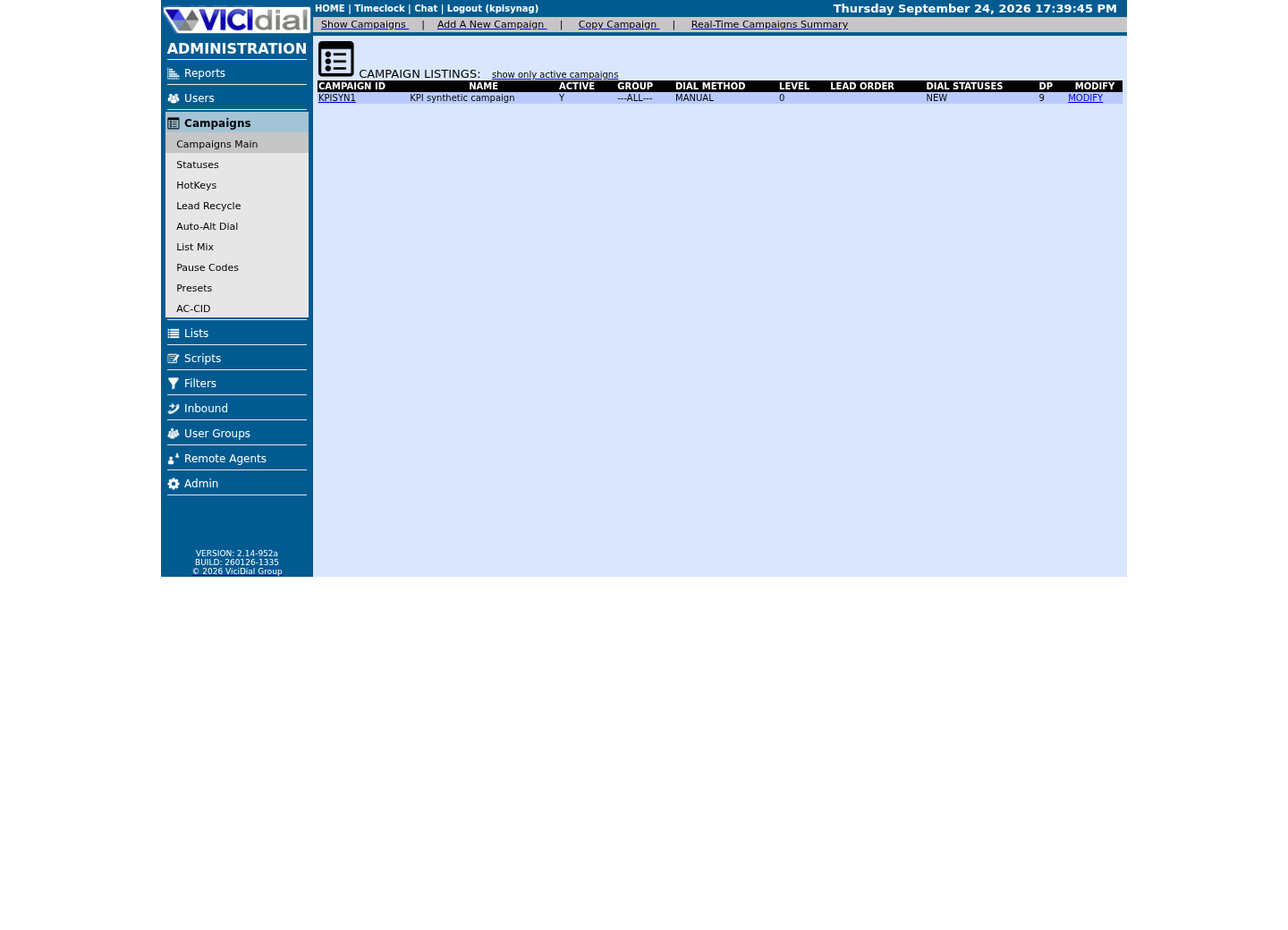
Open the campaign detail page
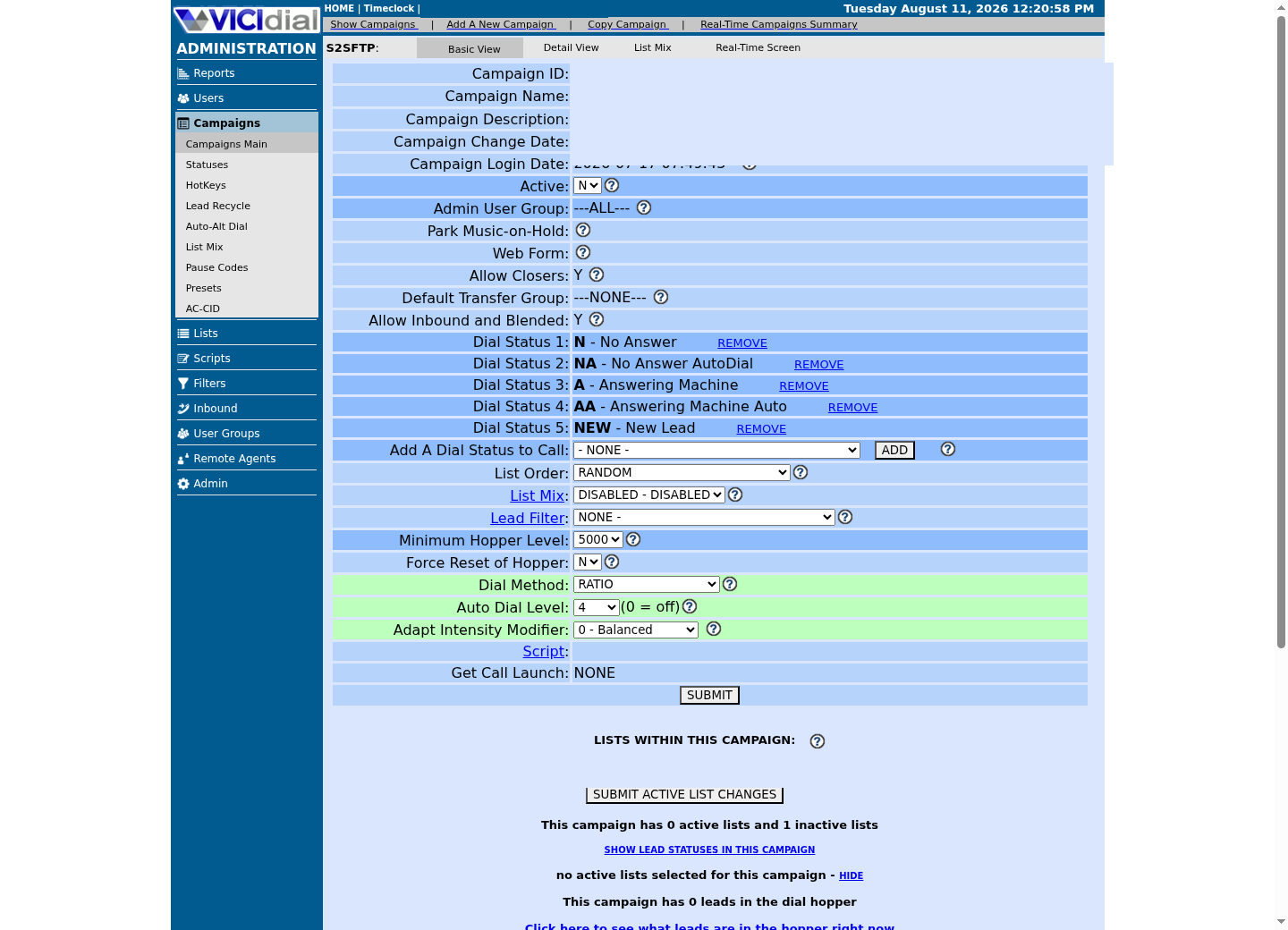
Review statuses allowed for dialing
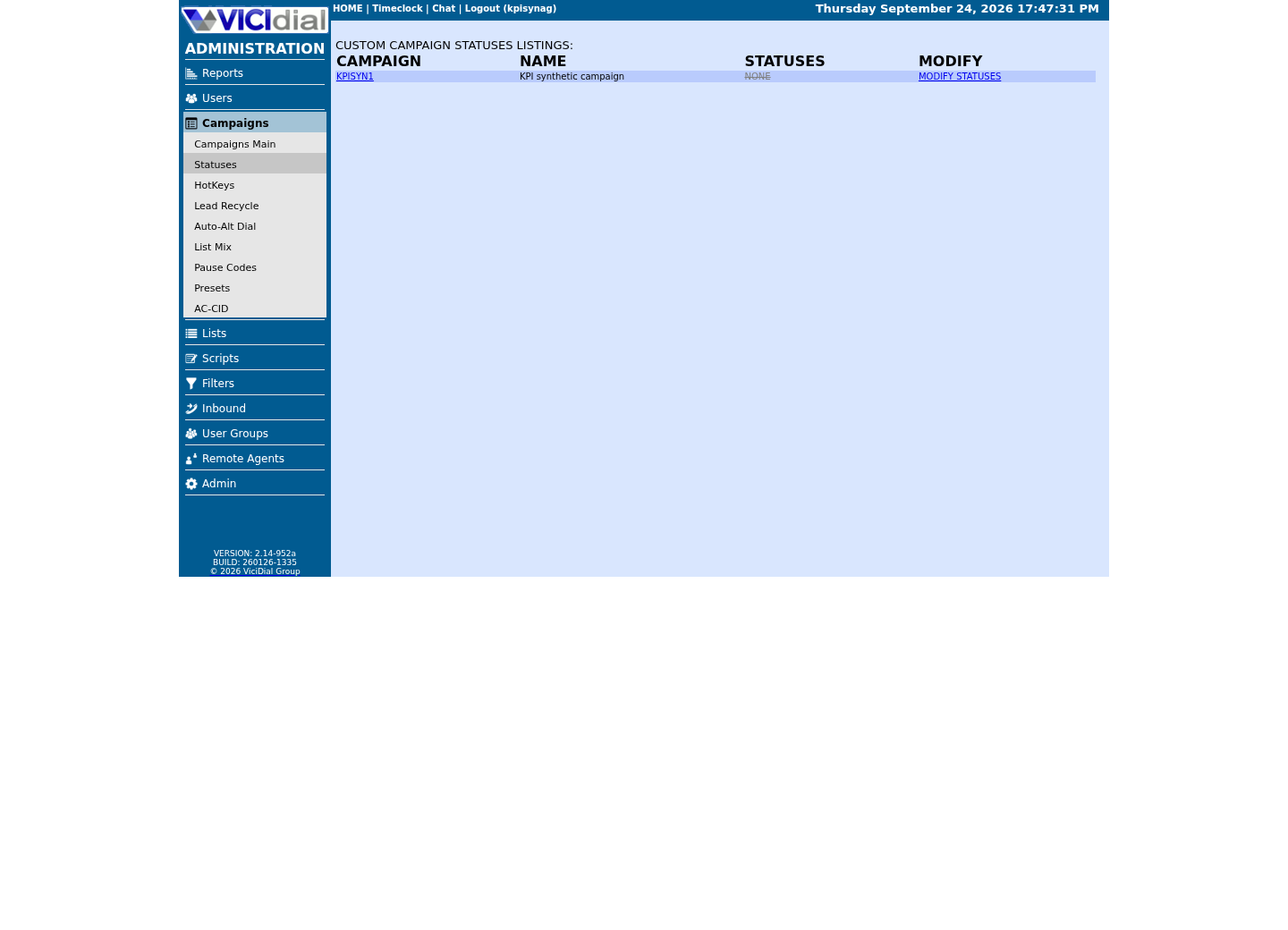
What actually makes a lead dialable
VICIdial ships its own definitions for the statuses that control this. VICIDIAL_statuses.txt defines NEW as "Lead has not been called, or cannot be called" and QUEUE as "Lead is about to be sent to an agent." A lead only becomes hopper work when its current status is one the campaign's own Dial Statuses setting includes — a status that looks callable in isolation still will not be dialed if the campaign was never told to dial it.
Confirm this against the schema itself rather than trusting an old forum post's column names, since table contents can differ across builds. Then check what the synthetic list actually contains: a count by status shows whether there is dialable-looking work at all, before you ever touch the hopper or a campaign setting.
SHOW COLUMNS FROM vicidial_hopper; SELECT status, COUNT(*) AS leadsFROM vicidial_listWHERE list_id = '<LIST_ID>'GROUP BY statusORDER BY leads DESC;Captured demo response · 2026-09-24 22:25 UTC. The displayed command is the command that ran; a safe subset label means it was filtered, redacted, or fixture-scoped. Replays only after you select Replay transcript.
- Before you run it
- Run both statements with the read-only database account, substituting your synthetic test list's id.
- Success looks like
- The column list matches what the rest of this guide assumes, and the status counts show at least one status your campaign's Dial Statuses setting actually includes.
- Stop if
- If every lead sits in a status your campaign does not dial, that alone explains an empty hopper — no reset needed.
Immediate does not mean unexplained
Automatic dialing combines available agents, campaign dialing rules, hopper supply and telephony state. On our ViciBox 12 lab, the hopper loader runs from a scheduled job every 2 minutes, not as a continuously running screen you can watch live — a hopper that looks empty right now can fill on its own within two minutes, before anything else needs to change. A forum troubleshooting exchange about campaign settings points first to stuck auto-call rows and dialplan cleanup: dialplan is Asterisk's (the telephony engine under VICIdial) rule set for what happens to a call once it is placed, and cleanup is Asterisk finishing or discarding those steps once the call ends, which is why a stalled cleanup can look like a stuck hopper. Another recent thread notes that leads remaining in the hopper can affect the next day's behavior.
Treat a slow or absent call as a small investigation, not an emergency. Capture campaign, agent, server time and the last observed state, then inspect one layer at a time, waiting out at least one hopper cycle before concluding anything is actually stuck.
Guided example: prove the test campaign is ready
In the VICIdial reports/admin screens, verify the test agent is logged in and intentionally READY, the test campaign is active, and the synthetic list is assigned. Confirm the campaign's local-time and status rules permit the lab lead right now.
Do not use a real lead just because it is already in a list. If the lab does not have a permitted test endpoint, stop before pressing any control that could make a call.
Campaign: <CAMPAIGN_ID>Agent: <AGENT_USER> (READY)List: <LIST_ID>Lead status: <ELIGIBLE_TEST_STATUS>Server timestamp: <YYYY-MM-DD HH:MM:SS>Expected: no customer calls; lab endpoint onlyThis sample is a template or reading aid, not a terminal command. There is no output to show.
- Before you run it
- Fill this from the approved UI before any change.
- Success looks like
- Every item belongs to the same isolated test fixture and is understandable to a reviewer.
- Stop if
- Stop if the campaign shares production leads, calling hours are unclear, or the agent is not a designated tester.
Guided example: count, then inspect stuck state
If the UI leaves uncertainty, use an aggregate, read-only hopper count scoped to the one test campaign. It answers whether rows are actually queued; it does not fix anything by itself.
vicidial_auto_calls is a shared, cluster-wide runtime table, and this guide does not assume which column, if any, safely scopes it by campaign. On a lab that other real campaigns also use, confirm its columns yourself first — that is schema, not data, so it is safe to read on a shared box — get the owner's approval before running any aggregate on it, and use the campaign-scoped hopper_list API call in the next section for the equivalent cross-check in the meantime.
SELECT status, COUNT(*) AS hopper_countFROM vicidial_hopperWHERE campaign_id = '<CAMPAIGN_ID>'GROUP BY status; SHOW COLUMNS FROM vicidial_auto_calls;Captured demo response · 2026-09-24 22:25 UTC. The displayed command is the command that ran; a safe subset label means it was filtered, redacted, or fixture-scoped. Replays only after you select Replay transcript.
- Before you run it
- Use the read-only database account. Keep the campaign filter in the first query; the second only lists column names, not rows.
- Success looks like
- You can state whether eligible-looking hopper rows exist for the test campaign, and you know which columns exist if the owner later approves a scoped auto_calls query.
- Stop if
- Stop if the first query returns a campaign_id you did not ask for, or if the account can do anything but SELECT/SHOW.
Confirm the loader is actually running
ps will not show you the hopper loader the way it shows a long-running service: on our ViciBox 12 lab it is launched from a scheduled job, not a screen session, so it only exists as a process for the few seconds it takes to run. Look for the scheduled job itself, then cross-check the campaign from the outside with the same read-only Non-Agent API used throughout this library.
Both checks are read-only and safe on a shared lab: crontab -l only lists root's own scheduled jobs, and hopper_list is the vendor's own campaign-scoped view of exactly the same queue the UI and database already show.
crontab -l | grep -F AST_VDhopper curl --fail-with-body --silent --show-error --config /etc/vicidial-api/readonly.cfg --data-urlencode "function=version" curl --fail-with-body --silent --show-error --config /etc/vicidial-api/readonly.cfg --data-urlencode "function=hopper_list" --data-urlencode "campaign_id=<CAMPAIGN_ID>" --data-urlencode "stage=csv" --data-urlencode "header=YES"Captured demo response · 2026-09-24 22:25 UTC. The displayed command is the command that ran; a safe subset label means it was filtered, redacted, or fixture-scoped. Replays only after you select Replay transcript.
- Before you run it
- Run as root; only root's own crontab reliably shows the scheduled dialer jobs. Substitute your test campaign in the API calls.
- Success looks like
- grep can surface an old disabled entry too; the active, uncommented crontab line is the one that confirms the loader is actually scheduled. hopper_list returns the same rows, or the same zero, as the database query above, cross-checking the UI/database picture from a separate code path.
- Stop if
- hopper_list needs user_level 8+ with 'view reports' on the API account, on top of the function being listed in api_allowed_functions — an ERROR here can mean the account, not the hopper, is the problem. 'THERE ARE NO LEADS IN THE HOPPER FOR THIS CAMPAIGN' is a normal answer outside local call time, not a bug.
Reset only after an owner approves the cause
'Force Reset of Hopper' is a setting on the campaign's own detail screen (top-level Campaigns → your test campaign) — confirm the exact field label and its neighbors, Hopper Level and Dial Statuses, on your own build, since admin screen wording has changed across versions. It is not a general 'make it dial now' button, and on our ViciBox 12 lab the hopper only ever loads leads that fall inside that campaign's Local Call Time window — a reset does not override that.
For a lab, write the expected before/after count, take a screenshot or export of the test fixture, obtain owner approval, then make one documented change through the campaign's own settings screen. Re-run the same readiness checks and record the result. Escalate persistent auto-call or dialplan concerns rather than manually deleting rows.
- I proved whether the test hopper contained work before considering a reset.
- I did not change dialing pace, phone routing or production lead state.
- I have a timestamped observation to give the system owner.
Evidence ledger
Verification basis
- The guide separates observations from recovery because hopper/reset behavior is version and configuration dependent.
- Forum evidence links stuck auto-call state and time synchronization to dialing symptoms; neither is safely fixed by a blind reset.
- On our ViciBox 12 lab, AST_VDhopper.pl runs on a 2-minute schedule, not as a persistent process, and only loads leads inside a campaign's Local Call Time window.
Primary references
Sources
- VICIdial feature listVICIdial · accessed September 23, 2026
- Campaign settings discussionVICIdial forum · accessed September 23, 2026
- Clearing the list automaticallyVICIdial forum · accessed September 23, 2026
- VICIdial status definitions (VICIDIAL_statuses.txt)VICIdial · accessed September 23, 2026
- VICIdial Non-Agent API reference (NON-AGENT_API.txt)VICIdial · accessed September 23, 2026