Reader setup
Before you start
Run each step in order and move only when the outcome is confirmed.
- A VICIdial user account with API access enabled and only the permissions the functions you plan to call require
- A terminal with curl, mysql or mariadb client access through a read-only database account (see vicidial-read-only-database-account) for the one SQL sample here, and Node.js 18 or newer if you plan to run the JavaScript client
- A synthetic test lead, an inactive test list, and an inactive test campaign to rehearse writes against before touching production data
- What you will prove
- After this guide you can authenticate to `/vicidial/non_agent_api.php` with a least-privilege API user, call read-only functions such as `version`, `lead_search`, and `campaigns_list` safely, and perform `add_lead`, `update_lead`, `add_list`, and `add_dnc_phone` writes against synthetic test data with a verified rollback in hand.
- Safety boundary
- Every write example in this guide targets a synthetic lead, a synthetic test list ID, or a fictional phone number; treat every real lead, list, campaign, DID, and recording URL as sensitive customer or business data, and keep API passwords out of shell history, URLs, and logs.
Reader path
How to use this article
- Use it when: You need a fixed sequence to make a deployment or configuration change now.
- Expected result: Follow each step and verify the outcome before changing the next layer.
- Start here: Start at the first section and complete every checkpoint before moving to the next.
01 / 14
The Non-Agent API in Plain Language
Fast answer: `/vicidial/non_agent_api.php` is VICIdial's HTTP interface for administrative, lead, list, campaign, user, phone, DID, compliance-list, live-status, recording, and reporting operations; authenticate with a dedicated API user's `user`, `pass`, and a short `source` label, call the read-only `version` function first, confirm the exact permission each function documents before calling it, and always check the response body for a plain-text `ERROR` because an HTTP 200 status code does not mean the call succeeded.
In plain language: an agent is a logged-in user who takes or places calls; a campaign is the outbound or inbound configuration that controls dialing behavior for a group of work; a list is a named group of leads, optionally carrying its own custom fields; a lead is one contact record with a current status, stored in the `vicidial_list` table; the hopper is the queue of leads a campaign has staged to dial next, stored in `vicidial_hopper`; a disposition is the outcome code recorded when a call ends, which is not the same thing as a live agent state; a DID (Direct Inward Dial) is the phone number that routes an inbound call into VICIdial; and a carrier is the telephony provider or trunk that delivers calls in and out of the system.
The Non-Agent API is deliberately separate from the Agent API at `/agc/api.php`, which only acts on an already logged-in agent session for session and call actions such as pausing, hanging up, and dialing. Use the Non-Agent API for everything that is not tied to one live agent screen: leads, lists, users, phones, campaigns, DIDs, compliance lists, live status, recordings, and reports.
This guide covers every function NON-AGENT_API.txt documents: 59 in total, one per dashed section in the file, grouped below by task rather than the order they appear in the doc. A 60th name, container_list, appears only in the document's changelog with no function-detail section in this revision; this guide does not cover it, because its parameters and permissions cannot be sourced from the shipped doc. Confirm your own installation's actual function list before assuming any name here, or any name absent from here, applies to your build.
curl --fail-with-body --silent --show-error --config /etc/vicidial-api/readonly.cfg --data-urlencode "function=version"Captured demo response · 2026-09-23 21:35 UTC. The displayed command is the command that ran; a safe subset label means it was filtered, redacted, or fixture-scoped. Replays only after you select Replay transcript.
- Before you run it
- version needs no user, pass, or source at all per NON-AGENT_API.txt's own example — but this config file supplies them anyway, the same pattern every other call in this guide uses, so this first call also confirms your config file, network path, and TLS trust chain all work.
- Success looks like
- The response is a short version string identifying the installed build, in the same VERSION:...BUILD:...DATE:...EPOCH: shape the Agent API's own version function uses.
- Stop if
- A body starting with ERROR, or a non-2xx curl exit, means the config file, network path, or certificate needs fixing before you touch any function that reads or writes real data.
Visual walkthrough
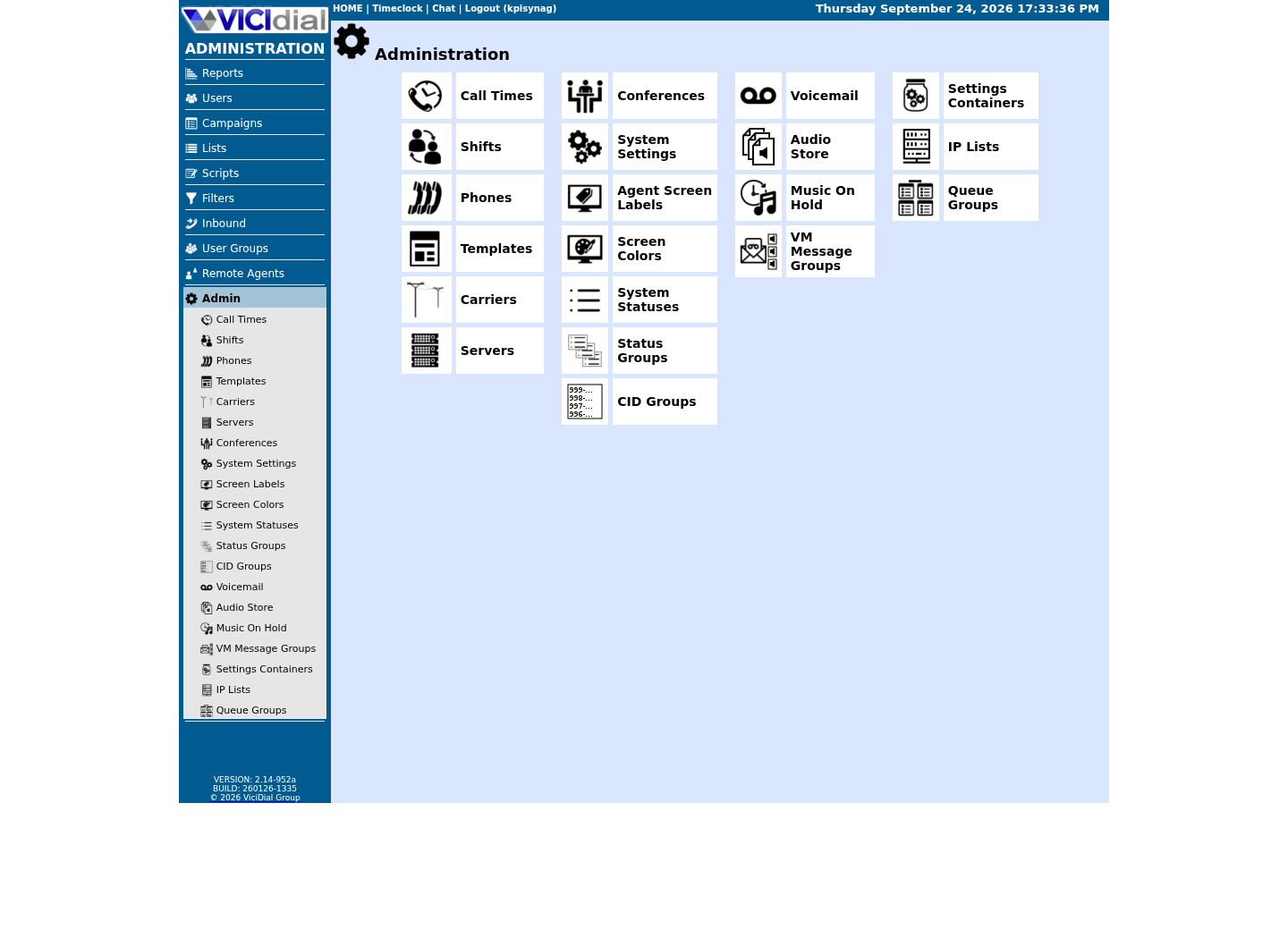
Follow three real demo screens
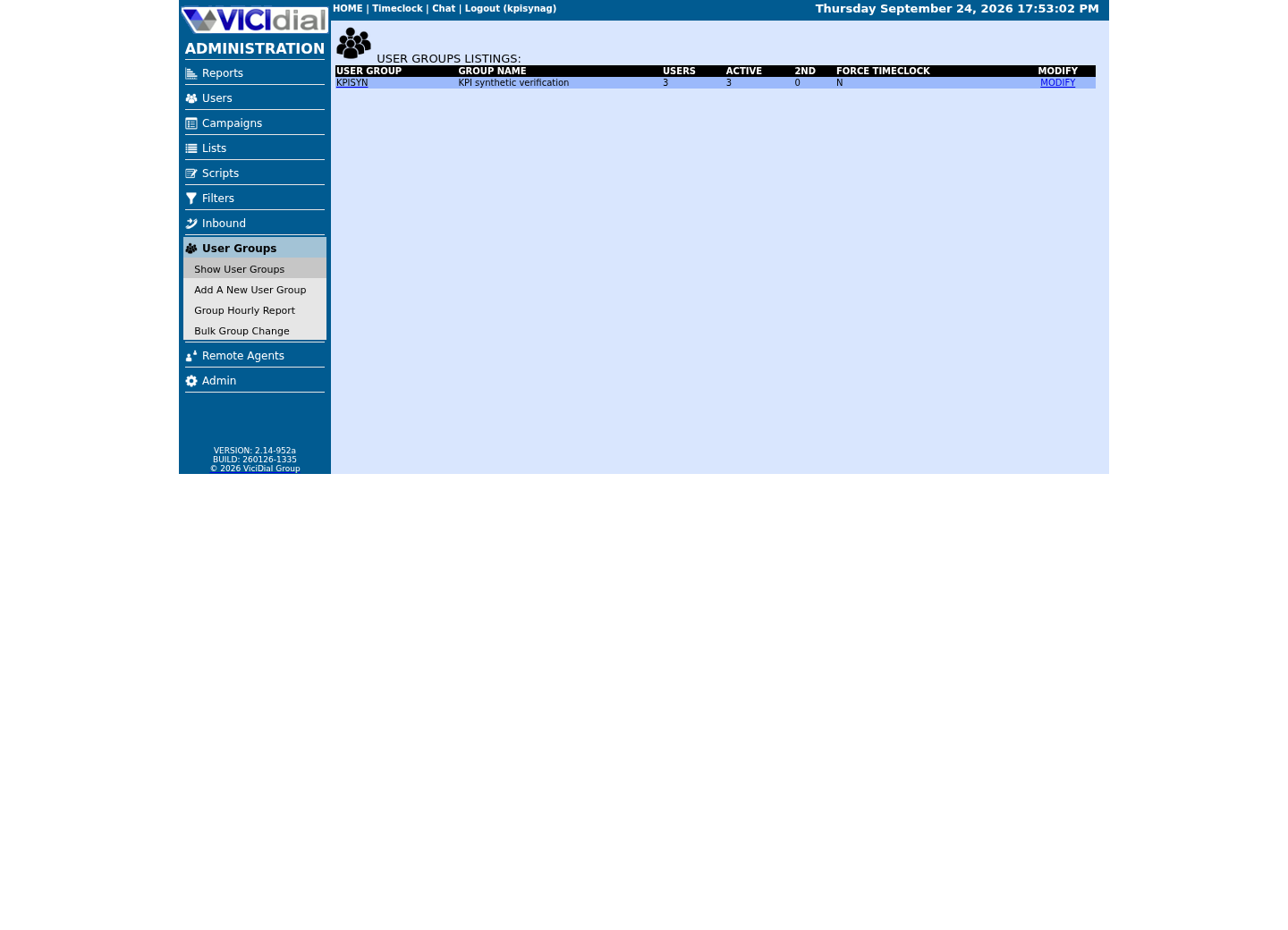
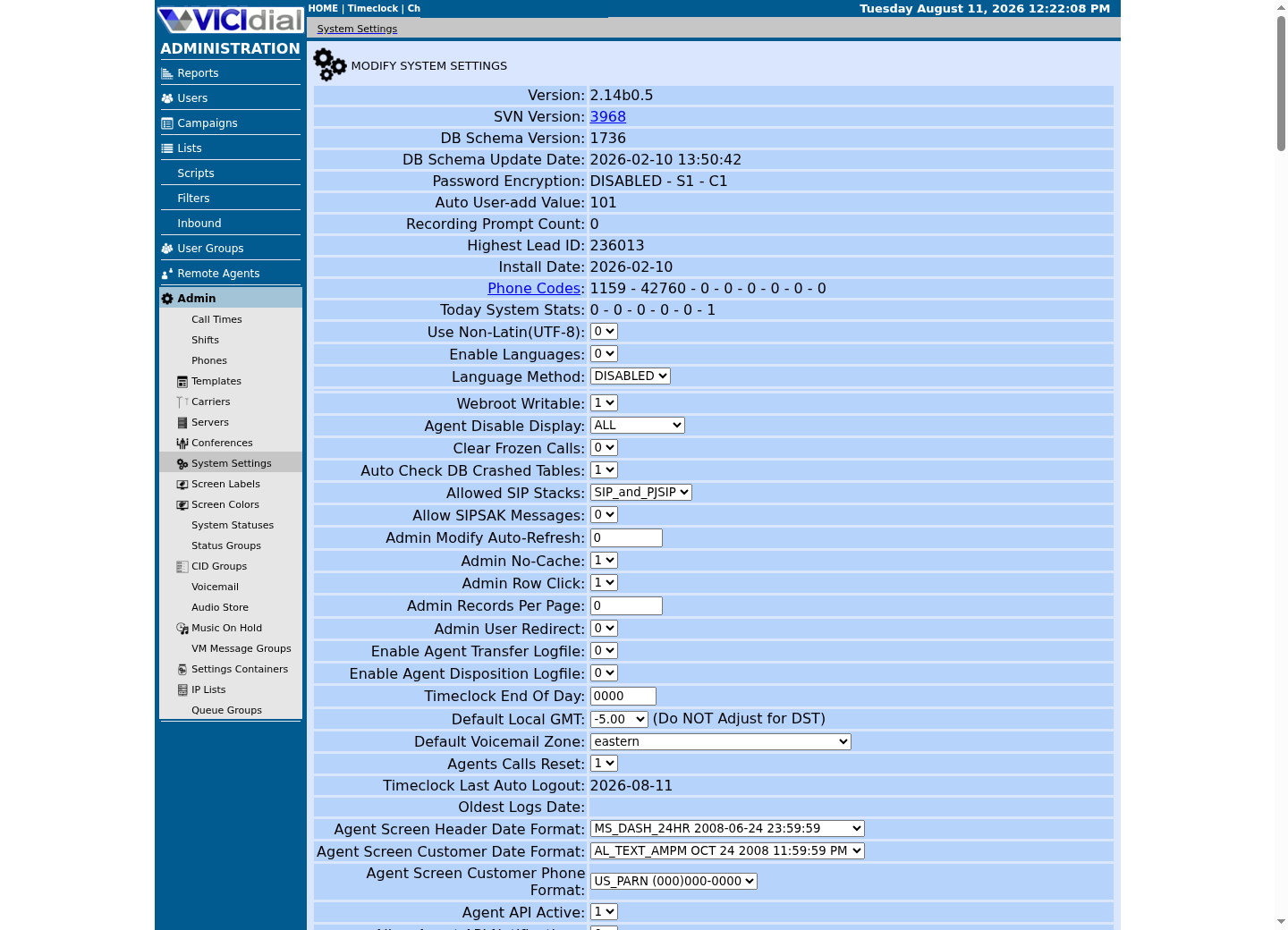
Captured on an isolated VICIdial demo: Administration screens on September 24, 2026, and the idle Agent screen on August 11, 2026. Each caption states its own capture time, and every sanitized image helps you recognize a related screen; none proves that this article's call, command, or result occurred.Use the Administration map
Review user-group boundaries
Inspect system-wide security and API context
02 / 14
Step 1 — Authenticate and Confirm Permissions
Every authenticated Non-Agent API call needs three credential-shaped fields: `user`, an API-enabled `vicidial_users` account; `pass`, that account's password; and `source`, a short caller identifier. Send these as normal HTTPS POST fields alongside `function`, the exact operation name, on every request.
Create one dedicated, least-privilege API user instead of reusing an administrator login. Permission requirements vary by function and can include a minimum user level, a report-access flag, a campaign or list restriction, or a separate modify flag on top of read access. Never assume a function is authorized just because the account's user level is high; verify every permission the function's own documentation names, and verify it again against the target installation, because requirements can change between revisions.
A response with HTTP status 200 only means the web server accepted the request — see vicidial-agent-api-guide's own walkthrough of that exact trap for the full explanation of why. Parse this API's body the same way: SUCCESS, ERROR, or the requested data with no prefix at all.
- Minimum `vicidial_users` level the target function documents
- Whether the function also requires report-access permission
- Whether the account is scoped to specific campaigns or lists
- Whether the function needs an explicit modify flag beyond read access
- A short, consistent `source` label for every call your integration makes
url = "https://<VICIDIAL_HOST>/vicidial/non_agent_api.php"data-urlencode = "user=<API_READONLY_USER>"data-urlencode = "pass=<API_READONLY_PASS>"data-urlencode = "source=vicigeek-api-guide"This sample is a template or reading aid, not a terminal command. There is no output to show.
- Before you run it
- Create this file yourself, then immediately run chmod 600 and chown root:root on it, since it holds a real password once filled in. /etc/vicidial-api/writer.cfg, used later in this guide for write calls, follows the exact same shape with a separate, write-capable account's credentials; this guide never actually creates that second file.
- Success looks like
- curl --config reads all four lines silently; none of these values ever appear on a command line, in shell history, or in a process listing.
- Stop if
- A mode looser than 600, or ownership other than root:root, defeats the entire point of this file — fix both before putting a real password in it.
03 / 14
Step 2 — Read Before You Write
Before calling any write function, read that function's complete section in your installation's own reference; parameter names, defaults, and duplicate-handling behavior can differ between revisions. Then supply bounded filters, such as a specific agent, campaign, list, lead identifier, or date range, rather than an unfiltered query.
Select only a documented output format for the function you are calling. Most list and export functions choose between csv, tab, pipe, or newline through their own stage field — NON-AGENT_API.txt does not define a json output anywhere in this revision, so do not build a parser expecting one.
Apply a client-side timeout and a response-size limit, and avoid broad exports during peak calling periods. Redact the `pass` value, phone numbers, and any other personally identifying data before sending API telemetry anywhere, including your own logs.
Run the equivalent read directly against the database in parallel with the API call so you know exactly what a write is about to change. `vicidial_list` holds the active lead record and current status, `vicidial_campaigns` and `vicidial_lists` hold campaign and list configuration, and `vicidial_hopper` holds leads a campaign has already staged to dial; inspect the live table definitions rather than assuming a downloaded schema file matches your installation.
SHOW CREATE TABLE vicidial_list;SELECT TABLE_NAME, INDEX_NAME FROM information_schema.STATISTICSWHERE TABLE_SCHEMA = DATABASE() AND TABLE_NAME IN ('vicidial_log', 'vicidial_closer_log') AND COLUMN_NAME = 'phone_number';SELECT COUNT(*) FROM vicidial_list WHERE list_id = '<LIST_ID>';Captured demo response · 2026-09-24 21:55 UTC. The displayed command is the command that ran; a safe subset label means it was filtered, redacted, or fixture-scoped. Replays only after you select Replay transcript.
- Before you run it
- Connect through your read-only database account before running any preview query.
- Success looks like
- SHOW CREATE TABLE confirms the live column definitions, the STATISTICS query lists any index covering phone_number on the two call-log tables phone_number_log actually queries (no rows means it is not indexed), and SELECT COUNT gives you the exact row count an upcoming API write should affect.
- Stop if
- If SELECT COUNT returns a number you did not expect, such as a nonzero count for a list_id you believed was empty, stop and re-identify the correct list_id before making any API write.
04 / 14
Step 3 — Write Safely With Synthetic Test Data
Confirm the target revision and the exact permissions the write function requires, then use a synthetic lead, an inactive test list, or an inactive test campaign, never live customer data, for the first attempt.
Set duplication, hopper, callback, custom-field, and reset options explicitly on every write call. Default behavior for these options varies by function and by revision, so an unset option is not a safe assumption. add_lead's duplicate_check field takes one or more of DUPLIST, DUPCAMP, DUPSYS, DUPPHONEALTLIST, DUPPHONEALTCAMP, DUPPHONEALTSYS, and the DUPTITLEALTPHONE and DUPNAMEPHONE variants of each scope, optionally suffixed with a day count such as DUPSYS90DAY, and combinable with a dash; add_lead has no status field at all, so do not send one.
update_lead matches an existing lead by lead_id, vendor_lead_code, or phone_number — set search_method to combine more than one — and is the one function in this family where status is an editable field, alongside delete_lead, callback/callback_status/callback_datetime, and add_to_hopper/remove_from_hopper. batch_update_lead applies one shared set of field values to many leads at once from a comma-separated lead_ids list, defaults to updating at most 100 records, and, per the document's own note, does not write a per-lead admin-log entry the way an equivalent run of individual update_lead calls would — expect a bulk change here to be harder to audit after the fact, not just faster to run.
The Non-Agent API has no native idempotency key — see safe-vicidial-api-automation for how to build and check one outside the API — so record one externally, such as a request ID in your own integration log, before retrying any write call.
After the call returns, verify three things: the API response itself, the intended change in the VICIdial admin interface or database, and the absence of any unintended hopper or callback side effect. Define a rollback statement or an inverse API call before any bulk update, list deletion or reset, user change, or campaign change, and keep it ready before you run the original write.
curl --fail-with-body --silent --show-error --config /etc/vicidial-api/writer.cfg --data-urlencode "function=list_info" --data-urlencode "list_id=<LIST_ID>" curl --fail-with-body --silent --show-error --config /etc/vicidial-api/writer.cfg --data-urlencode "function=add_lead" --data-urlencode "list_id=<LIST_ID>" --data-urlencode "phone_number=<PHONE_NUMBER>" --data-urlencode "duplicate_check=DUPLIST"This sample changes a system, contacts an outside service, needs a live call, or would print real data from a shared server, so it was not run on the demo. Run it only where you are authorized, and compare the result with the success and stop guidance.
- Before you run it
- <LIST_ID> is an inactive test list you control, and <PHONE_NUMBER> is a synthetic or fictional number.
- Success looks like
- list_info confirms the test list's configuration, and add_lead returns SUCCESS: add_lead LEAD HAS BEEN ADDED with the new lead_id, phone_number, list_id, and gmt_offset_now, which you can then confirm against vicidial_list with a SELECT.
- Stop if
- add_lead returns an ERROR body — an invalid phone number shape, a duplicate match under DUPLIST, or a permission gate — with the exact reason in the text after ERROR:; fix the request and rerun the read step before retrying the write.
05 / 14
Manage Users via the API
add_user creates a user: agent_user, agent_pass, agent_user_level, agent_full_name, and agent_user_group are all required, with phone_login/phone_pass and a pipe-delimited in_groups list as common optional fields. copy_user clones an existing user, named in source_user, to a new agent_user, agent_pass, and agent_full_name. The document notes plainly that neither function works with a Vtiger integration.
update_user changes or deletes an existing user; only agent_user is required, and every other field — level, group, password, active flag, campaign or in-group rank and grade, a password reset that emails the user — is optional and independently validated. The document names the permission for this one 'modify user' (singular) where add_user and copy_user call it 'modify users' (plural); treat it as the same flag with inconsistent wording in the shipped doc, not two different permissions.
update_remote_agent is a related but separate function — it manages a remote-agent record's status and line count rather than an ordinary user account — covered later in this guide alongside DID and phone management.
curl --fail-with-body --silent --show-error --config /etc/vicidial-api/writer.cfg --data-urlencode "function=add_user" --data-urlencode "agent_user=<AGENT_USER>" --data-urlencode "agent_pass=<AGENT_PASS>" --data-urlencode "agent_user_level=1" --data-urlencode "agent_full_name=<FULL_NAME>" --data-urlencode "agent_user_group=<USER_GROUP>"This sample changes a system, contacts an outside service, needs a live call, or would print real data from a shared server, so it was not run on the demo. Run it only where you are authorized, and compare the result with the success and stop guidance.
- Before you run it
- <USER_GROUP> must already exist; on a Vtiger-integrated install, neither add_user nor copy_user works at all, per the document's own note.
- Success looks like
- The response starts with SUCCESS: add_user USER HAS BEEN ADDED, followed by the new user's own login, level, and group.
- Stop if
- An ERROR body most often means the user group does not exist, the requested user_level exceeds what your API account is itself allowed to grant, or agent_user already exists.
06 / 14
Search and Inspect a Lead
lead_search finds existing leads by phone number, but it needs modify leads enabled on top of view reports — a permission the least-privilege read-only account built for this guide's demo captures deliberately does not carry, so lead_search sits outside that account's capture set even though it is a genuine read. lead_all_info, lead_field_info, and lead_status_search return progressively more detail about one matched record once you have a lead_id, and ccc_lead_info returns the same kind of detail for a cross-cluster call. lead_dearchive restores a lead that was previously moved to archive storage.
lead_id is the stable identifier to carry through a search, an update, and a later audit; do not rebuild lead identity from name and phone number alone, since both can repeat or change. Search results and the writes that follow them are both subject to the same campaign and list scoping as any other function, so a search account with narrow scope will not see or edit leads outside that scope.
check_phone_number is unrelated to a lead lookup: it validates a bare phone number's dialability, areacode, and DNC status, and never touches a lead record at all. update_alt_url is also not a lead field — it is a campaign's own alternate Call URL configuration, covered later in this guide alongside campaign management.
curl --fail-with-body --silent --show-error --config /etc/vicidial-api/readonly.cfg --data-urlencode "function=lead_callback_info" --data-urlencode "lead_id=<LEAD_ID>" --data-urlencode "search_location=ALL"Captured demo response · 2026-09-23 21:35 UTC. The displayed command is the command that ran; a safe subset label means it was filtered, redacted, or fixture-scoped. Replays only after you select Replay transcript.
- Before you run it
- <LEAD_ID> is a real lead_id your account's campaign/list scope can see; search_location=ALL checks both the current and archived callback tables in one call.
- Success looks like
- A pipe-delimited row comes back — lead_id, callback_type, recipient, callback_status, lead_status, callback_date, and more — or, on a lead with no scheduled callback, an ERROR: lead_callback_info CALLBACK NOT FOUND body, which is a normal, expected result, not a broken account.
- Stop if
- An ERROR mentioning permission means the account is missing view reports; confirm that flag before assuming the lead_id itself is wrong.
07 / 14
Manage Lists and Custom Fields
add_list creates a new list, update_list changes an existing list's configuration, and list_info returns that configuration back to you; call list_info before and after any update_list write to confirm exactly what changed.
Both list_info and list_custom_fields require modify lists enabled on the API account even though neither one writes anything — a modify flag gating a read-only function, not a contradiction in this guide. That same modify lists flag would also unlock several real writes on this account — add_list, update_list, add_dnc_phone, add_fpg_phone, delete_fpg_phone — so the flag itself is not what keeps this guide's demo account read-only. api_allowed_functions is the actual enforcement: restricted to exactly the read-only function names this guide captures, it blocks add_list and every other write this account's modify lists flag would otherwise permit.
list_custom_fields returns the custom fields defined for a list, or every list's fields at once with list_id set to ---ALL---. Custom fields are scoped to one list: definitions live in the vicidial_lists_fields table, and their values live in a dynamically created custom_<list_id> table, with the design allowing up to 255 fields and only one field set per list ID.
Do not infer a custom field's API parameter name from its label alone; read list_custom_fields, or your installation's exact add_lead and update_lead sections, and inspect SHOW CREATE TABLE for the matching custom_<list_id> table before writing to it. Treat a list copy or a list-ID change as a schema and data migration, not a routine lead update, and include custom tables in your backup, export, and retention testing.
curl --fail-with-body --silent --show-error --config /etc/vicidial-api/readonly.cfg --data-urlencode "function=list_info" --data-urlencode "list_id=<LIST_ID>" --data-urlencode "leads_counts=Y" curl --fail-with-body --silent --show-error --config /etc/vicidial-api/readonly.cfg --data-urlencode "function=list_custom_fields" --data-urlencode "list_id=<LIST_ID>"Captured demo response · 2026-09-23 21:35 UTC. The displayed command is the command that ran; a safe subset label means it was filtered, redacted, or fixture-scoped. Replays only after you select Replay transcript.
- Before you run it
- Pick a <LIST_ID> your account is authorized to read.
- Success looks like
- list_info returns the list's configuration plus lead counts, and list_custom_fields returns its defined custom fields, if custom fields are enabled on the target installation.
- Stop if
- An ERROR body from list_custom_fields on an installation with custom fields turned off is expected, not a bug; confirm the system-wide custom-field flag before debugging further.
08 / 14
Campaigns, Hopper, and Presets
campaigns_list returns configured campaigns, and update_campaign changes a campaign's settings; both are consumed immediately by the live dialer and by every logged-in agent working that campaign, so a change here has an immediate operational effect, not just a configuration-file effect.
hopper_list reads the leads a campaign has already staged in vicidial_hopper, and hopper_bulk_insert adds up to 1000 lead_ids to that queue directly. Because the hopper is what the outbound dialer reads from next, a bulk insert can change what gets dialed within seconds; verify the intended campaign_id and list scope before calling it.
update_alt_url manages a campaign's alternate Dispo, Start, Add Lead, or No Agent Call URLs: entry_type=campaign and a url_type of dispo, start, addlead, or noagent are both required, alongside campaign_id and an alt_url_id that is a specific numeric ID, NEW to add one, or LIST to read back every alt URL defined for that type. It is campaign-level configuration, not a lead field — see vicidial-call-urls for the Call URL fields themselves.
update_presets manages a campaign's transfer presets the same way: campaign_id, preset_name, and an action of UPDATE, NEW, DELETE, or LIST, with preset_number and preset_dtmf as the fields that change. Both update_alt_url's LIST mode and update_presets' LIST action sit behind the same modify campaigns permission as their write modes — api_allowed_functions restricts by function name only, not by stage or action, so neither function can go on a read-only allow-list without also admitting its write modes.
curl --fail-with-body --silent --show-error --config /etc/vicidial-api/readonly.cfg --data-urlencode "function=campaigns_list" --data-urlencode "campaign_id=<CAMPAIGN_ID>" --data-urlencode "header=YES" curl --fail-with-body --silent --show-error --config /etc/vicidial-api/readonly.cfg --data-urlencode "function=hopper_list" --data-urlencode "campaign_id=<CAMPAIGN_ID>"Captured demo response · 2026-09-23 21:35 UTC. The displayed command is the command that ran; a safe subset label means it was filtered, redacted, or fixture-scoped. Replays only after you select Replay transcript.
- Before you run it
- Confirm the <CAMPAIGN_ID> you plan to query belongs to a campaign your account's scope can see. campaign_id is optional on campaigns_list and blank means every campaign on the server, so scope it explicitly here rather than listing them all.
- Success looks like
- campaigns_list returns just that campaign's configuration (with a header row) and hopper_list returns the leads currently staged for it, letting you confirm hopper state before any bulk_insert write.
- Stop if
- ERROR: hopper_list THERE ARE NO LEADS IN THE HOPPER FOR THIS CAMPAIGN is a normal, empty-hopper result; confirm the campaign exists and your account is not scoped away from it before assuming it is misconfigured.
09 / 14
Agent and In-Group Monitoring
logged_in_agents lists every currently logged-in agent system-wide, or scoped to specific campaigns or user_groups; agent_status reports the same live detail for one named agent — call state, lead_id, pause code, and an optional real_time_sub_status such as DEAD, DISPO, PARK, RING, PREVIEW, or DIAL. Both are moment-in-time snapshots, not history.
user_group_status and in_group_status report the same kind of live snapshot one level up, for a pipe-delimited list of user groups or in-groups: calls waiting, agents logged in, in calls, paused, and more. agent_ingroup_info and agent_campaigns look up one specific agent's in-group and campaign assignments; agent_campaigns additionally needs modify users enabled, not just view reports, because its own output includes what that agent is allowed to do. user_details returns static account information — full name, group, level, and active flag — distinct from that user's live status.
blind_monitor is the one function in this document that places a call: it dials a defined phone and joins that session as a monitor, barge, or hijack listener on a live agent's call. Treat it exactly like the Agent API's call-placing functions — never run it outside a supervised, consented monitoring session.
curl --fail-with-body --silent --show-error --config /etc/vicidial-api/readonly.cfg --data-urlencode "function=logged_in_agents" --data-urlencode "campaigns=<CAMPAIGN_ID>" --data-urlencode "header=YES" curl --fail-with-body --silent --show-error --config /etc/vicidial-api/readonly.cfg --data-urlencode "function=agent_status" --data-urlencode "agent_user=<AGENT_USER>"Captured demo response · 2026-09-23 21:35 UTC. The displayed command is the command that ran; a safe subset label means it was filtered, redacted, or fixture-scoped. Replays only after you select Replay transcript.
- Before you run it
- Scope logged_in_agents to <CAMPAIGN_ID> — its campaigns field is optional and pipe-delimited, and an unfiltered call returns every logged-in agent's user, full_name, and live lead_id system-wide, not just the one campaign you care about.
- Success looks like
- For a <CAMPAIGN_ID> with nobody logged in, expect ERROR: logged_in_agents NO LOGGED IN AGENTS — the documented empty-result response, not a broken account. For a campaign with an agent logged in, logged_in_agents lists that one delimited row and agent_status returns their live state, lead_id, and pause code.
- Stop if
- ERROR: agent_status AGENT NOT LOGGED IN confirms the account works even when there is nothing to report; a permission-flavored ERROR means the account is missing view reports.
010 / 14
DID, Phone, and Compliance-List Management
add_did creates a new DID, copy_did duplicates an existing DID's configuration, and update_did changes an existing DID's routing. Because a DID is the number that routes an inbound call into VICIdial, a mistaken update_did can misroute live inbound traffic immediately.
add_phone and update_phone manage agent phone records, add_phone_alias and update_phone_alias manage phone aliases, add_group_alias manages group aliases, and update_remote_agent manages a remote agent record. Phone changes can regenerate Asterisk telephony configuration, so treat them with the same care as a DID change.
add_dnc_phone and delete_dnc_phone manage a campaign's DNC list — campaign_id is a required field on both, either a real campaign ID or the literal SYSTEM_INTERNAL for the installation-wide list. add_fpg_phone and delete_fpg_phone manage filter-phone-group entries, a separate mechanism from DNC. update_cid_group_entry changes a caller ID group entry, with its own UPDATE/ADD/DELETE/INFO stage values. Because adding a DNC or filter-group entry blocks a number rather than exposing customer data, a synthetic fictional number is a safe and realistic way to rehearse the exact add-then-remove rollback before you touch a real number.
curl --fail-with-body --silent --show-error --config /etc/vicidial-api/writer.cfg --data-urlencode "function=add_dnc_phone" --data-urlencode "phone_number=<PHONE_NUMBER>" --data-urlencode "campaign_id=<CAMPAIGN_ID>" curl --fail-with-body --silent --show-error --config /etc/vicidial-api/writer.cfg --data-urlencode "function=delete_dnc_phone" --data-urlencode "phone_number=<PHONE_NUMBER>" --data-urlencode "campaign_id=<CAMPAIGN_ID>"This sample changes a system, contacts an outside service, needs a live call, or would print real data from a shared server, so it was not run on the demo. Run it only where you are authorized, and compare the result with the success and stop guidance.
- Before you run it
- campaign_id is required on both calls — use SYSTEM_INTERNAL for the installation-wide DNC list, or a real campaign_id for that campaign's own list. <PHONE_NUMBER> is a fictional test number, never a real customer or agent number.
- Success looks like
- add_dnc_phone returns SUCCESS: add_dnc_phone DNC NUMBER HAS BEEN ADDED, and delete_dnc_phone then returns its own SUCCESS, proving both the add and its exact rollback work before you rely on either in production.
- Stop if
- ERROR: add_dnc_phone YOU MUST USE ALL REQUIRED FIELDS almost always means campaign_id was left off; delete also needs Delete From DNC Lists enabled on top of modify lists.
011 / 14
Recording Lookup and Call Reporting
recording_lookup finds recording metadata and location by agent and date, lead_id, or uniqueid. Getting a result back is not the same as that recording being safely reachable; a returned URL is a separate authorization decision, so treat every recording_lookup result as sensitive customer data in its own right.
did_log_export, agent_stats_export, call_dispo_report, call_status_stats, and callid_info cover DID, agent-performance, and disposition reporting; update_log_entry updates a vicidial_log or vicidial_closer_log entry's status directly, identified by call_id and a campaign_id or in-group group_id. phone_number_log exports calls placed to one or more numbers — it is a function, not a table, and the document's own warning is specific: the phone_number field is not indexed by default on the vicidial_log and vicidial_closer_log tables it actually queries, so a frequent or wide search on that field can be slow. Inspect the live schema and query plan before relying on it, and do not add an index from a generic recipe without staging it against your own workload first.
A route that looks read-only can still have a write side effect: report access itself is commonly logged, so even a well-scoped export call is not free of database writes.
curl --fail-with-body --silent --show-error --config /etc/vicidial-api/readonly.cfg --data-urlencode "function=recording_lookup" --data-urlencode "agent_user=<AGENT_USER>" --data-urlencode "date=<DATE>"Captured demo response · 2026-09-23 21:35 UTC. The displayed command is the command that ran; a safe subset label means it was filtered, redacted, or fixture-scoped. Replays only after you select Replay transcript.
- Before you run it
- Pairing agent_user with date matches the document's own worked example and avoids INVALID SEARCH PARAMETERS, which a bare date alone can trigger. <DATE> must be in YYYY-MM-DD format.
- Success looks like
- One pipe-delimited row per matching recording comes back: start_time, user, recording_id, lead_id, and location. Treat the location value as sensitive data, never log it in plain text.
- Stop if
- ERROR: recording_lookup NO RECORDINGS FOUND is a normal result for a quiet day or agent; a permission-flavored ERROR means the account is missing view reports.
012 / 14
System Housekeeping
sounds_list, moh_list, and vm_list each return a plain inventory — audio-store files, music-on-hold classes, and voicemail boxes — and each needs only user_level 7 or higher, no modify flag at all. sounds_list's format field supports tab, link, or selectframe; moh_list and vm_list are read the same way, but the document allows only selectframe for those two — HTML <option> markup meant for the admin screen's own dropdown picker, not something worth parsing from a terminal. All three fail with a plain CENTRAL SOUND CONTROL IS NOT ACTIVE error (the document's own text at lines 278, 302, and 326) on an installation that has not turned that system-wide setting on, which is an installation fact, not a broken account.
server_refresh is the other function in this document with a cluster-wide effect rather than a single-record one: stage=REFRESH forces every telco server in the cluster to reload its configuration files. Treat it like a service restart, not a query — schedule it deliberately, never as part of routine automation.
curl --fail-with-body --silent --show-error --config /etc/vicidial-api/readonly.cfg --data-urlencode "function=sounds_list" --data-urlencode "format=tab"Captured demo response · 2026-09-23 21:35 UTC. The displayed command is the command that ran; a safe subset label means it was filtered, redacted, or fixture-scoped. Replays only after you select Replay transcript.
- Before you run it
- sounds_list is one of the lowest-permission reads in this API — user_level 7, no modify flag — a safe first stop when validating a new low-privilege account. format=tab gives a plain, script-friendly listing; moh_list and vm_list only support format=selectframe, so they are not shown here as a terminal-friendly sample.
- Success looks like
- The call returns a tab-delimited listing of the audio-store files. On our ViciBox 12 lab, with central sound control on, it returned HTTP 200 with an empty body and no error line, so check the audio store in Admin before reading an empty reply as a fault.
- Stop if
- ERROR: sounds_list CENTRAL SOUND CONTROL IS NOT ACTIVE means the system-wide setting is off on this installation — a fact to record, not a fault in the account. ERROR: sounds_list USER DOES NOT HAVE PERMISSION TO VIEW SOUNDS LIST means the account is below user_level 7.
013 / 14
A Small JavaScript Client
A small Node.js client centralizes the parts that are easy to get wrong by hand: building the request body, sending it over HTTPS with normal certificate verification, and checking the response body for an `ERROR` prefix before treating any call as successful.
Keep the API user and password out of source code by reading them from environment variables at process start, and keep the base URL pointed at your own installation's hostname rather than a shared or default value.
const BASE_URL = "https://<VICIDIAL_HOST>/vicidial/non_agent_api.php"; async function callNonAgentApi(functionName, params = {}) { const body = new URLSearchParams({ user: process.env.VICIDIAL_API_USER, pass: process.env.VICIDIAL_API_PASS, source: "vicigeek-api-guide", function: functionName, ...params, }); const response = await fetch(BASE_URL, { method: "POST", headers: { "Content-Type": "application/x-www-form-urlencoded" }, body, }); const text = await response.text(); if (text.startsWith("ERROR")) { throw new Error(`Non-Agent API ${functionName} failed: ${text}`); } return text;} const build = await callNonAgentApi("version");console.log("Connected to build:", build); const leads = await callNonAgentApi("lead_search", { phone_number: "<PHONE_NUMBER>" });console.log(leads);This sample changes a system, contacts an outside service, needs a live call, or would print real data from a shared server, so it was not run on the demo. Run it only where you are authorized, and compare the result with the success and stop guidance.
- Before you run it
- Set VICIDIAL_API_USER and VICIDIAL_API_PASS as environment variables in the process that runs this script, and never print process.env.VICIDIAL_API_PASS to any log. This sample uses top-level await, so save it as client.mjs (an ES module) or wrap the two calls in an async main() function — a plain .js file run under CommonJS throws a syntax error on a bare top-level await.
- Success looks like
- callNonAgentApi(`version`) resolves with the build string, confirming connectivity and credentials before you call any function that changes data.
- Stop if
- If callNonAgentApi throws, the error message includes the function name and the raw ERROR body; read that body first instead of immediately retrying the same call.
014 / 14
Troubleshooting, Rollback, and Stop Conditions
A response body labeled `ERROR` after an HTTP 200 status is a functional failure, not a transport failure, and curl reports success unless you check the body text yourself; treat status-code checking alone as insufficient for every function in this API. Treat a curl exit code of 60 (SSL certificate problem) or any other transport-layer failure as a distinct, earlier stop condition — it means the request never reached VICIdial's own logic at all, so no amount of retrying with different fields will fix it.
Two different permission checks can each produce an ERROR, and they are not the same failure: a generic allow-list gate rejects a function your API account's api_allowed_functions does not include at all — ERROR: auth USER DOES NOT HAVE PERMISSION TO USE THIS FUNCTION — while a function's own permission check (user level, view reports, a modify flag) rejects a call from an account that can reach the function but lacks a specific right it needs.
When a call fails, work through the function's own permission checklist next: minimum user level, report-access flag, campaign or list restriction, and modify flag, in that order, before assuming the function itself is broken.
When a call is slow rather than failing outright, suspect an unindexed search field, such as `phone_number` on the tables phone_number_log queries, before suspecting the network or the API layer; confirm with the database's own query plan rather than guessing.
Stop before running any bulk update, list deletion or reset, user change, or campaign change whose target, current state, or rollback you cannot state precisely. Define the rollback, whether that is a captured previous value, an inverse API call, or a restore procedure, before the original write, not after.
- Re-check the minimum user level the function documents
- Re-check report-access, campaign, and list scope for the account
- Re-check whether a modify flag is required for this specific function
- Suspect an unindexed search field before suspecting the network
- Confirm a rollback exists before rerunning any bulk or destructive write
response=$(curl --fail-with-body --silent --show-error --config /etc/vicidial-api/writer.cfg --data-urlencode "function=update_lead" --data-urlencode "lead_id=<LEAD_ID>" --data-urlencode "status=QUEUE") echo "${response}" if [[ "${response}" == ERROR* ]]; then echo "update_lead returned ERROR on HTTP 200; stop and investigate before retrying" >&2 exit 1fiThis sample changes a system, contacts an outside service, needs a live call, or would print real data from a shared server, so it was not run on the demo. Run it only where you are authorized, and compare the result with the success and stop guidance.
- Before you run it
- <LEAD_ID> is a synthetic test lead's ID, never a real customer's.
- Success looks like
- response holds a non-ERROR body, confirming the status changed as requested; verify the same lead_id in vicidial_list shows the new status.
- Stop if
- The script exits 1 and prints a stop message the moment it sees a leading ERROR; do not remove that check to work around a persistent failure without first reading the ERROR text it returns.
Evidence ledger
Verification basis
- NON-AGENT_API.txt's header states Updated: 2025-07-18; its own 59 dashed function-detail sections outnumber its top-of-file summary list by one — update_log_entry has a full detail section but is missing from that summary, a gap in VICIdial's own document.
- phone_number_log is a function, not a table: the official document's own warning is that the phone_number field is not indexed by default on the vicidial_log and vicidial_closer_log tables that function actually queries.
- Custom fields are scoped to one list: definitions live in `vicidial_lists_fields` and values live in a dynamically created `custom_<list_id>` table, with up to 255 fields and one field set per list ID.
- Report and API access can itself be logged — run_time logging of API functions, optional logging of all non-admin.php requests (enabled in options.php), and URL/IP logging are three separate, dated additions to the shipped source, each configurable per install rather than on by default.
Primary references
Sources
- Non-Agent API (NON-AGENT_API.txt)VICIdial Group · accessed August 5, 2026
- Agent API (AGENT_API.txt)VICIdial Group · accessed August 5, 2026
- VICIdial Statuses ReferenceVICIdial Group · accessed August 5, 2026
- Custom Fields (CUSTOM_FIELDS.txt)VICIdial Group · accessed August 5, 2026