Reader setup
Before you start
Run each step in order and move only when the outcome is confirmed.
- Admin access to a VICIdial installation, including a campaign or in-group's Dispo Call URL field, a Non-Agent API-enabled vicidial_users account, and read-only database access for Step 1's query — see Create a read-only database account for safe VICIdial queries if you do not have one yet
- A Salesforce sandbox or developer org where you can add a custom External ID field to the Lead object and register a connected app or external client app
- Comfortable building and deploying a small HTTPS relay service, such as a Node.js script, and reading a REST API's JSON response
- What you will prove
- You will be able to design a two-way VICIdial-Salesforce sync: which extension point drives which direction, where the shared record identity lives on each side, and how to make every write idempotent so a duplicated, delayed, or missing call event never corrupts either system.
- Safety boundary
- A Call URL puts lead and call data directly into a URL, and that URL lands in your web server's access logs by default. Keep the Call URL itself down to opaque identifiers, keep the Salesforce access token only in environment variables the relay reads at startup, and treat every field this integration copies into Salesforce as a new retention and consent question, not just a technical one.
Reader path
How to use this article
- Use it when: You need a fixed sequence to make a deployment or configuration change now.
- Expected result: Follow each step and verify the outcome before changing the next layer.
- Start here: Start at the first section and complete every checkpoint before moving to the next.
01 / 09
VICIdial has no native Salesforce connector
Fast answer: VICIdial does not ship a Salesforce connector, a setup wizard, or a marketplace app to install. There is no menu item that says Connect to Salesforce anywhere in the Admin interface. What VICIdial has is a set of documented extension points — Call URLs, which fire an HTTP request on a call event, and the Non-Agent API, an application programming interface (API, for short) that reads and writes lead data over HTTP. What Salesforce has, on its side, is its own published REST API, short for Representational State Transfer, an architectural style for exchanging data over plain HTTP, plus OAuth 2.0, short for Open Authorization, the protocol Salesforce requires for an external system to get an access token instead of a stored username and password. Integrating the two is something you build out of those pieces. Nobody sells you the finished product, and nothing in this article pretends otherwise.
For definitions of lead, list, campaign, agent and disposition, see VICIdial terminology for complete beginners: users, phones, campaigns and leads. Salesforce, on the other side of this integration, is a customer relationship management platform, CRM for short, meaning it exists to store and organize a company's records of its customers and prospects, independent of any phone system.
This article's honest limit is the same one every real integration runs into: which record in Salesforce corresponds to which lead in VICIdial, which direction each fact should travel, and what happens when a call event shows up twice, arrives late, or never arrives at all. That last problem has a name: idempotent. A write is idempotent when applying it once and applying it three times, in any order, leaves the system in the same state; every write this integration makes, on both sides, needs that property, because VICIdial's own documentation for closely related event mechanisms is explicit that events are not guaranteed to arrive in order and a call event can simply go missing. Build for that from the first line of code, not after the first duplicate ticket.
Visual walkthrough
Follow three real demo screens
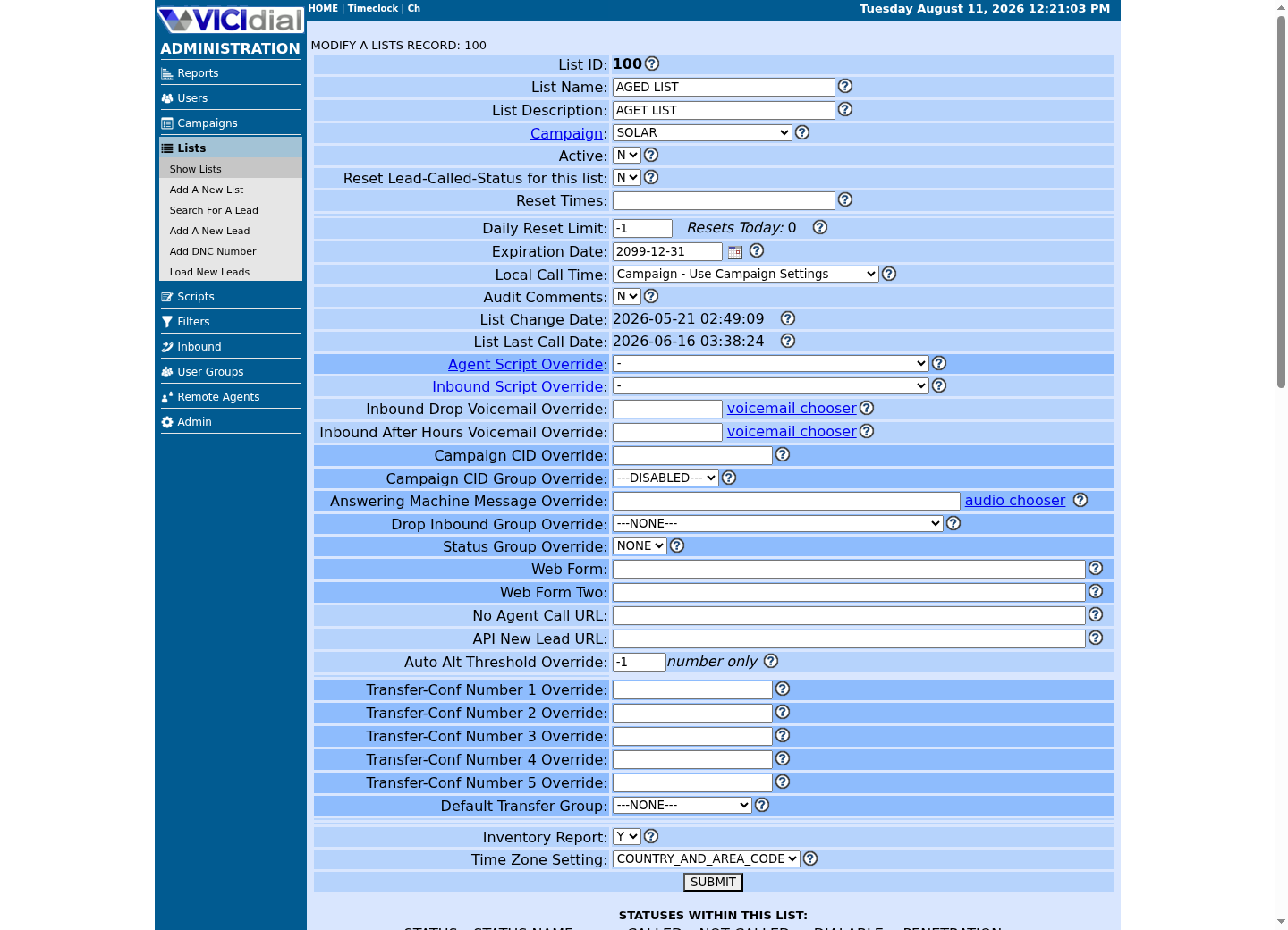
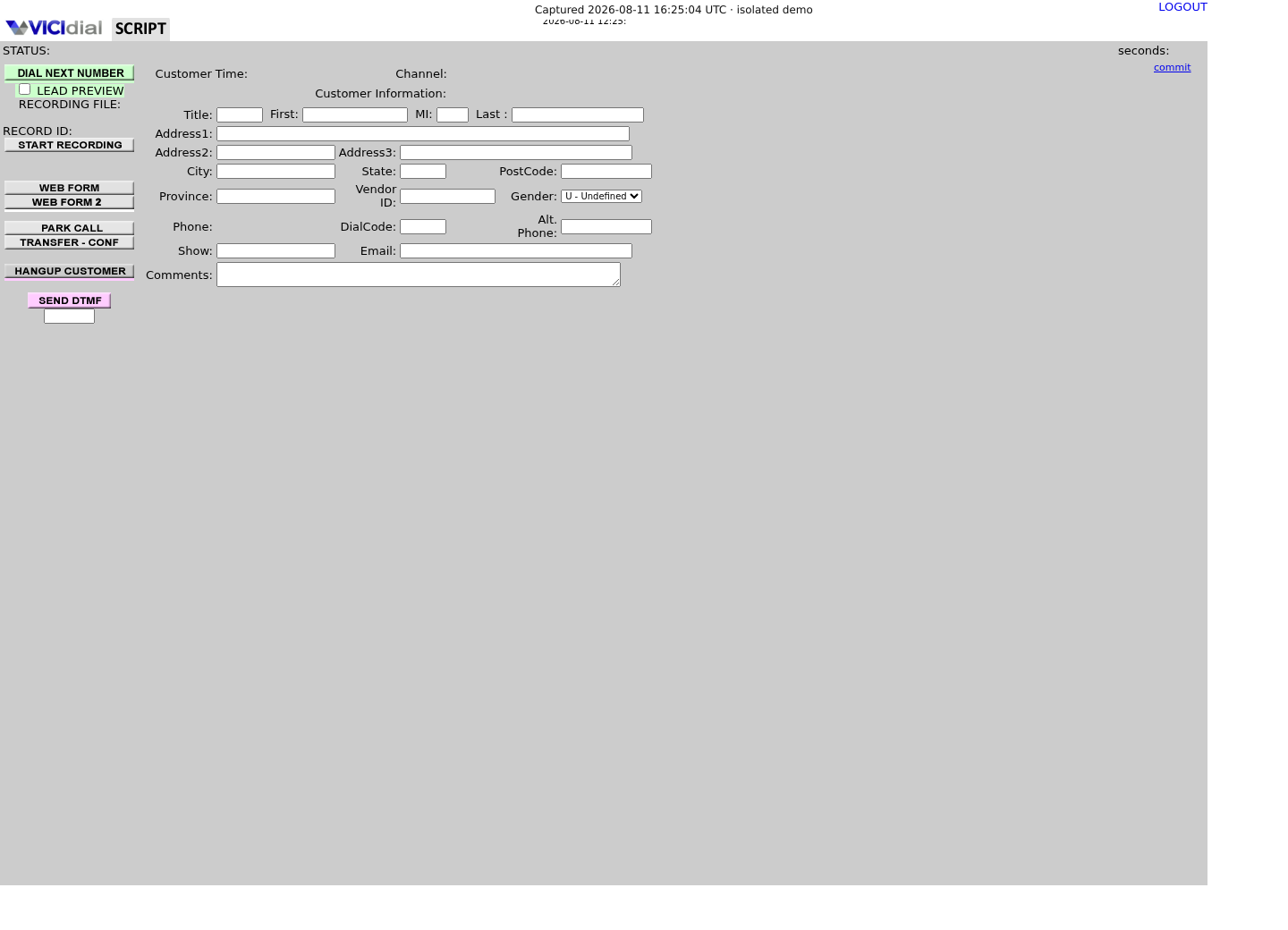
Captured on an isolated VICIdial demo: Administration screens on September 24, 2026, and the idle Agent screen on August 11, 2026. Each caption states its own capture time, and every sanitized image helps you recognize a related screen; none proves that this article's call, command, or result occurred.Open the script workspace

Check list-level form and URL fields
Recognize where the agent sees the workflow
02 / 09
Start with what already ships: Web Form, CRM Popup, and Start Call URL
Before building any of the custom pieces below, VICIdial already ships three agent-facing mechanisms that can point an agent at Salesforce with no code at all, all documented in CALL_URL_FEATURES.txt. Web Form is a button the agent clicks that opens a page you configure; give it a value like VARhttps://yourorg.my.salesforce.com/lightning/r/Lead/--A--vendor_lead_code--B--/view and it opens toward the matching Salesforce record in Lightning Experience — a Classic org, a custom My Domain, or a future Salesforce URL scheme can all shape this differently, so confirm the exact path in your own org rather than trust this one blindly. That literal VAR at the very front is not optional — it is what tells VICIdial to substitute the --A--field--B-- placeholders at all; leave it off and the agent's browser gets the raw string, placeholders and all.
CRM Popup Login and CRM Popup Address are campaign-level settings: with Login set to Y, VICIdial opens the Popup Address in a new window once, at agent login to that campaign, not on every call. Because no call is active yet at login, only agent- and user-level fields are available for substitution, in the same --A--user_custom_one--B--style syntax — there is no uniqueid, dispo, or talk_time to fill in until a call actually happens. Start Call URL is the third mechanism: it fires automatically and is never shown to the agent, the moment a call is sent to them, and it is documented to not work for Manual dial calls.
None of these three writes anything back to Salesforce, and none of them pulls a new Salesforce Lead into VICIdial on its own — they only get an agent looking at the right Salesforce context at the right moment. Keeping the two systems' records in sync over time, in both directions, is what the rest of this article builds.
SHOW COLUMNS FROM vicidial_campaigns LIKE '%popup%';SHOW COLUMNS FROM vicidial_campaigns LIKE '%web_form%';SHOW COLUMNS FROM vicidial_campaigns LIKE '%url%';Captured demo response · 2026-09-24 22:25 UTC. The displayed command is the command that ran; a safe subset label means it was filtered, redacted, or fixture-scoped. Replays only after you select Replay transcript.
- Before you run it
- Run this on a read-only account before touching any campaign setting, so you know the exact column names your build uses rather than assuming a name from this article.
- Success looks like
- Three short lists of column names print, covering the popup, web form and URL-related columns on vicidial_campaigns — cross-reference them against the campaign edit screen's own field labels before configuring anything.
- Stop if
- An empty result under any one of the three patterns most likely means that field is named differently on your build; check the campaign edit screen directly rather than guessing further variants.
03 / 09
Two directions, and a different VICIdial extension point for each
Web Form, CRM Popup, and Start Call URL put an agent in front of the right Salesforce context, but none of them keeps the two systems' records in sync over time — that is a separate problem, and it reduces to two directions of data, with VICIdial exposing a different mechanism for each. Call events travel out of VICIdial through Call URLs — the Dispo Call URL fires when an agent or the dialer assigns a disposition, and the No Agent Call URL fires for calls that never reach an agent at all, such as drops and no-answers. New or updated Salesforce records travel into VICIdial through the Non-Agent API's add_lead and update_lead functions, called by a script or scheduled job you run, not by VICIdial reaching out on its own. VICIdial Call URLs: trigger an external system on call events covers the --A--field--B-- substitution syntax and the browser-triggered-versus-webserver-triggered distinction in full; this article does not repeat it. The VICIdial Non-Agent API, with real code covers authentication, per-function permissions, and the request shape for add_lead and update_lead in full as well; read both before wiring anything, since this article assumes you have.
This is the same pattern the Vicigeek article on SMS lays out for a different provider: Add SMS to VICIdial: no native feature, just an integration treats a Call URL as the trigger and the Non-Agent API as the write-back, with your own relay doing the actual talking to the outside system in between. Salesforce is no different. A Call URL cannot speak Salesforce's REST API directly — it is a GET request with substituted values baked into the URL, nothing more — so the same relay pattern applies: a small HTTPS service you control receives the Call URL hit and re-issues a proper authenticated request to Salesforce.
What actually crosses each direction is a short, deliberate list, not a full record dump. From VICIdial to Salesforce: a call's disposition, talk time, call notes, and an identifier that lets Salesforce find or create the matching activity record. From Salesforce to VICIdial: a lead's name, phone number, and enough source information to route it into the right list and campaign. Resist the urge to sync every field on the Salesforce Lead object into VICIdial on day one; each additional synced field is one more thing that can drift, conflict, or leak data nobody asked to leak.
- Direction 1 — VICIdial to Salesforce: the Dispo Call URL and No Agent Call URL are the triggers; your relay calls Salesforce's REST API
- Direction 2 — Salesforce to VICIdial: your own scheduled job queries Salesforce, then calls the Non-Agent API's add_lead or update_lead
- Neither direction is VICIdial reaching into Salesforce, or Salesforce reaching into VICIdial, on its own
04 / 09
Click to call is a third pattern, and Open CTI is not where you should start it new
A Salesforce click to call feature — an agent working inside Salesforce clicking a phone number and having VICIdial place the call — is a different pattern again, and it runs the opposite direction from everything else in this article: an action inside Salesforce triggers a VICIdial call, rather than a VICIdial event updating a Salesforce record. On the VICIdial side, the extension point is the Agent API's external_dial function, which dials a number for an already logged-in agent session. On the Salesforce side, embedding a call-control panel inside the Salesforce console is what computer telephony integration, CTI for short, means in Salesforce's own terminology, and Salesforce's browser-based mechanism for building one is called Open CTI.
Salesforce's own Open CTI developer guide describes it as letting a developer build a customizable softphone, its term for a call-control panel, that runs as a genuinely embedded part of the Salesforce console without installing a CTI adapter on every agent's machine. Read that description carefully before committing engineering time to it: the same guide states plainly that Open CTI is in maintenance mode and scheduled for retirement in February 2028, that no new features or enhancements are being added, and that it is deprecated and unavailable for newly created Agentforce Service orgs; Salesforce's own recommendation is to build new work on Salesforce Voice instead.
None of that changes the lead-sync architecture in the rest of this article — a click-to-call panel is an additional, optional piece that calls the same Agent API a supervisor dashboard would use. But it does mean starting a brand-new Open CTI softphone project now is choosing a platform Salesforce itself has told you not to build new things on. Confirm which telephony-integration surface, and which edition or licence tier, your Salesforce org currently supports before scoping any click-to-call work; that is a contract question this article cannot answer for every org.
06 / 09
Step 2 — Push call outcomes to Salesforce through your own relay
A Call URL is a plain HTTP GET request with substituted values already baked into the query string — there is no separate request body, and VICIdial does not speak Salesforce's REST API directly. Point the campaign or in-group's Dispo Call URL at a small HTTPS relay you control, using --A--uniqueid--B--, --A--vendor_lead_code--B--, --A--dispo--B--, --A--talk_time--B--, and --A--call_notes--B-- as the fields you substitute in; the full list of available substitution fields, and which Call URL type supports which of them, is in the Call URL features reference this integration builds on.
As with Web Form and CRM Popup Address, the Dispo Call URL field needs the literal VAR prefix at its very front before any substitution activates — without it, VICIdial sends the field the whole string through untouched, placeholders and all. A complete, working value looks like this: VARhttps://your-relay-host/salesforce-dispo?uniqueid=--A--uniqueid--B--&vendor_lead_code=--A--vendor_lead_code--B--&dispo=--A--dispo--B--&talk_time=--A--talk_time--B--&call_notes=--A--call_notes--B--.
uniqueid is VICIdial's own identifier for one specific call, which makes it the right external ID to key a Salesforce activity record on: upsert by that value, and a duplicated or retried Call URL hit updates the same Salesforce record instead of creating a second one. That is what idempotent means in practice here — the relay below always calls Salesforce's upsert resource with the same uniqueid for the same call, so replaying the event is harmless. Authenticate the relay's own call to Salesforce with an OAuth 2.0 access token obtained through a connected app: Salesforce's own REST API guide describes a connected app as the thing that requests access to REST API resources on behalf of your relay, with OAuth 2.0 governing how that access is granted through an exchange of tokens rather than a stored password. Note, too, that Salesforce restricts creating new connected apps as of Spring '26 and now recommends external client apps for new integrations, though already-existing connected apps keep working; check which of the two your org expects before registering anything.
Store that access token, and the Salesforce instance host, only in environment variables the relay process reads at startup — never inside the Call URL itself, and never inside the relay's own source. A Call URL puts every substituted field directly into a URL, and that URL lands in your web server's access logs, proxy logs, and browser history by default; the phone number and any other lead data you choose to substitute in are just as exposed as a password would be if you put one there. Pass only opaque, non-sensitive identifiers such as vendor_lead_code and uniqueid in the Call URL, and keep everything else, including the Salesforce access token, inside the relay where a log file cannot capture it.
"use strict"; const https = require("node:https"); const SF_INSTANCE_HOST = "yourorg.my.salesforce.com";const SF_ACCESS_TOKEN = process.env.SALESFORCE_ACCESS_TOKEN; function upsertCallTask(uniqueId, salesforceLeadId, dispo, talkTimeSeconds, notes) { const payload = JSON.stringify({ WhoId: salesforceLeadId, Subject: "VICIdial call", Status: "Completed", Description: notes, CallDisposition: dispo, CallDurationInSeconds: Number(talkTimeSeconds) || 0, }); const path = "/services/data/v67.0/sobjects/Task/VICIdial_Call_Id__c/" + encodeURIComponent(uniqueId); return new Promise((resolve, reject) => { const req = https.request( { hostname: SF_INSTANCE_HOST, path: path, method: "PATCH", headers: { Authorization: "Bearer " + SF_ACCESS_TOKEN, "Content-Type": "application/json", "Content-Length": Buffer.byteLength(payload), }, }, (res) => { let raw = ""; res.on("data", (chunk) => { raw += chunk; }); res.on("end", () => { if (res.statusCode === 200 || res.statusCode === 201) { resolve({ statusCode: res.statusCode, created: res.statusCode === 201 }); } else { reject(new Error("Salesforce upsert failed with status " + res.statusCode + ": " + raw)); } }); } ); req.on("error", reject); req.write(payload); req.end(); });} function handleDispoCallUrl(fields) { const uniqueId = fields.uniqueid; const salesforceLeadId = fields.vendor_lead_code; if (!uniqueId || !salesforceLeadId) { return Promise.reject( new Error("Missing uniqueid or vendor_lead_code; refusing to write to Salesforce") ); } return upsertCallTask(uniqueId, salesforceLeadId, fields.dispo, fields.talk_time, fields.call_notes);} module.exports = { handleDispoCallUrl, upsertCallTask };This sample changes a system, contacts an outside service, needs a live call, or would print real data from a shared server, so it was not run on the demo. Run it only where you are authorized, and compare the result with the success and stop guidance.
- Before you run it
- Deploy this behind a real HTTPS listener, set SALESFORCE_ACCESS_TOKEN as an environment variable outside your source tree, and point the campaign's Dispo Call URL at this relay's own address with only uniqueid, vendor_lead_code, dispo, talk_time, and call_notes in the query string.
- Success looks like
- A test call dispositioned in a non-production campaign produces exactly one Salesforce Task keyed on that call's uniqueid, and replaying the same Call URL hit updates the same Task instead of creating a second one.
- Stop if
- A rejected request with status 300 means the external ID field matched more than one existing Task — stop and fix the duplicate Salesforce records before sending any more live call events through this relay.
07 / 09
Step 3 — Pull new Salesforce leads into VICIdial on a schedule
VICIdial never reaches out to Salesforce on its own; nothing in Call URLs, Agent Events Push, or the Non-Agent API listens for a Salesforce change. The Salesforce-to-VICIdial direction has to be a job you run — on a cron schedule, a queue worker, whatever your infrastructure already trusts for scheduled work — that queries Salesforce, then calls the Non-Agent API's add_lead for each new record. Query Salesforce's REST API with SOQL, Salesforce's own SQL-like query language, filtering on LastModifiedDate and on VICIdial_Lead_Id__c being empty, so a lead that has already been synced once is not fetched again.
Authenticate the query itself the same way Step 2's relay authenticates its writes: an OAuth 2.0 access token from an environment variable, sent as an Authorization header, never as a URL parameter and never echoed by a log statement. Once you have each Lead's Salesforce Id, first_name, last_name, and phone_number, call the Non-Agent API's add_lead function, passing the Salesforce Id as vendor_lead_code and a real list_id for a list that already exists on the target campaign.
Set duplicate_check explicitly on every add_lead call rather than trusting a default, since the Non-Agent API's own documentation warns that defaults for duplication, hopper, and reset behavior vary by function and by revision. DUPLIST — check for a duplicate phone_number in the same list — is usually the right choice for a script that is adding to one specific list, so a Salesforce Lead that already has a matching VICIdial lead in this list does not create a second entry with a different lead_id and a broken link back to Salesforce. The full duplicate_check option list, including the system- and campaign-wide variants, is in Step 3 of The VICIdial Non-Agent API, with real code.
#!/usr/bin/env bashset -euo pipefail SF_HOST="yourorg.my.salesforce.com"SF_ACCESS_TOKEN="${SALESFORCE_ACCESS_TOKEN:?Set SALESFORCE_ACCESS_TOKEN before running this script}"SINCE="${1:?Usage: sync-new-leads.sh <ISO-8601 timestamp, e.g. 2026-08-04T00:00:00Z>}" SOQL="SELECT Id, FirstName, LastName, Phone FROM Lead WHERE LastModifiedDate > ${SINCE} AND VICIdial_Lead_Id__c = null"ENCODED_SOQL=$(printf "%s" "${SOQL}" | jq -sRr @uri) RESPONSE=$(curl --silent --show-error \ --header "Authorization: Bearer ${SF_ACCESS_TOKEN}" \ "https://${SF_HOST}/services/data/v67.0/query/?q=${ENCODED_SOQL}") echo "${RESPONSE}" | jq -c ".records[]" | while IFS= read -r RECORD; do SF_ID=$(echo "${RECORD}" | jq -r ".Id") PHONE=$(echo "${RECORD}" | jq -r ".Phone // empty") FIRST=$(echo "${RECORD}" | jq -r ".FirstName // empty") LAST=$(echo "${RECORD}" | jq -r ".LastName // empty") if [ -z "${PHONE}" ]; then echo "Skipping ${SF_ID}: no phone number on the Salesforce Lead" continue fi curl --fail-with-body --silent --show-error --config /etc/vicidial-api/writer.cfg \ --data-urlencode "function=add_lead" \ --data-urlencode "phone_number=${PHONE}" \ --data-urlencode "first_name=${FIRST}" \ --data-urlencode "last_name=${LAST}" \ --data-urlencode "vendor_lead_code=${SF_ID}" \ --data-urlencode "list_id=<LIST_ID>" \ --data-urlencode "duplicate_check=DUPLIST"doneThis sample changes a system, contacts an outside service, needs a live call, or would print real data from a shared server, so it was not run on the demo. Run it only where you are authorized, and compare the result with the success and stop guidance.
- Before you run it
- Set SALESFORCE_ACCESS_TOKEN in the environment, create /etc/vicidial-api/writer.cfg with the target's URL and an API-enabled vicidial_users account's user and pass fields, restricted to owner-readable permissions (root:root, mode 600), then run this script with the ISO-8601 timestamp of the last successful sync and the real list_id in place of <LIST_ID>.
- Success looks like
- Each Salesforce Lead missing a VICIdial_Lead_Id__c value and carrying a phone number produces exactly one add_lead call, and the script's own output lists any record it skipped for having no phone number.
- Stop if
- If add_lead responses show the same phone number rejected repeatedly as a duplicate, stop the schedule and reconcile which system actually owns that lead before forcing an insert with a duplicate-check override.
08 / 09
What crosses into the CRM is a retention and consent question, not just a technical one
Every field this integration copies into Salesforce is a field that now lives under Salesforce's retention settings, sharing rules, and export permissions instead of, or in addition to, VICIdial's. A call disposition and a set of call notes can carry health, financial, or other sensitive detail an agent typed in freeform, and once that text is sitting in a Salesforce Task or Lead field, deleting it from VICIdial does not delete it from Salesforce, and deleting it from Salesforce does not delete any copy VICIdial itself retained. Decide, before the first live sync, how long each copied field should live in each system, who can export it, and what your organization has actually told a customer about where their call record ends up — a customer relationship management platform is, definitionally, a second place their data now lives.
The Call URL itself is a specific, concrete part of that exposure. Every value substituted with --A--field--B-- becomes part of a URL, and a URL is exactly the kind of string that ends up written, in full, into your web server's access logs, into any reverse proxy sitting in front of it, and potentially into a browser's own history if the Call URL type in use is browser-triggered rather than webserver-triggered. A phone number, a name, or a call note sitting in a plain-text access log file is not protected by anything Salesforce does on its end; it is already exposed before your relay gets to make its first authenticated call. Keep the Call URL itself down to identifiers — vendor_lead_code, uniqueid, lead_id, dispo — and let the relay, not the URL, carry anything that looks like actual customer content over to Salesforce.
None of this is a reason to avoid the integration. It is a reason to write down, in whatever your organization uses for a data-handling record, exactly which fields move in which direction, and to treat that document as part of the integration's design, not an afterthought filed after the relay already ships.
09 / 09
Troubleshoot, roll back, and know when to stop
The most common failure looks identical from either direction: nothing happens, and nothing in either system's logs says why. Troubleshoot by checking the same three layers every time, in order. First, did the trigger actually fire — a Call URL hit in the relay's own access log, or a scheduled job's own run log for the Salesforce-to-VICIdial direction? Second, did the relay's outbound request succeed — check its logged response status, not just whether it sent something. Third, did the target system's own state actually change — a new Task in Salesforce, or a new row in vicidial_list. A failure at the first layer is a VICIdial or scheduling problem; a failure at the second is a Salesforce authentication or field-mapping problem; treat them differently rather than guessing.
The single most likely ongoing failure mode once the integration is live is an expired or revoked OAuth access token, since Salesforce tokens are not permanent — the relay's Salesforce calls will start returning an authentication error, while the VICIdial side keeps firing Call URLs normally, because VICIdial has no way to know Salesforce rejected anything. Alert on that specific failure, not just on the relay process being up.
Roll back in the same order you built, and in reverse. To stop the VICIdial-to-Salesforce direction, clear the Dispo Call URL and No Agent Call URL fields back to empty on the affected campaign or in-group, and confirm with a fresh look at the admin screen that they are actually blank; a stray in-flight request can still land seconds after the edit, so do not revoke the relay's Salesforce access token in the same moment, or a legitimate last request gets misread as an attack. To stop the Salesforce-to-VICIdial direction, disable the scheduled job first, and only then revoke or rotate the access token it used, so a stopped schedule is easy to tell apart from a broken one. This rollback sequence protects the shared identifiers on both sides: do not delete VICIdial_Lead_Id__c or vendor_lead_code during a rollback, since a broken link between a VICIdial lead and a Salesforce record is far harder to repair than a paused integration.
- Trigger fired — a Call URL hit in the relay's own log, or the scheduled job's own run log
- Relay's outbound request to the other system succeeded, by logged status code, not assumption
- Target system's state actually changed, checked directly, not inferred from an absence of errors
Evidence ledger
Verification basis
- CALL_URL_FEATURES.txt, AGENT_EVENTS_PUSH.txt, CORS_SUPPORT.txt and WEBSOCKETS_SUPPORT.txt document Call URLs, Agent Events Push, CORS support and WebSocket hooks as VICIdial's own extension points; none of the four names a Salesforce or CRM connector.
- CALL_URL_FEATURES.txt documents Web Form, Start Call URL and CRM Popup Login/Address as shipped, agent-facing mechanisms, each activated with a literal VAR prefix and --A--field--B-- substitution, and separately lists vendor_lead_code, lead_id, uniqueid, dispo, talk_time, and call_notes among the substitution fields available to the Dispo Call URL, which is how a call event's data reaches an external relay.
- NON-AGENT_API.txt documents add_lead and update_lead as the write functions for lead data, each with permission requirements that vary by function and installation, and documents duplicate_check=DUPLIST as "check for duplicate phone_number in same list," the value this guide uses; the full option list is linked from Step 3 rather than repeated here.
- CUSTOM_FIELDS.txt confirms each list's custom fields live in their own dynamically created custom_<list_id> table, not one shared table.
- Salesforce's REST API Developer Guide documents the upsert resource as a PATCH to /sobjects/{ObjectName}/{ExternalIDField}/{ExternalIDValue}, returning HTTP 201 for a created record and HTTP 200 with created:false for an update in API v46.0 and later.
- Salesforce's REST API Developer Guide states that creating new connected apps is restricted as of Spring '26, with external client apps recommended for new integrations, while existing connected apps continue to function.
- Salesforce's Open CTI Developer Guide states Open CTI is in maintenance mode, scheduled for retirement in February 2028, deprecated for newly created Agentforce Service orgs, and that Salesforce recommends transitioning new development to Salesforce Voice.
Primary references
Sources
- Official Call URL features (CALL_URL_FEATURES.txt)VICIdial.org · accessed August 5, 2026
- Official Non-Agent API (NON-AGENT_API.txt)VICIdial.org · accessed August 5, 2026
- Official VICIdial custom fields document (CUSTOM_FIELDS.txt)VICIdial.org · accessed August 5, 2026
- What Is REST API? (REST API Developer Guide)Salesforce · accessed August 5, 2026
- SObject Rows by External ID (REST API Developer Guide)Salesforce · accessed August 5, 2026
- Authorization Through External Client Apps or Connected Apps and OAuth 2.0 (REST API Developer Guide)Salesforce · accessed August 5, 2026
- Get Started with Open CTI (Open CTI Developer Guide)Salesforce · accessed August 5, 2026