Reader setup
Before you evaluate
Use this to set expectations, limits and implementation boundaries before changing anything.
- Know what a VICIdial campaign and a lead list are, at least at a high level
- A read-only database account if you want to run the SQL examples yourself — see vicidial-read-only-database-account if you do not have one yet
- Understand that a disposition is chosen at the end of a call, not while the call is still in progress
- What you will prove
- After reading, you will be able to read any VICIdial status code in a report, a lead record, or an API response, explain what it means, say whether it is a system-wide or a campaign-specific status, and know which settings control what happens next.
- Safety boundary
- Do not guess at what a custom per-campaign status means from its code alone, and remember that DNC handling and abandonment (DROP) handling carry real legal weight in many jurisdictions. Verify the actual configuration of the installation, and consult qualified compliance counsel before changing either one.
Reader path
How to use this article
- Use it when: You are designing a change and want reliable limits before implementation.
- Expected result: Separate what is known, unknown, and unsafe before you execute.
- Start here: Use it as an evidence review before changing architecture, security, or reporting behavior.
What a VICIdial Status or Disposition Actually Is
Fast answer: a VICIdial status is the short code attached to a lead or a call that records its current outcome — `NEW`, `DROP`, `CALLBK`, `SALE`, and dozens more — and a disposition is the act of an agent or the dialer choosing one of those codes to close out a call.
In plain language: a lead is one contact record with a phone number. A list groups leads together. A campaign is the dialing configuration that calls leads from one or more lists. An agent is the logged-in person taking or making calls. The hopper is the short-term staging table (`vicidial_hopper`) that holds leads already picked as dialable right now. A disposition is the status an agent or the dialer assigns when a call ends.
Abandonment is what happens when a call connects to a person before an agent is free to take it. VICIdial records that outcome with the `DROP` status, and regulators in a number of countries limit how often abandonment is allowed to happen.
VICIdial (a predictive dialing and contact center platform) reuses some words across layers, and that is where much of the beginner confusion starts. `INCALL`, for example, names both a lead status inside `vicidial_list` and a live agent state inside `vicidial_live_agents`. A status describes a lead or a call outcome. It is not the same thing as a live agent state such as `READY` or `PAUSED`, and it is not a SIP (Session Initiation Protocol) response code either, even when the wording sounds related.
Visual walkthrough
Follow three real demo screens
Captured on an isolated VICIdial demo: Administration screens on September 24, 2026, and the idle Agent screen on August 11, 2026. Each caption states its own capture time, and every sanitized image helps you recognize a related screen; none proves that this article's call, command, or result occurred.Read system status definitions
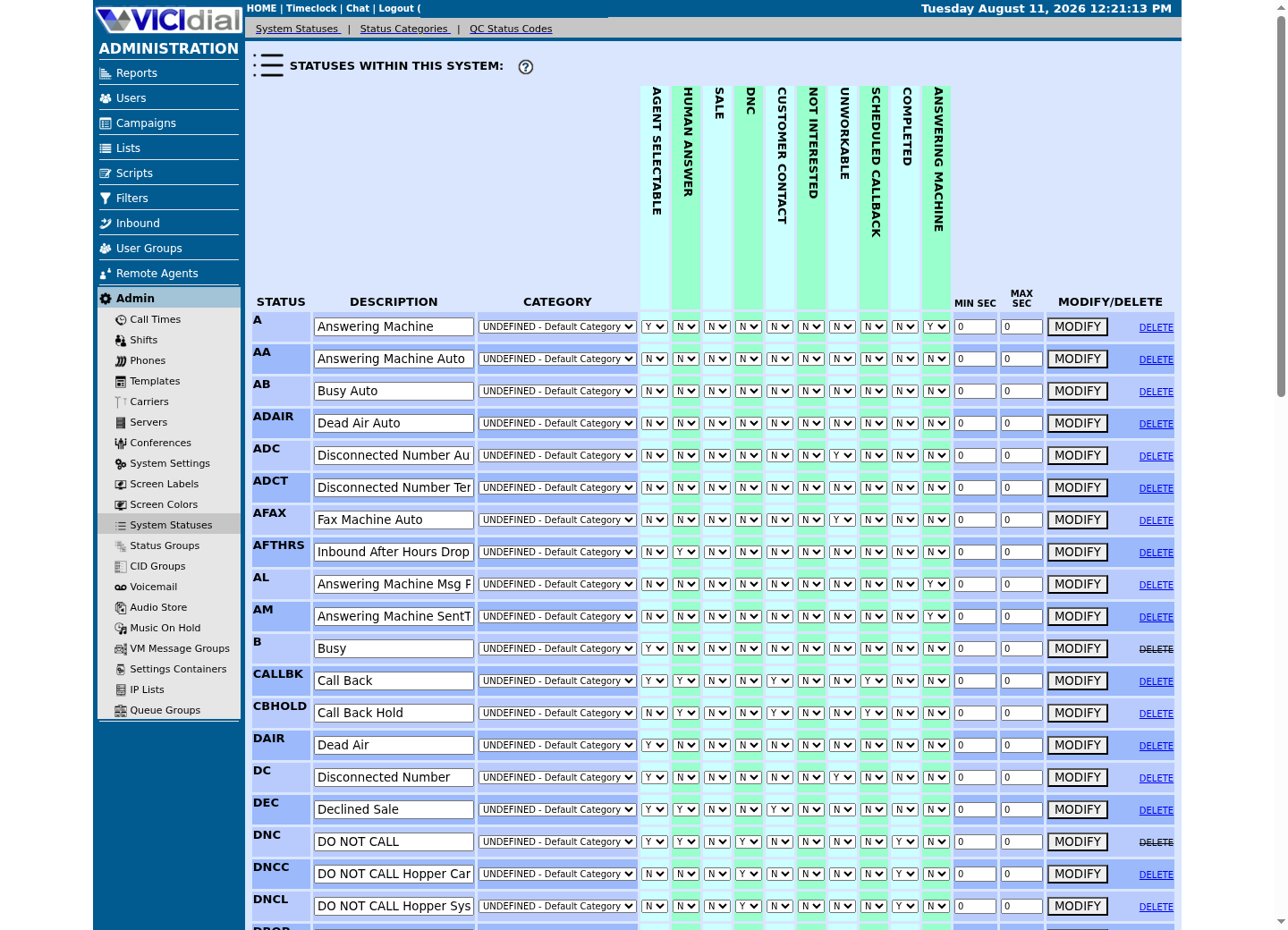
Compare campaign dial statuses
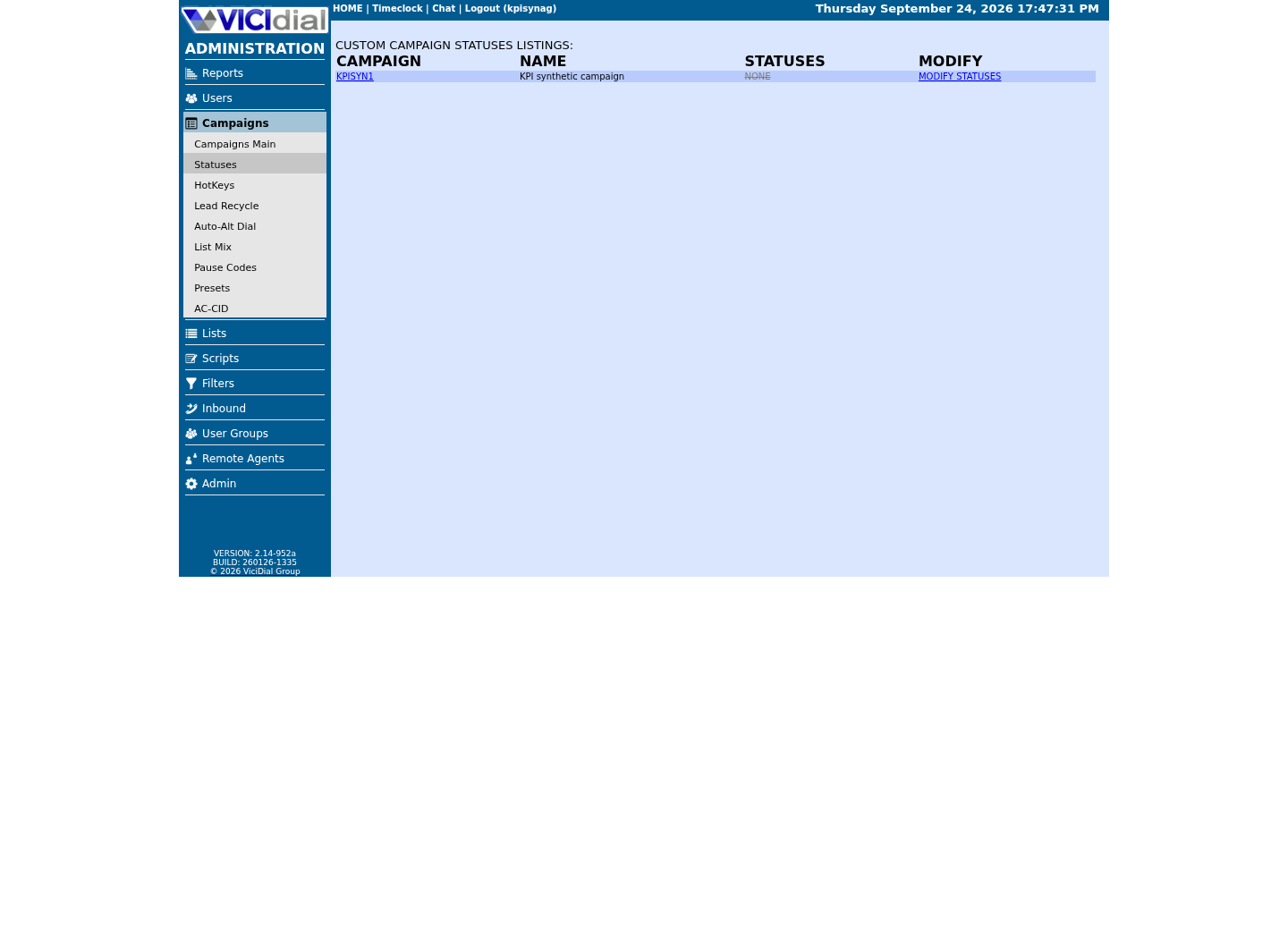
See where an agent works with status
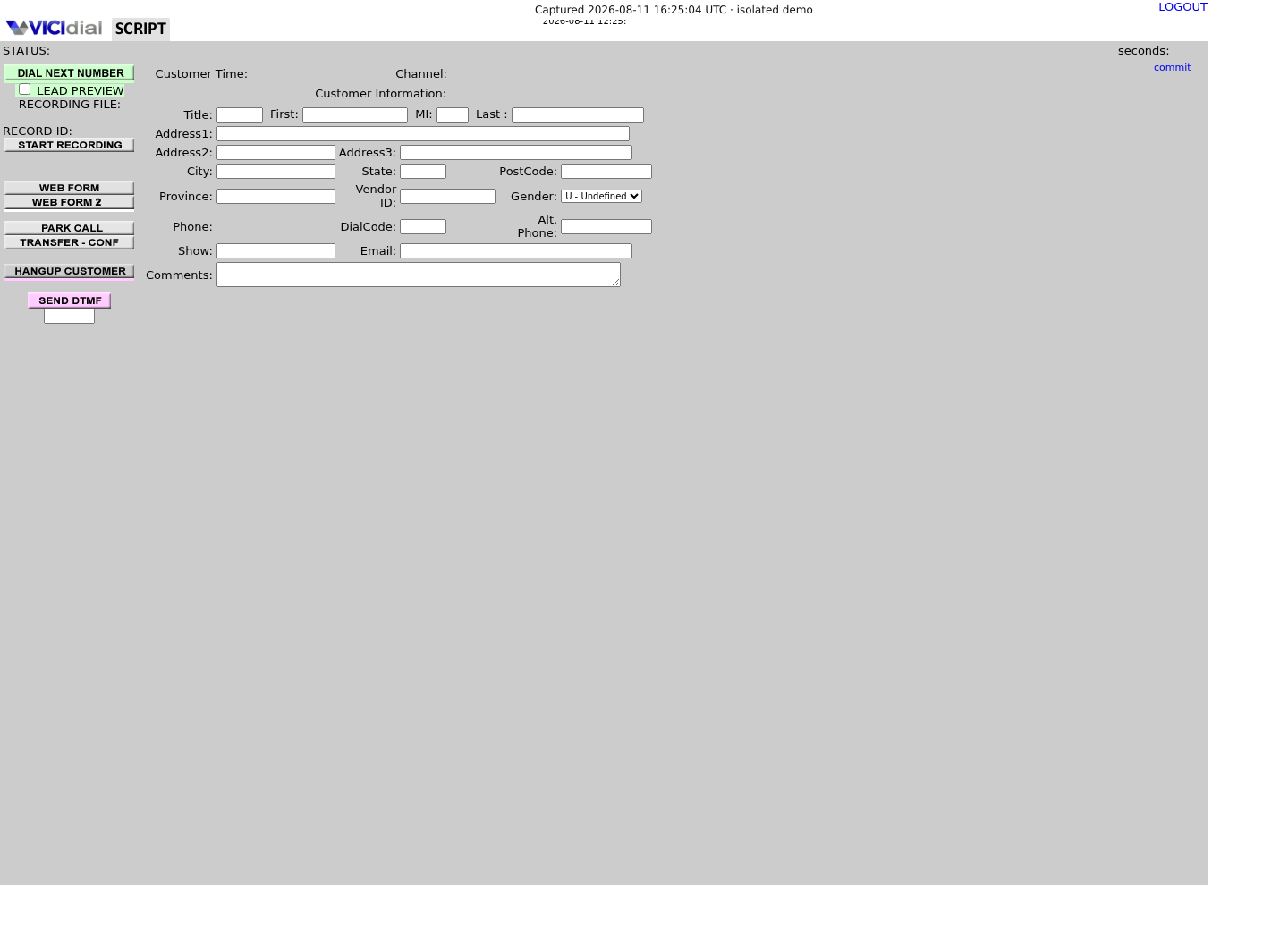
System Statuses vs. Custom Per-Campaign Statuses
VICIdial keeps two separate tables of status definitions: vicidial_statuses for system-wide codes available across the whole installation, and vicidial_campaign_statuses for codes one specific campaign defines only for itself.
System statuses are the shared vocabulary every campaign can rely on for the same underlying mechanics: new leads, queued calls, no-answers, and the rest. Campaign statuses let one project add extra outcome codes on top of that shared set, for example a reason code tied to one particular script or one particular client, without changing what any other campaign sees.
Both tables carry a completed column. The logic that counts finished leads in a list builds one combined list of completed codes by reading completed codes from vicidial_statuses, then adding completed codes from vicidial_campaign_statuses for the campaign in question. That combined query is clear evidence that system and campaign statuses are meant to work together, not as alternatives to each other.
Editing either table is gated by a modify_statuses permission on the VICIdial user account, so not every logged-in admin user is able to change what a status means or add a new one.
- System statuses live in vicidial_statuses and are managed in the shared configuration area of Admin
- Campaign statuses live in vicidial_campaign_statuses and are managed inside the detail page of the campaign that owns them
- Both tables expose a completed flag marking a status as a final, non-recycling outcome
- A modify_statuses permission on the user record controls who may edit statuses at all
SELECT status FROM vicidial_statuses WHERE completed='Y';SELECT status FROM vicidial_campaign_statuses WHERE completed='Y' AND campaign_id='<CAMPAIGN_ID>';SELECT status, COUNT(*) AS lead_count FROM vicidial_list WHERE list_id='<LIST_ID>' GROUP BY status ORDER BY lead_count DESC;Captured demo response · 2026-09-23 21:35 UTC. The displayed command is the command that ran; a safe subset label means it was filtered, redacted, or fixture-scoped. Replays only after you select Replay transcript.
- Before you run it
- Confirm the real campaign_id and list_id for the campaign under review, and connect with a read-only account.
- Success looks like
- The first two queries return short lists of completed status codes. The third returns the current status distribution for that list, which should account for every lead in it.
- Stop if
- An empty result from either completed query usually means no status in that table has been marked completed yet, not that the query is broken. Check the value with an administrator before assuming a bug.
Built-in Status Codes, in Plain English
VICIdial ships a base set of system status codes that mean the same thing on every installation, though the official reference is explicit that this is not necessarily the complete list a given version ships with. Always check the vicidial_statuses table of the installation in front of you as well.
Codes fall into a few natural families. NEW, QUEUE, and INCALL describe where a lead sits in the calling pipeline before anyone talks to a person. DROP and XDROP describe a call that connected before an agent was free to take it, on the outbound and inbound sides respectively. NA describes an automatic no-answer outcome that can bundle several distinct carrier results under one code.
A recurring pattern is a plain code set against an A-prefixed or extra-letter variant. The plain code, such as A, B, or DC, means an agent listened to the call and classified it manually. The other code, such as AA, AB, or ADC, means the dialer or the carrier classified the same kind of outcome automatically, with no agent ever on the line. AM and AL follow a similar idea for answering machines: AM marks that a call is on the configured answering-machine message path, and AL marks that the message was actually played.
CALLBK marks that a call ended in a callback disposition. CBHOLD marks that a scheduled callback exists on that lead and is waiting for its trigger time. CBHOLD is a lead status; it is a different thing from the ACTIVE, LIVE, INACTIVE, and DEAD scheduling states kept in the separate vicidial_callbacks table, which a later section covers in full.
NEW - new lead, not yet called, or not currently callable.QUEUE - lead is queued and about to be called.INCALL - lead is being called or handled right now.DROP - outbound call dropped while the customer waited for an agent (abandonment).XDROP - inbound call dropped while the caller waited for an agent.NA - automatic no-answer; can bundle several carrier outcomes under one code.CALLBK - call ended in a callback disposition.CBHOLD - a scheduled callback exists and is waiting for its trigger time.A - agent classified the call as an answering machine after listening to it.AA - the dialer classified the call as an answering machine automatically.AM - the call is on the configured answering-machine message path.AL - the answering-machine message was actually played.B - agent classified the call as busy.AB - the carrier reported the line as busy, detected automatically.DC - agent classified the number as disconnected.ADC - the carrier reported the number as disconnected, detected automatically.SALE - call resulted in a completed sale.This sample is a template or reading aid, not a terminal command. There is no output to show.
- Before you run it
- Treat this list as the commonly used built-in subset, then compare it against the vicidial_statuses table of the installation being worked on.
- Success looks like
- Every code seen in a report or in vicidial_list matches one of these lines, or a custom campaign status or a version-specific addition has been found and is worth asking about.
- Stop if
- If a code is not on this list and is not in vicidial_statuses either, check vicidial_campaign_statuses next. It is very likely a custom code defined for one specific campaign.
The Flags Behind Every Status
A status is more than a label. Admin attaches behavior flags to each one, and the same categories of flag exist on both system statuses and campaign statuses.
Dialable behavior marks whether a lead sitting in that status is still eligible to be picked up by hopper fill or by manual dialing. Completed marks whether the status counts as a final outcome for reporting and dial-count purposes. That flag is directly verifiable, because both vicidial_statuses and vicidial_campaign_statuses expose a completed column.
Sale marks a status as a win for sales reporting and exports. The sales export tool defaults to treating SALE and UPSELL as sale statuses, and that list is configurable per run, which shows sale is a flag that can be attached to more than one status code rather than something only the literal code SALE can ever carry.
Human answered marks whether a status represents an actual person on the line, as distinct from an automatic no-answer, busy, disconnected, or answering-machine outcome. DNC marks that choosing a disposition also adds the number to the internal Do Not Call list, a distinct action alongside recording a status. Hotkey assigns a keyboard shortcut so an agent can apply a frequent disposition without reaching for a mouse.
Exact flag names differ across VICIdial versions and installations. Treat the concepts above as reliable, and treat any specific column name as something to confirm on the system in front of you before relying on it in a script.
- Query the actual system statuses and campaign statuses of the installation before assuming this article covers every code
- Confirm in that installation whether a given status is dialable, flagged as a sale, a scheduled callback, human answered, or DNC
- Preserve the exact status code in every API call and SQL query; an on-screen label is not a substitute for the code
- Verify that an API write actually accepts the target status given the current call state of the agent before sending it
mysql --defaults-extra-file=/etc/vicidial-readonly.cnf -e 'SHOW COLUMNS FROM vicidial_statuses;'mysql --defaults-extra-file=/etc/vicidial-readonly.cnf -e 'SHOW COLUMNS FROM vicidial_campaign_statuses;'mysql --defaults-extra-file=/etc/vicidial-readonly.cnf -e 'SELECT status, completed FROM vicidial_statuses ORDER BY status;'Captured demo response · 2026-09-23 21:35 UTC. The displayed command is the command that ran; a safe subset label means it was filtered, redacted, or fixture-scoped. Replays only after you select Replay transcript.
- Before you run it
- Confirm /etc/vicidial-readonly.cnf exists and grants only SELECT privileges before running this against a production database.
- Success looks like
- Two column listings print, followed by a status and completed table. The exact flag column names may differ by version, which is exactly why this gets checked instead of assumed.
- Stop if
- An access-denied or missing-file error means the read-only credential file is not configured yet. Ask an administrator rather than falling back to a privileged account.
CALLBK, CBHOLD, and the Scheduled-Callback Tables
CALLBK is a call disposition. It gets written to vicidial_log, vicidial_closer_log, and vicidial_agent_log, and to their archive tables, every time a call ends that way. That history only grows over time. It is a record of past calls, not the queue of callbacks still waiting to happen.
The queue of callbacks still waiting to happen lives in a different table, vicidial_callbacks, with its own state values: ACTIVE and LIVE for callbacks that are current, INACTIVE and DEAD for ones that will not be shown to an agent again. Treat those four values as scheduling states, separate from the CALLBK disposition itself.
What an agent actually sees on a My Callbacks screen is a filtered view of vicidial_callbacks: rows recorded for that agent specifically, for that logged-in user, excluding INACTIVE and DEAD rows, and excluding other campaigns whenever the campaign lock setting for that installation is turned on. Rows that have moved into vicidial_callbacks_archive never appear on that screen at all.
A number of Admin settings shape what that screen shows, spread across the system, the campaign, and the individual user account.
- Admin → System Settings → Agent Only Callback Campaign Lock controls whether an agent sees only the callbacks of the current campaign
- Campaign detail → Scheduled Callbacks Count chooses between LIVE-only and ALL_ACTIVE, meaning future plus triggered callbacks
- Campaign detail → Scheduled Callbacks Display Days and Scheduled Callbacks Hours Block can further narrow what an agent sees
- User detail → Scheduled Callbacks and Agent-Only Callbacks must both be enabled for a user to use personal callbacks at all
DNC and DROP Carry Real Legal Weight
DNC stands for Do Not Call. VICIdial keeps its own internal DNC list and checks it before an eligible outbound call goes out, and choosing certain dispositions can add a number to that list as a distinct action alongside recording a status.
DROP records an outbound call that reached a person before an agent was free to take it: an abandoned call, the same event flagged as regulated earlier in this article. A campaign's drop-rate settings exist to keep abandonment under whatever limit applies where its calls originate and terminate.
VICIdial also ships an international DNC scrubbing path and an optional integration with the external DNC.com service, though both are commonly left disabled until a given installation specifically needs them.
Because DNC and abandonment handling carry real legal and regulatory consequences in many jurisdictions, treat both as compliance-critical settings rather than cosmetic reporting fields. This article explains what the status flags in VICIdial do. It is not legal advice, and the rules that actually apply depend on where the calls are placed and received.
- DNC add and delete tools are available through Admin lead and list tools and through the non-agent API, separate from simply choosing a disposition
- A campaign's drop-rate settings are a real, configurable control, not only a policy written on paper
- International DNC scrubbing and the DNC.com integration exist in the software but are commonly left disabled until an installation needs them
- Nothing here is legal advice; confirm which regulator and which rules apply to where the calls originate and terminate
How Statuses Drive Reporting and Lead Recycling
Lead recycling returns leads carrying configured dispositions back to a dialable state after a delay or after a set number of attempts. A status is not only a label here. It can be the trigger that puts a lead back in front of the dialer later.
The completed flag usually separates a final outcome from one that is still open, and it lines up naturally with lead recycling. A typical setup keeps recycling a still-open disposition such as NA while leaving a final disposition such as a sale untouched.
Reporting is built on the same status codes but drawn from different tables. The current status on vicidial_list is a snapshot of where a lead sits right now. vicidial_log and vicidial_closer_log keep a full history of every past outbound and inbound call outcome instead. A single lead can show one current status while its own log history shows several different dispositions across earlier attempts.
Because of that split, always state which source a reported status comes from: the lead row, the outbound log, the closer log, or the live agent disposition. Reports such as the outbound summary interval report, the hangup cause report, and the agent performance and sales-per-hour reports all read status and disposition data, but from different tables and different scopes, so two reports that look like they measure the same thing can legitimately disagree.
SELECT status, COUNT(*) AS current_leads FROM vicidial_list WHERE list_id='<LIST_ID>' GROUP BY status ORDER BY current_leads DESC;SELECT status, COUNT(*) AS historical_calls FROM vicidial_log WHERE campaign_id='<CAMPAIGN_ID>' GROUP BY status ORDER BY historical_calls DESC;Captured demo response · 2026-09-23 21:35 UTC. The displayed command is the command that ran; a safe subset label means it was filtered, redacted, or fixture-scoped. Replays only after you select Replay transcript.
- Before you run it
- Point both queries at the same list and campaign, and be ready for the two result sets to look nothing alike; that is expected, not a bug.
- Success looks like
- The first result set is a small snapshot: one row per lead. The second can be much larger, because a single lead can appear many times across past call attempts.
- Stop if
- If historical_calls returns zero for an active campaign, confirm the campaign_id spelling and the date range assumptions of the reporting tool being compared against, before concluding the log table is empty.
Evidence ledger
Verification basis
- Both vicidial_statuses and vicidial_campaign_statuses expose a completed column, and the admin code combines completed codes from both tables before counting finished leads in a list
- AST_VDsales_export.pl accepts a configurable sale-statuses list that defaults to SALE and UPSELL, confirming sale is a flag that can be attached to more than one status code
- The installed agent-visible callback count filters vicidial_callbacks by recipient, logged-in user, and status NOT IN (INACTIVE, DEAD), separate from the CALLBK disposition kept in the call logs
Primary references
Sources
- Official VICIdial Status Reference (VICIDIAL_statuses.txt)VICIdial Group · accessed August 5, 2026
- Official VICIdial Agent API Reference (AGENT_API.txt)VICIdial Group · accessed August 5, 2026
- VICIdial Community WikiVICIdial Group · accessed August 5, 2026