Reader setup
Before you diagnose
Start with one observed symptom, then isolate one layer at a time.
- Record one approved carrier hostname as a protected value and confirm which service actually performs the lookup.
- Obtain shell access that can read resolver/service status without changing DNS or restarting the daemon.
- Write down the failure window, current resolver owner and prior known-good answer type before testing.
- What you will prove
- You will identify whether failure begins in host DNS configuration, a confined service context, network reachability or the carrier record itself.
- Safety boundary
- The commands query status and logs only. Do not replace resolv.conf, flush caches, change nameservers or restart telephony from this guide.
Reader path
How to use this article
- Use it when: You are investigating a live symptom and need to narrow the failure quickly.
- Expected result: Pinpoint the first failing layer, then repair only that layer.
- Start here: Use the sections as a diagnostic sequence: prove scope, then isolate and validate.
Test from the effective service context
Fast answer: on this build, Asterisk is not a systemd service you can query for health in the usual way — vicidial.service (Type=forking) starts Asterisk and the dialer screens at boot, then exits, so systemctl is-active vicidial reporting inactive afterward is normal, not a fault. asterisk -rx 'core show uptime' is the real health check regardless of what systemctl reports about either unit.
Because Asterisk here runs as an ordinary long-lived process rather than a hardened systemd unit with its own network namespace or chroot, a DNS lookup run in an ordinary root shell on this same host generally sees exactly the same resolver configuration Asterisk itself does. The 'the daemon sees a different context than my shell' failure mode this article once led with is real on other deployments — a distro package running Asterisk under a dedicated systemd unit with its own User=, PrivateNetwork=, or inside a container — but it is not the likely story on a stock ViciBox box. Read the plain resolver configuration first, and only chase a namespace difference if you are troubleshooting a deployment that genuinely confines Asterisk that way.
A message such as subscriber absent can be downstream noise when the upstream hostname never resolved in the first place.
resolv.conf and systemd-resolved are not the only two possible owners of resolution on a Linux host in general, even though this build most likely uses one of them plainly. A NetworkManager dispatcher script, a container runtime's own DNS injection, or a local caching resolver bound only to loopback can each rewrite or shadow resolv.conf independently of both. If neither of the two checks below explains what you are seeing, name and rule out whichever of those your own environment actually runs before assuming the carrier record itself is at fault.
A trunk, in this article, is the specific signaling connection between this server and one carrier's network — the thing whose hostname is failing to resolve. See vicidial-terminology-for-complete-beginners for the rest of this glossary.
grep -E '^nameserver' /etc/resolv.confsystemctl is-active --quiet systemd-resolved && resolvectl status || echo "systemd-resolved not active"systemctl list-unit-files | grep -i vicidialasterisk -rx 'core show uptime'TARGET_HOST='sip.carrier.example'getent ahosts "$TARGET_HOST" || echo "no address (exit $?)"Captured demo response · 2026-09-24 22:25 UTC. The displayed command is the command that ran; a safe subset label means it was filtered, redacted, or fixture-scoped. Replays only after you select Replay transcript.
- Before you run it
- Run on the affected host without sudo, except the asterisk -rx line, which needs Asterisk CLI access. Replace only the reserved .example target inside the one quoted assignment.
- Success looks like
- You can name the actual nameserver line or confirm systemd-resolved is the real owner instead, confirm vicidial.service is the unit that launched Asterisk, see Asterisk's own uptime prove it is running regardless of what systemctl says, and get either a real address or the explicit no address line for the approved target.
- Stop if
- Stop if the target is not authorized, if grep finds no nameserver line at all and systemd-resolved is also inactive (a third resolver mechanism is in play, worth naming before continuing), or if core show uptime itself fails — that points at Asterisk being down entirely, not at DNS.
Visual walkthrough
Follow three real demo screens
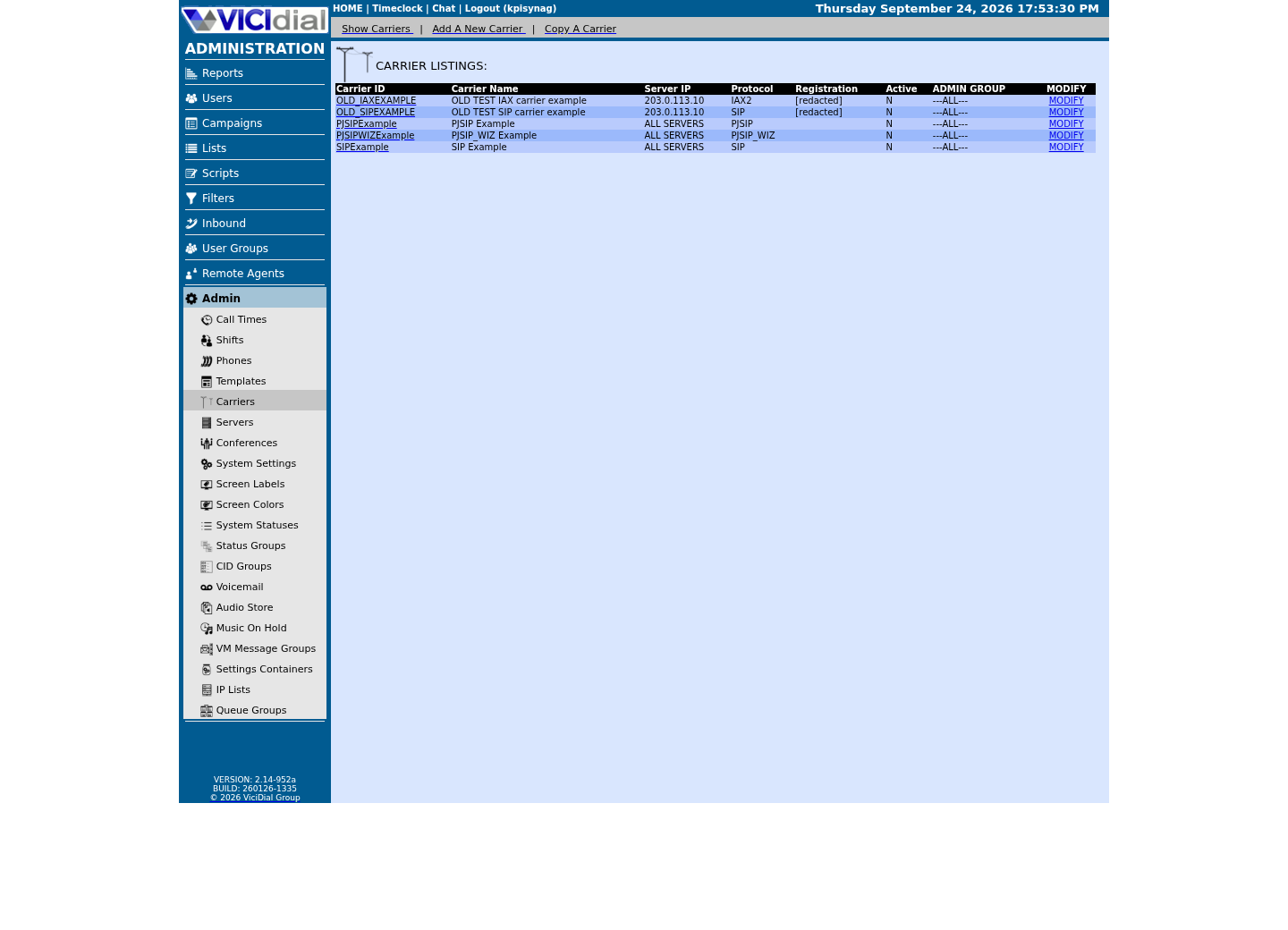
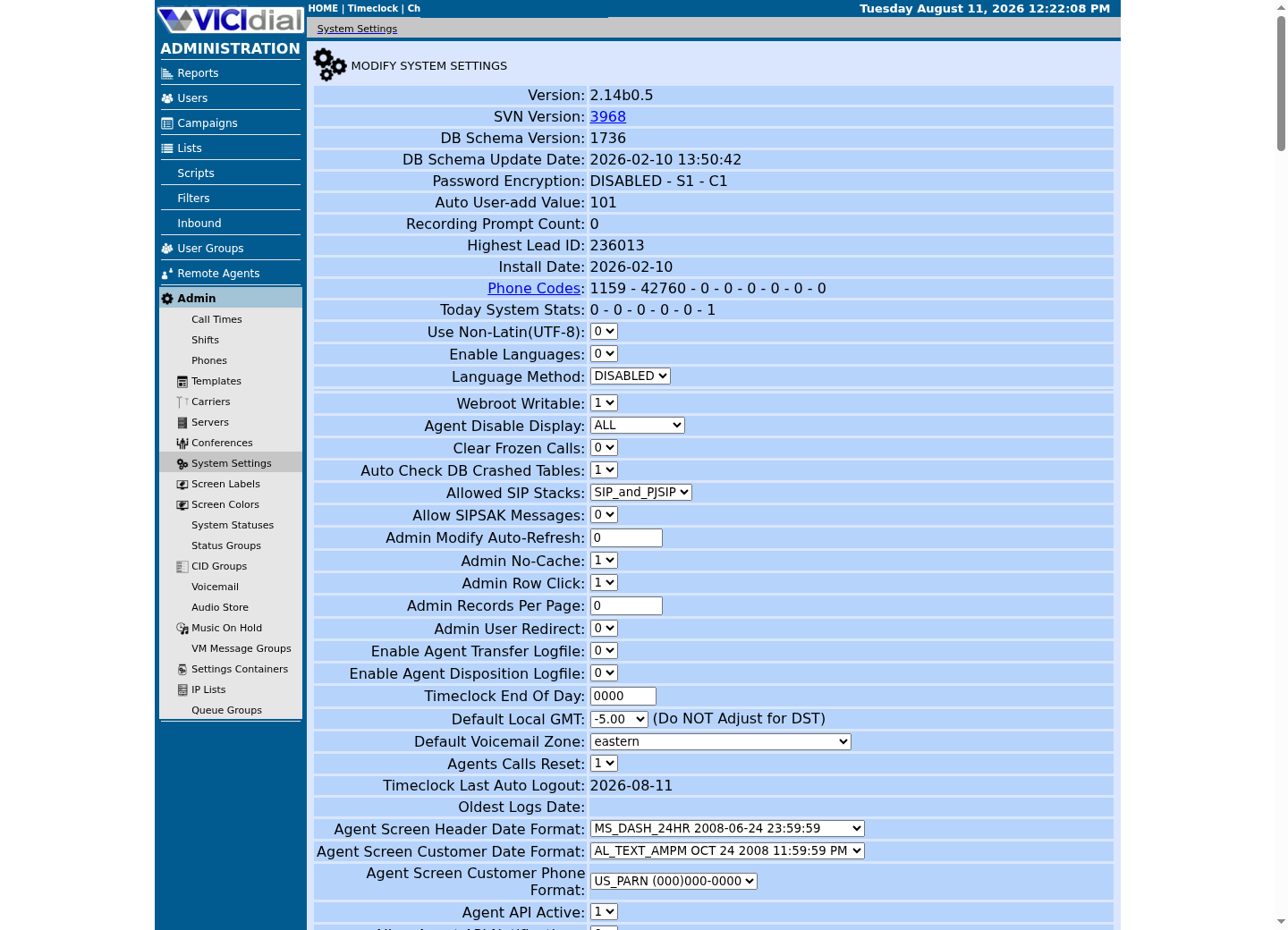
Captured on an isolated VICIdial demo: Administration screens on September 24, 2026, and the idle Agent screen on August 11, 2026. Each caption states its own capture time, and every sanitized image helps you recognize a related screen; none proves that this article's call, command, or result occurred.Find carrier administration
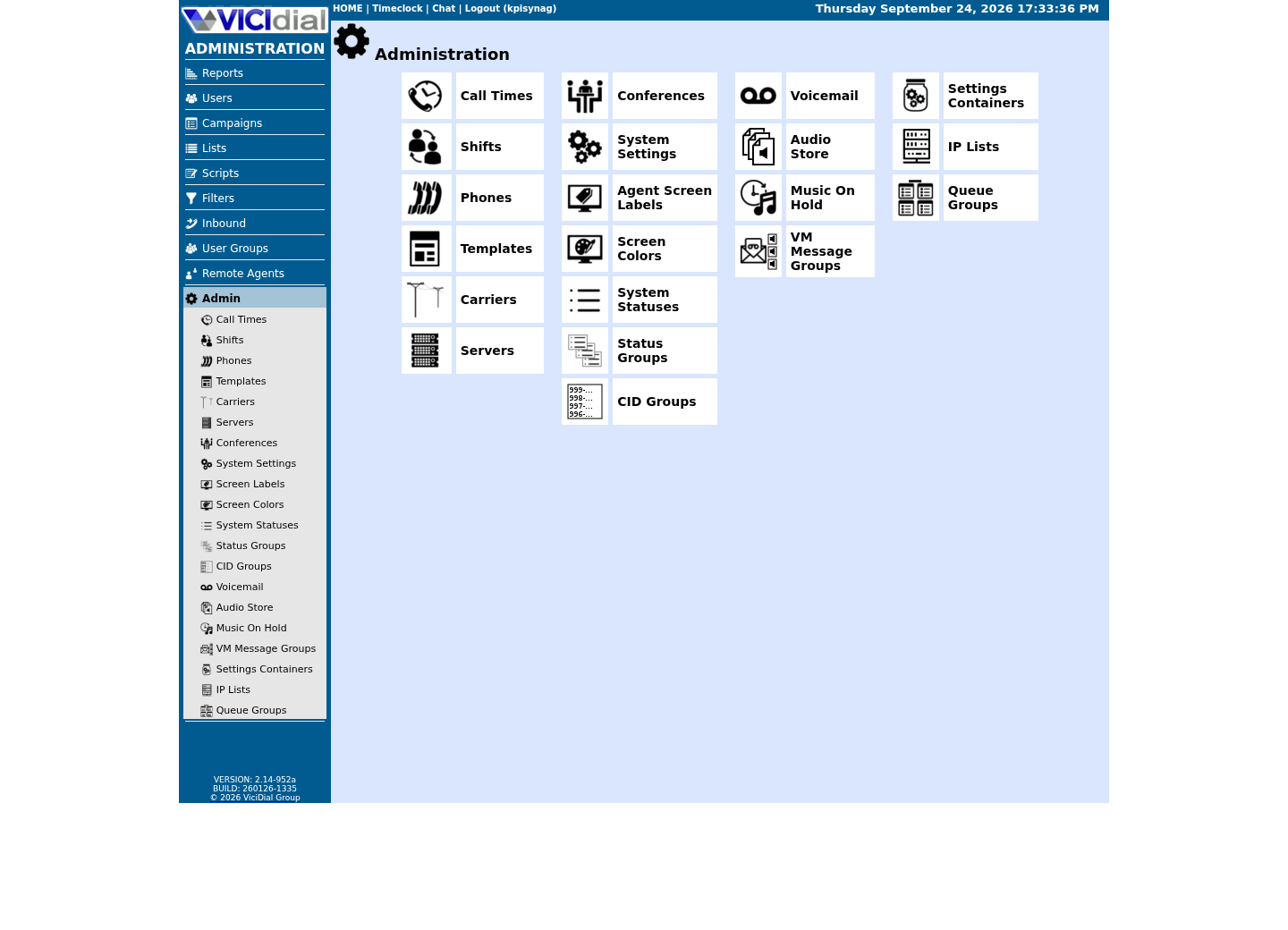
Open Carrier Listings
Check the allowed SIP-stack setting
Read A, AAAA and SRV answers separately
An A record maps a name to IPv4, AAAA maps it to IPv6 and SRV describes a service target plus port/priority. A carrier may publish one, several or none of these, and the SIP client must be configured for the record family it actually follows.
A carrier publishing more than one SRV record is not offering a choice you make once and forget: each carries its own priority and weight, and the record's whole purpose is failover between them. If your SIP stack is configured to use only the single target you saw the day you set the trunk up, a carrier that later shifts traffic to a second SRV target during their own maintenance can look, from your side, exactly like this article's symptom — a suddenly unreachable target — even though DNS itself never broke.
The .example values below are reserved placeholders. Replace them only with the approved hostname; an empty answer can be valid for an unused record type, so compare with the carrier's current written specification.
TARGET_HOST='sip.carrier.example'dig +noall +comments +answer A "$TARGET_HOST"dig +noall +comments +answer AAAA "$TARGET_HOST"dig +noall +comments +answer SRV "_sip._udp.$TARGET_HOST"ViciGeek does not predict command output. This read-only sample has not been captured on the demo yet; run it only in your approved environment and compare the result with the success and stop guidance.
- Before you run it
- Run from the same host/network context as the affected service and replace only TARGET_HOST. +noall +comments +answer keeps dig's own status line, so a record type with nothing to show still prints something instead of silent empty output. dig ships in common DNS utility packages and is present on this build; if it is absent on yours, record that fact rather than installing software during an incident without approval.
- Success looks like
- Each query shows a real status line — NOERROR with a nonzero ANSWER count for a record type the carrier actually publishes, or NXDOMAIN, or an ANSWER count of 0, for one it does not — matching the carrier's documented profile.
- Stop if
- Stop if answers differ across unauthorized resolvers, if a record type the carrier's own documentation requires comes back NXDOMAIN, or if a DNSSEC validation failure appears — that is a different, more urgent problem than a missing record.
Inspect permissions and routing
Confirm the service can traverse every parent directory leading to resolver files and can reach the configured DNS servers. A permission change high in the path can break lookups without changing the DNS data itself.
Compare A, AAAA and SRV behavior and note whether the application follows the record type expected by the carrier profile.
A firewall change is worth ruling out here too, separately from resolver configuration: a DNS query itself uses UDP or TCP port 53 outbound, and a rule tightened on this host's own outbound path — as opposed to the inbound rules this build's own firewalld normally governs — can produce exactly this symptom, a lookup that times out rather than one that returns NXDOMAIN. Confirm outbound reachability to the configured DNS servers on port 53 specifically, not just general internet connectivity, before ruling this out.
- Every directory from / down to /etc is at least traversable by the account performing the lookup.
- resolv.conf itself, or the file systemd-resolved actually reads from, is owned and readable as expected.
- The DNS servers named in either file are reachable on port 53 from this host, not only from your own workstation.
Verify more than name resolution
After fixing the resolver path, confirm fresh DNS answers, socket creation, registration or trunk health and an end-to-end call. Cached answers can make a partial recovery look complete.
Record the resolver source of truth and its ownership so later configuration management does not overwrite the repair.
- A fresh dig against the carrier hostname, run again after the fix, not reused from before it.
- PJSIP or chan_sip shows the trunk registered, not merely that a lookup succeeded.
- One synthetic call actually completes end to end over the recovered trunk.
Rollback the narrow resolver change
If an approved resolver or service-context change fails, restore the exact prior managed file/unit setting rather than hand-writing a new resolv.conf. Configuration management, a local stub resolver and a container/chroot can each own different files.
After reversal, query again from the effective context and verify registration/trunk health plus one synthetic call. A cached shell answer alone is not recovery evidence.
Record who changed the resolver configuration, when, and why, in the same change system that tracks the rest of this server's configuration — not only in this incident's own notes. A resolver change that fixes today's symptom but is never folded back into configuration management is exactly the kind of drift that reappears the next time the server is rebuilt or the next admin reads a stale file expecting it to still be authoritative.
- Restore the prior owner-managed resolver or unit configuration.
- Confirm fresh answers and socket/trunk state without flushing globally.
- Escalate when the authoritative carrier answer or intended record family is unknown.
Evidence ledger
Verification basis
- On our ViciBox 12 lab, systemctl is-active asterisk prints inactive while Asterisk is healthy inside its own screen session, and vicidial.service itself also reports inactive once its Type=forking startup has completed — neither is a health signal; asterisk -rx 'core show uptime' is.
Primary references
Sources
- RFC 1035: Domain Names - Implementation and SpecificationIETF · accessed September 23, 2026
- RFC 2782: A DNS RR for specifying the location of services (DNS SRV)IETF · accessed September 23, 2026
- resolvectl(1) manual pageArch Linux manual pages (systemd upstream) · accessed September 23, 2026
- systemd-resolved.service(8) manual pageArch Linux manual pages (systemd upstream) · accessed September 23, 2026
- dig manual pageISC BIND9 · accessed September 23, 2026