Reader setup
Before you evaluate
Use this to set expectations, limits and implementation boundaries before changing anything.
- Read-only SSH access to the VICIdial/Asterisk server, plus a database account limited to SELECT and SHOW statements - see Create a read-only database account for safe VICIdial queries if you do not have one yet.
- The exact rtpstart and rtpend values Asterisk is configured with today, and the exact firewall rule that is supposed to match them.
- Your campaign's current dial level and agent headcount, so the channel arithmetic in this piece maps onto your own install instead of the worked examples.
- What you will prove
- You will be able to compute how many concurrent RTP streams your own dial level and agent count actually demand, confirm whether your configured port range and firewall rule can carry that load, and know whether your own media path or your carrier's elastic trunk is the real ceiling before you raise pacing further.
- Safety boundary
- This is sizing reasoning, not a migration script. Widening the RTP port range and its matching firewall rule changes live call capacity; make that change in a maintenance window with an owner who can roll the port range and firewall rule back together, not separately.
Reader path
How to use this article
- Use it when: You are designing a change and want reliable limits before implementation.
- Expected result: Separate what is known, unknown, and unsafe before you execute.
- Start here: Use it as an evidence review before changing architecture, security, or reporting behavior.
Elastic capacity meets a dialer that bursts by design
Fast answer: elastic Session Initiation Protocol (SIP) trunking means the carrier does not hand you a fixed number of channels to provision in advance - it hands you an account, a signalling address, and a media port range, then bills for whatever concurrent capacity you actually use. That model fits a predictive dialer specifically because dialer traffic is not driven by how many agents you employ, it is driven by dial level: a campaign at a dial level of 2.0 tries to keep roughly twice as many outbound legs in flight as it has available agents, so the same 30 agents can burst from 30 concurrent calls to 60 within the time it takes the pacing worker to notice agents are answering faster than expected. An elastic trunk absorbs that burst without you having called a carrier in advance to ask for more channels. What it does not do is absorb the burst on your own server: your Asterisk box still needs one Real-time Transport Protocol (RTP) media port pair and one slice of bandwidth for every one of those concurrent legs, and whatever range your own rtp.conf is configured with - not either vendor's much wider published range - is the local capacity that actually has to carry them.
For plain-language definitions of carrier, trunk, agent and campaign, see VICIdial and VoIP glossary for complete beginners and VICIdial terminology for complete beginners: users, phones, campaigns and leads. Two terms carry this article's arithmetic: dial level is the pacing number a predictive campaign uses to decide how many outbound legs to keep in flight for each available agent - 1.0 aims for about one call per free agent, and anything higher deliberately dials ahead of agent capacity, with the full pacing mechanism covered in VICIdial dialing modes and pacing: manual, ratio and adaptive - and a channel is one live audio path inside a trunk: one call, using one slice of the connection's capacity, for as long as it lasts.
What this article adds is the question sitting underneath dial level: once a campaign runs hot, what actually has to carry that load, and which layer - the carrier's trunk or your own media path - breaks first.
- Dial level, not agent headcount, is what multiplies concurrent channels.
- The media path usually hits its ceiling before any calls-per-second limit does.
- Your own RTP port range is a self-imposed ceiling that has nothing to do with either carrier's trunk.
Visual walkthrough
Follow three real demo screens
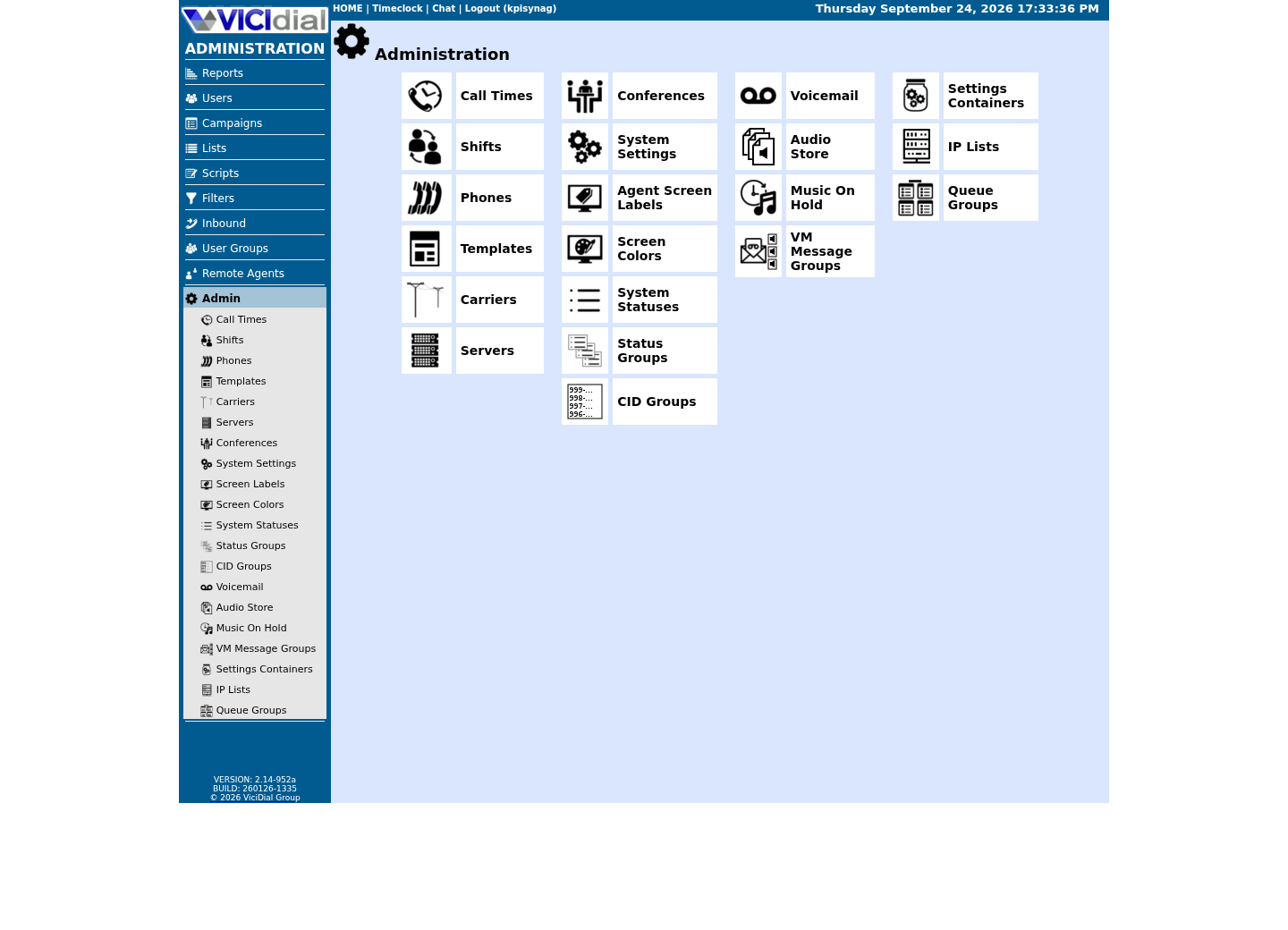
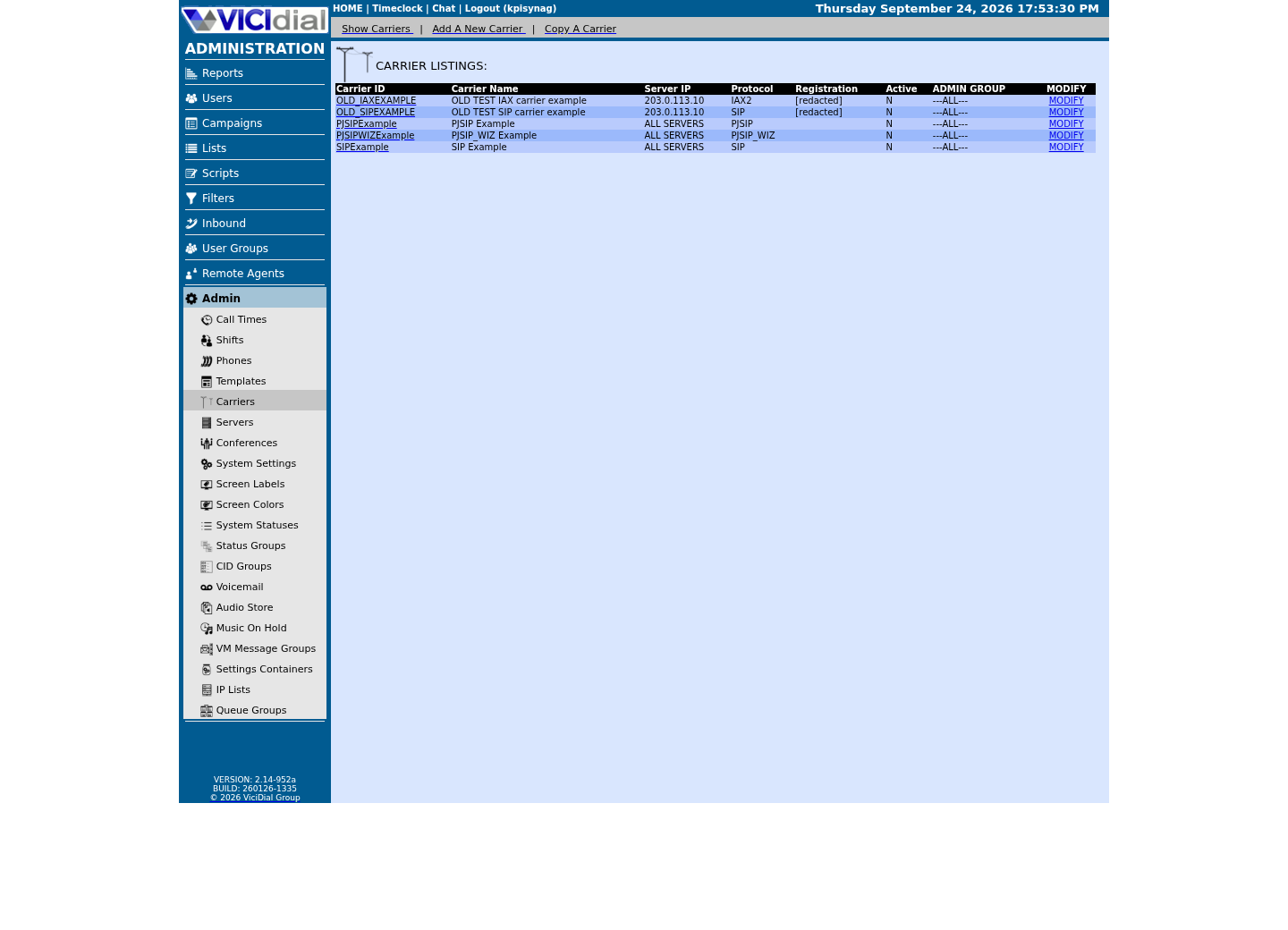
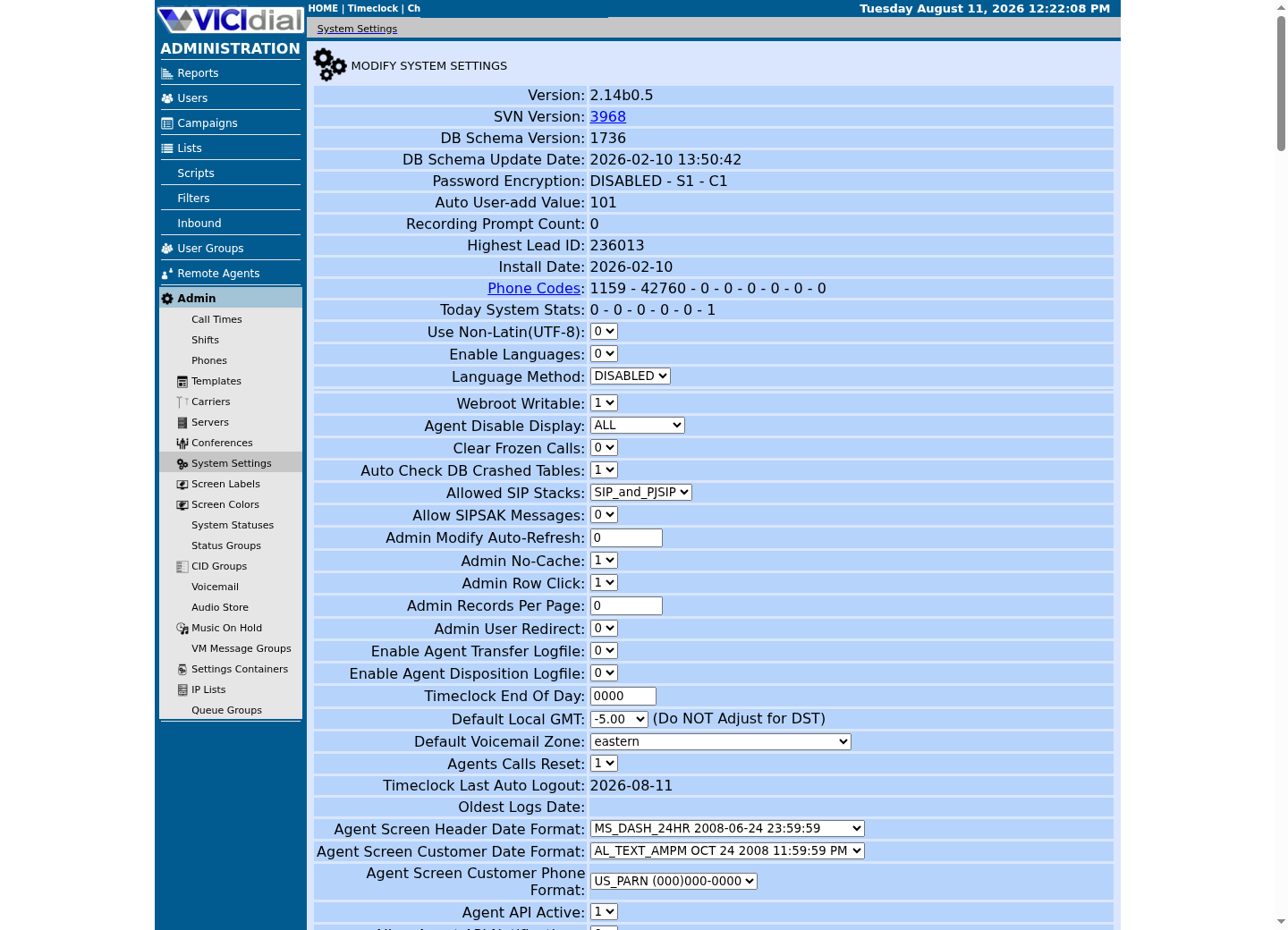
Captured on an isolated VICIdial demo: Administration screens on September 24, 2026, and the idle Agent screen on August 11, 2026. Each caption states its own capture time, and every sanitized image helps you recognize a related screen; none proves that this article's call, command, or result occurred.Find carrier administration
Open Carrier Listings
Check the allowed SIP-stack setting
No fixed channel count: what elastic actually buys you
'Elastic' is a specific claim, not a marketing adjective: no fixed channel count is assigned to your account up front, capacity is billed on what you actually use rather than on a block you reserved in advance, and the account scales with whatever demand you send it instead of you provisioning a trunk sized for a peak you had to guess at months earlier. That is a real difference from a traditional fixed trunk, where a carrier assigns a specific channel count and every call past that number is simply rejected until you call and negotiate more.
Twilio's Elastic SIP Trunking is one concrete version of that shape. Instead of a trunk with an assigned channel count, Twilio's own documentation has you generate a termination domain under its pstn.twilio.com naming pattern and configure up to 10 origination URIs, each with its own priority and weight, for inbound routing - an address and a routing list, not a circuit. Signalling runs over UDP or TCP port 5060 by default, or TLS on port 5061; Twilio's own guidance describes eight regional signalling ranges, each a /30, and a single /18 range for RTP media spanning UDP ports 10,000-60,000. Twilio states calls per second (CPS) - how many new call attempts the account can start each second - as a configurable feature, but nothing in its published documentation states a maximum CPS or a maximum concurrent-call count. That absence is exactly what elastic means: there is no published ceiling to hand you, because the model is built around not having a fixed one.
Telnyx's SIP trunking follows the same shape with different specifics. Termination points to a regional signalling hostname - Telnyx documents separate hostnames for the US, Europe, Australia, Canada, the Middle East, and an Asia region still in beta - with an Anchorsite setting selecting the regional point of presence, again an address plus a routing choice rather than an assigned circuit. Signalling uses the same UDP/TCP 5060 and TLS 5061 pattern; media runs over UDP ports 16384 to 32768, and Telnyx publishes fourteen separate media CIDR blocks across several address ranges for that traffic. Telnyx also attaches an Outbound Voice Profile to each SIP Connection, controlling allowed destinations, rate limits, and a daily spend limit - a lever aimed squarely at the risk elastic capacity creates, covered later in this piece. As with Twilio, nothing in what we reviewed states a maximum concurrent-call ceiling for a trunk.
Both vendors publish the same two kinds of detail precisely, because both change at different rates: the ports, which are stable protocol numbers, and the shape of their address ranges, described here as ranges rather than reproduced as literal addresses, because a vendor's IP ranges are exactly the kind of detail that changes without much notice. Pull the current list from the vendor's own page before writing a firewall rule against it - see the sources at the end of this article - rather than trusting a number printed in any article, including this one.
model: no fixed channel count; capacity billed on use; scales with demand instead of a provisioned trunk Twilio Elastic SIP Trunking termination: one generated SIP URI per project (name under pstn.twilio.com), not an assigned trunk block signalling: UDP 5060 default, TCP 5060, TLS 5061; eight regional signalling ranges, each a /30 media: UDP 10,000-60,000; a single /18 range origination: up to 10 destination URIs with priority and weight, no fixed trunk count bandwidth guidance: about 100 kbps per call for G.711 published concurrency or calls-per-second ceiling: none found; CPS described only as configurable Telnyx SIP trunking termination: regional signalling hostname plus an Anchorsite selecting the point of presence, not an assigned trunk block signalling: UDP 5060, TCP 5060, TLS 5061 media: UDP 16384-32768; fourteen published CIDR blocks across several address ranges spend control: an Outbound Voice Profile attaches rate limits and a daily spend limit to the SIP Connection published concurrency ceiling: none found This sample is a template or reading aid, not a terminal command. There is no output to show.
- Before you run it
- Read this once per candidate carrier, replacing the two examples with whatever your own SIP trunking provider actually publishes; pull the current port and range details from the vendor's own page, not from this table, before writing a firewall rule.
- Success looks like
- You can name your own carrier's signalling ports, media port range, and whether it publishes any concurrent-call or calls-per-second ceiling, the same way this table does for Twilio and Telnyx.
- Stop if
- You cannot find a published media port range or signalling port for your own carrier: stop and get that in writing from the carrier directly, because a firewall rule sized from a guess produces exactly the one-way audio this article keeps returning to.
Calls per second versus concurrent channels: why the media path breaks first
If you run a session border controller (SBC) - edge equipment that inspects and polices SIP traffic between your server and a carrier - it sits in front of both the signalling and media paths, but it enforces limits, it does not remove them. The two paths fail for different reasons, and a predictive dialer stresses them very differently.
Calls per second is a signalling-plane number: how fast new call attempts get set up. A SIP INVITE is a small message processed once per attempt, so a carrier or an SBC can usually absorb a short burst of new attempts without strain. Concurrent channels is a media-plane number: how many calls are simultaneously live. Every live call holds an RTP stream open continuously - a UDP port pair, a slice of bandwidth, a slice of central processing unit (CPU) time on whatever is mixing or relaying that audio - for the entire duration of the call, not just the moment it was set up.
A dial-level burst does raise calls per second for a moment, when the pacing worker decides to catch up and fires several outbound attempts close together. That spike is over in seconds. What does not end in seconds is the resulting pile of concurrent legs sitting in a ringing, ringback, or bridged-but-unanswered state - every one of them already holding a media port, whether or not an agent has touched the call yet. That pile is a concurrent-channel problem, not a calls-per-second problem, and it is the one an elastic carrier is least likely to reject, because concurrent capacity is precisely what an elastic plan promises to give you without a fixed number attached.
Twilio's own documentation confirms calls per second is configurable per account but publishes no maximum figure in what we reviewed, and neither vendor reviewed here publishes a concurrent-call ceiling either. Treat that as 'no published ceiling to lean on,' not as 'unlimited.' The number worth planning around is not a vendor ceiling - it is your own media path, which is exactly where this piece goes next.
- Calls per second measures how fast new attempts start; concurrent channels measures how many stay live at once.
- A dial-level burst raises calls per second for only a few seconds; the resulting pile of live legs lasts far longer.
- Neither vendor reviewed here publishes a concurrent-channel ceiling, because elastic capacity is built around not having a fixed one.
Your RTP range is a hard ceiling: read it from rtp.conf and do the arithmetic
Whichever vendor sits on the other end, your own Asterisk server has a configured rtpstart and rtpend in /etc/asterisk/rtp.conf, and that range - not either vendor's published media range - is the one you actually have to size against your traffic. Read it yourself before assuming a number: stock Asterisk ships rtpstart=10000 and rtpend=20000, and that is also what this publication's own ViciBox 12 lab runs, matching firewalld's rtp service definition exactly. Some older or hand-narrowed installs set a much smaller range, so confirm yours rather than reusing either number here.
RTP allocates one even-numbered port per audio stream, with RTP Control Protocol (RTCP) on the odd port directly above it for the same stream, so divide your own port count by two for a rough concurrent-stream ceiling. On the stock 10000-20000 range that is 10,001 ports, or roughly 5,000 pairs; a range narrowed down to a few hundred ports the way some older installs were configured clears far fewer pairs, a ceiling a busy campaign can reach in minutes.
The arithmetic that matters is the same regardless of your own number: agents multiplied by dial level gives concurrent outbound legs, and each live leg - ringing, bridged, or already answered - holds its own port pair for as long as it stays live, whether or not an agent has touched it yet. Run the read-only comparison below to get your own two numbers side by side before assuming either one.
The fix, if your own comparison shows a shortfall, is raising rtpend so Asterisk has more ports to offer - but the wider range has to be admitted by the firewall in the same change, not a later one. On a build using firewalld, that means confirming the new range against firewalld's own rtp service definition, not a hand-edited rule; raising one number without the other produces exactly the symptom of a carrier fault: audio that never arrives, or arrives in only one direction, because Asterisk offers a port in its call description that the firewall silently drops.
#!/bin/bashset -euo pipefail RTP_CONF=/etc/asterisk/rtp.confSTART=$(grep -E '^\s*rtpstart\s*=' "$RTP_CONF" | tail -1 | grep -oE '[0-9]+' || true)END=$(grep -E '^\s*rtpend\s*=' "$RTP_CONF" | tail -1 | grep -oE '[0-9]+' || true) if [ -z "$START" ] || [ -z "$END" ]; then echo "Could not read rtpstart/rtpend from $RTP_CONF" >&2 exit 1fi PORTS=$((END - START + 1))PAIRS=$((PORTS / 2))echo "Configured range: $START-$END ($PORTS UDP ports, about $PAIRS concurrent RTP streams)" if systemctl is-active --quiet firewalld; then firewall-cmd --info-service=rtpelif command -v ufw >/dev/null 2>&1; then sudo ufw status verbose | grep -E "$START:$END/udp" || echo "WARNING: no matching ufw rule found for $START:$END/udp."else sudo iptables -L -nfi Captured demo response · 2026-09-24 22:25 UTC. The displayed command is the command that ran; a safe subset label means it was filtered, redacted, or fixture-scoped. Replays only after you select Replay transcript.
- Before you run it
- Run this read-only on the Asterisk box itself, any time after install and again any time you plan to raise dial level or agent headcount meaningfully.
- Success looks like
- The script reports your configured range and the streams it supports, and the matching firewall service or rule covers the identical start and end ports.
- Stop if
- rtp.conf has no rtpstart/rtpend line, or the firewall's rtp service or rule does not match the range the script just reported: fix rtp.conf and the firewall together before trusting any call-quality complaint as a carrier issue.
Size the media path before you size the trunk
Before asking a carrier for more capacity, compute your own target the same way the worked example did: multiply the maximum agent headcount you plan to staff by the highest dial level you intend to run. That product is the number of simultaneous RTP streams your media path needs to sustain, not just the number your carrier needs to accept.
Bandwidth follows the same multiplication. Twilio's own bandwidth guidance for G.711 is about 100 kbps per call; multiply your own target concurrent-leg count by that figure to get a floor for the bandwidth your connection needs - a floor, not a final number, since it leaves out signalling overhead and anything else on the same link. On the stock 10,000-20,000 range's roughly 5,000-pair ceiling, that floor would run on the order of 500 Mbps if you ever actually filled it - a reminder that bandwidth, not just ports, needs its own check at real volume.
Once you know the target concurrent-leg count, size rtpstart and rtpend to comfortably exceed double that number - one pair per stream - plus headroom for legs that overlap during the handoff between one call ending and the next beginning. Then confirm the widened range against your firewall: on a build using firewalld, that means the rtp service definition, and re-running VB-firewall rather than a plain firewall-cmd --reload if VB-firewall manages your ipsets, since a plain reload empties them until VB-firewall runs again. If the server sits behind a cloud provider's own network firewall, widen that provider-level rule to the same range as well.
None of this is a number to copy from this article. The table below shows the shape of the calculation - agents, dial level, concurrent legs, ports needed, ports available - so you can rerun it with your own staffing and pacing plan, not so you can reuse someone else's row.
ports available on THIS build = whatever your own grep of rtpstart/rtpend returned(stock Asterisk and our ViciBox 12 lab: 10000-20000 = 10,001 ports, about 5,000 pairs) 10 agents x 1.0 dial level = 10 legs -> 10 streams -> 20 ports needed20 agents x 1.5 dial level = 30 legs -> 30 streams -> 60 ports needed30 agents x 2.0 dial level = 60 legs -> 60 streams -> 120 ports needed100 agents x 2.0 dial level = 200 legs -> 200 streams -> 400 ports needed500 agents x 1.5 dial level = 750 legs -> 750 streams -> 1,500 ports needed legs still ringing or bridged-but-unanswered hold a stream too, so real load reaches whateverceiling you actually have before agent headcount alone would suggest -- compare each row'sports-needed figure to YOUR OWN ports-available number, never a number printed in this article;a range narrowed well below the stock default clears these rows far sooner than the stock range does This sample is a template or reading aid, not a terminal command. There is no output to show.
- Before you run it
- Replace the agent and dial-level values with your own maximum staffing and the highest dial level you intend to run, and recompute the ports-needed figure against your own ports-available number from the previous section's script, not the stock default assumed here.
- Success looks like
- The ports-needed figure stays at or below your own ports-available figure for every row you actually plan to run.
- Stop if
- Any row you plan to run shows ports-needed above your own ports-available figure: raise rtpstart/rtpend and the matching firewall rule together before you raise dial level or staffing to that row's numbers.
What to monitor once you turn dial level up
Monitor the media path directly and repeatedly, not only once at install time: rerun the port-range-versus-firewall comparison from the previous section any time dial level, agent headcount, or the server's role changes, since someone widening one side of that pair without the other is exactly the failure this article keeps returning to.
Monitor concurrent channel count against configured capacity on the Asterisk box itself, watching how close active channels sit to the configured range's ceiling during a campaign's busiest hour, not only at the moment dial level was raised.
Monitor your own call outcomes for congestion signals instead of waiting for an agent to report dead air. VICIdial's own status codes include an automatic no-answer class (NA) and a call dropped while waiting for an agent (DROP); a rising share of NA or DROP right after a dial-level or capacity change is a concrete, queryable signal that the media path or the carrier is straining, not a guess based on complaints. Inbound XDROP is a separate check against vicidial_closer_log, not this outbound query.
For the server-level fields that make this observable across more than one Asterisk box at once - each server's own trunk ceiling and calls-per-second pacing limit - the full methodology for sizing and monitoring them across a cluster is covered in Scaling VICIdial: designing a multi-server cluster for 500+ agents. This piece stays focused on the single-box media-path ceiling that usually bites first.
SELECT status, COUNT(*) AS call_count FROM vicidial_log WHERE campaign_id = '<CAMPAIGN_ID>' AND call_date >= CURDATE() - INTERVAL 1 DAY GROUP BY status ORDER BY call_count DESC;Captured demo response · 2026-09-24 22:25 UTC. The displayed command is the command that ran; a safe subset label means it was filtered, redacted, or fixture-scoped. Replays only after you select Replay transcript.
- Before you run it
- Run this with mysql --defaults-extra-file=/etc/vicidial-readonly.cnf -e "..." right after any dial-level or capacity change, using the same campaign_id and comparing against the same query run before the change.
- Success looks like
- The relative share of NA and DROP stays roughly where it was before the change, or moves in a way you already expected and can explain. On our ViciBox 12 lab the idle fixture campaign returns zero rows for this query, because no calls ran in the window at all - zero rows means no calls in the window, not a status shift, so treat an all-empty result as an idle window and rerun once the campaign has actually placed calls, rather than reading it as either outcome.
- Stop if
- NA or DROP claims a noticeably larger share of calls than before the change: treat that as a live congestion signal on the media path or the carrier, not as an agent problem, and recheck the port-range comparison before raising dial level any further. That signal only exists once rows come back at all; an empty result is the idle window, not this one.
The honest trade-off: elastic capacity moves the risk, it does not remove it
Elastic SIP trunking genuinely removes the provisioning ceiling: no more calling a carrier to negotiate more channels before running a hotter campaign, no fixed trunk sized for a peak guessed at months in advance. That part is real, and it is verified directly in both vendors' own documentation reviewed here.
What it does not remove is the capacity risk sitting on infrastructure you own and operate: your Asterisk box's port range, bandwidth, and conference CPU do not grow just because a carrier's plan is elastic. The RTP ceiling covered earlier in this piece is not a carrier limitation at all - it is a self-imposed one, set by your own rtp.conf, that an elastic trunk cannot see and cannot fix for you.
The other half of the risk moves to spend controls you have to configure yourself. A plan that will accept however many concurrent calls you send it will also bill for however many you send it. Telnyx's Outbound Voice Profile, which attaches rate limits and a daily spend limit to a SIP Connection, is a concrete example of the control worth turning on before dial level goes up, not after a bill is a surprise. Confirm whatever equivalent control your own carrier account offers, and set it deliberately, rather than assuming the absence of a fixed channel count means the absence of a ceiling anywhere in the system.
Choosing between carriers on criteria beyond capacity - codec support, signalling handling, support responsiveness, failover behavior - is covered in A 12-point SIP trunk evaluation matrix for VICIdial. This piece stops at the capacity question specifically, because that is the one an elastic plan changes the shape of, not the one it answers for you.
- Provisioning ceiling: genuinely removed - no more negotiating channel counts with a carrier before running a hotter campaign.
- Media-path ceiling: not removed - your own port range, bandwidth, and conference CPU still cap concurrent legs.
- Spend ceiling: not removed - it moves to whatever rate limit and spend control your own carrier account has turned on.
Evidence ledger
Verification basis
- Stock Asterisk's own rtp.conf ships rtpstart=10000 and rtpend=20000, matching this publication's ViciBox 12 lab and firewalld's own rtp service definition (10000-20000/udp) - the range this article's arithmetic is built to be recomputed against, not a fixed number to reuse.
- RTP allocates one even-numbered port per audio stream with RTCP on the odd port directly above it, so any configured range splits into that many complete pairs before it is exhausted - 10,001 ports on the stock range yield roughly 5,000 pairs, and a narrower custom range yields proportionally fewer.
- See VICIdial dialing modes and pacing: manual, ratio and adaptive, which documents vicidial_campaigns.dial_method and auto_dial_level as stored per-campaign columns, confirming dial level is a per-campaign ratio, not a fixed channel count.
- Twilio's own SIP trunking documentation lists up to 10 origination URIs with priority and weight and states calls per second as a configurable feature, without publishing a maximum calls-per-second or concurrent-call figure.
- Telnyx's Outbound Voice Profile attaches rate limits and a daily spend limit directly to a SIP Connection, independent of any fixed channel count.
Primary references
Sources
- Twilio SIP Trunking documentationTwilio · accessed September 24, 2026
- Twilio SIP Trunking IP addressesTwilio · accessed September 24, 2026
- Telnyx SIP trunkingTelnyx · accessed September 24, 2026
- Telnyx SIP trunking documentationTelnyx · accessed September 24, 2026
- VICIdial StatusesVICIdial · accessed September 24, 2026