Reader setup
Before you diagnose
Start with one observed symptom, then isolate one layer at a time.
- Read-only SSH access to the Asterisk/VICIdial server and its Asterisk command-line interface (asterisk -rx).
- A read-only MySQL/MariaDB account through /etc/vicidial-readonly.cnf (see vicidial-read-only-database-account if you do not have one yet), limited to SELECT and SHOW statements.
- One specific affected call to point at: the agent or extension, the exact local time, and which direction lost audio.
- What you will prove
- You will know which single layer - browser/headset, NAT, the RTP port range, codec/transcoding, server CPU/timing, or the carrier trunk - is producing the choppy or one-way audio, before you change a codec setting, a firewall rule, or restart Asterisk.
- Safety boundary
- Every command here reads state, or in one case toggles a temporary debug flag that you turn back off; none of them hang up a call, change a campaign, or restart a service.
Reader path
How to use this article
- Use it when: You are investigating a live symptom and need to narrow the failure quickly.
- Expected result: Pinpoint the first failing layer, then repair only that layer.
- Start here: Use the sections as a diagnostic sequence: prove scope, then isolate and validate.
Scope the complaint before you touch a codec
Fast answer: choppy or one-way audio almost always traces to exactly one layer in the path from a caller's microphone to the carrier trunk, and the fastest diagnosis works outward from the complaint instead of guessing at a codec or restarting Asterisk. Confirm scope first - one call or every call, one agent or every agent - then check, in order: the browser/headset and its microphone permission; NAT (Network Address Translation, the router technique that lets many private devices share one public address) and one-way audio; the RTP (Real-time Transport Protocol, the protocol that actually carries voice packets) media port range and whether the firewall passes it; codec (coder-decoder, the format both ends agree to encode audio in) mismatch and transcoding load; server CPU and the timing source pacing the conference; and finally carrier-side packet loss. Each layer has a read-only command that proves or rules it out before you change anything.
In plain language: a channel is one live call leg inside Asterisk, the open-source telephony engine underneath VICIdial that actually places and receives calls. A carrier is the phone company or SIP (Session Initiation Protocol) provider that hands you inbound calls and carries your outbound ones. A trunk is the bundled connection between your Asterisk server and that carrier. An agent is the person logged into the VICIdial Agent screen. A conference is the Asterisk audio bridge - MeetMe on older builds, ConfBridge on current ones - that joins the agent's channel, the customer's channel, and anyone else on the call into one room. A campaign is the outbound or inbound configuration that groups agents, lists, and dialing rules together.
Two facts are worth knowing before you start: a codec mismatch between an endpoint and a carrier is a documented cause of silent or garbled VICIdial calls, and conference CPU load grows with how many participants a bridge holds - watch your own server's load rather than assuming a fixed participant count is safe. Both are covered later, each with the exact command that tells you whether you are looking at one of them.
- Note whether the complaint is one call, one agent all day, or every agent.
- Record the local time, the extension or agent, and whether the call was inbound or outbound.
- Confirm which direction is affected: no audio either way, one-way audio, or audio that cuts in and out.
Visual walkthrough
Follow three real demo screens
Captured on an isolated VICIdial demo: Administration screens on September 24, 2026, and the idle Agent screen on August 11, 2026. Each caption states its own capture time, and every sanitized image helps you recognize a related screen; none proves that this article's call, command, or result occurred.Find carrier administration
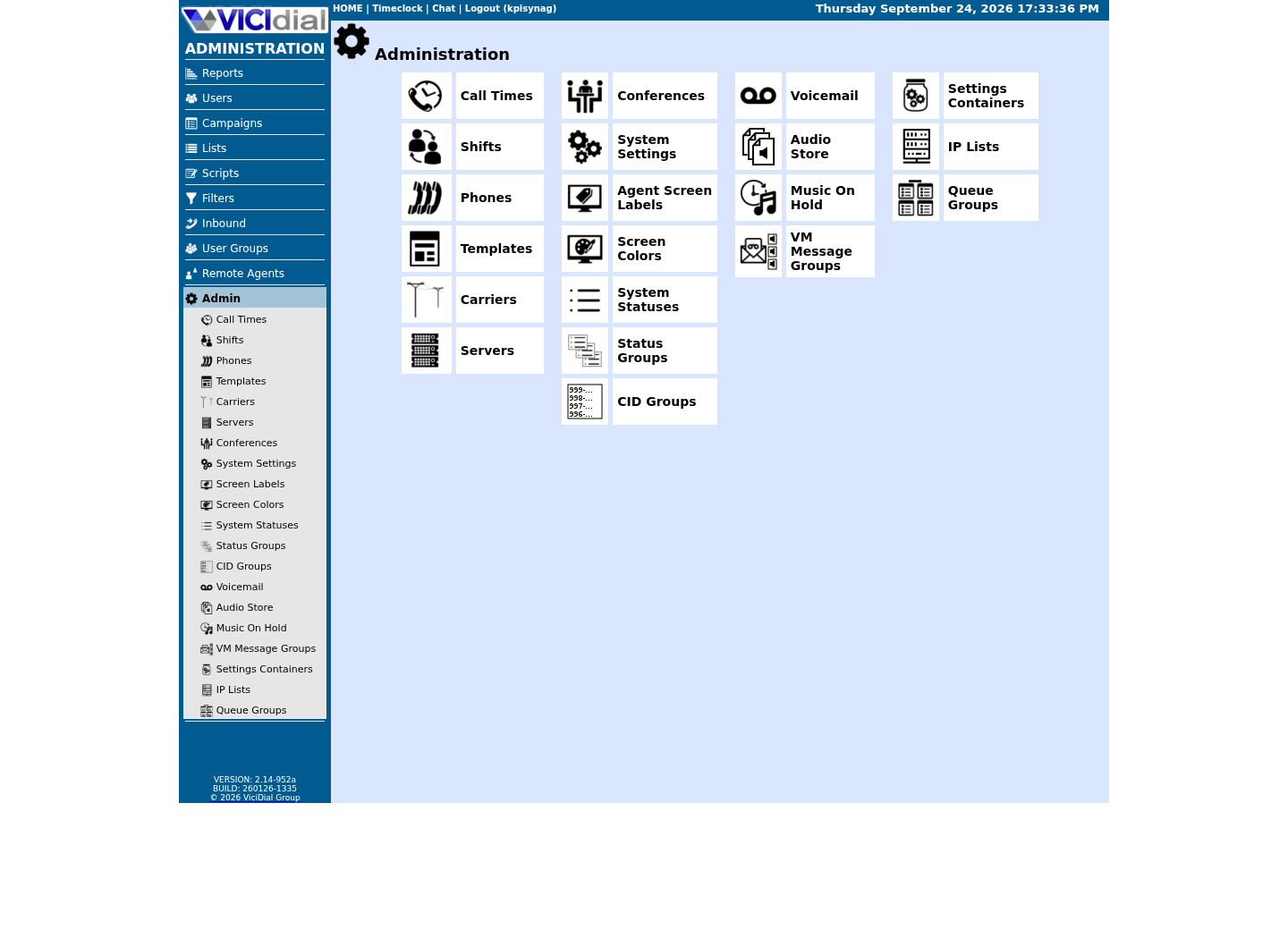
Open Carrier Listings
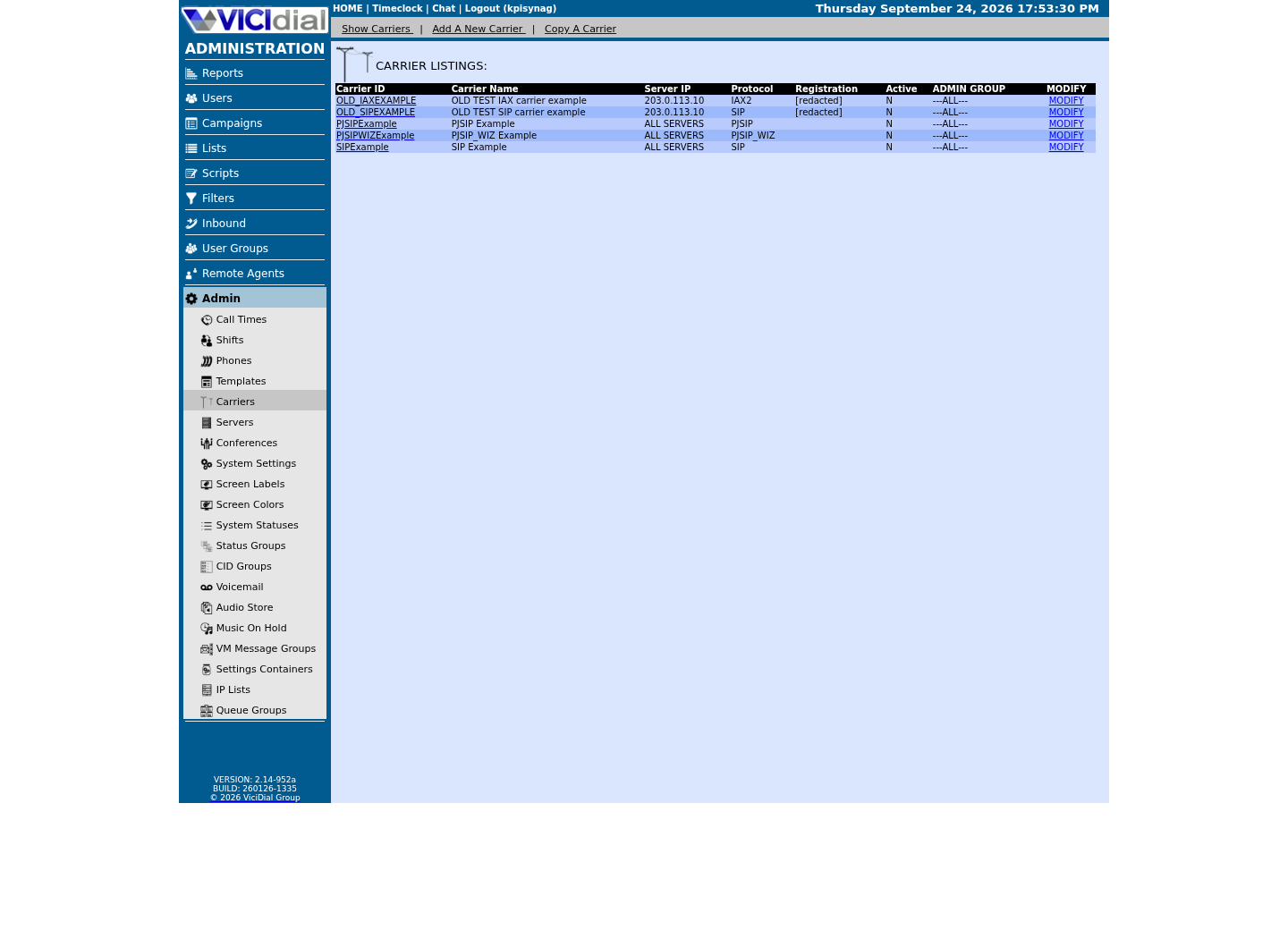
Check the allowed SIP-stack setting
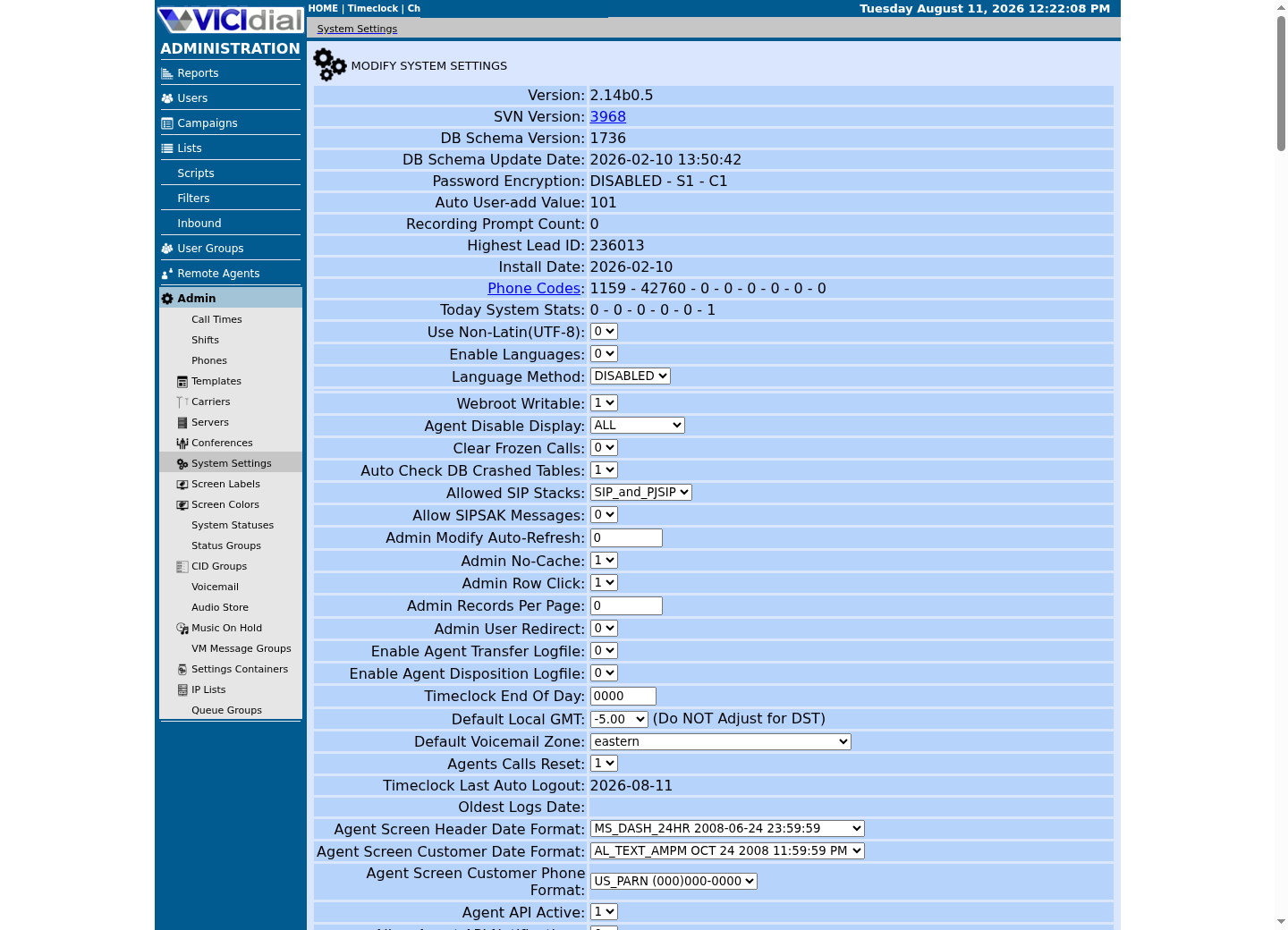
Match the symptom to the layer, then stop guessing
The fastest wrong turn in audio troubleshooting is fixing the layer you thought of first. A codec change will not repair a NAT problem, and a firewall rule will not repair a starved CPU. Use the pattern in the symptom, not the loudest theory in the room, to pick the next command to run.
Read down the table until one row matches what was actually observed, then jump to that section. If two rows partially match, work the one nearer the top first - it is checked earlier because it is both more common and faster to rule out.
SYMPTOM -> LIKELY LAYER -> CHECK NEXTOnly one agent or one extension is affected -> Browser, headset, or microphone permission -> Rule out the browser, headset, and microphone permissionOne side hears the other, on every call through one route -> NAT and one-way audio -> NAT and one-way audioNo audio ever arrives, right after the call connects -> RTP media port range -> The RTP media port range and whether the firewall actually passes itAudio is garbled, robotic, or fails only on one carrier route -> Codec mismatch or transcoding -> Codec mismatch and transcoding loadEvery agent degrades together, worse in conferences or at peak hours -> Server CPU or timing source -> Server CPU and the timing source pacing the conferenceReproduces on a wired test call placed from the Asterisk box itself -> Carrier packet loss -> Carrier-side packet loss This sample is a template or reading aid, not a terminal command. There is no output to show.
- Before you run it
- Read this table before opening a terminal. It only requires knowing what the complaint sounded like and how many people it affected.
- Success looks like
- One row matches clearly and points at exactly one section below, instead of every section.
- Stop if
- If every row seems to partially match, more than one problem is probably stacked together - work top to bottom and confirm each layer individually rather than expecting one fix to explain all of it.
Confirm scope: one call, one agent, or the whole floor
Before checking NAT or codecs, confirm how far the problem actually reaches. A single bad call proves nothing about the server; every agent complaining at the same time on the same carrier route usually rules out a personal headset or one asymmetric NAT path.
Two quick, no-customer-required checks narrow this further. Putting the call on hold and confirming the agent hears MOH (Music On Hold, the audio Asterisk plays to a party parked or waiting) proves the server can send audio to that agent's channel at all. Sending a known DTMF (Dual-Tone Multi-Frequency, the tone a phone sends when a key is pressed) digit sequence and confirming the far end registers it proves signaling and one direction of media without needing a subjective quality judgment.
Asterisk's live channel list and VICIdial's live-agent table answer the scope question without touching a single setting. Compare how many agents are affected against how many are logged in at that moment, and check whether they are spread across carriers or concentrated on one route.
SELECT status, COUNT(*) AS agent_countFROM vicidial_live_agentsWHERE campaign_id = '<CAMPAIGN_ID>'GROUP BY statusORDER BY status; SELECT user, extension, callerid, conf_extenFROM vicidial_live_agentsWHERE status = 'INCALL'AND user = '<AGENT_USER>'; SHOW STATUS LIKE 'Threads_connected'; Captured demo response · 2026-09-24 22:25 UTC. The displayed command is the command that ran; a safe subset label means it was filtered, redacted, or fixture-scoped. Replays only after you select Replay transcript.
- Before you run it
- Run against a read-only MySQL/MariaDB account while the complaint is active, replacing <AGENT_USER> with the affected agent.
- Success looks like
- The affected agent's row confirms they are actually INCALL right now, with a real extension and conf_exten - telling you the session exists before you go looking at NAT, RTP, or codecs.
- Stop if
- If the account can write, or the agent's row is missing while they insist they are on a call, treat the agent screen itself as unreliable before diagnosing the media path.
Rule out the browser, headset, and microphone permission
When only one agent hears choppy or missing audio, the fault is usually sitting in their browser tab, not in Asterisk. A denied or ask-every-time microphone permission, a headset the operating system silently swapped for a laptop's built-in microphone, or a Bluetooth headset renegotiating its profile mid-call all produce audio that sounds exactly like a server-side problem.
A WebRTC softphone such as VICIdial's embedded VICIphone reports its own numbers for this: whether the call reached the connected state, whether ICE (Interactive Connectivity Establishment, the protocol that finds a usable network path between two WebRTC peers) finished negotiating, and how many audio packets and how much audio energy actually went out and came back. A healthy call shows a growing packet count and non-zero energy in both directions on PCMU (u-law), the codec VICIdial's stock WebRTC endpoint negotiates.
Run the check below from the browser's developer console while the affected agent is on a call. Zero outbound packets or zero outbound energy alongside a healthy inbound stream means the browser never captured the microphone - check the browser's site permission and the operating system's default input device before looking anywhere near Asterisk.
const pc = document.getElementById('webphone').contentWindow.mySession.sessionDescriptionHandler.peerConnection;const stats = await pc.getStats();let inPackets = 0, outPackets = 0, inEnergy = 0, outEnergy = 0, codec = '';const codecs = {};stats.forEach(r => { if (r.type === 'codec') codecs[r.id] = r.mimeType || ''; });stats.forEach(r => { if (r.type === 'inbound-rtp' && r.kind === 'audio') { inPackets += r.packetsReceived || 0; inEnergy += r.totalAudioEnergy || 0; codec = codecs[r.codecId] || codec; } if (r.type === 'outbound-rtp' && r.kind === 'audio') { outPackets += r.packetsSent || 0; outEnergy += r.totalAudioEnergy || 0; }});console.log({ inPackets, outPackets, inEnergy, outEnergy, codec });This sample changes a system, contacts an outside service, needs a live call, or would print real data from a shared server, so it was not run on the demo. Run it only where you are authorized, and compare the result with the success and stop guidance.
- Before you run it
- Paste into the browser DevTools console while the affected agent's WebRTC call is active, then read the object it prints. Run it twice, a few seconds apart, to see whether the counters are climbing.
- Success looks like
- outPackets and inPackets both climb between runs, both energy values are greater than zero, and codec reports pcmu.
- Stop if
- outPackets stuck at zero points at the microphone or its browser permission; inPackets stuck at zero while outPackets climbs points at the return network path to the browser, not the microphone.
NAT and one-way audio
One-way or silent audio on every call through one endpoint or one carrier route, while other routes stay clean, is the classic signature of NAT breaking RTP's return path. The endpoint or carrier advertises a private address inside its SDP (Session Description Protocol) body, Asterisk sends media to that private address, and it never arrives - so one side hears the other, or neither does.
The documented fix is three settings on the endpoint: rtp_symmetric=yes, so Asterisk sends return media to the address a packet actually arrived from rather than the address the endpoint claimed; direct_media=no, so media always flows through Asterisk instead of attempting a direct peer-to-peer path that NAT breaks; and a correctly configured external address on the transport, so Asterisk advertises its real public address - for example 203.0.113.10 - instead of a private one.
Check the live endpoint and its registered contact before changing anything. A contact behind NAT that never rewrites to the real source address, or an endpoint missing rtp_symmetric, reproduces one-way audio on every call through it, not just one.
asterisk -rx "pjsip show endpoint <PHONE_EXTEN>" | grep -iE "rtp_symmetric|direct_media|media_encryption"asterisk -rx "pjsip show contacts" | grep "<PHONE_EXTEN>"asterisk -rx "pjsip show transports" Captured demo response · 2026-09-24 22:25 UTC. The displayed command is the command that ran; a safe subset label means it was filtered, redacted, or fixture-scoped. Replays only after you select Replay transcript.
- Before you run it
- Replace <PHONE_EXTEN> with the extension or carrier peer reproducing one-way audio, and run this on the Asterisk box during or right after a bad call. vicidial-add-sip-carrier shows how to read the transports line if you have not confirmed your own PJSIP port yet.
- Success looks like
- rtp_symmetric shows yes, direct_media shows no, and the registered contact matches the address media is actually arriving from - this endpoint is not the source of the asymmetry. On our ViciBox 12 lab both greps come back empty because the extension checked here is not a PJSIP endpoint at all - the filter hides Asterisk's own 'Unable to find object' reply underneath it. pjsip show transports is the one command that still returns real content, listing this build's own transport-udp and transport-wss bind addresses.
- Stop if
- rtp_symmetric missing or set to no, direct_media set to yes on a NAT'd peer, or a contact still showing a private address behind that same NAT all point at this endpoint's configuration, not at the network beyond it. An empty grep by itself does not tell you any of that - run the endpoint command without the filter first on your own reproducing extension; only once it prints a full parameter table do the rtp_symmetric and direct_media rows in the filtered version actually mean something.
The RTP media port range and whether the firewall actually passes it
Audio that never arrives at all, the instant a call connects - signaling completes, ringing works, but no media ever shows up - usually means the RTP media itself never got through, because the port range Asterisk offers is not the same range the host firewall, or a cloud provider's security group, actually allows.
Every layer has to agree on the same numbers. Asterisk's rtp.conf sets the UDP port range it offers in SDP for each call; the host firewall has to allow exactly that range; and if the server sits behind a cloud provider's own network firewall, that provider-level security group needs the identical range open as well. On our ViciBox 12 lab, /etc/asterisk/rtp.conf reads rtpstart=10000 and rtpend=20000, matching firewalld's own rtp service definition (10000-20000/udp) - this lab's confirmed values, not a universal default, so run the sample below to confirm your own build agrees before writing any firewall rule of your own. On this build that rtp service, like every service in the external zone, is only offered to sources already on your IP allowlist (the ViciWhite IP List, under Admin -> IP Lists) - widening the port range never substitutes for that allowlist.
Confirm all three agree before touching anything else. A common, entirely avoidable failure is widening rtp.conf after adding capacity and forgetting to widen the host firewall and the cloud security group to match.
grep -E "rtpstart|rtpend" /etc/asterisk/rtp.confif firewall-cmd --state >/dev/null 2>&1; then firewall-cmd --zone=external --list-services firewall-cmd --info-service=rtpelif command -v VB-firewall >/dev/null 2>&1; then echo "VB-firewall detected - see 'VB-firewall --help'; it loads the external zone's whitelist at runtime and has no status subcommand of its own"elif command -v ufw >/dev/null 2>&1; then ufw status | grep udpelse iptables -L -n | grep -i udpfiss -nu | head -20 Captured demo response · 2026-09-24 22:25 UTC. The displayed command is the command that ran; a safe subset label means it was filtered, redacted, or fixture-scoped. Replays only after you select Replay transcript.
- Before you run it
- Run on the Asterisk server itself. This build uses firewalld and VB-firewall, not ufw; the branch above substitutes the installed firewall's own read-only status command and compares it against the same rtpstart/rtpend values.
- Success looks like
- The rtp service is listed under the external zone, --info-service=rtp reports the same range as rtpstart/rtpend, and ss -nu shows active UDP sockets inside that range while a call is connected. With nothing on the line, ss -nu naturally shows nothing in that range at all - on our ViciBox 12 lab an idle capture surfaces only a few unrelated loopback sockets from other services, which is the expected idle baseline, not a firewall problem; re-run the ss line during a live call to see the range actually in use.
- Stop if
- The rtp service missing from the external zone's list, an --info-service=rtp range narrower than rtp.conf, or an unchecked cloud security group all explain audio that never arrives - fix the range everywhere it is enforced, not only in rtp.conf.
Codec mismatch and transcoding load
Garbled, robotic, or intermittently silent audio that only shows up on one carrier route or one endpoint, while every other route sounds fine, usually means the two sides negotiated - or failed to cleanly negotiate - a shared codec. Codec mismatch is a documented cause of silent VICIdial calls, separate from NAT or the port range.
When an endpoint and the far side do not share a first-choice codec, Asterisk has to transcode: decode one codec and re-encode the other, on every packet, for the life of the call. That costs real CPU per channel; when enough calls need it at once, transcoding itself becomes the thing starving the timing on every other call.
VICIdial's own generated PJSIP (a current SIP and media stack for Asterisk) endpoints are commonly locked to one codec on purpose - disallow all codecs, then allow only u-law - specifically so every leg negotiates the same format and nothing on the box has to transcode. Confirm the endpoint and the carrier or trunk actually agree before assuming a network problem.
grep -E "disallow=|allow=" /etc/asterisk/pjsip-vicidial.confasterisk -rx "pjsip show endpoint <PHONE_EXTEN>" | grep -i codecasterisk -rx "core show channels count" Captured demo response · 2026-09-24 22:25 UTC. The displayed command is the command that ran; a safe subset label means it was filtered, redacted, or fixture-scoped. Replays only after you select Replay transcript.
- Before you run it
- Run the grep against the generated PJSIP configuration for the affected carrier or phone - on this build pjsip.conf includes pjsip-vicidial.conf, which is where the generated allow/disallow lines actually live - and the endpoint show for the specific extension or carrier peer while the problem is reproducible, replacing <PHONE_EXTEN>.
- Success looks like
- Both sides list exactly one shared codec, commonly ulaw on a VICIdial install, and no transcoding is required for that call.
- Stop if
- The endpoint and the carrier allow different codec sets with no overlap, or the endpoint allows several codecs instead of one - either forces a negotiation Asterisk has to transcode, worth fixing even when the audio is merely garbled rather than fully silent. Both checks come back empty for a different reason on our ViciBox 12 lab: the file-wide grep finds no allow= or disallow= lines at all in this lab's generated PJSIP config, while the endpoint-specific grep hides the same 'Unable to find object' reply the NAT check above runs into, since the extension checked is not a PJSIP endpoint at all - run pjsip show endpoint without the filter first to see which reply you actually got before reading either empty result as a match or a mismatch.
Server CPU and the timing source pacing the conference
When every agent's audio degrades together - not one call, not one carrier, but the whole floor, often worse in conferences or at peak hours - the server itself is usually starved, and the conference's timing source is the fastest place to see it. Conference CPU load grows with how many participants a bridge holds; watch load on your own server rather than relying on a fixed participant count as a safe ceiling, and the same starvation shows up as generalized choppiness under any heavy load, not only large conferences.
On a VICIdial install without real telephony hardware, Asterisk's conference bridge - MeetMe or ConfBridge - needs some source of a regular clock tick to pace mixed audio when there is no physical timing card. On our ViciBox 12 lab that source is DAHDI (Digium/Asterisk Hardware Device Interface)'s dummy timer: res_timing_dahdi.so is loaded and the dahdi kernel module is present. Confirm yours with the check below rather than assuming it matches, since Asterisk 18 and ConfBridge on another build commonly use the kernel's own timerfd instead. If whichever timer your build actually uses is not loaded, or the box is too CPU-starved to service it on schedule, conferenced audio chops for everyone on it, independent of any single call's network path.
Check that a timer is actually present and being serviced accurately before looking at load average in isolation. Asterisk's own timing test reports a percentage average for whichever source it is currently using; treating an average noticeably below 100 percent as worth investigating, rather than a rounding error, is a reasonable rule of thumb for a healthy timer on this guide's own experience, not a published VICIdial or Asterisk specification.
asterisk -rx 'timing test'lsmod | grep '^dahdi'ls -l /dev/dahdi/timerdahdi_test -c 5 -vuptimetop -bn1 | head -15 Captured demo response · 2026-09-24 22:25 UTC. The displayed command is the command that ran; a safe subset label means it was filtered, redacted, or fixture-scoped. Replays only after you select Replay transcript.
- Before you run it
- Run directly on the Asterisk server. asterisk -rx 'timing test' reports which timing source Asterisk is actually using and its own accuracy percentage; dahdi_test briefly samples the DAHDI timing (res_timing_dahdi.so with the dahdi kernel module) specifically, for the given count of seconds (-c 5), and only matters if that is the source in use. Neither touches any call.
- Success looks like
- timing test reports a healthy percentage for whichever source is active; on a DAHDI-timed build like our lab (res_timing_dahdi.so), the dahdi kernel module is loaded, /dev/dahdi/timer exists, and dahdi_test agrees; the separate dahdi_dummy module is available there but not loaded, and is not needed. The load average from uptime sits well below the server's core count.
- Stop if
- A timing test average noticeably below 100 percent, a DAHDI-timed install whose dahdi module or /dev/dahdi/timer is missing, or a load average near or above the core count all point at the server itself, not at any individual call's network path - free up CPU or reduce concurrent conference size before chasing anything downstream.
Carrier-side packet loss
After the browser, NAT, port range, codec, and server timing all check out clean, and the choppy audio still reproduces - especially on a wired test call placed from the Asterisk box itself, which isolates every layer above - what is left is the path beyond your own network: the carrier trunk and the public internet between you and it.
Carrier-side loss looks different from every layer above it. It is not tied to one agent's browser, one NAT'd endpoint, or one busy conference. It shows up as the same intermittent choppiness on calls that already passed every check above, often correlated with one specific carrier route or time of day rather than one extension.
Asterisk can show real per-packet RTP activity for a connected call. Turn debug on for the one test being run, place or wait for the call, and turn it back off immediately afterward - this is a temporary debug toggle, not a setting change, but it does add console output for as long as it stays on, so never leave it running against a busy trunk.
asterisk -rx "rtp set debug on"# open a second session and run: asterisk -rvvv# place or wait for the one affected call, then watch the printed RTP packet linesasterisk -rx "rtp set debug off" This sample changes a system, contacts an outside service, needs a live call, or would print real data from a shared server, so it was not run on the demo. Run it only where you are authorized, and compare the result with the success and stop guidance.
- Before you run it
- Turn this on immediately before the test call and off immediately after; leaving it on a live production trunk floods the console with a line per RTP packet.
- Success looks like
- The printed packets show a steady, in-order sequence for the test call with no gap - the loss is not happening between your server and the carrier.
- Stop if
- Visible sequence-number gaps or long pauses in the printed packet stream, on a call that already passed every layer above, point at the carrier trunk or the network path to it - escalate to the carrier with the exact call time, not a codec or firewall change.
The two or three fixes that resolve most cases
Most choppy or one-way audio complaints resolve at one of three points, roughly in order of how often each one turns out to be the cause.
First, get NAT handling right on every endpoint and carrier peer that sits behind one: rtp_symmetric=yes, direct_media=no, and a correctly configured external address on the transport. This documented set of settings resolves the majority of one-way and no-audio complaints.
Second, make the RTP media port range agree everywhere it is enforced - Asterisk's rtp.conf, the host firewall, and, on a cloud VPS, the provider's security group. Three places have to match the same numbers; one narrower rule anywhere in that chain silently drops media.
Third, keep every endpoint locked to one shared codec with the carrier or phone it talks to, and watch server load and the conference timing source during peak hours rather than after the floor is already choppy. A server transcoding several calls at once, or pacing a large conference on a starved timer, produces the same symptom on every call at once - no single call's firewall rule or codec setting fixes that.
- Confirm rtp_symmetric=yes and direct_media=no on every NAT'd endpoint and carrier peer.
- Confirm rtp.conf, the host firewall, and any cloud security group allow the identical RTP port range.
- Confirm every endpoint negotiates one shared codec with its carrier or phone, with no transcoding on the busy path.
- Recheck DAHDI timing and server load during peak hours, not only after a complaint is already active.
Evidence ledger
Verification basis
- On our ViciBox 12 lab, /etc/asterisk/rtp.conf reads rtpstart=10000 and rtpend=20000, matching firewalld's rtp service definition (10000-20000/udp) - this lab's confirmed values, not a universal default; the rtp-port-firewall sample's grep line is how a reader confirms their own build agrees.
- PJSIP_SUPPORT.txt's own example endpoint sets rtp_symmetric = yes (line 90) and direct_media = no (line 95) - this guide's NAT fix follows that template directly.
- The dahdi_test threshold in the cpu-timing-source section is this guide's own rule of thumb for reading a timing test's percentage output, not a published VICIdial or Asterisk specification. On our ViciBox 12 lab, res_timing_dahdi.so is loaded and the dahdi kernel module is present, confirming DAHDI's dummy timer as this lab's own timing source - confirm which one your build actually uses with the same asterisk -rx 'timing test' check.
- A real-browser WebRTC test against a working install confirmed a healthy call negotiates PCMU and shows non-zero inbound and outbound RTP packets and audio energy in both directions.
Primary references
Sources
- PJSIP support (official VICIdial documentation)VICIdial.org · accessed August 5, 2026
- VICIdial wikiVICIdial Wiki · accessed August 5, 2026