Reader setup
Before you evaluate
Use this to set expectations, limits and implementation boundaries before changing anything.
- Comfortable running commands over SSH on a Linux server
- Basic familiarity with the VICIdial Admin screens, especially Admin → Carriers and Admin → Servers
- Read access to /etc/asterisk on a VICIdial server, plus a read-only database account for the one SQL sample here — see vicidial-read-only-database-account if you do not have one yet
- What you will prove
- You will be able to read `/etc/asterisk/extensions.conf` and `extensions-vicidial.conf`, explain what happens between an agent clicking dial and a customer phone ringing, and recognize a Local channel, a carrier route, and a recording extension call the next time you see one in `asterisk -rx` output.
- Safety boundary
- Every command in this article is read-only observation — `asterisk -rx`, `grep`, and `SELECT` — nothing here changes a live dialplan. Never hand-edit `extensions-vicidial.conf`, `pjsip-vicidial.conf`, or any other `*-vicidial.conf` file directly: VICIdial regenerates them from the database on the next `rebuild_conf_files` cycle and silently overwrites manual changes.
Reader path
How to use this article
- Use it when: You are designing a change and want reliable limits before implementation.
- Expected result: Separate what is known, unknown, and unsafe before you execute.
- Start here: Use it as an evidence review before changing architecture, security, or reporting behavior.
How a Call Moves Through the VICIdial Dialplan
Fast answer: Asterisk, the open-source telephony engine underneath VICIdial, reads its call-routing rules from a text file called `extensions.conf`, organized into named contexts that each contain extensions, and each extension runs a numbered list of priorities in order. VICIdial almost never edits that file by hand: campaign, carrier, and phone settings live in MariaDB tables, and a generator process writes a companion file, `extensions-vicidial.conf`, every time those settings change. A live call is Asterisk stepping through one context's priorities: answer, maybe run an AGI script, `Dial()` somewhere, then hang up.
In plain language: Asterisk is the open-source phone switch VICIdial is built on top of; a channel is one call leg inside Asterisk, so a single conversation between a customer and an agent normally involves at least two channels bridged together; a carrier is the phone company or SIP trunk provider that actually carries a call to the public telephone network; a trunk is the pooled connection your server keeps open to that carrier; a DID is a phone number the carrier hands you for inbound calls to arrive on; and a conference is the Asterisk room where an agent leg and a customer leg get mixed so both sides can hear each other.
This article follows one real path end to end, cited against VICIdial's own shipped docs: how extensions.conf is structured, how VICIdial regenerates its own dialplan from the vicidial_server_carriers table, how a call actually leaves through a carrier in the vicidial-auto include chain, why a Local channel sits in the middle of that path, where AMD and call recording hook into the same dialplan, and how an inbound DID finds its way to a call menu or an agent.
Visual walkthrough
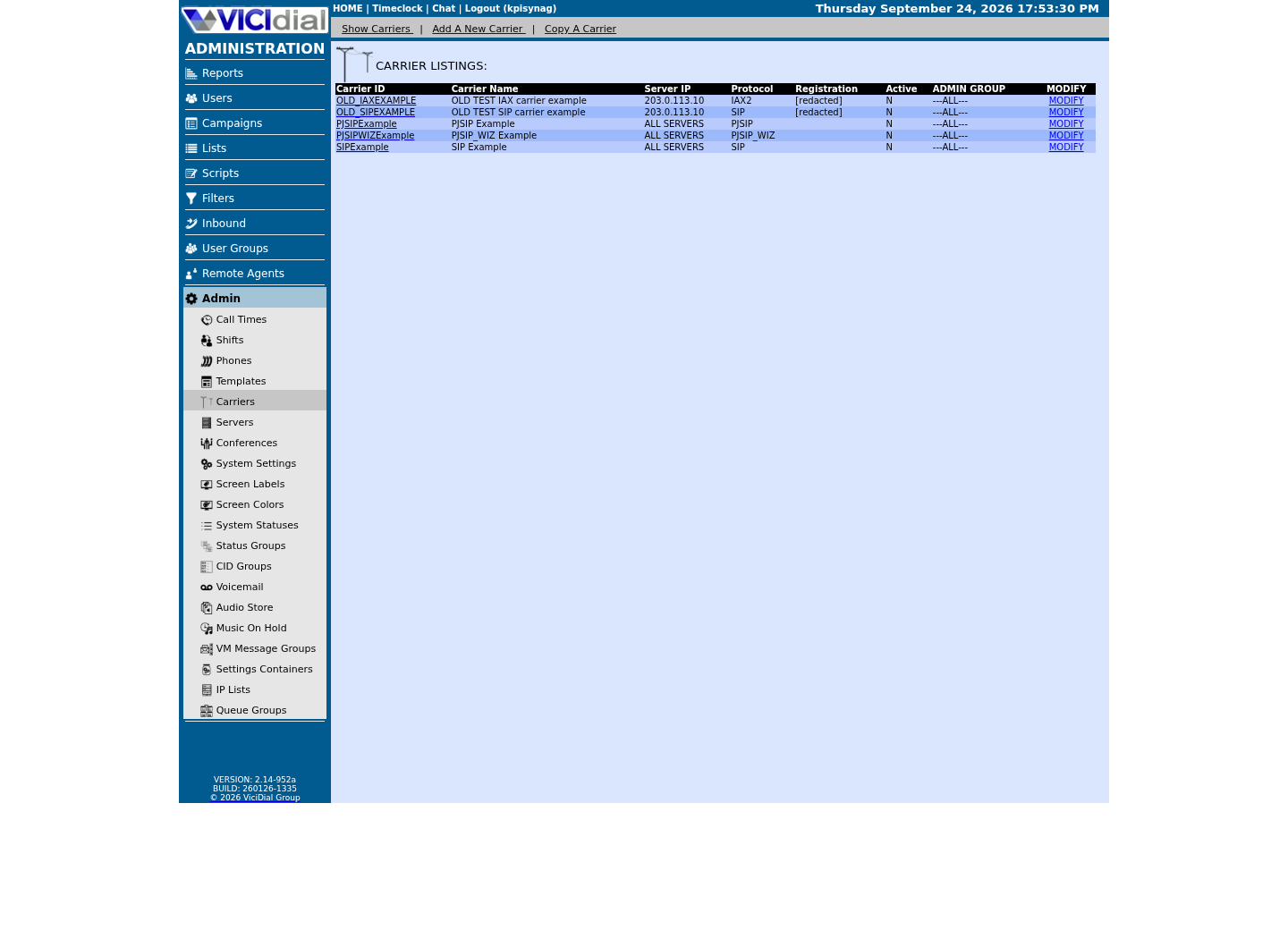
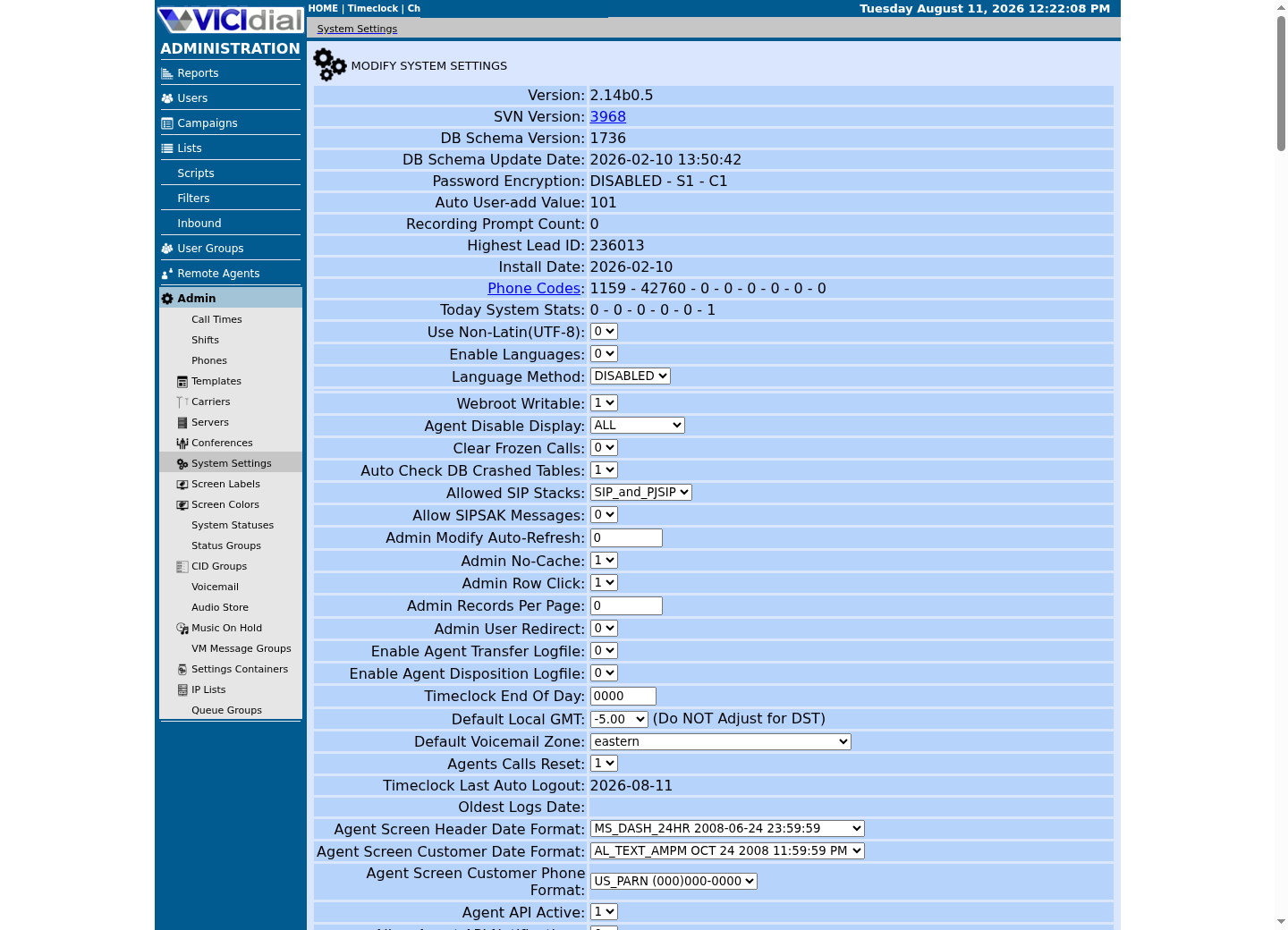
Follow three real demo screens
Captured on an isolated VICIdial demo: Administration screens on September 24, 2026, and the idle Agent screen on August 11, 2026. Each caption states its own capture time, and every sanitized image helps you recognize a related screen; none proves that this article's call, command, or result occurred.Find carrier administration
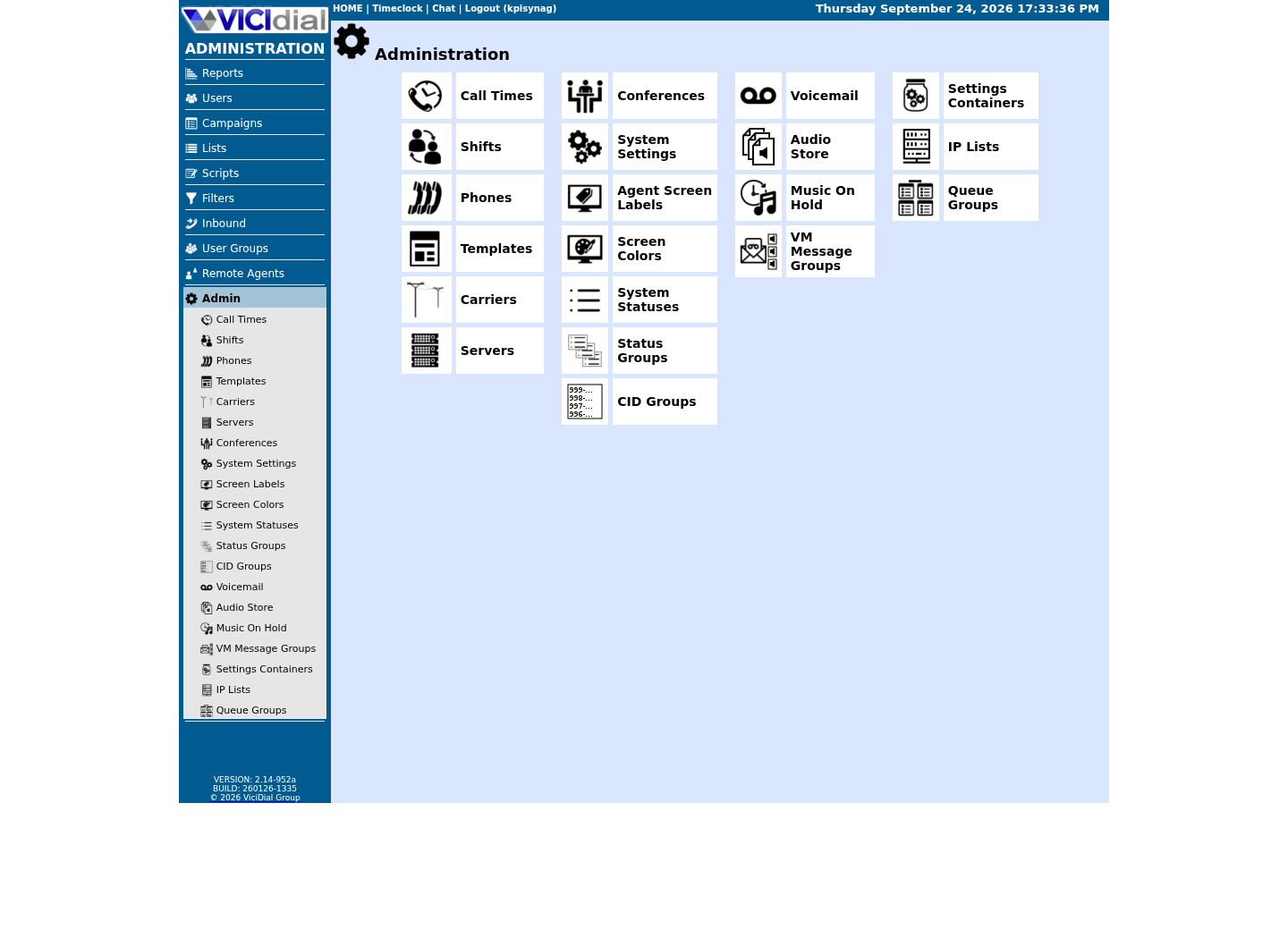
Open Carrier Listings
Check the allowed SIP-stack setting
extensions.conf: Contexts, Extensions, and Priorities
`/etc/asterisk/extensions.conf` is the main Asterisk dialplan file. Asterisk's pbx_config module loads it at startup, and again on a dialplan reload, and builds an in-memory tree of every context, extension, and priority it finds. Everything a caller experiences — being answered, hearing a menu, reaching an agent, getting recorded, being hung up — is Asterisk walking that tree for one channel.
A context is a named, isolated bucket of extensions, written as a name in square brackets like `[vicidial-auto-external]`. Contexts exist for access control as much as organization: a channel can only reach the extensions in the context it was handed at answer time, plus anything it explicitly includes, so an inbound carrier trunk and an agent phone are normally placed in different contexts on purpose, to stop one from accidentally dialing the other's rules.
An extension is one `exten =>` line, matched against the digits a channel is dialing, or a special name such as `s` for start, and a priority is a single numbered step inside that extension. Priorities run in order, one first, and each one calls exactly one Asterisk application — `NoOp()`, `Answer()`, `Dial()`, `Hangup()`, and so on. Writing out two, three, four by hand is tedious and error-prone, so `same => n` exists to mean the next priority in the same extension without repeating its name or number — but it is a style choice, not a rule every generated line follows, as the next example shows.
The block below is VICIdial's own shipped example Dialplan Entry for a PJSIP carrier, verbatim from the PJSIP support document. It is a complete, working extension: one context implied by where the carrier's dialplan_entry text is concatenated (the next section explains exactly where that happens), one exten pattern, and three priorities. `_91NXXNXXXXXX` and `PJSIPCARRIER` are the vendor's own example dial pattern and carrier name in that document, not placeholders for you to fill in — a real carrier's saved entry uses whatever dial pattern and carrier name you actually configured.
exten => _91NXXNXXXXXX,1,AGI(agi://127.0.0.1:4577/call_log)exten => _91NXXNXXXXXX,n,Dial(PJSIP/${EXTEN:1}@PJSIPCARRIER,${CAMPDTO},To)exten => _91NXXNXXXXXX,n,Hangup()This sample is a template or reading aid, not a terminal command. There is no output to show.
- Before you run it
- Compare this against a live system: run `asterisk -rx 'dialplan show vicidial-auto-external'` (the next section's sample) on any VICIdial server with at least one active carrier configured under Admin → Carriers.
- Success looks like
- Real output keeps the same three-priority shape — an AGI call-logging hook first, then Dial(PJSIP/...) or Dial(SIP/...) using the campaign's own dial timeout, then Hangup — with your own dial pattern and carrier name in place of _91NXXNXXXXXX and PJSIPCARRIER.
- Stop if
- If the context does not exist yet on your server, no carrier has been generated there — check `servers.rebuild_conf_files` and the generation step in the next section before assuming the carrier itself is broken.
How extensions-vicidial.conf Gets Built
VICIdial keeps carrier and dialplan configuration in MariaDB, not in a text file an admin edits directly. The vicidial_server_carriers table has a dialplan_entry column that holds exactly the dialplan text shown in the previous section, one row per carrier, and an account_entry column holding the matching PJSIP or SIP account stanza.
When an admin saves a carrier, or servers.rebuild_conf_files otherwise flips to Y, VICIdial's own generator — ADMIN_keepalive_ALL.pl on a running system — reads every active carrier row for that server, concatenates their dialplan_entry values, and writes the result to /etc/asterisk/extensions-vicidial.conf. It performs the equivalent work for PJSIP accounts into /etc/asterisk/pjsip-vicidial.conf, clears rebuild_conf_files back to N, and reloads the PJSIP and dialplan modules in Asterisk. Each carrier's own dialplan_entry text is a complete exten block for the shared vicidial-auto-external context, so the generator's job is concatenation, one block per active carrier; this article cannot verify any stronger ordering guarantee than that from the shipped docs alone, so confirm on your own server with the dialplan show sample below rather than assuming a specific carrier order.
A fresh install pre-creates one empty placeholder file for each piece VICIdial can generate: extensions-vicidial.conf, sip-vicidial.conf, iax-vicidial.conf, pjsip-vicidial.conf, pjsip_wizard-vicidial.conf, voicemail-vicidial.conf, meetme-vicidial.conf, and musiconhold-vicidial.conf. Asterisk's own stock files pull these in through plain #include directives — confirmed directly for PJSIP, where /etc/asterisk/pjsip.conf ends with an #include line for pjsip-vicidial.conf, and /etc/asterisk/pjsip_wizard.conf is nothing but an #include of pjsip_wizard-vicidial.conf. extensions.conf follows the same include pattern from VICIdial's own install process; confirm it on your own box by running grep vicidial /etc/asterisk/extensions.conf.
SELECT carrier_id, protocol, server_ip, activeFROM vicidial_server_carriersWHERE carrier_id = '<CARRIER_ID>'; SELECT server_ip, active, generate_vicidial_conf, rebuild_conf_filesFROM servers;Captured demo response · 2026-09-23 21:35 UTC. The displayed command is the command that ran; a safe subset label means it was filtered, redacted, or fixture-scoped. Replays only after you select Replay transcript.
- Before you run it
- Look up a real carrier_id under Admin → Carriers first, then run these two SELECT statements through your read-only database account, for example inside a `mysql --defaults-extra-file=/etc/vicidial-readonly.cnf` interactive shell.
- Success looks like
- The first query confirms whether <CARRIER_ID> is active and which protocol and server it is tied to; the second shows rebuild_conf_files sitting at N, meaning the generator already caught up with the last saved change.
- Stop if
- If rebuild_conf_files is stuck on Y for more than a minute or two after a save, the generator has not run — check that ADMIN_keepalive_ALL.pl, or the equivalent VICIdial keepalive process, is actually running on that server.
Dialing Out: How a Call String Leaves Through vicidial-auto-external
Outbound calls in VICIdial, whether an agent dials manually or the predictive or ratio engine dials automatically, never call a carrier directly from PHP or Perl. manager_send.php, or an automatic dialer such as AST_VDauto_dial.pl, inserts a command row into the vicidial_manager table; AST_manager_send.pl claims that row and sends the actual Asterisk Manager Interface Originate action. Only Asterisk itself ever places the call.
That AMI Originate targets a Local channel into the default context. The default context begins with include => vicidial-auto, and vicidial-auto in turn includes vicidial-auto-internal, vicidial-auto-phones, and vicidial-auto-external, in that order — VICIdial's own generator, ADMIN_keepalive_ALL.pl, adds vicidial-auto-server-custom and vicidial-auto-system-setting-custom after those three only when a Server's or a System Setting's own Custom Dialplan Entry field is actually filled in.
Once a dialed string lands in vicidial-auto-external, the extension there runs an AGI call-logging hook first — removing it silently stops outbound call logging for that route — then Dial(PJSIP/${EXTEN:1}@carrier_id,${CAMPDTO},To), using the carrier or trunk name from vicidial_server_carriers and the campaign's own dial timeout rather than a fixed number of seconds.
That include order has a real consequence: because vicidial-auto-external comes before the two custom contexts, a carrier's own dial pattern wins over a custom dialplan entry for the same digits, not the other way around. `asterisk -rx 'dialplan show <DIGITS>@default'` shows which of these included contexts a given dial string would actually match on your server; `asterisk -rx 'dialplan show vicidial-auto-external'` shows every carrier's own route in isolation, the same carrier concatenation the previous section describes, without the rest of the vicidial-auto chain around it.
asterisk -rx 'dialplan show vicidial-auto'Captured demo response · 2026-09-23 21:35 UTC. The displayed command is the command that ran; a safe subset label means it was filtered, redacted, or fixture-scoped. Replays only after you select Replay transcript.
- Before you run it
- Run this on a VICIdial server; vicidial-auto is the context the default context includes for every outbound call, whether or not a carrier is active yet.
- Success looks like
- Output shows vicidial-auto's own include list — vicidial-auto-internal, vicidial-auto-phones, and vicidial-auto-external in that order, plus vicidial-auto-server-custom and vicidial-auto-system-setting-custom if either Custom Dialplan Entry field is set — followed by every extension each included context actually defines.
- Stop if
- A response of `No such context` would be unexpected on a stock install; treat it as a sign this server's dialplan generation is broken, not a normal empty state.
Why a Local Channel Sits Between the Agent and the Carrier
A Local channel is a pair of virtual channels Asterisk bridges to each other internally; nothing external ever touches them directly. Asterisk names each half like Local/<extension>@<context>-<uniqueid>;1 and ;2, so whatever runs on one half stays invisible to the trunk or phone on the other side. VICIdial uses this in two different, real places in its dialplan.
First, a phone provisioned with protocol=EXTERNAL in VICIdial's phones table is not a real SIP device at all: it maps straight to Local/<dialplan_number>@<ext_context>. That lets a script, an API integration, or a remote-agent station join an agent conference without ever registering a phone.
Second, in predictive and ratio auto-dialing, the AMI Originate itself targets a Local channel into the default context rather than the carrier trunk directly. Once the far end answers, a small local-optimizer piece of dialplan hands the call to agi-VDAD_local_optimize.agi, which decides whether a live person is actually on the line, then issues a vicidial_manager Redirect to move the surviving leg into the outbound AGI extension that finally joins a waiting agent's conference. The Local channel exists so VICIdial can commit to dialing the carrier before it knows whether an agent conference should be involved at all.
That is also why Redirect shows up so often next to Originate in VICIdial's AMI action list: a Local channel gives the manager daemons a safe place to move a call between contexts mid-flight, instead of hanging up one channel and originating a fresh one.
grep -n '#include' /etc/asterisk/extensions.conf /etc/asterisk/pjsip.conf /etc/asterisk/pjsip_wizard.confCaptured demo response · 2026-09-23 21:35 UTC. The displayed command is the command that ran; a safe subset label means it was filtered, redacted, or fixture-scoped. Replays only after you select Replay transcript.
- Before you run it
- Run this on the VICIdial server whose dialplan you are reading; it only reads three stock Asterisk config files.
- Success looks like
- pjsip.conf and pjsip_wizard.conf each show an #include line pulling in their VICIdial-generated companion (pjsip-vicidial.conf and pjsip_wizard-vicidial.conf); extensions.conf shows the equivalent include for extensions-vicidial.conf if this install follows the same pattern.
- Stop if
- No matching #include line in extensions.conf means this server generates its dialplan differently than the pattern described here — treat that as a fact about this install, not a broken generator.
Where AMD and call recording hook into the dialplan
Answering Machine Detection, usually called AMD, runs on the outbound leg right after it answers and before an agent is ever involved, using Asterisk's own app_amd module. On this build, extension 8369 in extensions.conf shows the real sequence: AGI(agi://127.0.0.1:4577/call_log), Playback(sip-silence), AMD(2000,2000,1000,5000,120,50,4,256), AGI(VD_amd.agi,${EXTEN}), AGI(agi-VDAD_ALL_outbound.agi,...), Hangup(). VD_amd.agi reads the AMD() result and decides whether to connect a person to an agent, drop the call, or route it to a machine-message path, depending on campaign settings, before agi-VDAD_ALL_outbound.agi continues the call.
Agent-screen recording is a separate mechanism, and not the one a generic Asterisk dialplan tutorial would lead you to expect: stock VICIdial does not use MixMonitor() here. Clicking Record on the agent screen calls agc/manager_send.php with action MonitorConf, which writes a recording_log row, then queues an AMI Originate into the campaign's own Recording Extension — campaign_rec_exten, 8309 by default. On this build's extension 8309, the dialplan is exactly Answer(), Monitor(wav,${CALLERID(name)}), Wait(3600), Hangup() — Asterisk's older Monitor() application, not MixMonitor(). res_monitor is loaded but marked deprecated upstream; VICIdial still ships against it. Extension 8310 is the same shape, recorded to gsm instead of wav.
Monitor() writes separate -in and -out files rather than one mixed file, which is exactly why a join step exists. On this build, root's own crontab runs AST_CRON_audio_1_move_mix.pl --MIX and AST_CRON_audio_1_move_VDonly.pl every 3 minutes, and AST_CRON_audio_2_compress.pl --MP3 every 3 minutes offset by one, so joining and MP3 compression each run on their own 3-minute cycle. Only once that pipeline finishes does recording_log.location in MariaDB point at a real, retrievable file; a row with an end time and a positive duration is not proof a recording exists yet — confirm the exact worker names on your own install rather than assuming this article's description matches your revision.
StopMonitorConf, the counterpart action, writes recording_log's end_time and length, then queues an AMI Hangup of that one recording leg specifically — it does not touch the live customer or agent channels. manager_send.php also defines Monitor, MonitorStereo, StopMonitor, StopMonitorStereo, and MuteRecording actions for the same recording-control family, and AST_manager_send.pl turns whichever one fires into the matching AMI action, never a second, competing sender.
asterisk -rx 'dialplan show 8309@default'Captured demo response · 2026-09-23 21:35 UTC. The displayed command is the command that ran; a safe subset label means it was filtered, redacted, or fixture-scoped. Replays only after you select Replay transcript.
- Before you run it
- 8309 is the default campaign_rec_exten VICIdial ships; confirm your own campaigns' Recording Extension setting on the campaign detail screen before assuming every campaign on your server uses 8309.
- Success looks like
- Output shows Answer(), Monitor(wav,${CALLERID(name)}), Wait(3600), Hangup() — VICIdial's real, stock agent-recording route, using Asterisk's older Monitor() application rather than MixMonitor().
- Stop if
- A different extension number, or a missing context, means this server's campaigns use a non-default Recording Extension — check the campaign detail screen for the real value before assuming recording is broken.
Inbound: How a DID Finds an Agent
Inbound routing starts before Asterisk even runs a dialplan: a carrier delivers the call into whatever context you assigned that trunk or DID to in Admin → Carriers or Inbound → DIDs, exactly the same context mechanism from earlier in this article, just used as a security boundary between untrusted inbound trunks and everything else.
From there VICIdial's own AGI family takes over. agi-DID_route.agi, backed by call_inbound.agi and related inbound AGIs, looks up the dialed DID, applies call-time and holiday schedules, and decides where the call goes next: a call menu, an in-group queue, a specific extension, or voicemail.
A call menu is driven by cm.agi and its cm_* family of AGI scripts, which play prompts, collect DTMF, and branch into another menu, an in-group, an extension, a lookup, or a hangup, entirely from data an admin enters on the call-menu screens rather than from separately hand-written dialplan.
An in-group is VICIdial's queue: it holds waiting calls, tracks priority and overflow rules, and becomes visible to any agent who has registered for it through the regCLOSER action on the Agent screen. A blended or inbound-manual agent effectively joins a queue the same in-group AGIs feed calls into, which is why the same conference and Local-channel machinery from earlier sections applies to inbound calls reaching an agent, not only outbound ones.
- The carrier or trunk is pointed at the context you expect under Admin → Carriers
- The DID exists and is mapped to the right in-group or call menu under Inbound → DIDs
- Call times and holidays for that in-group allow calls right now
- At least one agent is registered for the in-group, via regCLOSER, if it should ring an agent
Evidence ledger
Verification basis
- vicidial-auto-external is a fixed, literal context name written by VICIdial's own carrier-provisioning code, not a placeholder chosen per install.
- The account_entry and dialplan_entry columns on vicidial_server_carriers hold the literal PJSIP account stanza and dialplan fragment VICIdial writes for each carrier.
- pjsip.conf and pjsip_wizard.conf were directly confirmed to load their VICIdial-generated companions through #include directives.
- ADMIN_keepalive_ALL.pl was directly observed clearing servers.rebuild_conf_files after regenerating PJSIP and dialplan configuration.
- Agent-screen recording was directly confirmed, on a real ViciBox 12 build, to run through agc/manager_send.php's MonitorConf action and Asterisk's older Monitor() application at the campaign's own Recording Extension (campaign_rec_exten, 8309 by default) — not MixMonitor(), which a generic Asterisk dialplan tutorial would otherwise suggest.
- protocol=EXTERNAL phones were directly confirmed to map to a Local/<dialplan_number>@<context> channel rather than a real SIP registration; the Non-Agent API's own add_phone/update_phone functions list EXTERNAL as one of exactly four valid protocol values, alongside IAX2, SIP and Zap.
Primary references
Sources
- PJSIP support (official VICIdial documentation)VICIdial.org · accessed August 5, 2026
- VICIdial wikiVICIdial Wiki · accessed August 5, 2026
- Official Non-Agent API (NON-AGENT_API.txt)VICIdial Group · accessed September 23, 2026