Reader setup
Before you start
Run each step in order and move only when the outcome is confirmed.
- A VICIdial installation with one carrier already configured, activated, and proven with a real completed call.
- Root or Admin access to add a second carrier, plus read-only access to the Asterisk command-line interface (CLI) and the database through /etc/vicidial-readonly.cnf (see vicidial-read-only-database-account if you do not have one yet).
- Your second provider's own trunk paperwork: host or IP, port, authentication model, codecs, and channel count, gathered the same way you gathered the first carrier's facts.
- What you will prove
- Two carriers active and reachable at the same time, at least one campaign deliberately pointed at each through its dial prefix, and a timed, repeatable way to move a campaign's traffic off a dead carrier and back again.
- Safety boundary
- Never paste a real SIP username, secret, or registration string into a ticket, chat log, or these examples; a leaked SIP credential converts directly into toll fraud, calls placed on your account by someone else. Rehearse the cutover on a low-risk campaign before an outage forces you to do it for the first time.
Reader path
How to use this article
- Use it when: You need a fixed sequence to make a deployment or configuration change now.
- Expected result: Follow each step and verify the outcome before changing the next layer.
- Start here: Start at the first section and complete every checkpoint before moving to the next.
01 / 07
One Carrier Is a Single Point of Failure
Fast answer: build a second carrier the same way you built the first, keep both active and registered at the same time, and give each campaign a deliberate, documented choice of which one its dial prefix reaches. When the first carrier stops answering, nothing inside VICIdial notices or reroutes on its own; you detect the failure from the same logs and Asterisk checks you already have, then move a campaign's dial prefix to the carrier that is still working.
In plain language: a carrier is the outside phone company your calls actually leave through, the way a shipping company carries a package the last mile. A trunk is the specific connection configured between your VICIdial server and one carrier, the pipe the calls travel through. A DID, or Direct Inward Dialing number, is a phone number a carrier assigns you so outside callers can reach your system. A channel is one simultaneous call path a trunk allows; a trunk licensed for twenty channels can carry twenty calls at once and no more. A campaign is one calling project: which leads get dialed, by which agents, under which settings. An agent is the person logged into VICIdial's agent screen handling the call. The dial level, also called the dial ratio, is how many calls VICIdial places for every agent who is free to take one; it decides how fast a campaign consumes whatever channels its carrier makes available.
Every carrier in this article speaks Session Initiation Protocol (SIP), the signaling language that sets up, manages, and tears down a call, using PJSIP, the specific SIP implementation Asterisk, the open-source telephony engine underneath VICIdial, uses today. Once a call is set up, the audio itself travels as Real-time Transport Protocol (RTP), a separate stream from the signaling. A single dead carrier can take down every one of those RTP streams for every campaign that reaches it, while a campaign wired to a second, healthy carrier keeps dialing without noticing anything happened.
- One VICIdial install with one carrier already proven working; this article adds a second.
- A distinct second provider, or a second trunk from the same provider, with its own address and its own channel count.
- A willingness to test the cutover before an outage, not during one.
Visual walkthrough
Follow three real demo screens
Captured on an isolated VICIdial demo: Administration screens on September 24, 2026, and the idle Agent screen on August 11, 2026. Each caption states its own capture time, and every sanitized image helps you recognize a related screen; none proves that this article's call, command, or result occurred.Find carrier administration
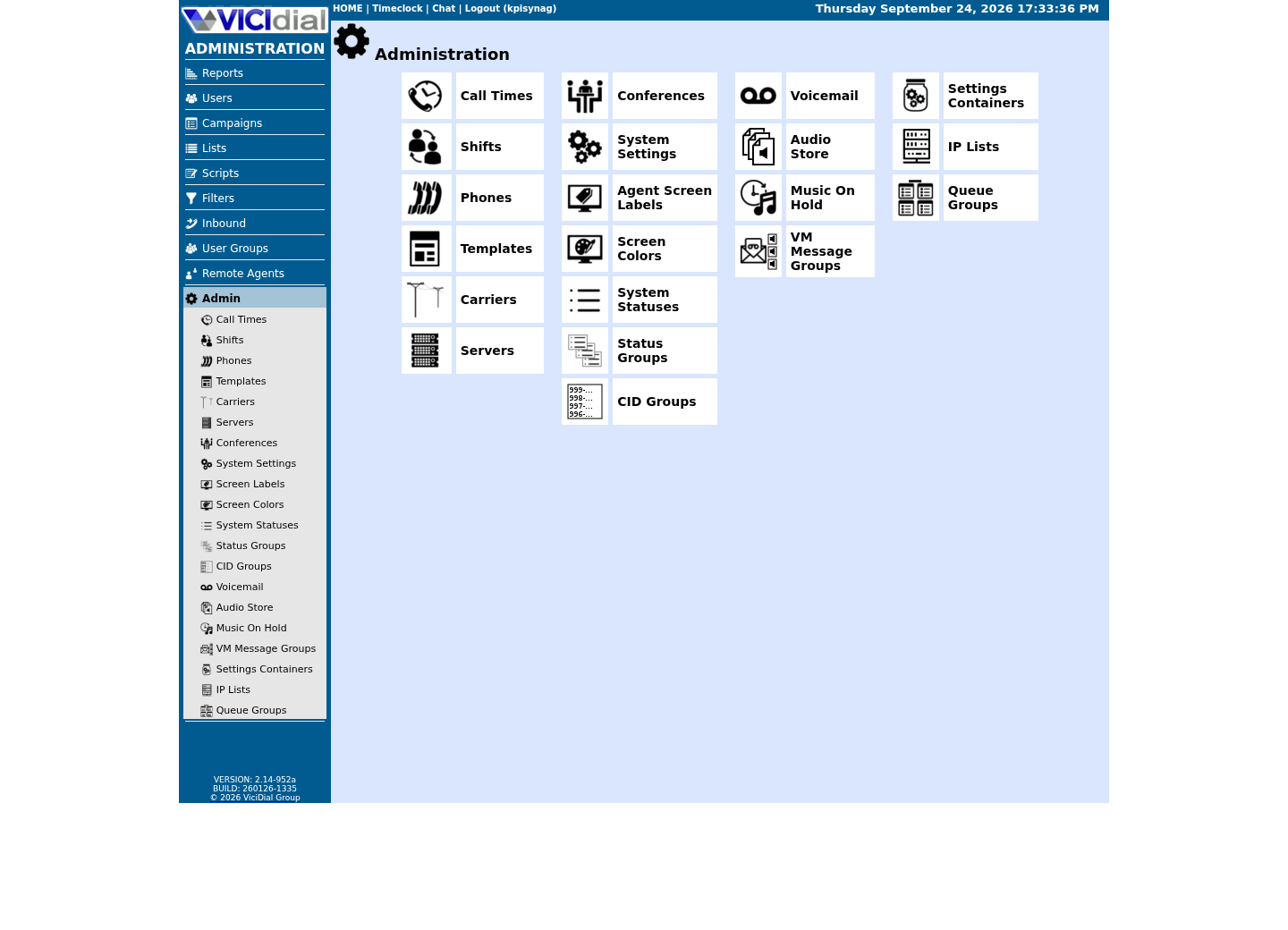
Open Carrier Listings
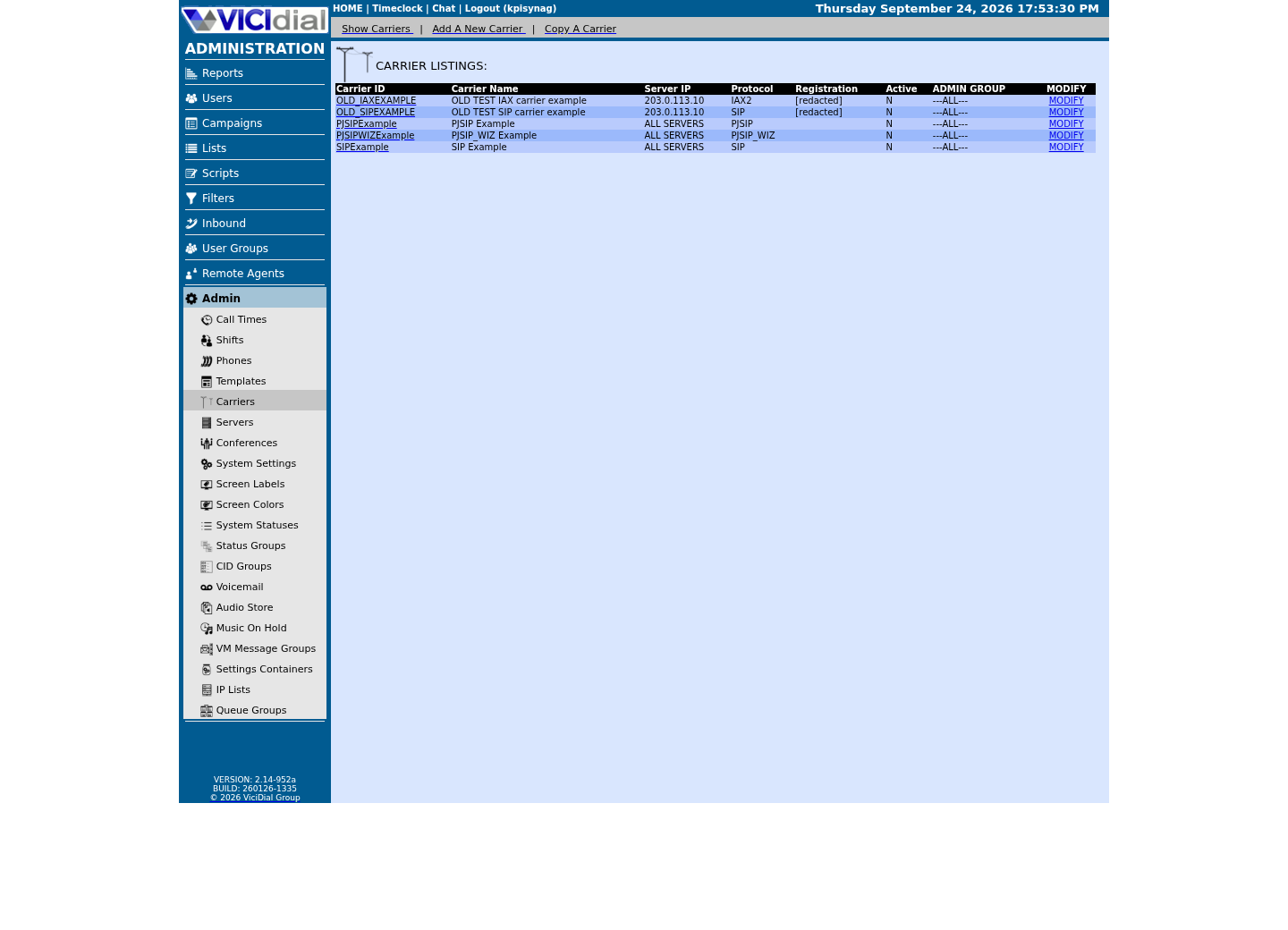
Check the allowed SIP-stack setting
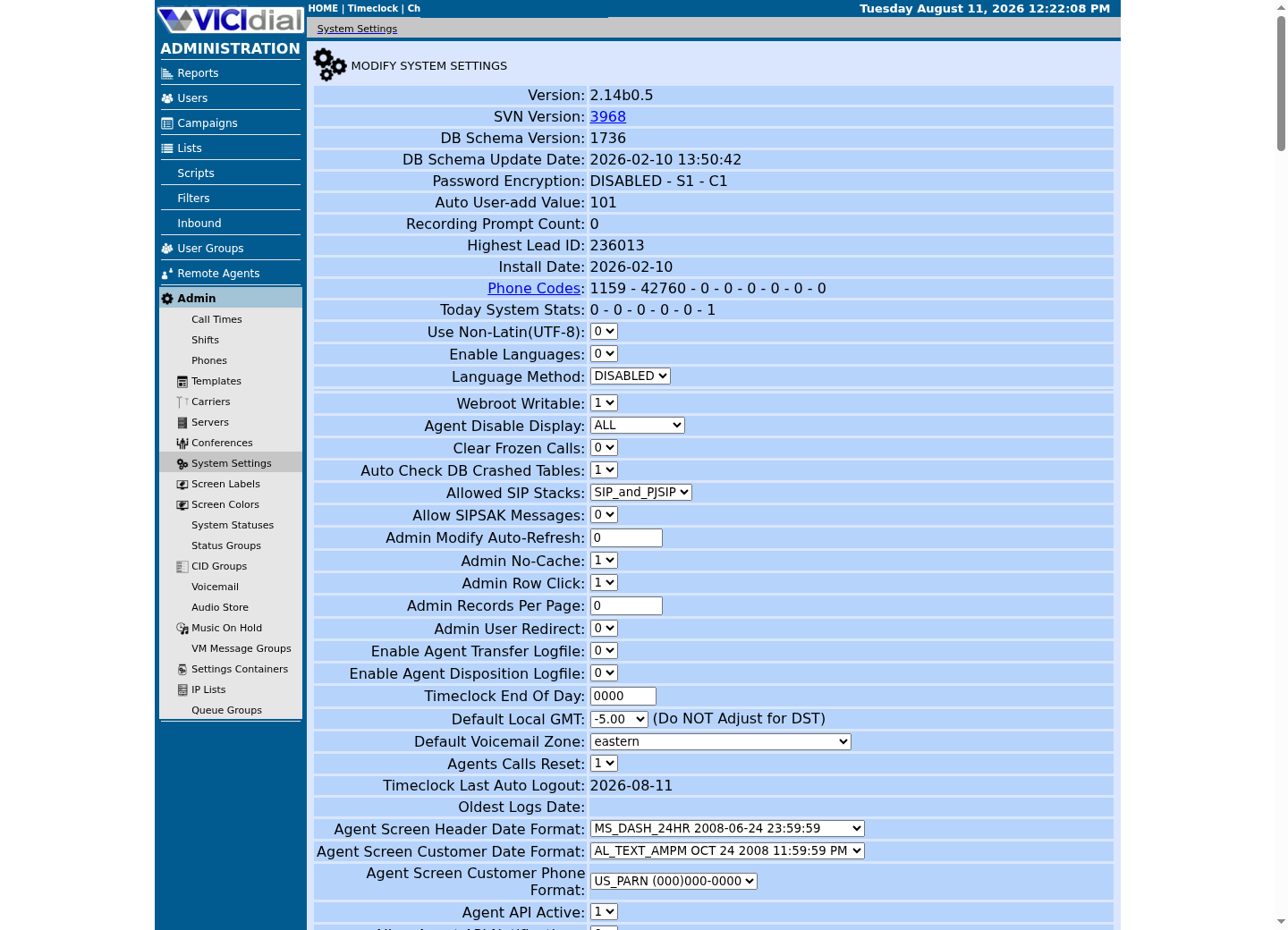
02 / 07
How VICIdial Stores Carriers and Builds Asterisk's Configuration
VICIdial keeps every carrier as one row in its own database table, historically named vicidial_server_carriers, never as a file you hand-edit on the server. Its columns read close to the Admin form: carrier_id, carrier_name, protocol (SIP, PJSIP, PJSIP_WIZ, Zap, IAX2, or EXTERNAL), registration_string for a trunk that registers, account_entry holding the raw endpoint and address-of-record text for a trunk that does not, dialplan_entry holding the raw dial plan text that routes a call to that specific endpoint, server_ip naming the one Asterisk box that should use this carrier, or a special all-servers value for every server in the cluster, and active, Y or N.
Saving a carrier in Admin marks that server's rebuild_conf_files flag Y on the servers table. A continuously running VICIdial process notices the flag, regenerates the PJSIP and dial plan configuration files by concatenating every active carrier's account_entry and dialplan_entry, in carrier order, clears the flag, and reloads Asterisk, ordinarily within seconds. You should never need to sign in over SSH and hand-edit the generated include file; it will not survive the next regeneration anyway.
One detail catches people building a second carrier for the first time: a freshly added carrier row saves as inactive no matter what you picked on the add screen. The Active column only becomes editable once you reopen the row to modify it. That is a reasonable default for a single new carrier you are still testing, but it changes how you should think about a backup carrier meant for failover: you do not want to be flipping Active from N to Y, waiting for a rebuild and a reload, during the same minute agents are already sitting idle. Prove the backup, then leave it active and registered permanently, well before you need it.
- Treat vicidial_server_carriers as the only source of truth; never hand-edit generated Asterisk files.
- Remember a new carrier row always saves inactive; modifying it is a separate, deliberate step.
- Keep a backup carrier active and registered continuously, not toggled on only during an incident.
SELECT carrier_id, carrier_name, protocol, activeFROM vicidial_server_carriersWHERE carrier_id = '<CARRIER_ID>';Captured demo response · 2026-09-24 22:25 UTC. The displayed command is the command that ran; a safe subset label means it was filtered, redacted, or fixture-scoped. Replays only after you select Replay transcript.
- Before you run it
- Run this through your read-only database client for each carrier you want to confirm, replacing <CARRIER_ID> with the one you are checking.
- Success looks like
- The carrier appears with protocol PJSIP and active set to Y.
- Stop if
- Stop and reopen Admin if the row is missing or still shows active as N.
03 / 07
The Dial Prefix, Not a Carrier Field on the Campaign, Decides the Route
A campaign has no field that names a carrier directly. Instead, its Dial Prefix setting, digits VICIdial glues onto the front of a lead's phone number before dialing, has to agree with the exact pattern written into a carrier's dialplan_entry, the way 9 in front of a number has long meant grab an outside line on an office phone system. Admin's own hint text for the field spells this out: for a number that should be dialed as 91NXXNXXXXXX, the Dial Prefix value is 9; to send the number with no prefix at all, the value is a single letter X.
That makes the Dial Prefix a switch as much as a formatting rule. Wire carrier A's dialplan_entry to the pattern that follows a 9, and carrier B's to the pattern that follows an 8, and a campaign's entire outbound route is decided by one column: dial_prefix equal to 9 reaches carrier A, dial_prefix equal to 8 reaches carrier B. Changing that column is not a carrier change at all; it never touches vicidial_server_carriers, never sets rebuild_conf_files, and never asks Asterisk to reload anything. The dialer simply prepends whatever digits the campaign currently holds on its next call.
Lists carry their own Dial Prefix Override field, letting you move one list to the second carrier without touching the rest of the campaign, useful when only part of a campaign's traffic needs to move. Whichever level you change it at, that field is edited in Admin, the same interface that owns the carrier rows; nothing here is a raw database write.
- Confirm which dialplan pattern each carrier's dialplan_entry actually matches before setting any Dial Prefix.
- Treat Dial Prefix as the carrier switch it functionally is, not just a formatting field.
- Use a list's Dial Prefix Override for a narrower move than a whole campaign.
SELECT campaign_id, campaign_name, dial_prefix, activeFROM vicidial_campaignsWHERE campaign_id = '<CAMPAIGN_ID>';Captured demo response · 2026-09-24 22:25 UTC. The displayed command is the command that ran; a safe subset label means it was filtered, redacted, or fixture-scoped. Replays only after you select Replay transcript.
- Before you run it
- Run this through your read-only client before and after any Dial Prefix change; replace <CAMPAIGN_ID> with the real campaign_id.
- Success looks like
- dial_prefix shows the value you expect for the carrier that campaign should currently be using.
- Stop if
- Stop and recheck Admin if dial_prefix still shows the old value after a save, or if it matches neither carrier's dialplan pattern.
04 / 07
Step 1 — Build a Second Carrier and Leave It Active
Gather the second provider's facts the same way you gathered the first: exact host or IP and port, authentication model, allowed codecs, DTMF (Dual-Tone Multi-Frequency, the touch-tone digits a caller presses) signaling method, caller ID rules, and channel count. Then open Admin, Carriers, and add a new row with a Carrier ID distinct from your first carrier, Protocol set to PJSIP, and, for an IP-authenticated trunk, an Account Entry containing an address-of-record object, an identify object matching the provider's exact signaling address, the documentation-only address 198.51.100.20 stands in for it here, distinct from your first carrier's own peer address, for example 203.0.113.10, and an endpoint object naming the agreed codec and DTMF mode.
Give this carrier its own Dialplan Entry, an exact pattern distinct from your first carrier's, for example one that matches after an 8 where the first carrier's pattern matches after a 9. Save the row, reopen it, and set Active to Y once you have confirmed the account details. Reload happens automatically; you are only waiting on the same rebuild-and-reload cycle described earlier, and you want to finish that wait now, not during an incident.
Adding this peer also changes what your firewall needs to admit. On this build, firewalld's external zone only accepts connections from sources in the ViciWhite IP List (Admin → IP Lists), which VB-firewall loads into its whiteips ipset at boot and on demand — never run firewall-cmd --reload afterward, since a plain reload clears those runtime-loaded ipsets until VB-firewall runs again. Confirm your own PJSIP port first — vicidial-add-sip-carrier shows how with pjsip show transports — before assuming it needs a firewall entry at all: the stock firewalld asterisk service on this build opens 5060/udp, 4569/udp and 8089/tcp, and does not include 5061/udp, so a PJSIP transport bound to a port outside that service definition may need its own address-scoped rule for the new peer, alongside whatever your first carrier already has. Nothing about the broad ranges changes: on our ViciBox 12 lab, /etc/asterisk/rtp.conf reads rtpstart=10000 and rtpend=20000, matching the rtp service's own 10000-20000/udp definition — confirm both agree on yours before relying on the range.
- Give the second carrier its own Carrier ID, its own Account Entry, and its own exact dialplan pattern.
- Confirm your PJSIP port and add the new peer's address to your firewall's allowlist (Admin → IP Lists → ViciWhite on this build) — never a wider rule than that one peer needs.
- Leave the second carrier active and registered from now on, not toggled only during an incident.
asterisk -rx 'pjsip show endpoint <CARRIER_ID>'asterisk -rx 'pjsip show endpoint <BACKUP_CARRIER_ID>'asterisk -rx 'pjsip show contacts' | grep -E '<CARRIER_ID>|<BACKUP_CARRIER_ID>'if firewall-cmd --state >/dev/null 2>&1; then firewall-cmd --zone=external --list-services firewall-cmd --info-service=asteriskelif command -v VB-firewall >/dev/null 2>&1; then echo "VB-firewall detected - see 'VB-firewall --help'; it loads the external zone's whitelist at runtime and has no status subcommand of its own"elif command -v ufw >/dev/null 2>&1; then ufw statuselse iptables -L -nfiCaptured demo response · 2026-09-24 22:25 UTC. The displayed command is the command that ran; a safe subset label means it was filtered, redacted, or fixture-scoped. Replays only after you select Replay transcript.
- Before you run it
- Run these after both carriers are active; replace <CARRIER_ID> and <BACKUP_CARRIER_ID> with your real carrier_id values.
- Success looks like
- Both endpoints exist, both contacts show Avail, and the firewall check confirms this build's backend and which services the external zone currently admits — cross-check the new peer's signaling address against your own IP allowlist (the ViciWhite IP List on this build) rather than assuming one specific port is open.
- Stop if
- An endpoint that reports 'Unable to find object' is normal for a carrier that is still inactive or has not been created yet — VICIdial's generator only writes active carriers into the live PJSIP config, so an inactive or absent row simply will not appear there. Stop before pointing any campaign at the new carrier only once you believe it should already be active and it still shows missing, its contact stays Unavail, or you cannot confirm the new peer's address is actually allowed through your firewall's allowlist.
05 / 07
Step 2 — Detect a Carrier Failure Before Agents Notice
PJSIP already checks whether a carrier is reachable on its own: the account entry's qualify_frequency setting sends a periodic OPTIONS ping, and a peer that stops responding flips from Avail to Unavail in Asterisk's own contact list. That alone does not stop VICIdial from continuing to originate calls into a dead endpoint; every one of those originations still fails, the autodialer keeps trying, and every agent on a campaign wired to that carrier stops connecting to a lead even though nothing in the campaign itself looks paused.
vicidial_carrier_log records one row per call attempt: dial_time, answered_time, dialstatus, sip_hangup_cause, and sip_hangup_reason, with the channel column carrying the carrier_id in its own name, because the PJSIP endpoint name is the carrier_id you chose. Watching recent rows collapse to dialstatus NA, VICIdial's automatic no-answer classification that folds in a range of carrier-side outcomes, with answered_time at zero across many calls in the same short window, is the clearest sign of a dead carrier rather than a slow one. Admin's own Carrier Log Report and SIP Event Report read the same underlying tables if you would rather start there.
Check both sides before you act: a contact stuck Unavail across several qualify intervals in a row is corroborating evidence, not the whole story, because a carrier can answer the OPTIONS ping and still fail every real call, from an exhausted channel count to a suspended account. Neither signal alone should trigger a cutover on its own; look for both together.
- Watch PJSIP contact status and vicidial_carrier_log together, not either alone.
- Look for dialstatus NA with zero answered_time clustering in a short window.
- Confirm the failure on more than one qualify interval before treating it as real.
asterisk -rx 'pjsip show contacts' | grep '<CARRIER_ID>'asterisk -rx 'pjsip show aor <CARRIER_ID>'mysql --defaults-extra-file=/etc/vicidial-readonly.cnf -e "SELECT call_date, channel, dialstatus, sip_hangup_cause FROM vicidial_carrier_log WHERE channel LIKE '%<CARRIER_ID>%' ORDER BY call_date DESC LIMIT 50;"Captured demo response · 2026-09-24 22:25 UTC. The displayed command is the command that ran; a safe subset label means it was filtered, redacted, or fixture-scoped. Replays only after you select Replay transcript.
- Before you run it
- Run this the moment you suspect a carrier problem; replace <CARRIER_ID> with the carrier_id you are worried about.
- Success looks like
- The contact is Avail and recent rows show a normal mix of dialstatus values with nonzero answered_time.
- Stop if
- Treat it as a live failure once the contact stays Unavail and recent rows for that carrier's channel collapse to NA with answered_time at zero. 'Unable to find object' from the aor check is a different, more basic state — it means the carrier is inactive or was never built into the live PJSIP config at all, as Step 1 above already notes; confirm Active in Admin, Carriers before treating that response as today's outage. The carrier-log query can come back with no rows for the same underlying reason: an inactive carrier nothing has ever dialed through leaves nothing in vicidial_carrier_log to find, which is a different, quieter case than the NA collapse a carrier that was recently live but has since died would show.
06 / 07
Step 3 — Fail Traffic Over to the Carrier That Is Still Working
VICIdial has no carrier failover switch. Nothing inside it watches a carrier's health and reroutes a campaign for you; even its least-cost routing hook hands you an AGI (Asterisk Gateway Interface) entry point and leaves the actual carrier, rate, and health logic outside VICIdial's own scope. Whatever fails traffic over here is something you build and run yourself, whether that is you making the change by hand or a script you own watching the exact same signals from Step 2.
The change itself is one screen action, not a database write: open top-level Campaigns, for every campaign wired to the dead carrier's pattern, and change Dial Prefix from the value that matches carrier A to the value that already matches carrier B's live dialplan pattern. Because carrier B has been active and registered since Step 1, nothing about vicidial_server_carriers or the generated PJSIP configuration moves; the dialer reads the new dial_prefix on the very next call it places.
Do this campaign by campaign, or list by list with the narrower Dial Prefix Override, and verify each save individually instead of assuming a change reached every campaign that needed it. A campaign you forgot keeps dialing into the dead carrier with its agents still idle, and nothing will flag that omission for you.
- Change Dial Prefix in Admin, campaign by campaign or list by list; never write vicidial_campaigns by hand.
- Verify every affected campaign individually after the change, not just the first one.
- Remember this is a pattern you built, not a switch VICIdial ships.
SELECT campaign_id, dial_prefixFROM vicidial_campaignsWHERE campaign_id IN ('<CAMPAIGN_ID_1>','<CAMPAIGN_ID_2>','<CAMPAIGN_ID_3>')ORDER BY campaign_id;ViciGeek does not predict command output. This read-only sample has not been captured on the demo yet; run it only in your approved environment and compare the result with the success and stop guidance.
- Before you run it
- Run this through your read-only client immediately after changing Dial Prefix on every affected campaign, replacing the placeholder list with your own affected campaign_id values.
- Success looks like
- Every campaign_id you moved now shows the Dial Prefix value that matches the surviving carrier's dialplan pattern.
- Stop if
- Stop and fix Admin for any campaign that still shows the old value; it is still dialing into the dead carrier.
07 / 07
Troubleshoot the Cutover, Roll Back Cleanly, and Know When to Stop
Troubleshoot a cutover from the surviving carrier's side, not the dead one. After changing Dial Prefix, confirm the very next calls on an affected campaign actually originate on carrier B's contact, using the same asterisk -rx checks from Step 2; a typo in the Dial Prefix value, or a value that matches neither carrier's dialplan pattern, produces its own distinct failure, an immediate invalid-extension hangup rather than a carrier-side no-answer, and is worth ruling out separately from an actual second carrier failure.
If calls still fail after the cutover, treat that as a different, more serious failure: both carriers may share an upstream problem, such as the same internet transit or the same regional PSTN gateway, rather than each carrier being independent the way you assumed when you built this. Confirm carrier B with a real completed call before you trust a whole campaign to it, the same way you proved carrier A when you first configured it.
Roll back once carrier A's contact has held Avail through more than one qualify interval and you have watched a few calls actually complete on it, not just the first flicker back to Avail; then put every campaign's Dial Prefix back and reverify with the exact same read-only query you used to confirm the cutover. Do not rely on memory for which campaigns you changed; that query is your rollback checklist.
Stop dialing altogether, on both carriers, rather than pushing every campaign onto carrier B, if carrier B also cannot sustain a real completed call, or if you cannot say with certainty which campaigns were moved and which still point at the dead route. A campaign silently split between a working and a dead carrier is worse than a paused one: paused agents are visible, and a partially misrouted campaign is not.
- Rule out a Dial Prefix typo before blaming a second carrier failure.
- Confirm rollback with the same read-only query you used to confirm the cutover.
- Stop dialing on both carriers rather than trust a campaign you cannot verify.
Evidence ledger
Verification basis
- Guide source: VICIdial's own database-managed carrier pattern, observed directly in this lab, not benchmarked against a named SVN revision — the same mechanism used for a single carrier, extended here to two carrier rows active on the same server at once.
- Tested mechanism: two IP-authenticated PJSIP carrier rows, distinct carrier_id values and distinct dial plan patterns, were built, activated together, and verified with endpoint, address-of-record, and contact checks on both routes at the same time.
- Firewall model: PJSIP_SUPPORT.txt's activation steps plus this build's own pjsip show transports and firewall-cmd --zone=external --list-services output, not a fixed port list from any installer — a second carrier peer needs its own address added to your allowlist, never a wider rule.
- Boundary: this article builds and proves the routing mechanism for two carriers; it does not certify any named provider's uptime, replace a paging or monitoring stack, or claim VICIdial detects or reroutes around a carrier failure by itself.
Primary references
Sources
- VICIdial PJSIP SupportVICIdial · accessed August 5, 2026
- Configuring res_pjsip (Asterisk PJSIP channel driver)Asterisk · accessed August 5, 2026
- RFC 3261: SIP: Session Initiation ProtocolIETF · accessed August 5, 2026
- RFC 3550: RTP: A Transport Protocol for Real-Time ApplicationsIETF · accessed August 5, 2026