Reader setup
Before you start
Run each step in order and move only when the outcome is confirmed.
- A working PJSIP carrier mechanism already configured and understood - read Connect your first SIP carrier so calls can leave the server first if endpoints, address of records (AORs), and dial plan entries are new to you - and Create a read-only database account for safe VICIdial queries, since Step 3's verification query needs one
- An active Twilio account with Elastic SIP Trunking enabled and permission to create a trunk, a Credential List, and an Origination SIP URI
- Root or Admin access to the VICIdial server, the Asterisk command line, and your cloud provider's firewall or security-group console
- What you will prove
- One active Twilio Elastic SIP Trunk with a database-managed VICIdial carrier row: outbound calls authenticate through a Credential List instead of address alone, inbound calls from Twilio's Origination reach your PJSIP endpoint, and both directions are proven with one completed test call each.
- Safety boundary
- Twilio's own documentation is explicit that an IP access control list alone does not protect a trunk. Treat every Credential List username and secret exactly like a root password: a leaked SIP credential lets a stranger place calls that bill straight to your Twilio account, a pattern called toll fraud, often for an entire weekend before anyone notices.
Reader path
How to use this article
- Use it when: You need a fixed sequence to make a deployment or configuration change now.
- Expected result: Follow each step and verify the outcome before changing the next layer.
- Start here: Start at the first section and complete every checkpoint before moving to the next.
01 / 10
What Twilio adds to a VICIdial install that already works
Fast answer: Twilio Elastic SIP Trunking connects VICIdial to Twilio's network in both directions using ordinary Session Initiation Protocol (SIP), the signaling language phones and trunks use to set up and tear down a call. You create one trunk in the Twilio console, configure Termination so VICIdial can send calls out through Twilio, configure Origination so Twilio can send calls in to VICIdial, add that trunk to VICIdial as a database-managed carrier using the same PJSIP mechanism as any other carrier, open the right ports on the server's own firewall and on your cloud provider's firewall, and prove both directions with one test call each.
This guide assumes you already understand how VICIdial stores a carrier as a database row and generates PJSIP configuration from it. If that mechanism is new, read Connect your first SIP carrier so calls can leave the server first; everything here is only what changes when the carrier on the other end is specifically Twilio.
For plain-language definitions of carrier, trunk, DID and campaign, see VICIdial and VoIP glossary for complete beginners and VICIdial terminology for complete beginners: users, phones, campaigns and leads. Two things are specific to this guide: a channel is one simultaneous call path a trunk allows - Twilio does not hard-license a channel count the way some carriers do, but your own server, campaign pacing, and firewall still cap how many calls can be active at once - and Twilio's trunk splits into a Termination side for calls leaving your server and an Origination side for calls arriving at it, covered step by step below. Neither a campaign nor an agent is configured in this guide; both assume a working carrier already exists.
PJSIP is the modern SIP implementation Asterisk, the open source telephony engine underneath VICIdial, uses to speak to Twilio. RTP (Real-time Transport Protocol) is the protocol that actually carries voice packets once signaling has set the call up, and SRTP (Secure Real-time Transport Protocol) is its encrypted variant. TLS (Transport Layer Security) protects signaling in transit, and an ACL (access control list) restricts which addresses may reach a service at all; Twilio's Termination side supports both an IP ACL and a username-and-secret pair, and its own documentation is direct about which one actually matters.
- A VICIdial install with a working PJSIP carrier mechanism already understood, and no Twilio carrier configured yet.
- One active Twilio account with Elastic SIP Trunking already enabled.
- This guide adds exactly one Twilio trunk and proves one call in each direction; it does not configure a DID-to-agent route or a campaign.
Visual walkthrough
Follow three real demo screens
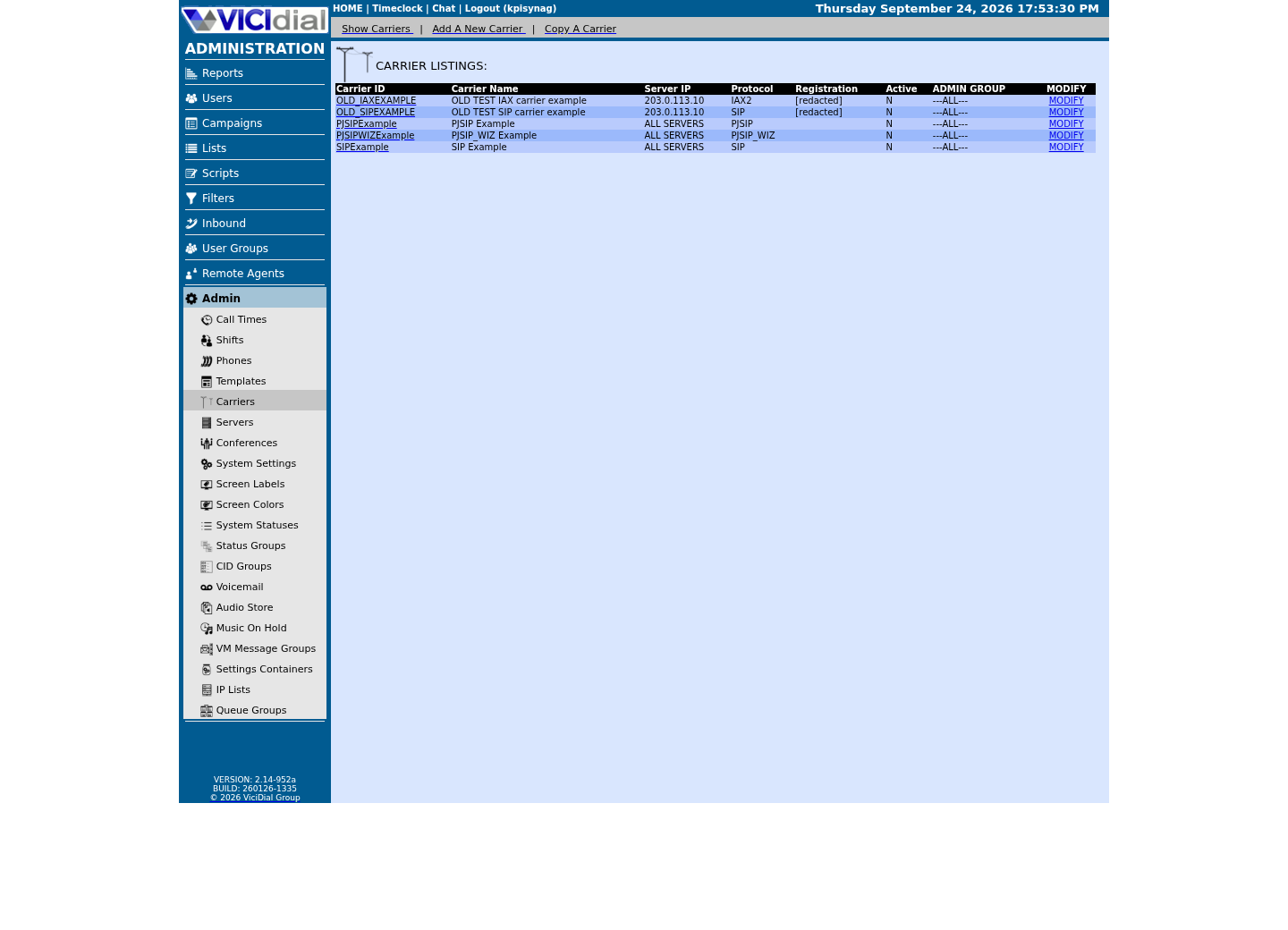
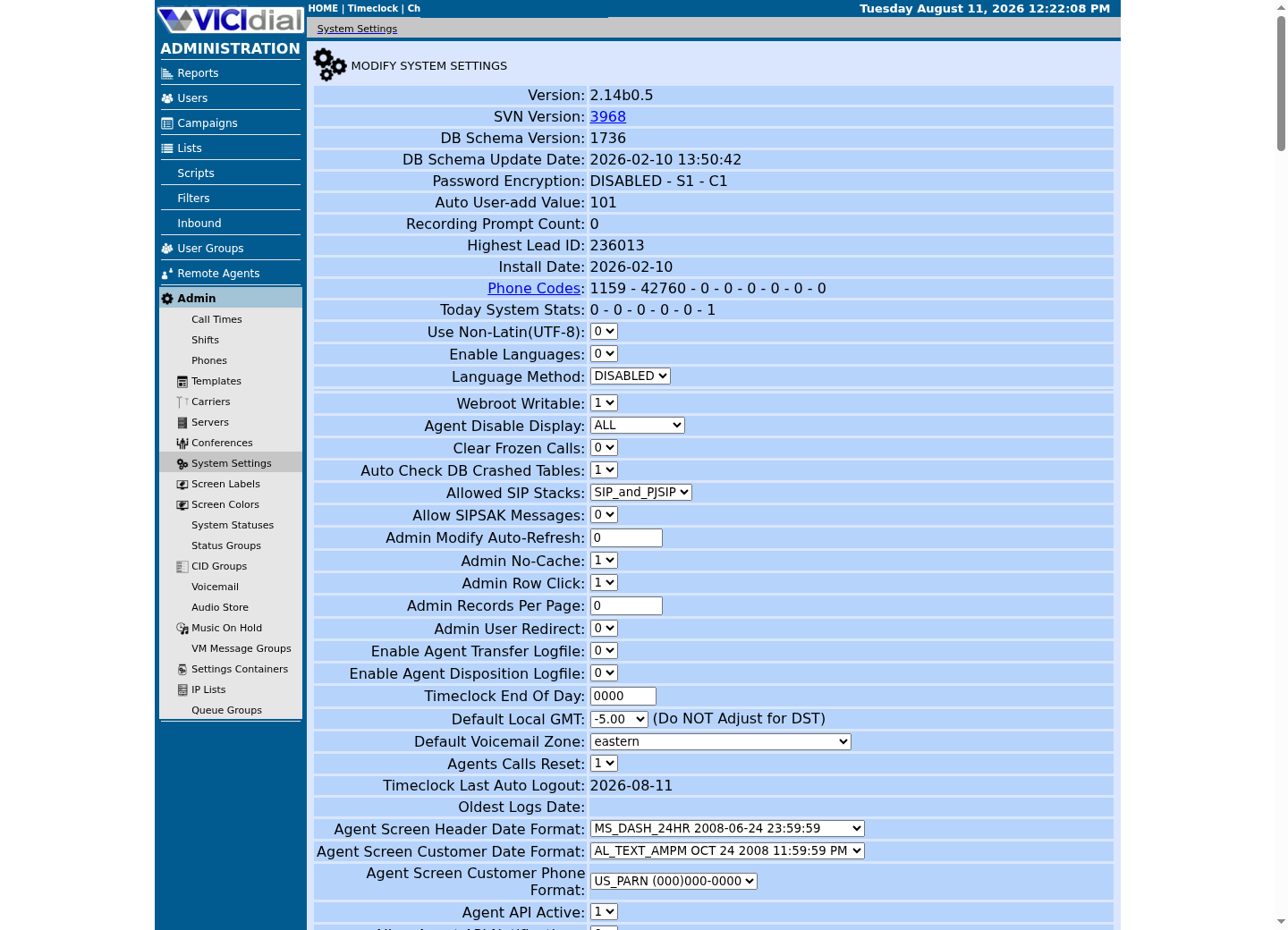
Captured on an isolated VICIdial demo: Administration screens on September 24, 2026, and the idle Agent screen on August 11, 2026. Each caption states its own capture time, and every sanitized image helps you recognize a related screen; none proves that this article's call, command, or result occurred.Find carrier administration
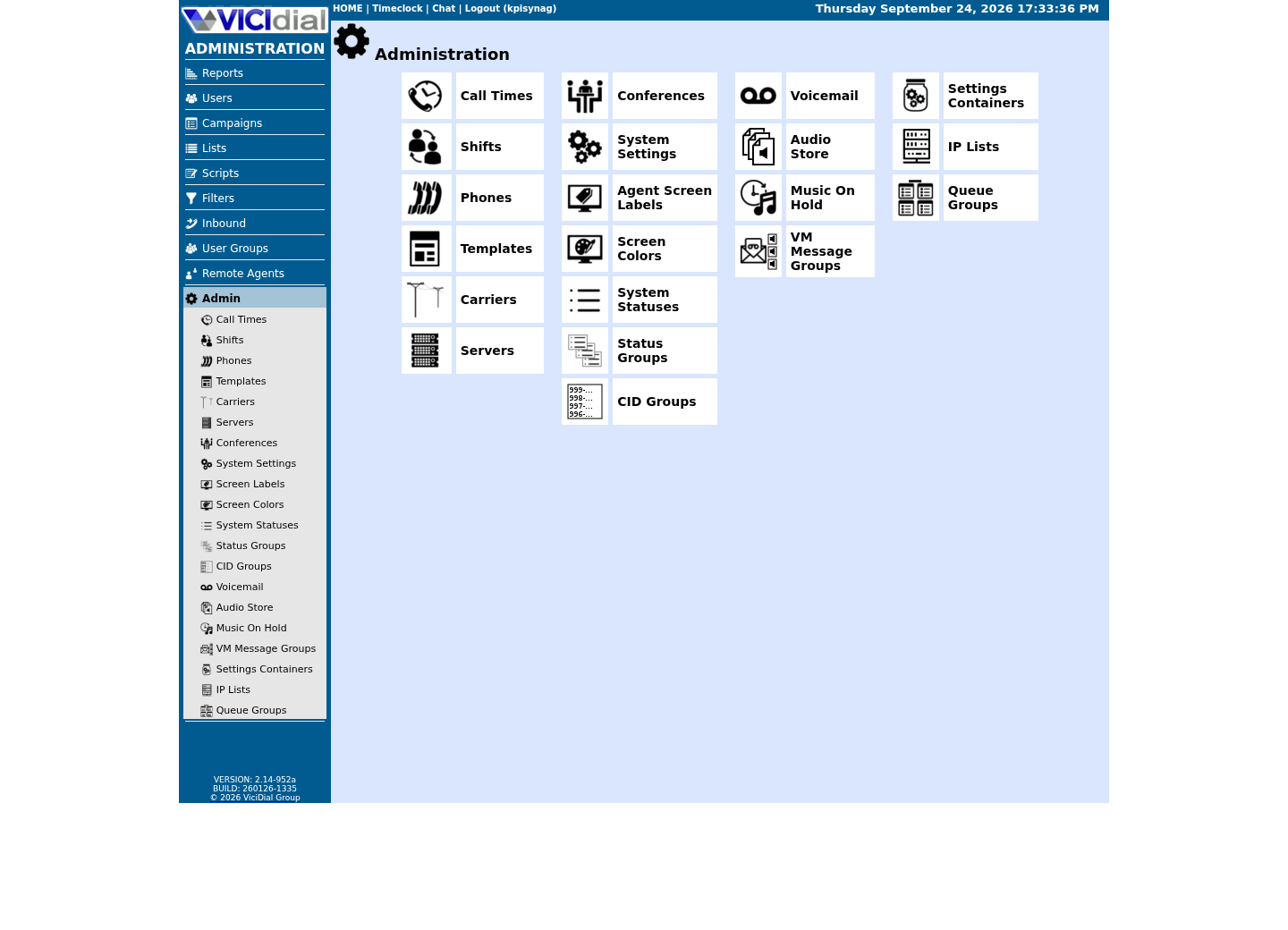
Open Carrier Listings
Check the allowed SIP-stack setting
02 / 10
Step 1 — Create the trunk and configure Termination for outbound calls
Open the Twilio console and create a new Elastic SIP Trunk. Twilio assigns it a Termination SIP URI in the fixed shape name.pstn.twilio.com, where name is the unique identifier you chose for this trunk. Regional variants exist too: name.pstn.ashburn.twilio.com for the North America Virginia point of presence, name.pstn.dublin.twilio.com for Europe Ireland, and name.pstn.singapore.twilio.com for Asia Pacific. This is the exact address VICIdial's dial plan will send outbound calls to.
Twilio's Termination side supports two authentication models at once, and you should treat them as complementary rather than pick one: an IP access control list naming the exact address VICIdial calls from, and a Credential List, a username and a strong generated secret that Twilio challenges for on every call attempt using SIP digest authentication. Twilio's own documentation says it plainly: 'It is highly recommended that you configure User Credentials. IP ACL's alone does not protect against certain types of attacks.' Configure both if you can, but never rely on the IP ACL by itself.
Generate the Credential List secret as a long random value, never a short or memorable one, and store it only in a protected credential manager. A leaked SIP username and secret lets a stranger place calls through your Twilio trunk that bill straight to your account, a pattern called toll fraud, and it can run up a large bill in a single weekend before anyone notices. Rotate the secret immediately if you ever suspect it was pasted into a chat log, a ticket, or a public repository.
Twilio's Termination side accepts plain UDP on port 5060 by default, TCP on port 5060 when the URI is suffixed with ;transport=tcp, and TLS on port 5061, or a custom port such as 5062, when encrypted signaling is required; TLSv1.2 and above are the supported versions. Run asterisk -rx 'pjsip show transports' on your own server before assuming which port it uses: on this lab build the UDP transport is bound to 5061 rather than the traditional 5060, so labs built the same way reach Twilio over plain UDP without touching transport settings, but confirm yours rather than trusting that number. If you do move to TLS, Twilio also supports encrypting the media itself with SRTP, using the AES_CM_128_HMAC_SHA1_80 or AES_CM_128_HMAC_SHA1_32 crypto suites; that is a separate, deliberate change from the base pattern in this guide, not something to bolt on here.
- Create the trunk and note its Termination SIP URI in the name.pstn.twilio.com shape.
- Configure a Credential List with a generated secret, not just an IP ACL.
- Confirm which transport and port your trunk actually uses before writing a firewall rule.
openssl rand -base64 24# Paste the result into Twilio's Credential List as the password.# Do not store it in shell history, a ticket, or this file.This sample changes a system, contacts an outside service, needs a live call, or would print real data from a shared server, so it was not run on the demo. Run it only where you are authorized, and compare the result with the success and stop guidance.
- Before you run it
- Run locally on any machine with OpenSSL installed; you only need the output once, to paste into Twilio's console.
- Success looks like
- The command prints one long random string with no repeated or predictable pattern; that string becomes the Credential List secret.
- Stop if
- Stop and generate a new value if you are tempted to reuse a password from anywhere else or to shorten it for convenience; a weak or reused secret defeats the entire purpose of configuring credentials.
03 / 10
Step 2 — Configure Origination so Twilio can send calls to VICIdial
Origination is Twilio's term for the inbound side: the rule that tells Twilio where to send a call once a DID you own receives one. Add an Origination SIP URI in the sip:user@host shape, where host is your VICIdial server's own public address, either an IPv4 address or a fully qualified domain name (FQDN); Twilio's own documentation shows this same shape for a bare host, for a hostname, and for a host with a user portion and an explicit transport.
Run asterisk -rx 'pjsip show transports' first. On this lab build the UDP transport is bound to 5061 - use sip:<YOUR_SERVER_ADDRESS>:<CONFIRMED_PORT>, not a hard-coded 5061.
Twilio accepts up to ten Origination URIs on one trunk, each carrying its own priority, a number from 0 to 65535 where a lower value is tried first, and weight, a number from 1 to 65535 that splits traffic between URIs sharing the same priority. A single-server VICIdial lab only needs one Origination URI; priority and weight exist for when you run more than one Asterisk server and want Twilio itself to fail over between them.
Once Twilio's INVITE reaches that address and port, it lands in whichever Asterisk context your carrier's PJSIP endpoint names. Getting a specific DID to actually ring a specific agent from there is a separate step, covered in Make a phone number ring an agent: inbound DIDs and in-groups. This guide stops at proving the call arrives at all.
- Add one Origination URI naming your server's own public address and the port your PJSIP transport actually uses.
- Leave priority and weight at their defaults for a single-server lab.
- Treat DID-to-agent routing as the next guide, not this one.
04 / 10
Step 3 — Add Twilio as a carrier in VICIdial
VICIdial stores a carrier as one row in its own database table, historically named vicidial_server_carriers, exactly the same mechanism used for any other PJSIP carrier. Open Admin, Carriers, add a new entry, set Protocol to PJSIP, and give it a short Carrier ID such as TWILIO01; that exact value is what your dial plan and inbound context will reference.
Twilio's Termination side needs an outbound_auth object pasted into the carrier row's Account Entry field, naming the Credential List username and secret from Step 1 - the next step gives you the literal text to paste - and the endpoint needs outbound_auth set to that object's name so every call VICIdial sends to Twilio's Termination URI carries digest authentication instead of relying on address alone. The endpoint's AOR should point its contact at the exact Termination SIP URI you created; there is no fixed address to hard-code, because Twilio resolves that name.pstn.twilio.com address on its own infrastructure.
For Origination, the Account Entry's identify object matches the address or addresses Twilio's Origination side actually sends from. Twilio's SIP signaling comes from a defined set of regional address ranges rather than one fixed address, so Step 4 lists every range your account's region can use as documentation-only placeholders; pull the current list from Twilio's own IP addresses page before saving, since a stale local copy silently drops legitimate inbound calls the day Twilio adds a new range.
Leave Registration String blank for a Twilio-style carrier: that field is for a peer that registers with a username and password, which Twilio's Termination side does not do. Some builds also offer a Template ID field with preset stanzas for well-known carriers, the same caution Connect your first SIP carrier so calls can leave the server gives for any carrier: writing your own Account Entry, exactly as Step 4 below gives it, is the safer default until you have verified a stock template's assumptions actually match Twilio's. Save the row with Active set to Y once Step 4's Account Entry and Dialplan Entry are pasted in; VICIdial itself regenerates the PJSIP configuration and reloads Asterisk within seconds, the same as for any other carrier.
- Give the carrier its own outbound_auth object; do not rely on address alone for Termination.
- Match the identify object to Twilio's current Origination address ranges, not a guess.
- Confirm the saved row before touching the firewall or placing a call.
SELECT carrier_id, carrier_name, protocol, server_ip, activeFROM vicidial_server_carriersWHERE carrier_id = '<CARRIER_ID>';Captured demo response · 2026-09-24 22:25 UTC. The displayed command is the command that ran; a safe subset label means it was filtered, redacted, or fixture-scoped. Replays only after you select Replay transcript.
- Before you run it
- Run this using the read-only option file (mysql --defaults-extra-file=/etc/vicidial-readonly.cnf -e "...") after saving the carrier in Admin.
- Success looks like
- One row returns with protocol PJSIP, the Server IP field matching this machine, and active set to Y.
- Stop if
- Stop and re-check the Admin form if no row returns or active is still N; nothing downstream will work until this row exists exactly as expected.
05 / 10
Step 4 — Paste the literal Account Entry and Dialplan Entry
VICIdial's carrier form has two large text fields that hold raw PJSIP configuration: Account Entry, which becomes the endpoint's aor, identify, auth and endpoint objects, and Dialplan Entry, which becomes the exten lines your campaigns actually dial through. Paste both below into the carrier row you created in Step 3, substituting your own Carrier ID everywhere it appears.
This block starts from the same aor/identify/endpoint shape VICIdial's own PJSIP documentation ships for a generic carrier, with two deliberate Twilio-specific changes: an outbound_auth object carrying the Credential List from Step 1, and dtmf_mode set to rfc4733 instead of the shipped example's none, because Twilio-side DTMF and call transfers need a real DTMF signal rather than none. Everything else matches the documented pattern exactly.
The eight match lines are RFC 5737 documentation-only placeholders standing in for Twilio's eight real regional signalling ranges; pull the current list from Twilio's own SIP Trunking IP Addresses page before saving, not from this article, because Twilio versions that page precisely so it can change.
The Dialplan Entry keeps VICIdial's own call-logging hook on line one - replacing it with a bare NoOp() silently stops outbound call logging for every call through this carrier - and dials using ${CAMPDTO}, the campaign's own configured dial timeout, rather than a fixed number of seconds. That shipped pattern sends digits in the _91NXXNXXXXXX shape (a leading 1 plus ten digits, no +); confirm whether your own Twilio trunk expects E.164 formatting instead before assuming this pattern works unmodified for international destinations.
- Copy the Account Entry block into the carrier row exactly, substituting your own Carrier ID everywhere.
- Re-pull Twilio's current signalling ranges before saving; the eight ranges above are documentation-only placeholders.
- Keep line one of the Dialplan Entry as the AGI call-logging hook; never replace it with NoOp().
ACCOUNT ENTRY (paste into the carrier row's Account Entry field): [<CARRIER_ID>]type = aorcontact = sip:<TWILIO_TRUNK_NAME>.pstn.twilio.comqualify_frequency = 15maximum_expiration = 3600minimum_expiration = 60default_expiration = 120 [<CARRIER_ID>]type = identifyendpoint = <CARRIER_ID>match = 203.0.113.0/30match = 203.0.113.4/30match = 203.0.113.8/30match = 203.0.113.12/30match = 203.0.113.16/30match = 203.0.113.20/30match = 203.0.113.24/30match = 203.0.113.28/30; documentation-only RFC 5737 placeholders for Twilio's 8 signalling /30s -- pull the; current ranges from Twilio's SIP Trunking IP Addresses page before saving. [<CARRIER_ID>-AUTH]type = authauth_type = userpassusername = <TWILIO_CREDENTIAL_LIST_USERNAME>password = <TWILIO_CREDENTIAL_LIST_SECRET> [<CARRIER_ID>]type = endpointcontext = trunkinbounddtmf_mode = rfc4733disallow = allallow = ulawrtp_symmetric = yesrewrite_contact = yesrtp_timeout = 60use_ptime = yesmoh_suggest = defaultdirect_media = notrust_id_inbound = yessend_rpid = yesinband_progress = notos_audio = eflanguage = enaors = <CARRIER_ID>outbound_auth = <CARRIER_ID>-AUTH DIALPLAN ENTRY (paste into the carrier row's Dialplan Entry field): exten => _91NXXNXXXXXX,1,AGI(agi://127.0.0.1:4577/call_log)exten => _91NXXNXXXXXX,n,Dial(PJSIP/${EXTEN:1}@<CARRIER_ID>,${CAMPDTO},To)exten => _91NXXNXXXXXX,n,Hangup()This sample is a template or reading aid, not a terminal command. There is no output to show.
- Before you run it
- Paste this into the carrier row's Account Entry and Dialplan Entry fields after substituting <CARRIER_ID>, <TWILIO_TRUNK_NAME>, <TWILIO_CREDENTIAL_LIST_USERNAME> and <TWILIO_CREDENTIAL_LIST_SECRET> with your own values; re-fetch Twilio's current signalling ranges before saving.
- Success looks like
- The carrier row saves without error, the SQL check in Step 3 shows the row active, and Step 5's endpoint and AOR checks show your Carrier ID.
- Stop if
- A save error almost always means a stray character from copy-paste, not a wrong value - check for smart quotes or an extra space before assuming the configuration itself is wrong.
06 / 10
Step 5 — Get the firewall right on the host and the cloud layer
Confirm your PJSIP transport port before writing any rule: asterisk -rx 'pjsip show transports'. On this lab build the UDP transport is bound to 5061, not the traditional 5060 - use whatever your own server reports, never a number copied from this article. RTP media itself is not scoped per carrier: the range configured in Asterisk's own rtp.conf stays open broadly regardless of which carrier a stream belongs to, because media can legitimately arrive from more than one address even for a single carrier, so nothing about Twilio specifically changes that range.
A ViciBox build does not take carrier signaling addresses as a raw firewalld rule. It ships its own front end: add Twilio's current signaling ranges to the ViciWhite IP List under Admin, IP Lists, then run VB-firewall --white --dynamic --quiet so VB-firewall regenerates the ipsets the firewall's zones actually trust. Never run firewall-cmd --reload afterward - that empties the ipsets VB-firewall just loaded, and only VB-firewall itself, not a plain reload, puts them back. Pull the current range list from Twilio's own IP addresses page before you add anything, because Twilio versions that page precisely so it can change.
The stock asterisk firewalld service, shipped unmodified by ViciBox, covers 5060/udp, 4569/udp and 8089/tcp - not 5061/udp. If pjsip show transports reports your own transport on a port outside that list, as it does on this lab build, something beyond the stock service definition has to admit it before a Twilio INVITE can arrive at all. On our ViciBox 12 lab nothing does: no firewalld zone opens 5061/udp, and the lab's working carrier signals over chan_sip on 5060 instead. Either add 5061/udp to the external zone for your PJSIP trunk (runtime and permanent, no reload) or confirm what already admits it on your own build.
Whatever you open for Twilio, never expose 3306 (the database), 4577 (the internal FastAGI log listener), or 5038 (the Asterisk Manager Interface) - none of those are meant to be reachable from outside at all. 5060, 5061 and 8089 are different: they are legitimate SIP and WebSocket listeners on a working install, admitted only for the addresses in your ViciWhite and dynamic-portal ipsets, never opened to the world at large.
If this server sits behind a cloud provider's own network firewall, usually called a security group, mirror the same shape there: the RTP range open, Twilio's current signaling ranges open on whichever port your PJSIP transport actually uses, and nothing else. A security group that silently drops Twilio's signaling is indistinguishable, from Twilio's side, from a server that never answers at all, and it produces exactly the inbound-never-arrives failure covered below.
- Confirm your PJSIP transport port yourself; never assume it matches this article's number.
- Add Twilio's ranges to the ViciWhite IP List and reload with VB-firewall, not a raw firewall-cmd rule; never firewall-cmd --reload afterward.
- Confirm what admits your PJSIP port if it falls outside the stock asterisk service definition.
- Mirror the identical shape in your cloud provider's security group, not just on the server.
asterisk -rx 'pjsip show transports'asterisk -rx 'pjsip show endpoint <CARRIER_ID>'asterisk -rx 'pjsip show aor <CARRIER_ID>'if systemctl is-active --quiet firewalld; then firewall-cmd --state firewall-cmd --get-active-zones firewall-cmd --info-service=asterisk firewall-cmd --info-service=rtpelif command -v ufw >/dev/null 2>&1; then sudo ufw status verboseelse sudo iptables -L -nficommand -v VB-firewall >/dev/null 2>&1 && echo "VB-firewall present at $(command -v VB-firewall) -- ViciBox's own firewall front-end"Captured demo response · 2026-09-24 22:25 UTC. The displayed command is the command that ran; a safe subset label means it was filtered, redacted, or fixture-scoped. Replays only after you select Replay transcript.
- Before you run it
- Run these read-only checks any time - before or after adding Twilio's signaling ranges to your ViciWhite IP List - to see your PJSIP transport, your saved endpoint and AOR, and which firewall backend is active.
- Success looks like
- Your PJSIP transport shows the port you expect, your exact Carrier ID appears in the endpoint and AOR output, and exactly one firewall backend - firewalld, ufw, or iptables - reports itself active.
- Stop if
- Stop and fix the firewall or the carrier row, not the trunk, if the endpoint or AOR is missing, if no firewall backend reports itself active, or if the asterisk and rtp service definitions do not cover the port pjsip show transports just reported.
07 / 10
Step 6 — Place one test call in each direction
Prove Termination first. From the Asterisk command line, confirm the endpoint and address of record exist under your exact Carrier ID (Step 5 already showed you how), then place one outbound call from a phone registered to this VICIdial server through the new carrier, using a destination number you actually own. Twilio's Termination side does not register the way some carriers do, so do not expect a Registered state; instead confirm the call connects and that you can hear the far end.
If you want to confirm Twilio is reachable at all before placing a real call, sipsak can ping the Termination URI directly with a bare OPTIONS request. Run it from your own server toward Twilio's live infrastructure, never against a shared or production lab, and confirm sipsak is actually installed on your build first with rpm -q sipsak - it does not ship by default on every VICIdial platform.
Prove Origination second, from outside your own network: call the DID you attached to this trunk's Origination side from an ordinary phone. Watch core show channels concise on the VICIdial server while the call is ringing; a channel using your carrier's PJSIP technology confirms the inbound INVITE actually reached the server, independent of whatever happens to the call afterward inside VICIdial's dial plan.
Hang up deliberately once each direction is confirmed working, rather than letting either call time out on its own.
- Confirm the endpoint and address of record (Step 5) before dialing anything.
- Test Termination and Origination separately; a working outbound call proves nothing about inbound.
- Hang up deliberately once two-way audio or one arriving channel is confirmed.
sipsak -vv -O -s sip:<TWILIO_TRUNK_NAME>.pstn.twilio.com# While the outbound test call is active:asterisk -rx 'core show channels concise'# While the inbound test call is ringing:asterisk -rx 'core show channels concise'This sample changes a system, contacts an outside service, needs a live call, or would print real data from a shared server, so it was not run on the demo. Run it only where you are authorized, and compare the result with the success and stop guidance.
- Before you run it
- Run these on your own server while you place each real test call - never against a shared or production install, since core show channels concise surfaces every active channel, including anyone else's live call.
- Success looks like
- sipsak receives a response rather than a timeout, and each test call shows a channel using your carrier's PJSIP technology while it is active.
- Stop if
- Stop and work through the failures below if sipsak times out, an outbound call is rejected, or an inbound call never produces a channel at all.
08 / 10
Troubleshoot the three failures that cause most problems
Three failures account for nearly every first Twilio trunk problem, and each one points at a different layer: authentication rejected, one-way or missing audio, and an inbound call that simply never arrives. Diagnose the specific failure instead of guessing at the trunk as a whole.
Authentication rejected on Termination almost always means the Credential List username or secret in your endpoint's outbound_auth object does not match what you configured in Twilio's console exactly, including trailing spaces, or that the Termination SIP URI is misspelled. Confirm both sides character for character; a copy-paste error here is far more common than an actual Twilio-side problem.
One-way or missing audio almost always means RTP packets are taking a path the firewall or NAT does not expect, not a codec disagreement, since the reference PJSIP pattern behind this guide already negotiates one shared codec. Confirm symmetric RTP and forced rport are actually set on the endpoint, confirm the RTP port range is still open broadly on both the server's own firewall and the cloud security group, and remember that raising the RTP range on one layer without the other, covered below, produces exactly this symptom.
An inbound call that never arrives at all is a firewall problem far more often than a Twilio configuration problem: either the cloud security group in front of the server is silently dropping Twilio's signaling before it ever reaches the server's own firewall, or the whitelist entry was scoped to a Twilio signaling range that has since changed. Re-pull the current ranges from Twilio's own IP addresses page and compare them, range by range, against exactly what the security group and your ViciWhite IP List currently allow.
Stop sending real calls through a newly added trunk the moment you see any of these three failures. The safe rollback is flipping the carrier's Active field to N in Admin; that removes it from the generated configuration on the next VICIdial rebuild without deleting the row, the account details, or the Credential List itself, so you can keep investigating without a dial plan pointed at a broken carrier.
- Match Credential List username and secret character for character before suspecting Twilio.
- Check symmetric RTP, forced rport, and the firewall before suspecting a codec.
- Re-pull Twilio's current signaling ranges before suspecting your own configuration is wrong.
- Flip Active to N as the safe rollback while any of the three failures is unresolved.
09 / 10
The RTP capacity ceiling: check yours before you rely on it
Before you point a real campaign at this trunk, know your own RTP capacity ceiling, because it fails quietly rather than loudly. Read it yourself rather than assuming a number: grep -E 'rtpstart|rtpend' /etc/asterisk/rtp.conf shows the exact range Asterisk is configured to use. Stock Asterisk, and this publication's own ViciBox 12 lab, both ship rtpstart=10000 and rtpend=20000; some older or hand-narrowed installs set a much smaller range, so confirm yours rather than reusing either number here.
RTP allocates one even port per call for audio and the odd port immediately above it for RTCP, the companion protocol that reports call quality, so divide your own port count by two for a rough concurrent-stream ceiling. For the full worked arithmetic - agents times dial level, mapped to ports needed versus ports available - see Elastic SIP trunking for predictive dialers: why your own media path is the real ceiling; this guide only flags that the ceiling exists so you check it before, not after, pointing real volume at Twilio.
Each G.711 call, the codec this pattern negotiates by default, costs roughly 100 kilobits per second of bandwidth by Twilio's own guidance; multiply that by your own concurrent-stream ceiling for a bandwidth floor worth checking against your uplink separately from the port count.
If you do raise rtpstart and rtpend, widen the matching firewall rule in the same change. On a build using firewalld, confirm the new range against firewalld's own rtp service definition rather than a hand-edited rule, and re-run VB-firewall instead of firewall-cmd --reload if VB-firewall manages your ipsets; changing one number without the other produces one-way or dead audio that looks exactly like a carrier fault.
- Read your own rtpstart/rtpend before assuming any concurrent-call ceiling; do not reuse this article's numbers as yours.
- Raise rtpstart and rtpend together with the matching firewall rule; never one alone.
- Recheck bandwidth against your new ceiling, not just the port count.
010 / 10
Next: do not let Twilio become a new single point of failure
One working Twilio trunk replaces having no carrier at all, but it is still exactly one carrier. If Twilio has an incident, or your account is suspended for a billing problem, every campaign pointed only at this trunk stops dialing at the same moment. Configure multi-carrier redundancy in VICIdial before downtime forces you to walks through adding a second carrier, detecting a failure automatically, and failing traffic over to whichever carrier is still working.
Until that second carrier exists, keep this Twilio trunk's Active field at Y only after every check in this guide has passed, and keep the rollback path, flipping it back to N, ready in case any of the three failures above reappears in production.
- A verified Twilio trunk with proven outbound and inbound calls.
- No second carrier configured yet; that is the next guide.
- Keep the rollback to Active=N ready at all times, not just during setup.
Evidence ledger
Verification basis
- Termination and Origination shapes, transports, ports, and the credentials-over-IP-ACL guidance in this guide come directly from Twilio's own SIP trunking documentation, fetched August 5, 2026.
- The VICIdial carrier mechanism reproduced here, a database-managed row that generates a PJSIP endpoint, matches the pattern documented in Connect your first SIP carrier so calls can leave the server.
- This guide's RTP capacity note points to Elastic SIP trunking for predictive dialers: why your own media path is the real ceiling for the full arithmetic; the specific range is this build's own, read from /etc/asterisk/rtp.conf, not a fixed number this guide asserts.
- Boundary: this guide configures one Twilio trunk and proves outbound and inbound connectivity; it does not route a DID to an agent, add a second carrier, or certify Twilio's pricing, availability, or support terms.
Primary references
Sources
- SIP trunking documentationTwilio · accessed September 24, 2026
- SIP trunking IP addressesTwilio · accessed September 24, 2026
- VICIdial PJSIP SupportVICIdial · accessed September 24, 2026
- Configuring res_pjsip (Asterisk PJSIP channel driver)Asterisk · accessed September 24, 2026
- RFC 4733: RTP Payload for DTMF DigitsIETF · accessed September 24, 2026