Reader setup
Before you start
Run each step in order and move only when the outcome is confirmed.
- A ViciBox 12 host you can already reach over HTTPS, with its default 6666/1234 login still in place
- Root SSH access to that same host, used to confirm both web entry points exist and, for Step 3's database check, the read-only account from Create a read-only database account for safe VICIdial queries
- A desktop browser that can reach the server's HTTPS Admin and Agent addresses and accept a self-signed certificate once
- What you will prove
- You can open both the Admin and Agent interfaces, explain what each of the eight main Admin menu sections is for, tell a user record from a phone record without guessing, and you have replaced the default admin password with one only you know.
- Safety boundary
- Change the default 6666 password before doing anything else in Admin, and never paste any password, including the separate webphone password, into chat, a ticket, a screenshot, or source control.
Reader path
How to use this article
- Use it when: You need a fixed sequence to make a deployment or configuration change now.
- Expected result: Follow each step and verify the outcome before changing the next layer.
- Start here: Start at the first section and complete every checkpoint before moving to the next.
01 / 06
Two web addresses, two separate logins
Fast answer: a stock ViciBox 12 install ships two separate web interfaces at two separate addresses, each with its own login, and both start on the same well-known default. The Admin interface lives at `https://<VICIDIAL_HOST>/vicidial/admin.php` and asks for HTTP (Hypertext Transfer Protocol) Basic authentication as user `6666`, password `1234`. The Agent interface lives at `https://<VICIDIAL_HOST>/agc/vicidial.php` and instead asks in two separate steps: a phone/station login first, then a VICIdial user login and a campaign to join on a second page. ViciBox's own installation documentation states the Admin default login outright, so treat 6666/1234 as public knowledge the moment you read it, never as a real credential past your first login.
New to VICIdial's vocabulary? The beginner terminology guide defines agent, campaign and carrier first.
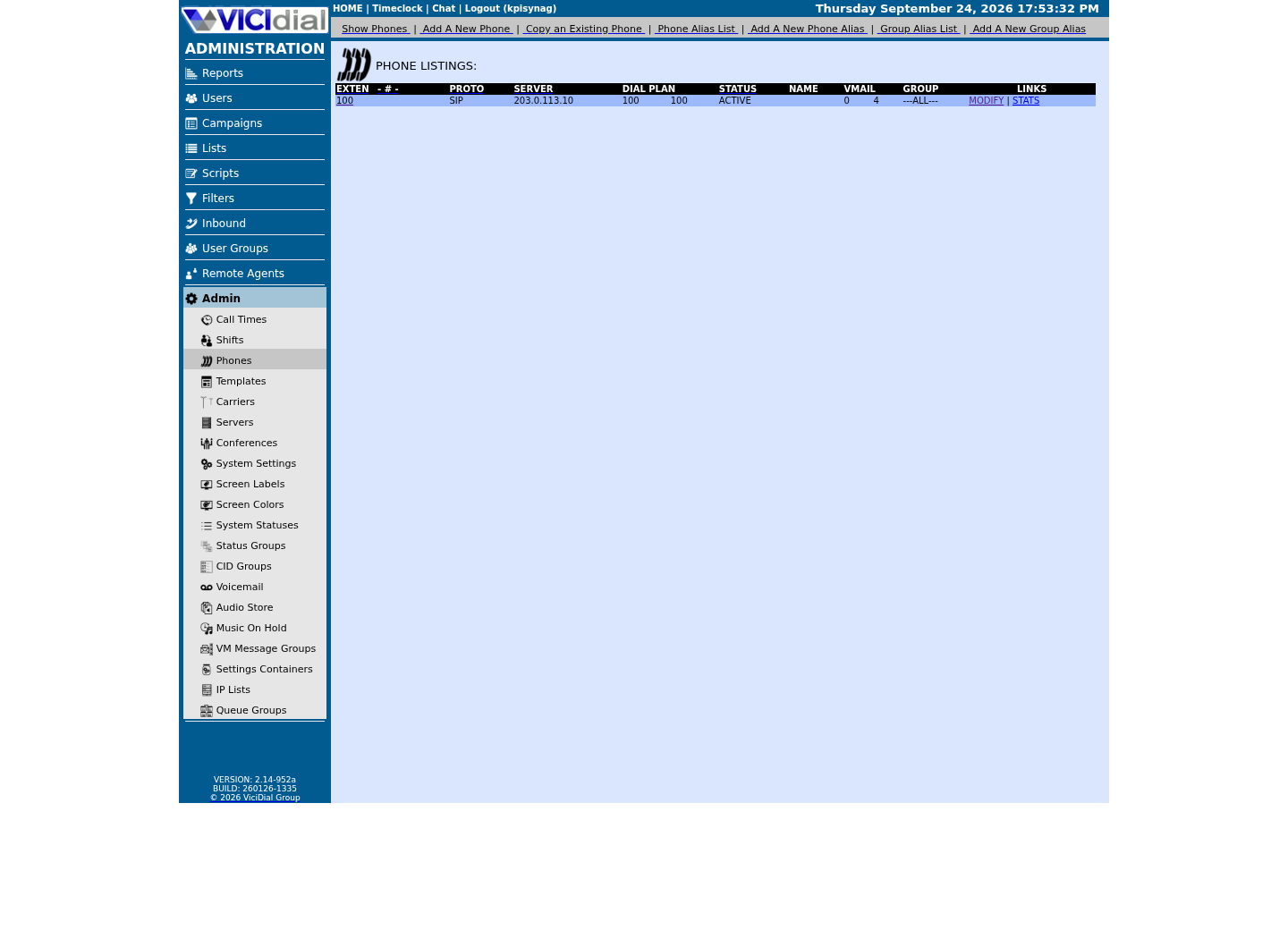
The single most confusing thing for a newcomer is that a phone record and a user record are not the same thing, even though this box ships with a known lab account that ties them together. A user record, such as `6666`, is a login: it has a password and a permission level, and it decides which Admin menus and Agent capabilities that person can use. A phone record, sometimes called a station, is a piece of telephony configuration: it is the extension, signaling protocol, and voicemail settings that Asterisk, the open-source telephony engine underneath VICIdial, actually registers and rings. The Agent screen asks for both, separately, because it is answering two different questions at once: who is logging in, and which phone are they using.
Visual walkthrough
Follow three real demo screens
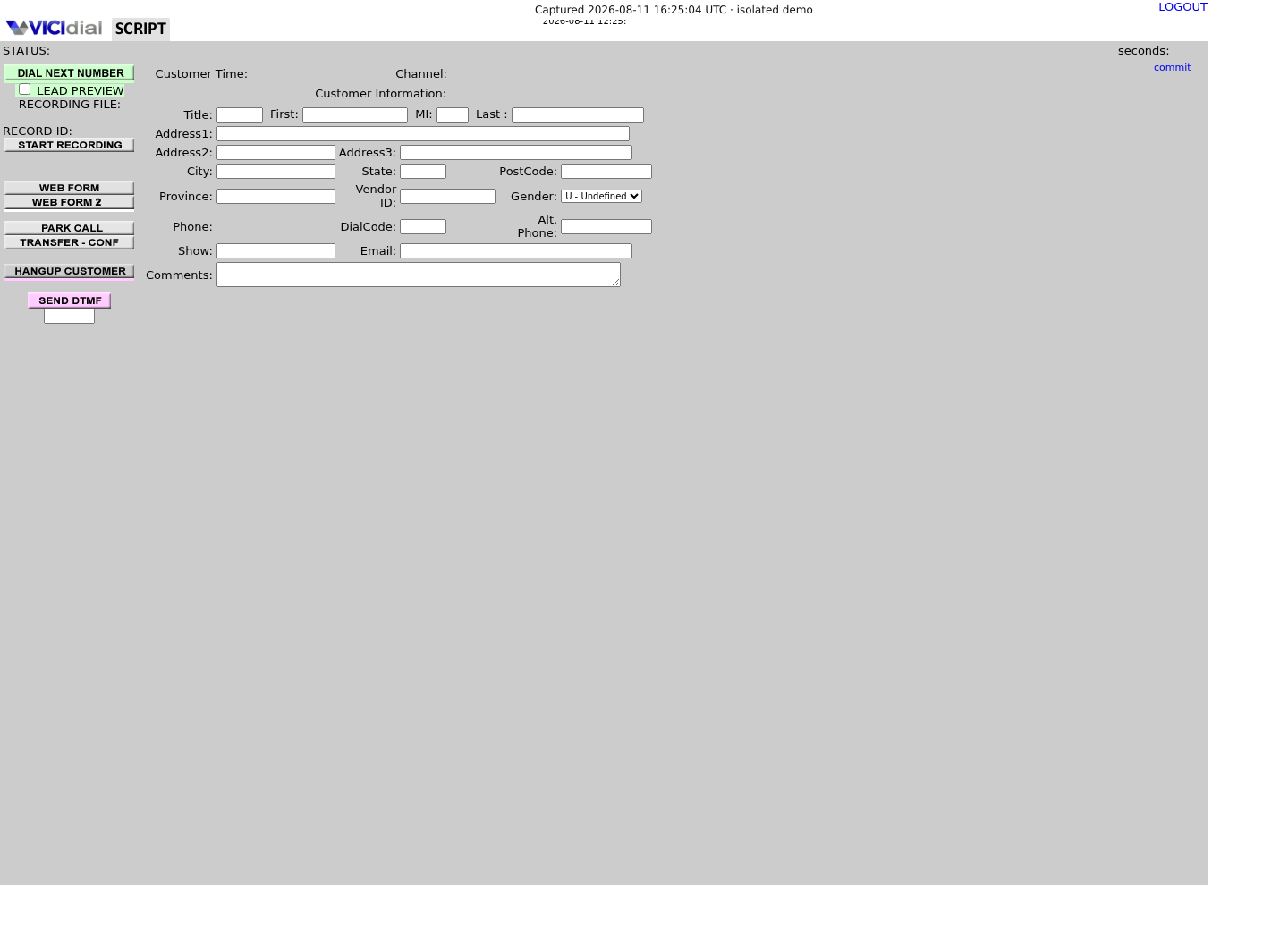
Captured on an isolated VICIdial demo: Administration screens on September 24, 2026, and the idle Agent screen on August 11, 2026. Each caption states its own capture time, and every sanitized image helps you recognize a related screen; none proves that this article's call, command, or result occurred.Use Administration to find Phones
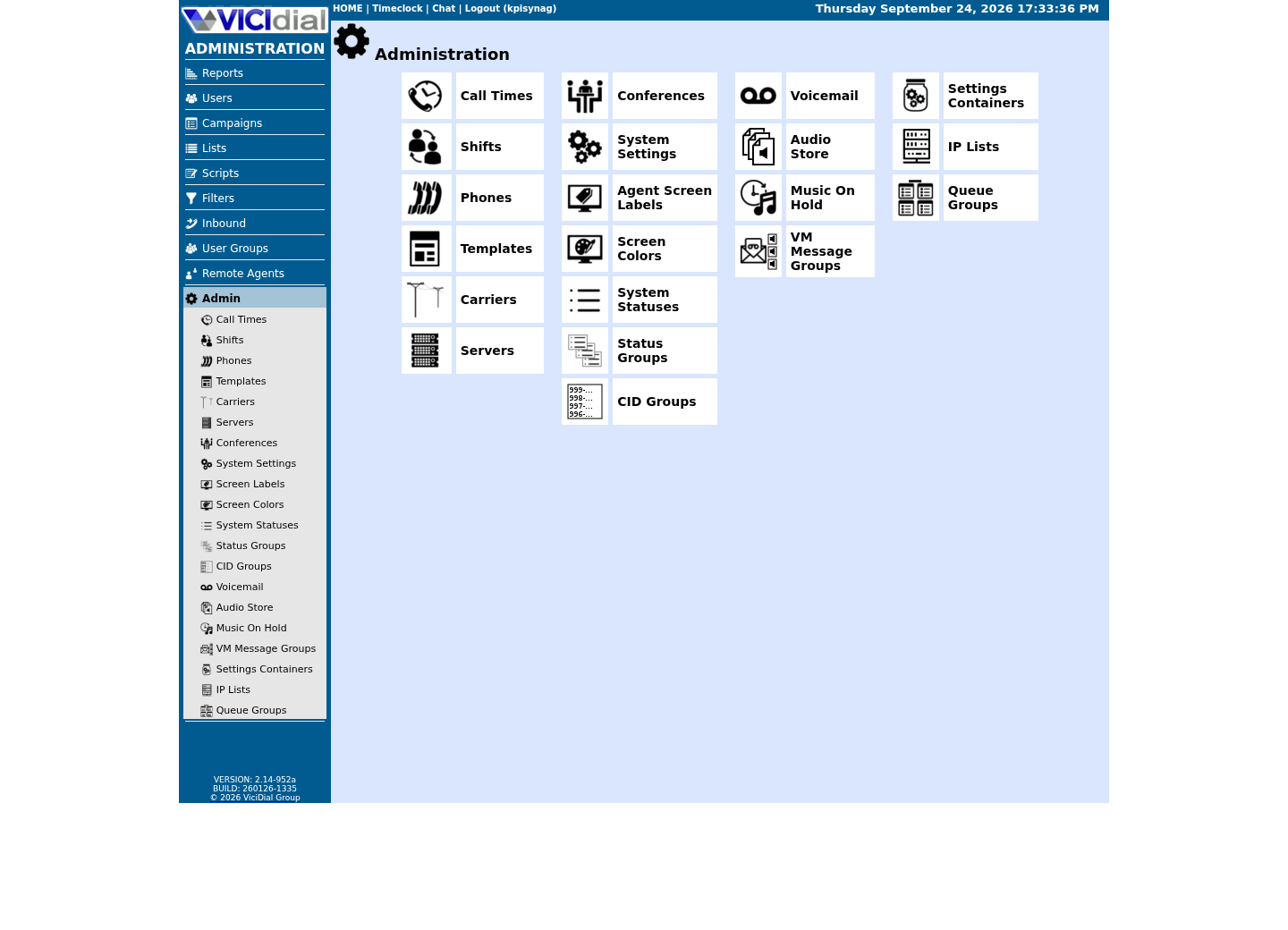
Keep phone records separate from users
Recognize an idle logged-in Agent
02 / 06
Step 1 — Know the default login, then change it immediately
Step 1 has no file to read: ViciBox ships this box with one documented default login rather than one generated during installation. Before you touch anything else, confirm both web entry points actually exist on this host, over SSH (Secure Shell) as root.
The default is user `6666`, password `1234`, documented in ViciBox's own Express installation guide. It is the same pair on every stock ViciBox 12 install, which is exactly why the very next step is changing it, not exploring Admin.
Do not treat `6666`/`1234` as a secret worth protecting — it already is public, in the vendor's own documentation. What has to stay private is whatever you change it to.
ls -la /srv/www/htdocs/vicidial/admin.php /srv/www/htdocs/agc/vicidial.phpCaptured demo response · 2026-09-23 21:35 UTC. The displayed command is the command that ran; a safe subset label means it was filtered, redacted, or fixture-scoped. Replays only after you select Replay transcript.
- Before you run it
- Run this over SSH as root on the VICIdial host itself; it only lists two files and changes nothing.
- Success looks like
- Both paths list as regular, non-empty PHP files, confirming this build actually serves both the Admin and Agent screens from the web root.
- Stop if
- A missing path means this host does not serve VICIdial from the standard ViciBox web root; confirm you are on the right server before trying to log in to either screen.
03 / 06
Step 2 — Log in to Admin and replace the default password
Step 2 is your first Admin login, followed immediately by a password change. Open `https://<VICIDIAL_HOST>/vicidial/admin.php` in a browser. A stock ViciBox ships a self-signed certificate by default, so expect one browser warning to accept and trust the first time; if this host already has a trusted certificate installed, you will not see that warning at all, and that is fine too. Either way you will then see a plain HTTP Basic login prompt rather than a VICIdial-styled form. Enter `6666` as the user and `1234` as the password.
Change that password before you explore anything else. Whether or not this particular build nags you to change it on first login, treat that as your job regardless — do not wait for the software to force it.
Make the change through the Admin interface itself, never by editing the database directly. Log in, go to Users → 6666 → Modify, set a new value in its password field, and save. Pick a password you have not reused anywhere else; this single account can create, modify, or delete every other user, campaign, list, and phone on the server.
Leave your lab's phone record's own Registration Password alone for now — that is a separate secret from the admin password you just changed. You only need to touch it if you register a physical desk phone or third-party SIP (Session Initiation Protocol) client instead of using the built-in browser webphone. Changing the admin user's password never touches the phone record's password, because, as the next couple of sections cover, they live in two separate places.
- If the browser warns about a self-signed certificate, accept it once; a host with a trusted certificate already installed will skip that warning entirely.
- Log in as 6666 with the default password 1234.
- Change that password immediately through Users → 6666 → Modify, not the database.
- Leave the phone record's own Registration Password untouched unless you are registering an outside SIP phone.
05 / 06
Step 3 — Tell a phone record from a user record
Step 3 makes the distinction from the opening section concrete instead of just described. ViciBox's documented default admin user is `6666` — do not assume a specific phone extension goes with it; different builds ship different lab stations. Confirm both with the read-only queries below. Whichever extension you find, expect it to sit in a separate row from the user record, in a separate database table, with its own password.
The user record decides who is allowed to log in and what they can do once inside: a login name, a password, a permission level, and, for the Agent screen, whether that person can use it at all. The phone record decides what gets dialed and rung: an extension, a signaling protocol, a voicemail box, and webphone settings that Asterisk reads when it builds its own configuration. One phone extension can be shared by different user logins over time, across shifts for example, and one user is not tied to only a single phone.
If you still have root access to the server, one read-only look at both records removes any doubt: the user row's own phone_login column names which phone record actually belongs to it, and that phone's own login column should read back the identical value. The two tables are joined by that matching value, not by the phone's extension number, even though the two can look similar.
SELECT user, user_level, phone_loginFROM vicidial_usersWHERE user = '6666'; SELECT extension, login, protocol, is_webphone, activeFROM phonesORDER BY extension;Captured demo response · 2026-09-23 21:35 UTC. The displayed command is the command that ran; a safe subset label means it was filtered, redacted, or fixture-scoped. Replays only after you select Replay transcript.
- Before you run it
- Run this from the server as root using the read-only account, for example `mysql --defaults-extra-file=/etc/vicidial-readonly.cnf -e "..."` one statement at a time. Both statements only read; neither changes anything, and neither selects a password column.
- Success looks like
- The first statement returns one user row whose phone_login column names a value; the second statement lists every phone record on the box — find the one whose login column matches that same value exactly. That match, not the extension number, is what actually links the two rows.
- Stop if
- If no phone's login column matches the user's phone_login value, this box's lab data has changed since it was provisioned, or 6666 was never linked to a phone at all; confirm you are pointed at the right host before trusting anything else in Admin, and do not recreate rows by hand to force a match.
06 / 06
Troubleshoot your first login, then move on
A handful of problems catch nearly everyone during this first login. If the Admin URL times out completely, confirm you used `https`, not `http`, and the exact host address, then check this host's firewall: `firewall-cmd --get-active-zones` and `firewall-cmd --zone=external --list-services` show whether that zone actually offers apache2/apache2-ssl at all. On ViciBox, the external zone only accepts connections from addresses in its whitelist and dynamic-list ipsets — VB-firewall trusts RFC 1918 private addresses by default, which is normally why a lab machine on the same private network reaches it at all, not a rule that opens the port to the whole internet. If the browser refuses the connection outright, rather than merely warning about a certificate, that is a rollback point: confirm the web server process is still running on this host before you change anything else.
If Admin accepts `6666` but rejects the password, retype it carefully rather than trusting memory or a note copied earlier; a single mistyped character is the most common cause, and VICIdial tracks failed attempts against that same user row. If the Agent screen rejects your phone login on its first page, remember that page wants the phone record's own Agent Screen Login and Login Password, not the admin password you just changed for user 6666 — those live in two different tables; mixing them up is the second most common failure.
You now know where your credentials live, how the Admin and Agent logins differ, what the eight main Admin menu sections are for, and why a phone record and a user record are never the same thing. From here you can connect a SIP carrier — optional, and only needed once you have a real provider account — or skip straight to creating your first campaign, list and agent, which needs no carrier at all.
Evidence ledger
Verification basis
- ViciBox's own Express installation documentation states the default login is user 6666, password 1234 — a vendor default, not a password generated for this box.
- admin.php answers with HTTP 401 and a WWW-Authenticate: Basic header, confirming Basic authentication mechanically, not just by appearance. The Agent screen (`vicidial.php`) is a different flow entirely: its first page takes only a phone login and password; only once that succeeds does a second page ask for a VICIdial user login and a campaign.
- The web root on this build is `/srv/www/htdocs`, so both `admin.php` and `vicidial.php` exist as real files under it before you ever log in.
- `vicidial_users` and `phones` are separate tables joined only by the extension/phone_login value, confirmed by the Step 3 query below returning columns that exist on one table and not the other.
Primary references
Sources
- ViciBox Express Box installationViciBox · accessed September 23, 2026
- VICIdial open source contact center suiteVICIdial Group · accessed August 5, 2026