Reader setup
Before you choose
List your constraints, required evidence and stop rules before you score options.
- A clear reason you are considering the RHEL family at all: an organizational standard, a support contract, or a genuinely free choice of distribution
- Root or sudo access to the candidate server, so you can run this article's read-only checks before committing to a path
- Willingness to read a community installer's own documentation in full before running it, since nothing here substitutes for that
- What you will prove
- You will know exactly what differs on AlmaLinux 9 or Rocky Linux 9 versus this publication's other install paths, where to find a community-maintained installer worth trusting, and which of the three paths actually fits your situation.
- Safety boundary
- This article contains no install command sequence for AlmaLinux 9 or Rocky Linux 9, on purpose: no official, vendor-verified procedure was available to check one against, and a wrong command here can cost a server an afternoon or worse. Every command below only reads state; none of them changes anything.
Reader path
How to use this article
- Use it when: You are comparing options and need decision evidence before approval.
- Expected result: Turn options into explicit acceptance criteria and documented stop conditions.
- Start here: Score what is mandatory, keep unknowns visible, then decide only when risks are understood.
A platform decision, not a step-by-step
Fast answer: this publication has not run, checked, or pinned a VICIdial install on AlmaLinux 9 or Rocky Linux 9, so this article does not hand you a command sequence for either one. What it gives you instead is what genuinely differs on the Red Hat Enterprise Linux (RHEL) family versus the Debian family for VICIdial specifically, why Security-Enhanced Linux (SELinux) has to come off, why PHP 8.2 breaks older VICIdial code, where a community-maintained installer worth trusting actually lives, and a straight decision rule for choosing between AlmaLinux 9 or Rocky Linux 9, this publication's ViciBox appliance path, and the scratch-install instructions posted on the VICIdial forum for the Debian family.
None of the platform choice below changes what words like agent, campaign, carrier, trunk, channel or DID mean — see VICIdial terminology for complete beginners: users, phones, campaigns and leads if any of those are new. This article only changes how much of the road to get there is already paved.
AlmaLinux 9 and Rocky Linux 9 are both free, binary-compatible rebuilds of Red Hat Enterprise Linux 9, and both are the current RHEL-family targets teams reach for when standardizing on that lineage. Everything below applies equally to either one; nothing in VICIdial's own requirements favors one rebuild over the other.
- No install command sequence for AlmaLinux 9 or Rocky Linux 9 appears anywhere below.
- This publication's most detailed install path is the ViciBox appliance (lab-only, not a from-scratch build) — see ViciBox 12 installation: from bare metal to first dial.
- Everything below is read-only checks, real platform differences and a decision rule.
Visual walkthrough
Follow three real demo screens
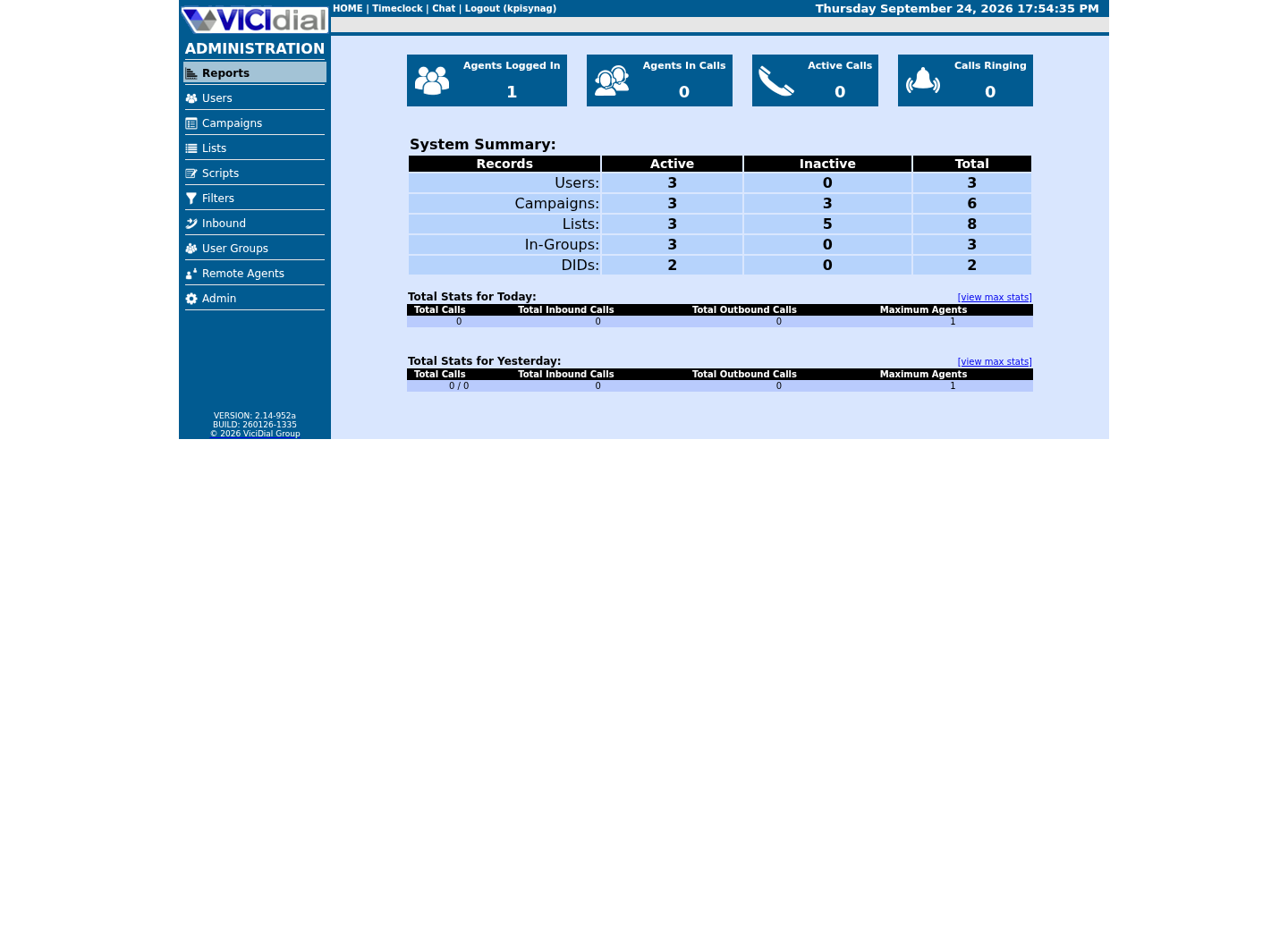
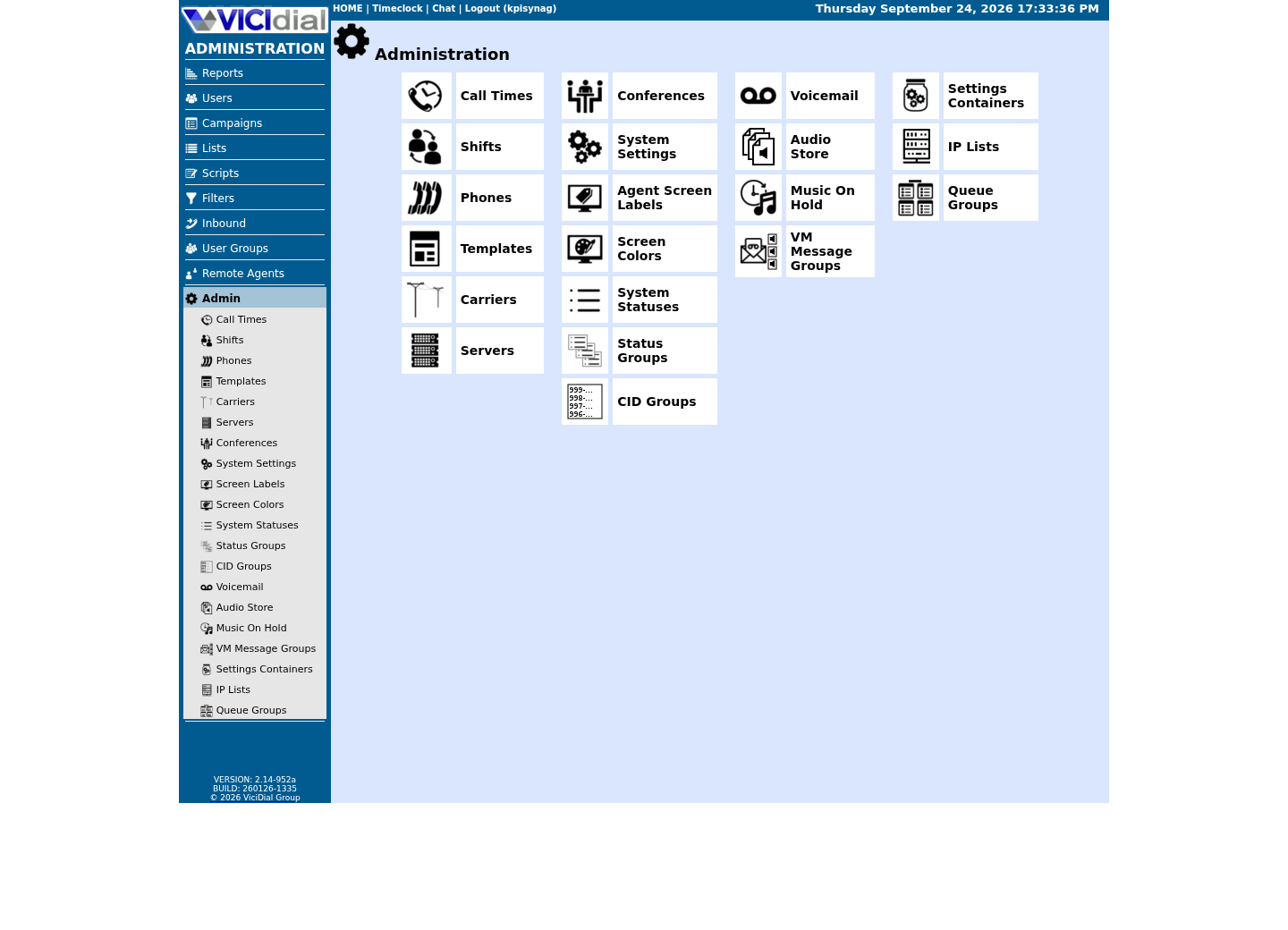
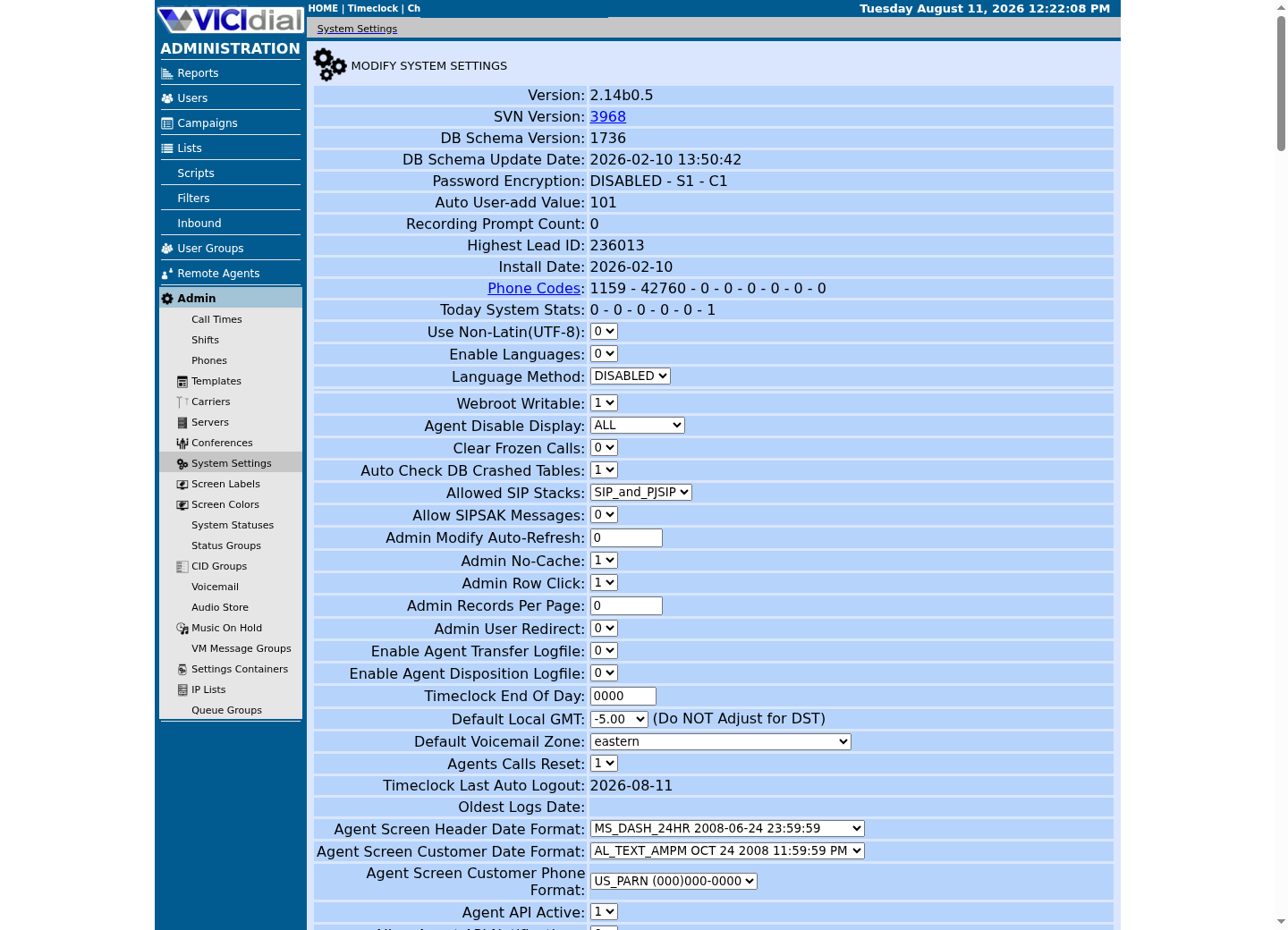
Captured on an isolated VICIdial demo: Administration screens on September 24, 2026, and the idle Agent screen on August 11, 2026. Each caption states its own capture time, and every sanitized image helps you recognize a related screen; none proves that this article's call, command, or result occurred.Start at Administration home
Use the Administration menu as a map
Confirm version and system-wide context
What actually differs on the RHEL family versus the Debian family
Four things change when you move the same VICIdial build from Ubuntu or Debian to AlmaLinux 9 or Rocky Linux 9, and none of them are cosmetic. SELinux ships enabled and enforcing by default on the RHEL family; Debian-family systems do not ship it at all. Package names and the repositories they come from diverge almost completely, because AlmaLinux 9 and Rocky Linux 9 draw from Red Hat's own package set, reached through EPEL (Extra Packages for Enterprise Linux) and third-party Asterisk/dialer repositories, rather than Debian's archive. PHP arrives as version 8.2 by default on both families at this point, but how you pin, switch or roll back a PHP version differs: the RHEL family typically uses `dnf module` streams or the Remi repository, while the Debian family uses `apt` with a versioned package name. And the firewall tool itself is different software with a different mental model: `firewalld`, with its named zones and services, on the RHEL family, versus Uncomplicated Firewall (UFW), with its simple allow/deny rule list, on the Debian family.
None of these differences are exotic to VICIdial. They are exactly the differences anyone moving any Apache/PHP/database-driven application between the two families runs into. What makes VICIdial specifically painful is that its own install tooling, community documentation and forum knowledge base grew up almost entirely on the Debian family and older CentOS releases, so RHEL-family package names, SELinux contexts and firewalld zones get worked out by individual community authors project by project, rather than shipped as VICIdial's own tested default.
- SELinux, package source, firewall tool and PHP version handling all differ from the Debian-family path.
- None of these differences are unique to VICIdial; they apply to any similar application moved to the RHEL family.
- The real gap is community tooling maturity, not Linux capability itself.
SELinux | RHEL-family: enforcing by default | Debian-family: not presentPackage source | RHEL-family: EPEL plus third-party repos | Debian-family: Debian archive plus third-party reposFirewall tool | RHEL-family: firewalld (zones/services) | Debian-family: UFW (allow/deny rules)PHP version handling | RHEL-family: dnf module streams or Remi | Debian-family: apt with a pinned package name Detailed, step-by-step guide on this site: ViciBox only (openSUSE-based appliance, lab-only) -- neither a from-scratch RHEL-family nor Debian-family build is currently pinned here.This sample is a template or reading aid, not a terminal command. There is no output to show.
- Before you run it
- Read this before deciding which family to target. It summarizes public community guidance plus this publication's own verification status; it is not a command to run.
- Success looks like
- You can name which of these four differences would actually block or slow your own team down, before you touch a server.
- Stop if
- If you cannot say which package model or firewall tool your organization already supports elsewhere, that is a reason to slow down, not a reason to guess.
Why SELinux has to come off, not just get tuned
SELinux is a kernel-level access-control layer that enforces which process can read, write or execute which file, socket or port, on top of ordinary Linux permissions. AlmaLinux 9 and Rocky Linux 9 ship it enabled and set to `enforcing`. Community guidance for VICIdial on the RHEL family is consistent on one point: SELinux has to be disabled, not carefully tuned with a custom policy module, before VICIdial will run.
The reason is not that SELinux is bad practice in general; it is that VICIdial was never written with it in mind. Its Perl scripts write and rewrite configuration files, spawn processes and open sockets in ways that assume unrestricted file access. Asterisk, the open-source telephony engine underneath VICIdial that actually places and receives calls, writes recordings, generates PJSIP (a SIP channel implementation) configuration, and reads and writes voicemail and spool directories in places SELinux's default policy was never taught to allow for that binary. Apache's own configuration, and the paths VICIdial's web screens read and write under it, assume the same freedom.
Writing a correct custom SELinux policy for all of that is possible in principle. In practice, no VICIdial-specific policy module is maintained anywhere in the ecosystem, official or community, so every reviewed guide disables SELinux outright, either by setting it to `permissive` or by turning it off entirely in `/etc/selinux/config` and at the kernel command line. Confirm which state a candidate server is actually in before you plan around it; do not assume from the distribution name alone.
- SELinux ships enforcing by default on AlmaLinux 9 and Rocky Linux 9.
- VICIdial's Perl scripts, Asterisk's file operations and Apache's configuration all assume it is off.
- No maintained VICIdial-specific SELinux policy exists; every reviewed guide disables it rather than writing one.
cat /etc/os-releasegetenforcesestatus 2>/dev/null | head -n 5php -vCaptured demo response · 2026-09-24 22:25 UTC. The displayed command is the command that ran; a safe subset label means it was filtered, redacted, or fixture-scoped. Replays only after you select Replay transcript.
- Before you run it
- Run these four commands on the candidate server over SSH. None of them changes anything; getenforce and sestatus only report the current SELinux mode, and php -v only reports the installed version.
- Success looks like
- You can state, in one line, which distribution and version this server actually runs, whether SELinux reports Enforcing, Permissive or Disabled, and which PHP version is installed, before any install decision gets made from a guess.
- Stop if
- If getenforce is not found, SELinux tooling was never installed and the system may not be a RHEL-family host; confirm the distribution with /etc/os-release before assuming anything about SELinux at all. On our ViciBox 12 lab, which runs openSUSE Leap 15.6 rather than a RHEL-family distribution, that is exactly what this capture shows: os-release names the distribution, getenforce is reported as not installed, and sestatus prints nothing — the expected result for this non-RHEL host, not a fault in the checks themselves.
The PHP 8.2 reality: old VICIdial code was not written for it
PHP (PHP: Hypertext Preprocessor) is the scripting language behind VICIdial's admin and agent web screens, and 8.2 is the version that ships by default on both AlmaLinux 9/Rocky Linux 9 and current Debian-family releases at this point. That, by itself, is not a RHEL-versus-Debian problem. The real problem is VICIdial's own code age: any VICIdial revision more than roughly four years old was written against PHP 7.x, and PHP 8.x removed or changed enough language behavior that older code throws deprecation warnings at best and fails outright at worst, on either family.
This becomes a RHEL-specific decision because of how each family lets you manage that mismatch. On the Debian family, pinning an older PHP version alongside 8.2, or holding a package at a known-working version, is a well-worn `apt` pattern with mature third-party repositories behind it. On the RHEL family, the equivalent tools are `dnf module` streams, which switch the whole system's default PHP stream, or the Remi repository, which offers multiple PHP versions side by side with its own naming and configuration conventions. Community guides for VICIdial on AlmaLinux 9 lean on Remi specifically, because `dnf module` alone often cannot reach far enough back for an older VICIdial revision's actual PHP requirement.
Before deciding anything, find out which PHP version the VICIdial revision you intend to run actually needs, and which PHP version the candidate server already has. A brand-new revision on 8.2 may need nothing at all; an older one will need a specific, deliberately chosen PHP version, not whatever the distribution happened to install.
- PHP 8.2 is current on both families now; the age of your VICIdial revision matters more than which family you pick.
- VICIdial code older than roughly four years was written for PHP 7.x and breaks or warns under 8.x.
- Pinning an older PHP version uses dnf module streams or the Remi repository on the RHEL family, versus a pinned apt package on the Debian family.
php -vphp -m | grep -i mysqlirpm -q php 2>/dev/null || echo 'no rpm package named php: this may not be a RHEL-family host'Captured demo response · 2026-09-24 22:25 UTC. The displayed command is the command that ran; a safe subset label means it was filtered, redacted, or fixture-scoped. Replays only after you select Replay transcript.
- Before you run it
- Run these on the candidate server. php -v and php -m only read the running interpreter's version and loaded modules; rpm -q only queries the installed package database and changes nothing.
- Success looks like
- You know the exact PHP version and whether the mysqli extension VICIdial depends on is loaded, before deciding whether this revision needs a different PHP version pinned.
- Stop if
- If php -v reports 8.x and your VICIdial revision predates PHP 8 support, expect deprecation warnings or outright failures on either family; that is a reason to pin an older PHP version deliberately, not a reason to patch around individual warnings as they appear.
Where to get a procedure you can actually trust
This publication is not the place to get a step-by-step AlmaLinux 9 or Rocky Linux 9 install sequence, because it has not run one and will not invent one to fill the shape of a how-to. Two kinds of source are worth naming instead, and they are not the same kind of authority.
The VICIdial project's own scratch-install instructions are the first stop, and the closest thing to vendor guidance that exists for building VICIdial from individual packages on any Linux distribution, RHEL-family included. Read them in full before running anything; they describe the components VICIdial needs, Asterisk, a database server, Apache, Perl and PHP among them, and the order they go in, without assuming any one distribution's package names.
The actively maintained community auto-installer for AlmaLinux 9 and Rocky Linux 9 with Asterisk 18 is the script maintained by carpenox at dialer.one, the CyburDial project. It specifically addresses the DAHDI (Digium/Asterisk Hardware Device Interface) and PHP 7 packaging problems that used to block a clean AlmaLinux 9 build, and it is the installer named consistently across independent community sources as the current, working option for this platform. KingAsterisk and ViciStack each publish their own separate manual walkthroughs covering the same ground. All three of these are community-maintained: written, tested and updated by individuals and small teams outside the VICIdial project, not by VICIdial itself and not verified by this publication.
- VICIdial's own scratch-install instructions describe components and order for any distribution, RHEL-family included.
- The carpenox / CyburDial auto-installer at dialer.one is the actively maintained community installer for AlmaLinux 9 and Rocky Linux 9 with Asterisk 18.
- KingAsterisk and ViciStack publish separate community walkthroughs; read any of these in full, including their own caveats, before running anything.
What this publication has verified, and what it has not
Say the gap plainly, once: this publication has not verified a from-scratch install on AlmaLinux 9 or Rocky Linux 9. It has never been run, checked or pinned here, and nothing in this article should be read as changing that.
This publication's most detailed, vendor-doc-backed install path is ViciBox 12 installation: from bare metal to first dial — a prebuilt appliance, not a from-scratch build, and currently lab-only. See ViciBox version status: why ViciBox 12 and ViciBox 13 are lab-only lessons for why (openSUSE Leap 15.6 has been end-of-life since April 30, 2026).
Whichever family you land on, hardening the server is a separate job from installing it, and this publication already covers that ground without repeating firewall specifics here: see Secure your VICIdial server: SSH, firewall and access control for SSH lockdown, fail2ban and the exact port list VICIdial needs open, then apply it through whichever firewall tool your server actually runs — firewalld on the RHEL family and on ViciBox, UFW on the Debian family.
Decide: ViciBox, RHEL-family, or Debian-family from scratch
Three situations cover most real decisions here. If you have a genuinely free choice of distribution and a prebuilt appliance is acceptable rather than a from-scratch build, pick ViciBox 12 installation: from bare metal to first dial — the most detailed, vendor-doc-backed path on this site, though it is currently lab-only (see ViciBox version status: why ViciBox 12 and ViciBox 13 are lab-only lessons).
If you need a from-scratch build and your organization has already standardized on the RHEL family, or a support contract or compliance auditor names Red Hat Enterprise Linux or one of its rebuilds specifically, pick AlmaLinux 9 or Rocky Linux 9 and use the scratch-install instructions posted on the VICIdial forum or the carpenox / CyburDial installer, read in full first — that requirement is not something an install guide can argue you out of.
If you need a from-scratch build on the Debian family specifically, go straight to the scratch-install instructions posted on the VICIdial forum; this publication no longer maintains its own pinned installer for that path.
If you are still unsure which situation you are in, the read-only checks earlier in this article, distribution, SELinux state and installed PHP version, tell you what you are actually starting from. Run them on the candidate server before you commit to any path, so the decision rests on the server in front of you rather than on a distribution's reputation.
- Free choice of distribution, appliance model acceptable: choose ViciBox 12 installation: from bare metal to first dial — lab-only, not yet a production path.
- From-scratch build, standardized or compliance-bound to the RHEL family: choose AlmaLinux 9 or Rocky Linux 9, using the scratch-install instructions posted on the VICIdial forum or the carpenox / CyburDial installer, read in full first.
- From-scratch build on the Debian family: use the scratch-install instructions posted on the VICIdial forum directly — this publication does not maintain a pinned installer for that path.
- Either way, confirm SELinux state, PHP version and distribution on the real candidate server before deciding, not from memory or a guess.
Evidence ledger
Verification basis
- Guide source: three independent community guides, KingAsterisk, ViciStack and dialer.one/CyburDial, each describe building VICIdial on AlmaLinux 9 or Rocky Linux 9; none is VICIdial project documentation, and none was run by this publication.
- Verified boundary: this publication's most detailed, vendor-doc-backed install path is ViciBox (an appliance, not a from-scratch build), and it is currently lab-only. Neither a from-scratch RHEL-family nor a from-scratch Debian-family build is independently verified by this publication; AlmaLinux 9 and Rocky Linux 9 specifically have never been run, checked or pinned here.
- Migration context: CentOS 7 reached end of life (EOL) on June 30, 2024 per Red Hat's own announcement, with no further patches issued after that date; that deadline is a common reason teams evaluating a RHEL-family target today land on AlmaLinux 9 or Rocky Linux 9 rather than CentOS.
- Community agreement: KingAsterisk, ViciStack and dialer.one/CyburDial independently agree that SELinux must be disabled and that VICIdial code older than roughly four years breaks or warns under PHP 8.x; agreement across independent authors supports the direction of that guidance, not a vendor-verified procedure.
Primary references
Sources
- VICIdial scratch installation instructionsVICIdial Forum · accessed August 5, 2026
- ViciBox Phase 1 installationViciBox · accessed September 23, 2026
- ViciBox Phase 2: Express Box installationViciBox · accessed September 23, 2026
- How to install VICIdial on Alma Linux 9 with my new auto installerDialer.one / CyburDial (community-maintained) · accessed August 5, 2026
- carpenox vicidial-install-scripts repositoryGitHub / carpenox (community-maintained) · accessed August 5, 2026
- VICIdial scratch installation on AlmaLinux 9KingAsterisk (community-maintained) · accessed August 5, 2026
- The complete VICIdial setup guide: from bare metal to first dialViciStack (community-maintained) · accessed August 5, 2026
- CentOS Linux has reached its end of lifeRed Hat · accessed August 5, 2026