Reader setup
Before you start
Run each step in order and move only when the outcome is confirmed.
- Admin-level access to a VICIdial install you are allowed to configure — the ViciBox lab trio, or a live system you already administer
- Read-only database access through /etc/vicidial-readonly.cnf (see vicidial-read-only-database-account if you do not have one yet) — every SQL sample in this guide depends on it
- The other detailed guides in this site's beginner and inbound paths within reach, plus about a day spread across your first two weeks on the job
- What you will prove
- You can explain why VICIdial's Admin panel is organized the way it is, recite the object dependency order from user group through in-group, and know exactly which detailed guide on this site to open for every stage of a new administrator's first month, ending with the four reports actually worth reading every week.
- Safety boundary
- Every configuration example on this page targets a lab build or a disposable test campaign; run every confirmation query in this guide from a read-only account, and treat this page as the map to the detailed guides, never as a substitute for reading the one that matches the phase you are actually in.
Reader path
How to use this article
- Use it when: You need a fixed sequence to make a deployment or configuration change now.
- Expected result: Follow each step and verify the outcome before changing the next layer.
- Start here: Start at the first section and complete every checkpoint before moving to the next.
01 / 08
VICIdial's Admin Panel Is Built From Objects, Not a Wizard
Fast answer: VICIdial's Admin panel has no setup wizard, no single onboarding flow, and no screen that tells you what to click next. It is organized around independent object families — Users, User Groups, Phones, Carriers, Campaigns, Lists, In-Groups, and Reports — and a new administrator's whole first month comes down to learning which of those objects has to exist before the next one will work, then wiring them together by hand. This guide is the map: it teaches the object graph and the dependency order first, then routes you to the detailed guide on this site that walks through each phase step by step.
In plain language: an agent is the person logged into VICIdial's Agent screen taking or placing calls. A campaign is one calling project — which leads get dialed, by which agents, under which pacing and script. A list is a named batch of leads assigned to one campaign. A lead is one contact record: a phone number plus its call history. The hopper is the short queue of leads a campaign has already staged to dial next. An in-group is VICIdial's inbound queue object — it holds a waiting call and decides which agent gets it next. A DID (Direct Inward Dialing number) is the phone number a carrier hands a caller; it is not a physical line, just an address the carrier's trunk delivers to your server. A disposition is the outcome code an agent or the dialer saves when a call ends, such as a sale, a callback, or not interested. A carrier is the outside phone company whose trunk actually carries your calls onto the public telephone network. And the dial level is the calls-per-available-agent target a campaign's pacing uses: 1.0 keeps roughly one call working per agent, and anything higher deliberately dials ahead of your agents.
New admins consistently arrive expecting something closer to a setup wizard, because that is what most modern SaaS (software as a service) dashboards train people to expect: create an account, click through a few screens, and the product configures itself. VICIdial does the opposite. Admin's own screens group a long list of separate add, copy, modify, and delete actions across a few dozen resource screens, and none of them chain into the next one automatically. A user does not create a phone. A phone does not create a carrier. A campaign does not create a list. You create every one of those objects yourself, in an order that mostly is not enforced by the software at all — the live schema has no foreign keys, so nothing stops you from pointing a campaign at a user group that does not exist, except your own understanding of what depends on what.
Visual walkthrough
Follow three real demo screens
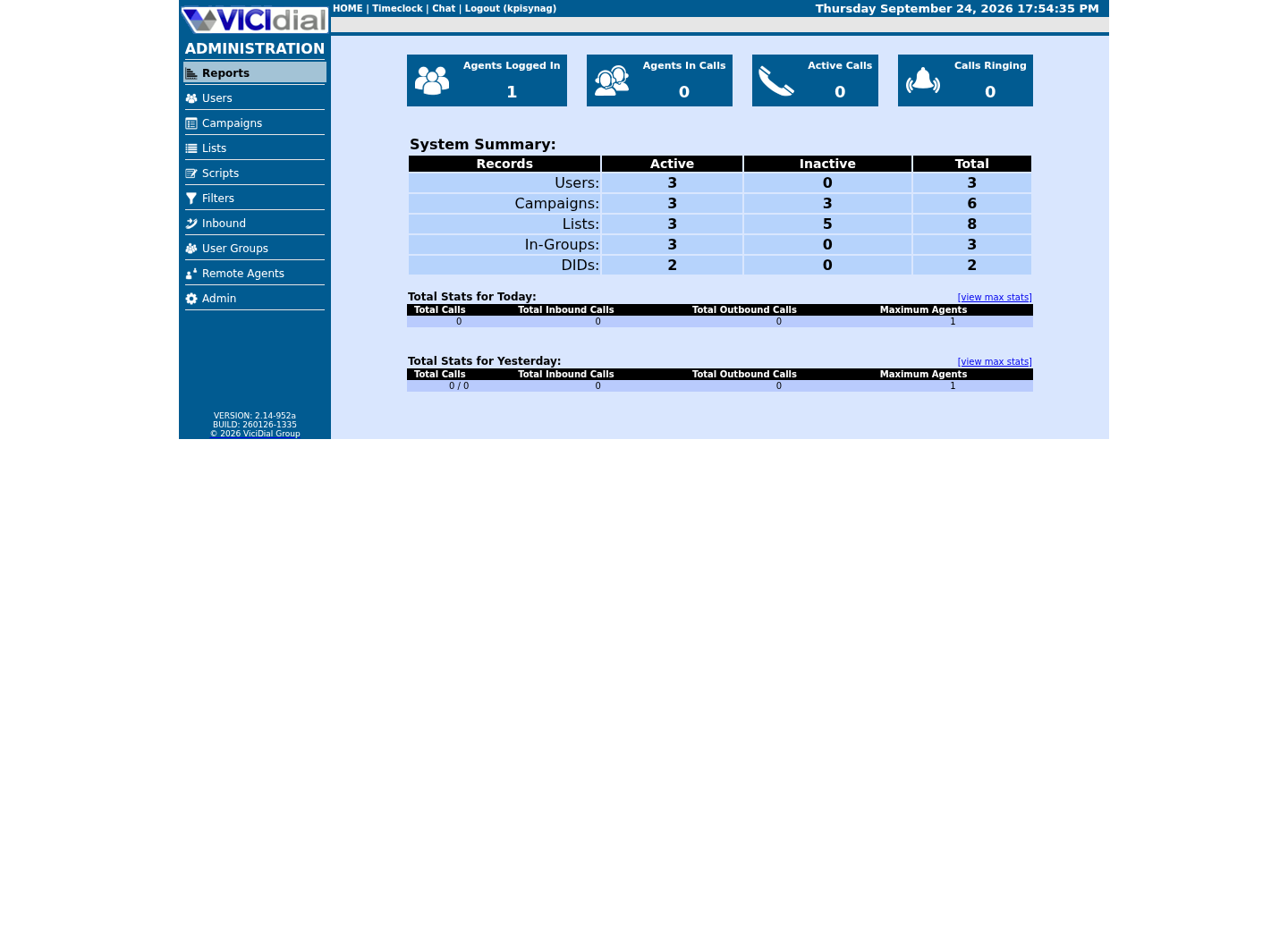
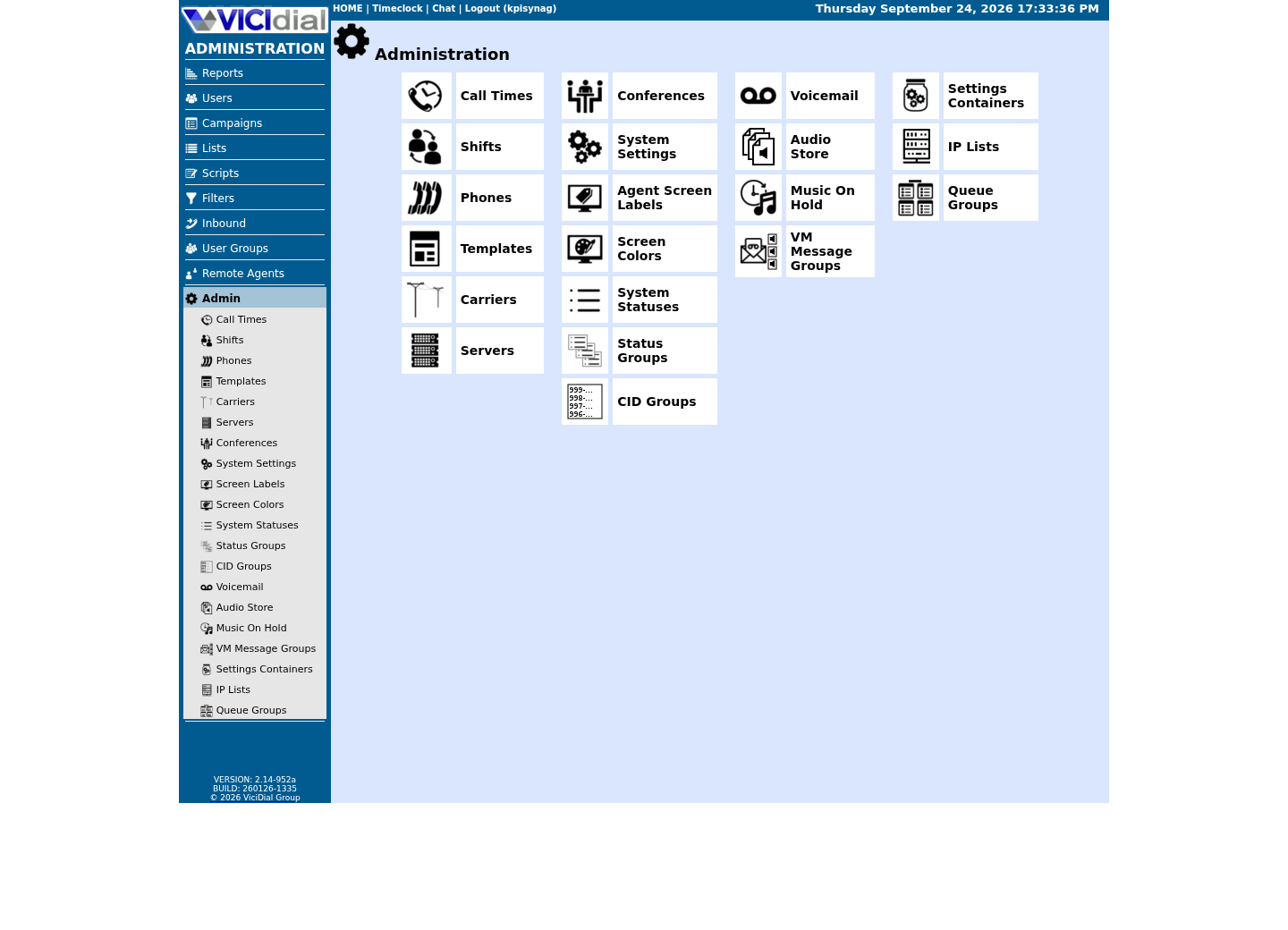
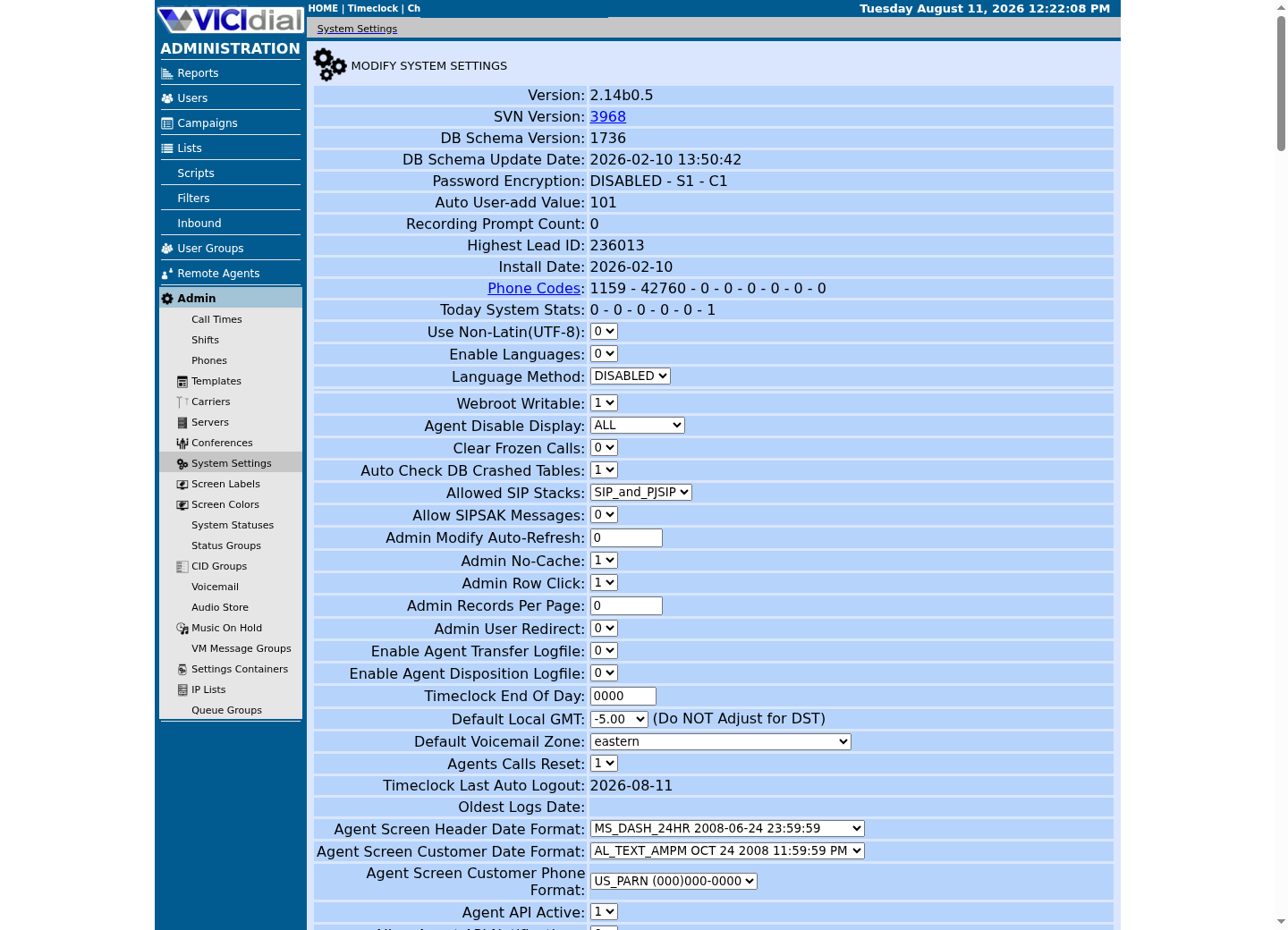
Captured on an isolated VICIdial demo: Administration screens on September 24, 2026, and the idle Agent screen on August 11, 2026. Each caption states its own capture time, and every sanitized image helps you recognize a related screen; none proves that this article's call, command, or result occurred.Start at Administration home
Use the Administration menu as a map
Confirm version and system-wide context
02 / 08
Step 1 — Orientation: Learn the Object Model and the Dependency Order
Before you create a single user, spend an hour with the object graph itself rather than a single Admin screen. Six object families form the backbone every later phase depends on — User Groups, Users, Phones, Carriers, Campaigns, and Lists — with In-Groups added the moment you take an inbound call. Each is a separate database table with no enforced relationship to any other; Admin's own screens, not the database, are what keep a user group, a phone, a campaign, and a list consistent with each other, so learning the dependency order is not background reading, it is the actual skill this phase teaches. This build's left-hand navigation reflects that same split: top-level Users, Campaigns, Lists, User Groups and Reports; a separate Admin section holding Phones, Carriers, Servers, System Settings and IP Lists; and a separate Inbound section holding In-Groups, DIDs and Call Menus.
Four guides on this site cover this phase. What stock ViciBox is: the appliance, phases and safe lab boundary, ViciBox 12 Phase 1 lab checklist: ISO boot, target disk and first login, and ViciBox Express lab: Phase 2 and first safe verification take a stock ViciBox 12 image to a working lab server with an Admin URL and an Agent URL already confirmed working — the platform the rest of this training path assumes already exists. Your first VICIdial login: find the Admin URL, Agent URL and default password then walks the eight main Admin menu sections one by one, and spends real time on the single distinction that trips up almost every newcomer: a user record and a phone record are never the same row, even on a lab build where one user and one phone happen to be linked together.
The sample below is the map for the rest of this page: the object dependency order on top, and the six-phase training path underneath it, phase by phase, with the article that actually teaches each one.
- Users — creates and edits VICIdial logins and each one's permission level
- User Groups — scopes which campaigns, lists, and reports a set of users can even see
- Phones — provisions the extension and protocol Asterisk actually rings
- Carriers — configures the outbound and inbound SIP trunks calls travel through
- Campaigns — defines one calling project: its list, its pacing, its script
- Lists — holds the actual leads a campaign is allowed to dial
- In-Groups — the inbound queue object that holds a waiting call for an agent
- Reports — a long list of report pages that stay empty until you have made a call
Objects, in the order that actually works: User group -> no dependencies User (agent login) -> needs a user group Phone (station) -> needs a user group; login and password should match the user Carrier (SIP trunk) -> no dependencies, but a campaign cannot place a real call without one Campaign -> needs a user group; needs a working carrier before it can dial for real List (of leads) -> needs a campaign to attach to In-group (inbound queue) -> needs a campaign's Allowed Inbound Groups and a DID pointed at it before a call ever reaches it The six-phase training path, one detailed guide per stage: Phase 1 Orientation and the object model -> install, then your first login Phase 2 Users and phones -> user group, user, phone, carrier Phase 3 Campaign configuration -> campaign, dial method, dial level Phase 4 Lead lists -> CSV load, verification, cleanup Phase 5 Inbound routing -> DID, in-group, IVR, blended agents Phase 6 Reports and real-time monitoring -> the reports a manager actually readsThis sample is a template or reading aid, not a terminal command. There is no output to show.
- Before you run it
- Read this before you open a single Admin screen; it is the map the rest of this training path follows, phase by phase.
- Success looks like
- You can point at any object in your own installation, in your own words, and say what it depends on, and you know which of the six phases you are currently in.
- Stop if
- If you cannot say what a given screen depends on, stop and read that phase's linked guide before creating anything on it; creating objects out of order is the most common mistake this whole page exists to prevent.
03 / 08
Step 2 — Users and Phones: The Identity and Telephony Layer
A user group comes first because the user and phone screens that follow both ask you to pick one from a dropdown; skip it and those screens have nothing to offer. Create the user next, since it is what a person actually types into the Agent login screen, then create the phone (station) record last, matching its login and password to the user's phone login and phone password exactly. The Admin section holds both Phones and Carriers for a reason: neither a phone nor a carrier is optional once you want a real call to happen, and both live in the same part of the object graph as pure telephony provisioning, separate from the identity questions Users and User Groups answer. On this build that phase's own screens are User Groups → Add A New User Group, top-level Users → Add A New User, and Admin → Phones → Add A New Phone, with Admin → Carriers one screen over for the carrier half of this phase.
Create your first VICIdial campaign, list, user group and agent covers the user-group, user, and phone steps of this phase in the order that actually works, and is explicit about the one mistake that matters most here: inserting a phone record with raw SQL instead of through Admin. A phone created that way never generates the matching PJSIP (a SIP channel technology Asterisk, the open-source telephony engine underneath VICIdial, uses to register endpoints) endpoint, so the agent's login fails with no error message anywhere that tells you why.
Connect your first SIP carrier so calls can leave the server covers the other half of this phase: a carrier is what actually lets a call leave or enter your server, and a fresh install has none configured. That guide gathers the right facts from your provider, creates one database-managed carrier row, and proves it with a real registration check and one test call, all without hand-editing a single generated Asterisk configuration file.
Competent at the end of this phase looks like this: you can create a user group, a user, and a phone with matching login and password pairs, confirm Asterisk actually generated the phone's endpoint, and separately stand up one carrier whose registration you have verified with a real test call.
SELECT u.user, u.user_group, u.phone_login, p.extension, p.protocol, p.activeFROM vicidial_users uJOIN phones p ON p.login = u.phone_loginWHERE u.user_group = '<USER_GROUP>';Captured demo response · 2026-09-24 22:25 UTC. The displayed command is the command that ran; a safe subset label means it was filtered, redacted, or fixture-scoped. Replays only after you select Replay transcript.
- Before you run it
- Run this from a read-only account after creating a user group, a user, and a phone record through Admin, replacing <USER_GROUP> with your own user group.
- Success looks like
- One row returns per agent, with phone_login on the user side matching login on the phone side, and active reading Y on the phone record.
- Stop if
- Zero rows means the phone was never actually saved through Admin, or the login values do not match exactly; reopen both Admin screens rather than editing either table directly.
04 / 08
Step 3 — Campaign Configuration: Wiring Carrier, List, and Dial Method Together
A campaign is where every object from the last two phases finally gets wired together: it names a user group, points at a carrier's dial plan through a dial prefix, and stays inactive on a MANUAL dial method until one real call has connected and hung up cleanly. Building it inactive first is not caution for its own sake — an active campaign left on an automatic dial method the moment an agent logs in and goes ready can start placing calls immediately, before you have confirmed anything actually works end to end.
Create your first VICIdial campaign, list, user group and agent finishes this phase's build: the bare campaign shell, the list it will dial, and the handful of settings — Dial Method, Manual Dial List ID, Dial Prefix — that actually decide what happens the moment an agent logs in. On this build that screen sits at top-level Campaigns → Add A New Campaign, with those same fields waiting on the campaign's own Detail screen once it exists. Place your first call as a VICIdial agent then proves the whole chain with one real manual call to a safe internal test destination, confirming audio in both directions and a saved disposition before you ever point a lead at a real phone number.
Only once a manual call is proven should you open VICIdial dialing modes and pacing: manual, ratio and adaptive, which explains what the dial level number actually controls: at 1.0 the dialer keeps roughly one call working per available agent, and every increment above that is a deliberate trade of some dropped, abandoned calls for higher agent utilization, one you should not make without a measured drop-rate baseline and an agreed stop threshold.
The query below is one of the most useful things a working administrator can run against their own install: one look at a single campaign's own object graph — whether it is active, what it dials with, and which in-groups its agents are allowed to take calls from — all in one place instead of clicking through several screens to reconstruct it by hand.
Competent at the end of this phase looks like this: you can build a campaign inactive and on MANUAL, reconcile its dial prefix against the carrier's actual dial plan pattern, prove it with one real call, and explain in one sentence why a dial level above 1.0 is a bet, not a free efficiency gain.
SELECT c.campaign_id, c.campaign_name, c.active, c.dial_method, c.campaign_allow_inbound, c.closer_campaigns AS allowed_in_groups, (SELECT COUNT(*) FROM vicidial_lists l WHERE l.campaign_id = c.campaign_id AND l.active = 'Y') AS active_listsFROM vicidial_campaigns cWHERE c.campaign_id = '<CAMPAIGN_ID>';Captured demo response · 2026-09-24 22:25 UTC. The displayed command is the command that ran; a safe subset label means it was filtered, redacted, or fixture-scoped. Replays only after you select Replay transcript.
- Before you run it
- Run this from a read-only account any time you want to see the actual object graph behind a campaign instead of clicking through several Admin screens to reconstruct it; replace <CAMPAIGN_ID> with the campaign you are checking.
- Success looks like
- The campaign appears with its real dial method, whether it is active, how many active lists it has, and, in allowed_in_groups, the exact in-groups its agents can take calls from.
- Stop if
- A campaign with active_lists at zero cannot dial anything no matter how its pacing is set; a campaign with an empty allowed_in_groups value cannot receive a single inbound call even if its DID and in-group are both configured correctly.
05 / 08
Step 4 — Lead Lists: Loading, Verifying, and Cleaning Up Safely
A list is a named batch of leads assigned to one campaign; a lead is one row in VICIdial's central vicidial_list table, holding a phone number, a status, and whatever standard or custom fields you mapped when it loaded. The field worth tagging every batch with is vendor_lead_code — it is entirely yours to set, so giving every load a distinct, greppable prefix turns it into a tracking tag you can use to verify a load, or find and remove an entire bad batch, months later, without guessing at a date range.
Load leads into VICIdial from a CSV file (comma-separated values) walks the whole loop: building a CSV the loader will not reject, mapping its columns to real vicidial_list fields, choosing a duplicate-check scope deliberately instead of accepting whatever the screen defaults to, and verifying the exact row count and a sample of loaded rows before a single lead goes anywhere near an active campaign. On this build the loader itself sits at top-level Lists → Load New Leads, once the list it loads into already exists under that same Lists section.
The habit worth building in this phase, and reusing for the rest of your career administering VICIdial, is verify before you trust the screen's own success message. A count that does not match your file exactly, or a status other than NEW on a lead that has never been called, means the load did not go the way it looked like it did on screen.
Competent at the end of this phase looks like this: you can build a safe test CSV, load it with a duplicate-check scope you chose on purpose, confirm the exact row count with a read-only query, and find and remove an entire bad batch by its own vendor_lead_code prefix without touching a single lead you did not intend to.
#!/usr/bin/env bashset -euo pipefail mysql --defaults-extra-file=/etc/vicidial-readonly.cnf -e "SELECT status, COUNT(*) AS leads FROM vicidial_list WHERE list_id = '<LIST_ID>' GROUP BY status;" Captured demo response · 2026-09-24 22:25 UTC. The displayed command is the command that ran; a safe subset label means it was filtered, redacted, or fixture-scoped. Replays only after you select Replay transcript.
- Before you run it
- Replace <LIST_ID> with the list_id you actually loaded into, and run this immediately after the loader's own success message, before trusting it.
- Success looks like
- The count matches your CSV exactly, and every row shows status NEW, since nothing in this list has been dialed yet.
- Stop if
- A count that is short, or any status other than NEW on a never-called batch, means the load did not go the way the screen implied; resolve that before this list goes anywhere near an active campaign.
06 / 08
Step 5 — Inbound Routing: DIDs, In-Groups, IVR, and Blended Agents
Inbound routing adds one more object family on top of everything built so far: the in-group, VICIdial's inbound queue, and the DID that points at it. Three separate things have to agree before a caller ever reaches a person — the DID record, the in-group it names, and an agent's actual permission to sit in that in-group's queue — and almost every abandoned-call ticket traces back to the third one being half-done: the in-group exists, the DID points at it, and not a single agent was ever granted access.
Make a phone number ring an agent: inbound DIDs and in-groups covers that exact chain, field by field, including the step almost everyone skips. Build a VICIdial IVR call menu: press 1 for sales, press 2 for support adds a touch-tone menu (an IVR, interactive voice response) in front of the in-group when callers need to choose a destination themselves. Tune a VICIdial inbound queue: hold music, wait time, overflow and after hours turns a silent, always-open stock queue into one with a real greeting, dedicated hold music, a working overflow action, and business hours that actually make an after-hours message reachable. On this build those first two screens are Inbound → In-Groups and Inbound → DIDs; the third thing this phase depends on, an agent's own permission to sit in that in-group's queue, is granted from that agent's own top-level Users detail screen, not from either Inbound screen.
Blended VICIdial campaigns: the same agents inbound and outbound closes this phase out by putting outbound and inbound on the same login: an outbound campaign's agents can also take queued in-group calls in the same session, at the cost of a real trade-off worth understanding on purpose — every second an agent spends on an outbound call is a second they cannot answer a waiting inbound one, and no setting gives you both a maximum outbound dial level and a guaranteed fast inbound answer.
Competent at the end of this phase looks like this: you can wire a DID to an in-group and grant an agent access to it from memory, without forgetting the agent-permission step, and you can explain the blended pacing trade-off in one sentence instead of treating a slow inbound queue as a mystery.
SELECT g.group_id, g.activeFROM vicidial_inbound_groups gWHERE g.group_id = '<INGROUP_ID>'; SELECT c.campaign_id, c.campaign_allow_inbound, c.closer_campaignsFROM vicidial_campaigns cWHERE c.campaign_id = '<CAMPAIGN_ID>'; SELECT u.user, u.closer_campaignsFROM vicidial_users uWHERE u.user = '<AGENT_USER>';Captured demo response · 2026-09-24 22:25 UTC. The displayed command is the command that ran; a safe subset label means it was filtered, redacted, or fixture-scoped. Replays only after you select Replay transcript.
- Before you run it
- Run these three statements together, replacing <INGROUP_ID>, <CAMPAIGN_ID>, and <AGENT_USER> with your own in-group, campaign, and agent, right after wiring up a new inbound path.
- Success looks like
- The in-group is active, the campaign shows campaign_allow_inbound as Y with the in-group's ID present in closer_campaigns, and the agent's own closer_campaigns also contains that same ID.
- Stop if
- If the agent's closer_campaigns is missing the in-group's ID, that agent was never actually granted access; the call will queue silently and nobody's phone will ring, with nothing in Admin flagging why.
07 / 08
Step 6 — Reports and Real-Time Monitoring: The Phase Everyone Skips
VICIdial does not have a shortage of reports: the installed source ships a long list of report pages backed by a family of VERM (a dynamically included reporting module family) report modules, covering real-time operations, agent performance, campaign and inbound statistics, workforce time, and more. Reporting depth was never the beginner's problem here. The actual gap every operator eventually reports is simpler and much more common: nobody reads them, because nobody was ever told which few actually matter on a normal week.
One screen earns a daily look, not a weekly one. On this build every report below lives under the top-level Reports section. Real-Time Main Report (realtime_report.php) is the live supervisor view — agents by status, calls in queue, current dial level and drop rate per campaign — and it is the first place to look the moment anything feels off during a shift. The rest of this list is a weekly habit, not a dashboard to leave open all day.
Outbound Calling Report (AST_VDADstats.php) is the weekly check on dial method and drop rate: total calls placed, human-answered rate, and the disposition breakdown, the same numbers you should have baselined before ever raising a campaign's dial level past 1.0. Inbound Report (AST_CLOSERstats.php) is its inbound counterpart — calls offered, answered, and abandoned per in-group, plus the service-level percentage answered inside your target window, which is exactly what tells you whether a blended campaign's outbound pacing is starving inbound.
Agent Time Detail (AST_agent_time_detail.php) and the agent performance reports (AST_agent_performance.php and its comparison view) are the weekly people-management check: login and logout times, talk time versus pause time versus wait time, and calls handled per agent, the numbers that catch a quietly disengaged agent long before a customer complaint does. Timeclock Report (timeclock_report.php) is the workforce half of the same habit — hours actually worked against hours scheduled.
A manager who reads exactly four things every week — the outbound drop rate, the inbound service level, agent time detail, and the real-time board during at least one live shift — has covered the overwhelming majority of what actually goes wrong in a VICIdial operation. Everything else in that report library is there for the week something specific needs investigating, not for a standing weekly routine.
Competent at the end of this phase, and at the end of this whole training path, looks like this: you have a standing weekly habit of reading those four things, you know which report answers which question before you go looking for it, and you can tell a colleague exactly which detailed guide on this site to open next instead of reteaching them everything yourself.
- Real-Time Main Report (realtime_report.php) — check during at least one live shift, not just at a desk
- Outbound Calling Report (AST_VDADstats.php) — weekly drop rate and disposition mix
- Inbound Report (AST_CLOSERstats.php) — weekly service level and abandonment per in-group
- Agent Time Detail (AST_agent_time_detail.php) — weekly talk, pause, and wait time per agent
- Timeclock Report (timeclock_report.php) — hours worked against hours scheduled
#!/usr/bin/env bashset -euo pipefail mysql --defaults-extra-file=/etc/vicidial-readonly.cnf -e "SELECT campaign_id, COUNT(*) AS calls, SUM(status = 'DROP') AS dropped, ROUND(100 * SUM(status = 'DROP') / COUNT(*), 2) AS drop_rate_percent FROM vicidial_log WHERE call_date >= CURDATE() - INTERVAL 7 DAY AND campaign_id = '<CAMPAIGN_ID>' GROUP BY campaign_id;" Captured demo response · 2026-09-24 22:25 UTC. The displayed command is the command that ran; a safe subset label means it was filtered, redacted, or fixture-scoped. Replays only after you select Replay transcript.
- Before you run it
- Run this every week for every campaign you manage, not only after a complaint; point it at the read-only reporting account, never a password typed on the command line. This counts outbound abandons only — XDROP is inbound-only and lives in vicidial_closer_log, not here.
- Success looks like
- The campaign shows a drop_rate_percent you can compare against last week's number and against whatever limit applies to your business.
- Stop if
- A rising drop_rate_percent with no matching pacing change is worth investigating immediately, not filing away until the next scheduled review. Zero rows back for a scoped campaign_id is a different signal — it means no calls were logged against that campaign in the window at all; on our ViciBox 12 lab the idle fixture campaign returns exactly that, an empty baseline you would expect from a campaign nobody has dialed, not proof the query itself is broken.
08 / 08
Troubleshoot: The Mistakes Every New Admin Makes, and How to Stop Them
Nearly every first-month failure in VICIdial traces back to one of five patterns, and every one of them is a symptom of skipping the object graph rather than a bug in the software. A phone record inserted with raw SQL instead of through Admin, so Asterisk never generates its endpoint and the agent's login fails with no explanation. A campaign left active on an automatic dial method while it is still being tested, so real calls start the moment an agent goes ready. A dial level raised past 1.0 on instinct instead of a measured drop-rate baseline. An in-group and a DID both configured correctly while not a single agent was ever granted access to that in-group, so calls queue silently and nobody's phone ever rings. And a reporting library that nobody opens until something has already gone wrong.
Stop the moment you notice one of these, rather than layering a second change on top of the first while you are still unsure what the first one did. Confirm the actual state with a read-only query before you change anything else — every sample query in this guide, and in every detailed guide it links to, is written to be safe to run against a live system for exactly this reason.
Rollback in VICIdial almost never means touching the database directly. The safe rollback for a bad user, phone, list, or campaign is deleting that single record through its own Admin screen and recreating it, never a manual DELETE FROM in SQL, since the schema itself enforces none of these relationships for you. The safe rollback for pacing raised too far is returning the dial level to 1.0 in Campaign Detail and saving. The safe rollback for a carrier that is failing registration checks is flipping its Active field back to N, which removes it from the generated configuration on the next rebuild without losing the row. The safe rollback for a broken call menu is pointing its DID back at the in-group that was working before.
None of this is a reason to be timid. It is a reason to build the habit this whole guide is built around: know which object you are touching, know what it depends on, and know the one-screen rollback before you make the change, not after something is already ringing.
- A phone created with raw SQL instead of through Admin never registers with Asterisk
- A campaign left active on an automatic dial method while still being tested can start dialing the moment an agent goes ready
- A dial level raised past 1.0 without a measured baseline trades agent utilization for dropped calls you have not measured
- An in-group and a DID configured correctly while no agent was ever granted access to that in-group
- A reporting library nobody opens until something has already gone wrong
Evidence ledger
Verification basis
- Admin's own left-hand navigation groups Users, User Groups, Phones, Carriers, Servers, System Settings, IP Lists, Campaigns, Lists, and Inbound (In-Groups, DIDs, Call Menus) as separate resource families with no wizard linking them — observed directly on this build's admin.php nav, not benchmarked against an external catalog.
- VICIdial's live schema carries no foreign keys between these tables, so nothing in the database itself enforces the dependency order Admin's screens assume; that order is a convention this guide teaches, not a constraint you can query for.
- Reporting depth was never the beginner's real problem: VICIdial ships a long list of report pages, backed by a family of VERM (dynamically included) report modules, covering real-time operations, agent performance, campaign and inbound statistics, and workforce time — the source for this guide's closing claim.
- Each phase of this training path links to the exact detailed guide on this site that a new administrator should read for that phase, in the reading order those guides were written in.
Primary references
Sources
- VICIdial open source contact center suiteVICIdial Group · accessed August 5, 2026
- Official VICIdial SVN and configuration guidanceVICIdial · accessed August 5, 2026
- VICIdial statuses reference (VICIDIAL_statuses.txt)VICIdial · accessed August 5, 2026